Re-invite a user
Invitations to join your agency's Axon Evidence site are valid for 7 days. If a user does not accept their invitation within this time frame, it expires.
Watch this video to learn how to re-invite a user.
Agency administrators can resend these invitations by following these steps:
- Go to the menu bar at the top of the page, select Admin, and then select All Users from the Users section.
-
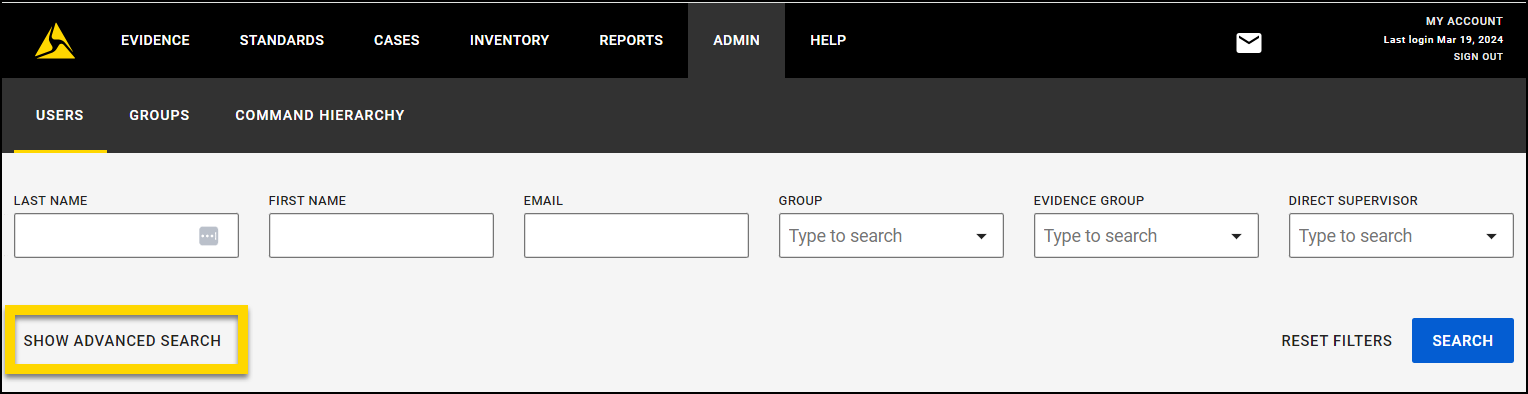
Select Show Advanced Search to reveal additional search options.
-
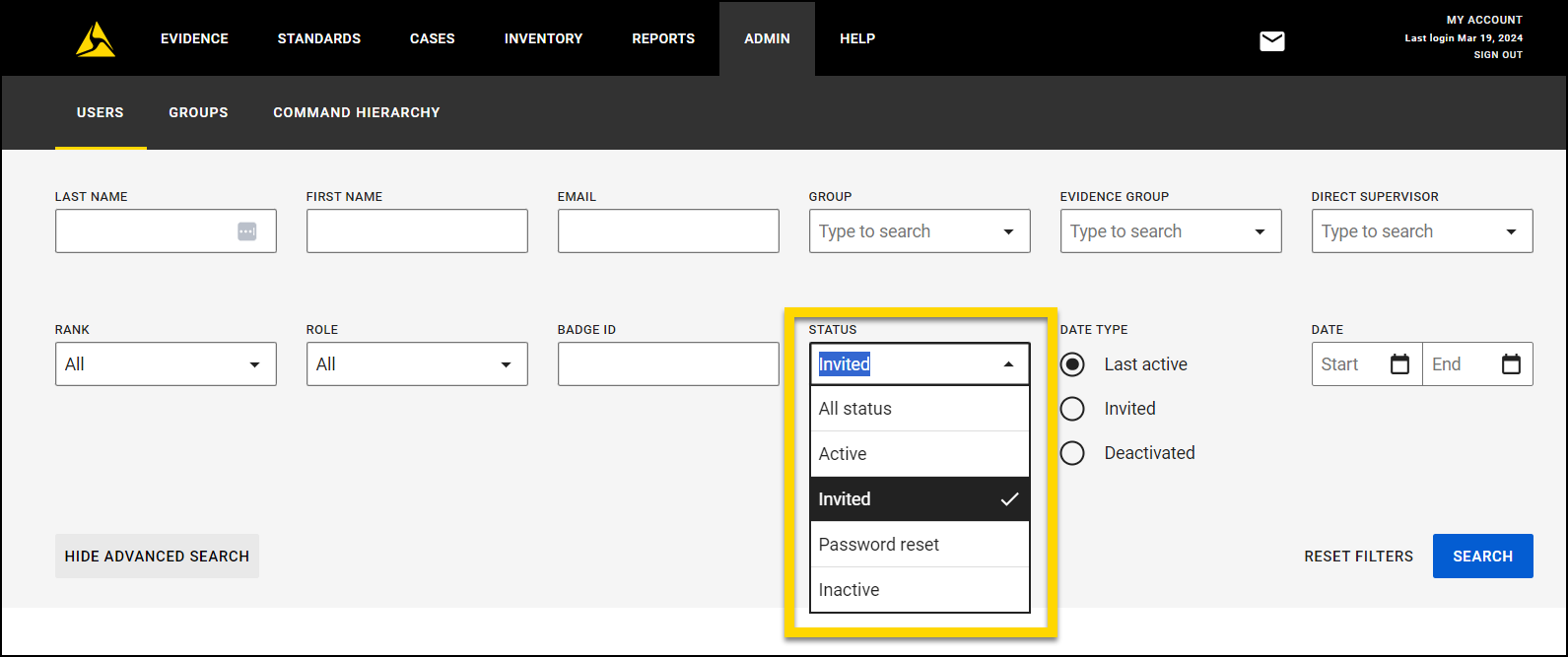
In the Status dropdown, choose Invited, then press Search.This filters the list to display only users who need to complete the registration process.
-
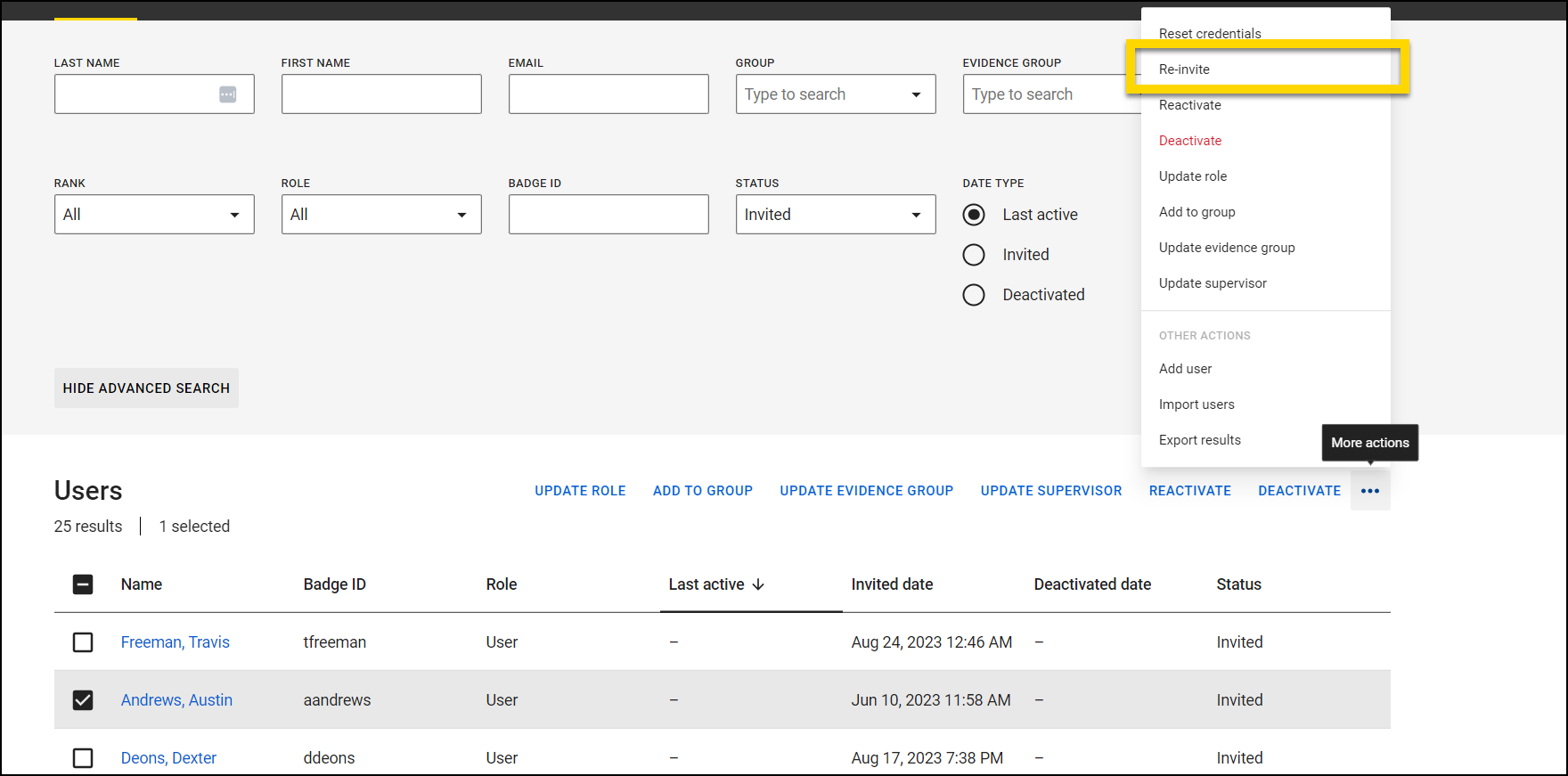
Select the checkbox next to each user you want to re-invite. If you want to re-invite all users on the list, select the checkbox at the top of the list.
Note
If there is more than one page of users, you can only re-invite users on the current page. Navigating to the next page will deselect the boxes on the current page.
-
Select the More Actions […] icon in the upper right corner, then chooseRe-Invite.
- Select Re-Invite on the pop up.
A new email inviting the user to complete registration process will be sent to the email address on their account.


