Unlock a user account
If a user exceeds the maximum number of login attempts permitted by your agency's Axon Evidence security settings, the system locks the user's account. The user will see an Account locked error message. This message informs them they've reached the maximum number of sign-in attempts, and to contact the agency administrator to get their account unlocked.
Watch this video to learn how to unlock a user account.
To unlock a user account after too many failed attempts, follow these steps:
-
Navigate to the menu bar at the top of the page and select Admin.
-
Choose All Users from the Users section.
-
Find the user’s name from the list of names, or by using the search function. Keep in mind, the user search results will not show if an account is locked.
-
Open the User page by selecting the person’s name.
-
Select Unlock from the upper right corner of the screen.
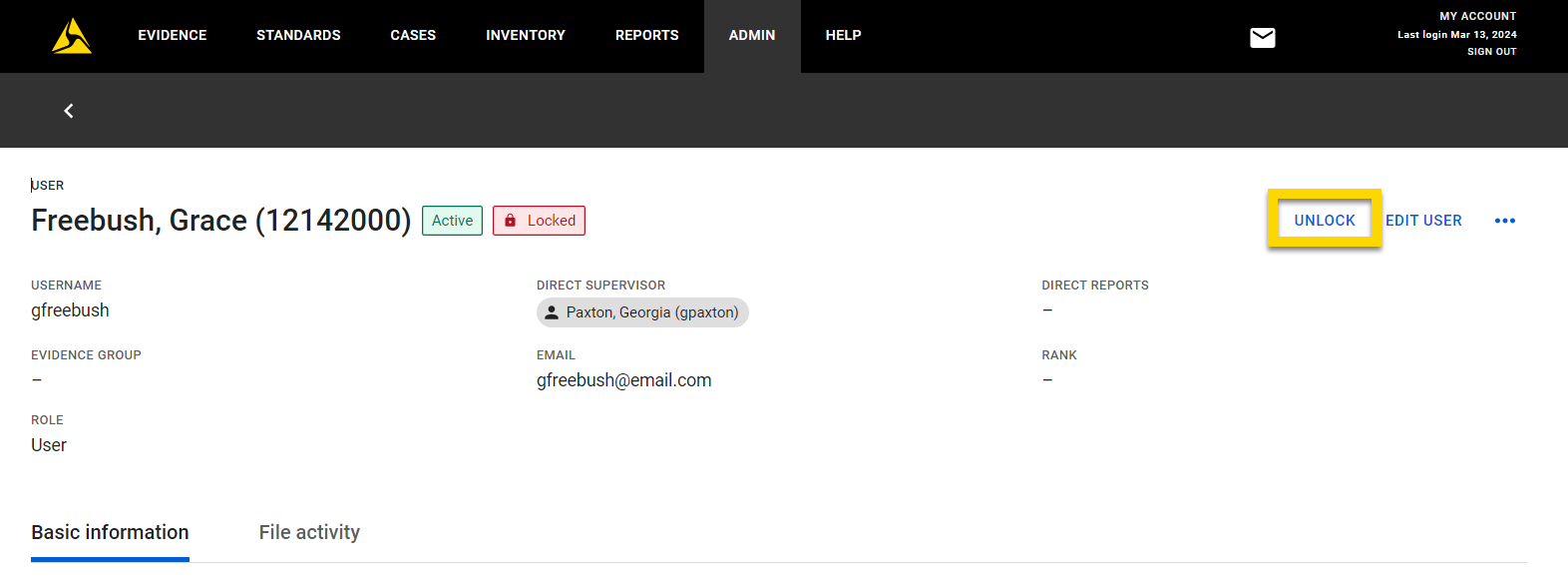
Once unlocked, the user can access their account again. The User page will refresh, and the Unlock option will disappear, indicating the process is complete.


