Video Recall
Video Recall adds a Video Recall tab to View XL Standalone Mode. The tab is only visible if your admin has assigned you to a role with the Access Video Recall Files permission enabled. Viewing videos through Video Recall is only available using View XL.
The Video Recall tab shows 30-minute-increment files captured in the past 18 hours while the camera was buffering, listed by time-stamp of the recording start time and duration of the file. If a recording is less than 30 minutes, it was interrupted by a different camera state, such as being in placed in Sleep Mode, docked, powered off, plugged in to View XL Standalone, or actively recording. When the camera returns to buffering, Video Recall recording resumes with a new file.
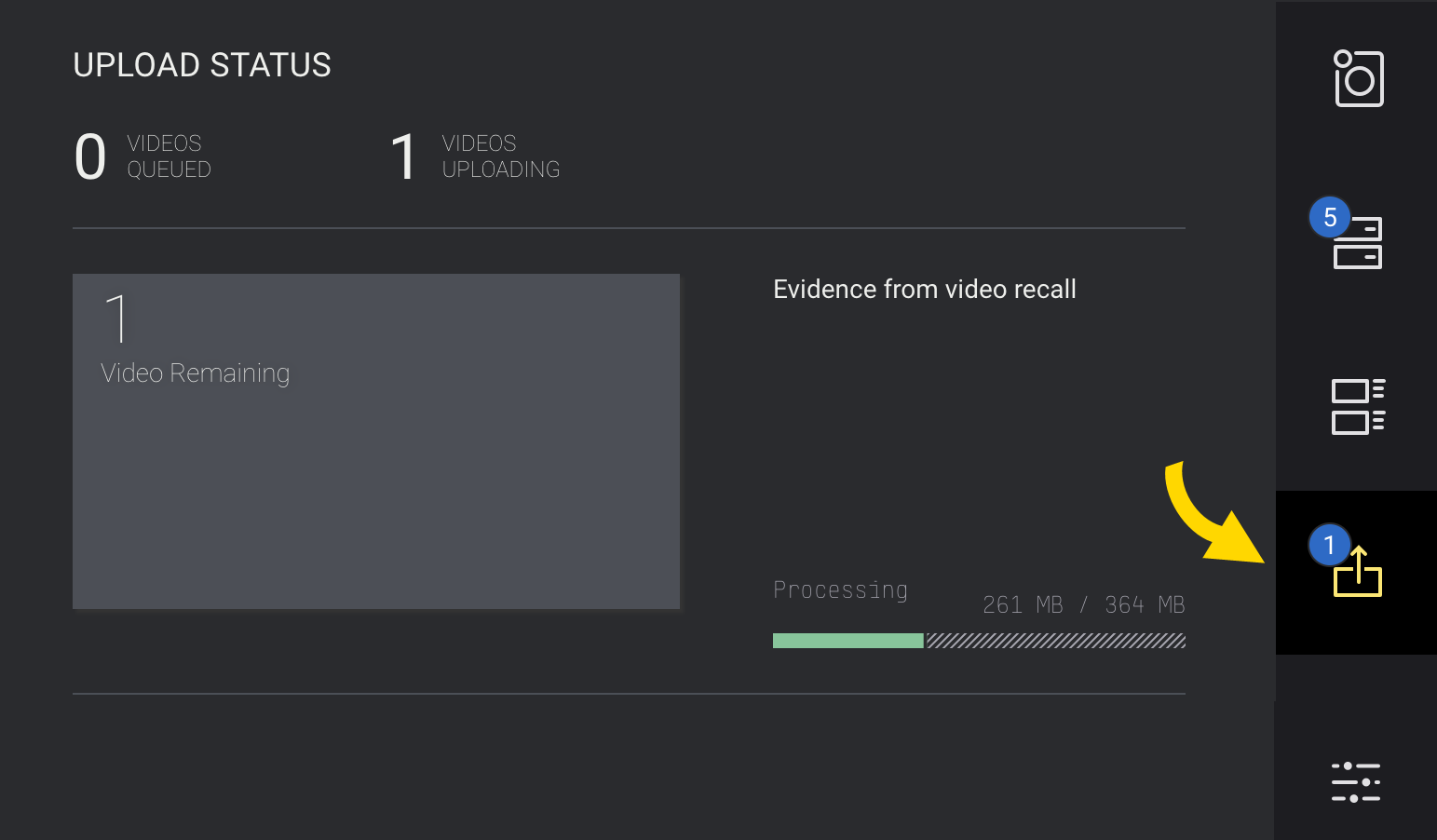
Files selected for upload in the Video Recall tab are placed in the Upload queue. You can't view Video Recall recordings or edit metadata prior to upload. View the status of the file uploads in the Upload tab. Once uploaded, the Video Recall recording functions as any normal recording in Axon Evidence.
Video Recall must be enabled prior to the event you want to recall for it to have captured that video. Your camera will not store, and therefore you can't retrieve, any buffered video prior to Video Recall being turned on.
Upload Video Recall recordings
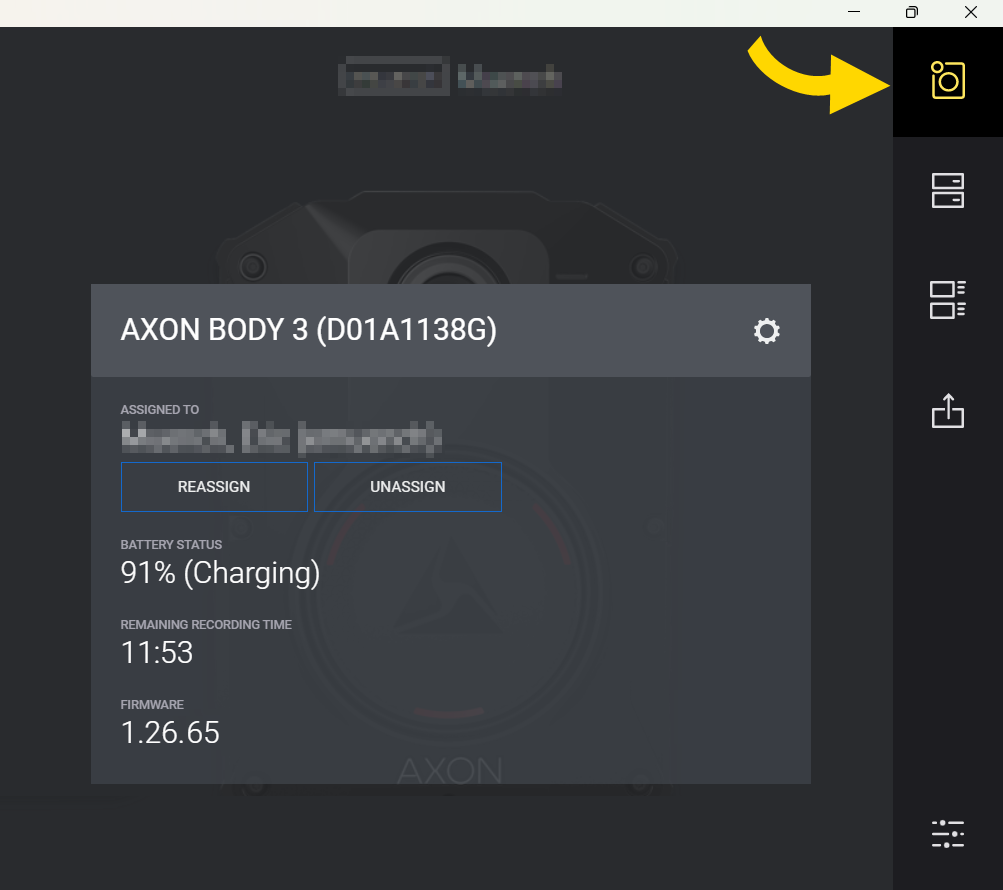
- Sign into View XL (download at Axon Evidence > Help), connect camera with a USB-C cable, and launch Standalone mode.
- Select Video Recall.
- The time-stamp shows the start time of the recording. Select Upload
 to place a recording in the Upload queue. The file remains listed here until upload completes.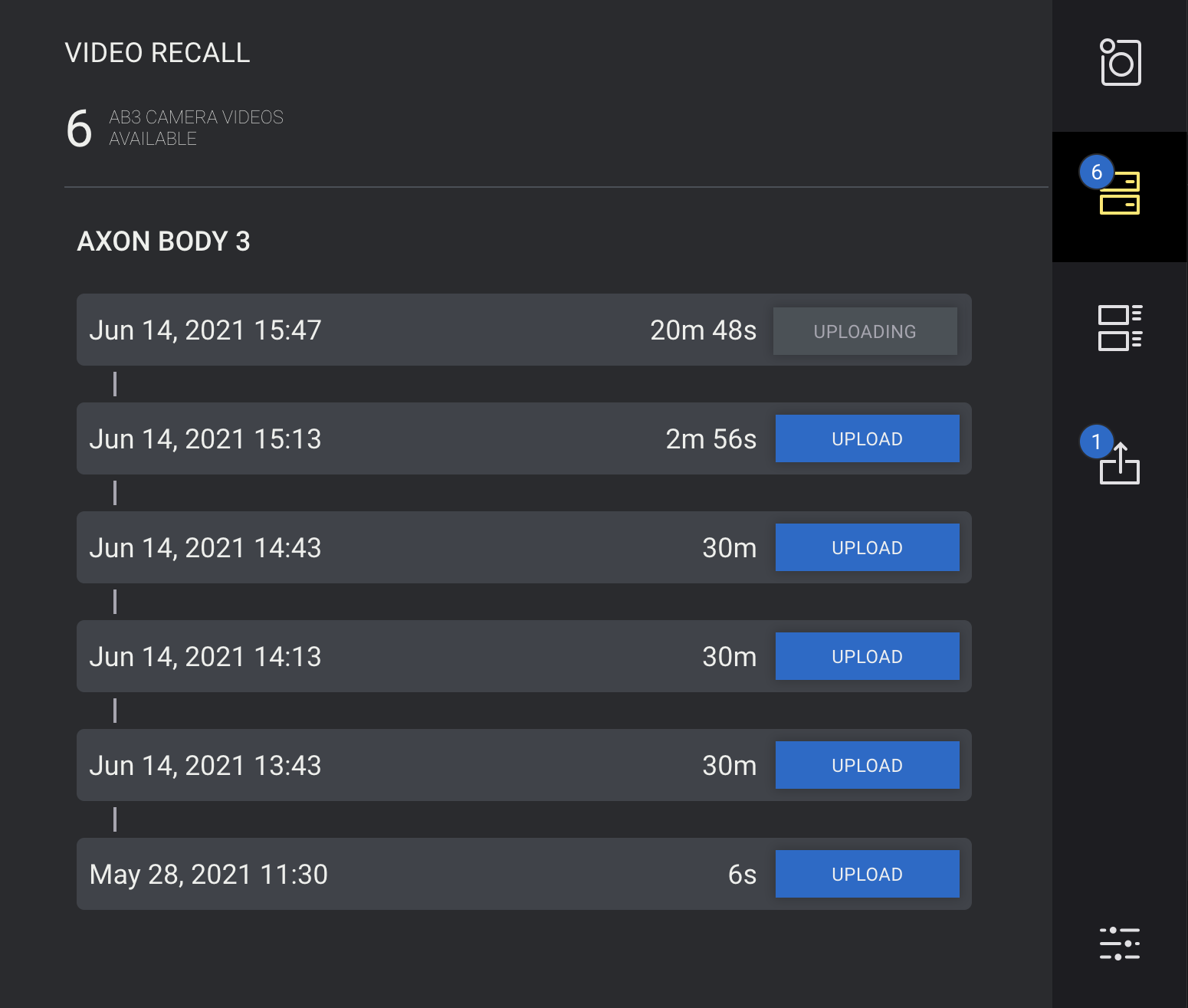
- Optionally, monitor the status of the upload in the Upload Status tab.
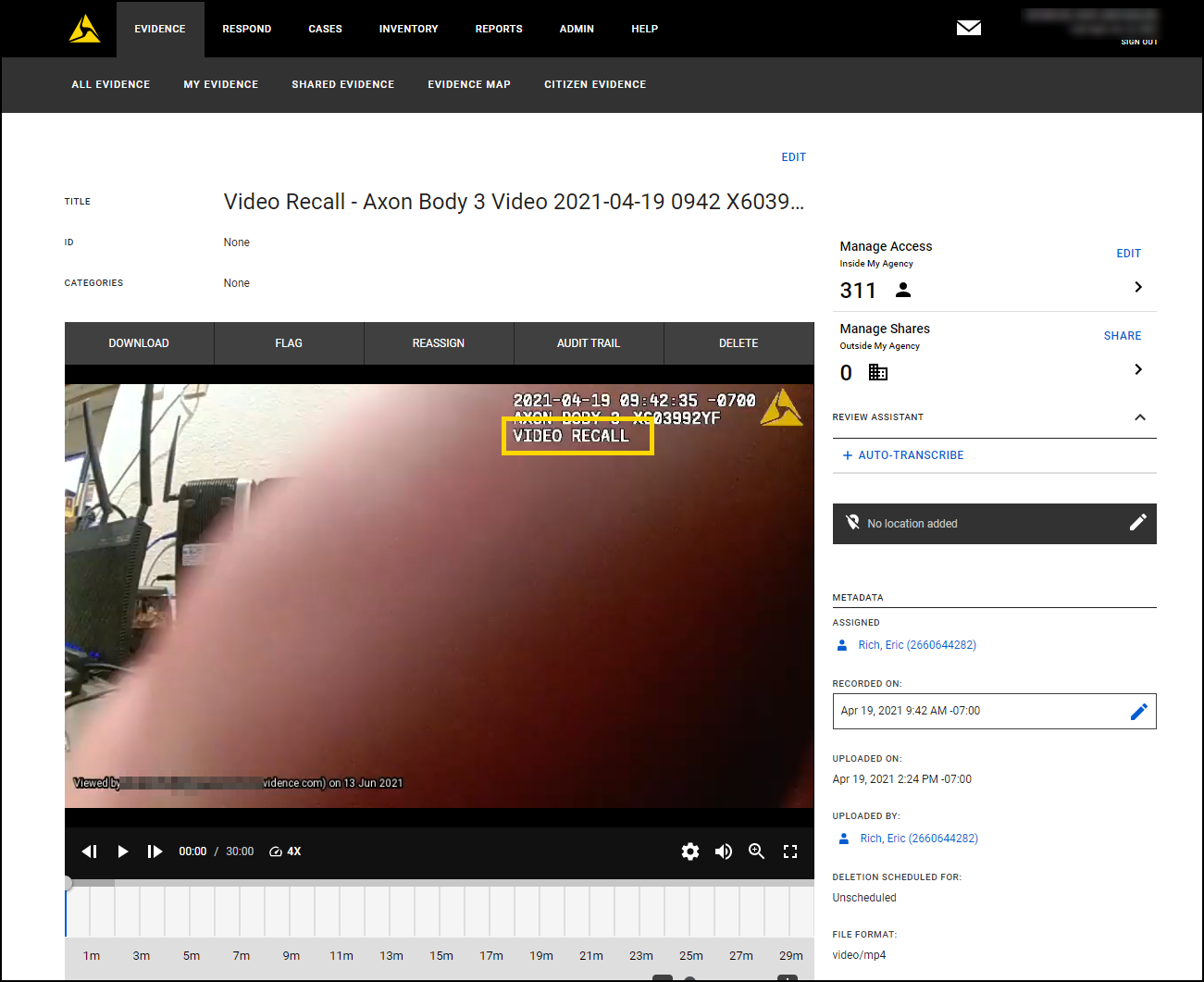
Video Recall recordings in Axon Evidence receive a unique tag in the watermark.