Organization Specific Activation
Organization Specific Activation, also called Organization Only Activation, gives you granular control over cross-organization camera activation. You can specify which partner organizations can activate your cameras, and through which devices (Axon Signal Vehicle, TASER energy weapons, Signal Sidearm, and Signal Sensor).
If no partner organizations or devices are selected, only your organization's own devices can activate your body cameras.
If Organization Specific Activation isn't visible in your account, contact your Axon CSM to enable it.
After you change Organization Specific Activation settings, dock your body cameras so they can download the changes. This applies to:
- Toggling the setting on or off
- Adding or removing partner organizations
- Adding or removing activation methods (device types)
Navigate to Organization Specific Activation
- Sign in to your Axon Evidence admin account.
- Select Admin.
- Under Device Management select Device Settings.
- Select Signal Sidearm and Signal Sensor.
- The Organization Specific Activation setting is located below Assigned Officer Activation.
Organization Specific Activation setting layout
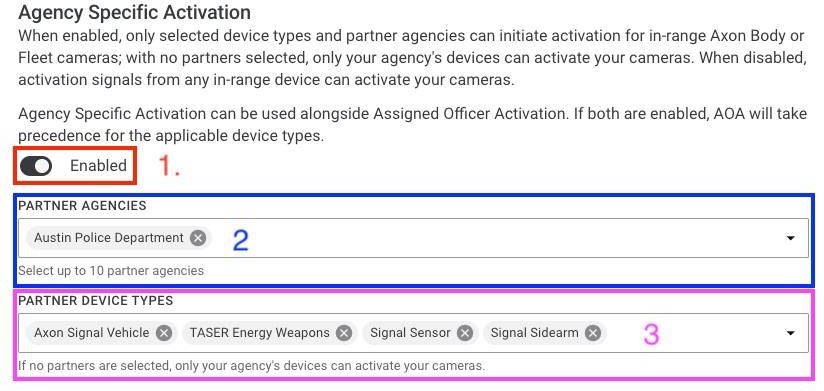
- Setting toggle: Turns the setting on or off.
- Partner search: Add up to 10 partner organizations.
- Partner device types: Determines which devices your partner organizations can use to activate your organization's body cameras. Supported devices include Axon Signal Vehicle, TASER energy weapons, Signal Sidearm, and Signal Sensor. If no devices are selected, partner organization devices can't activate your body cameras.
Enable or disable Organization Specific Activation
Select the toggle to turn Organization Specific Activation on or off.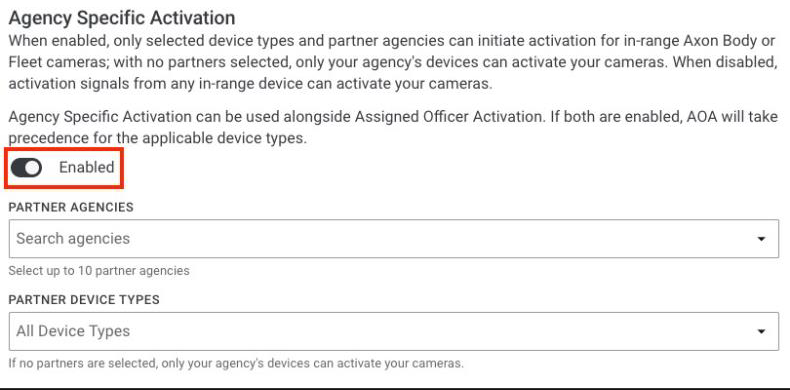
Add or remove a partner organization
Partner organizations are outside organizations whose users can activate your cameras. To add a partner organization, select the partner search box, then type to search. Select an organization from the results to add it.
Make sure an organization's name matches exactly with the one you want to add. Some organizations share the same name across multiple states or locations.
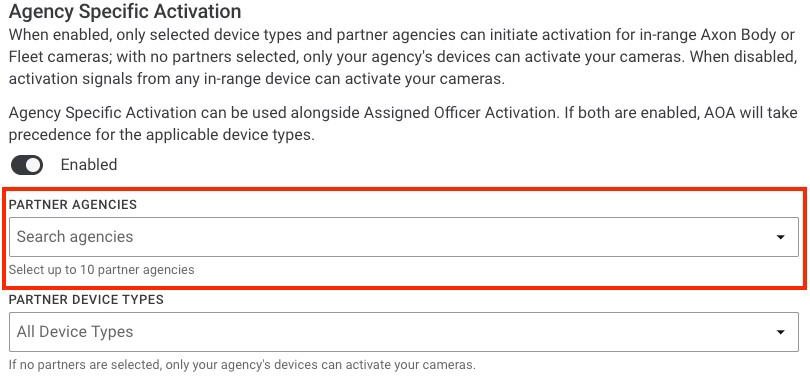
Add or remove partner device types
Select which device types your partner organizations can use to activate your organization's body cameras. If no devices are selected, partner organization devices can't activate your body cameras. Only the devices you select can activate your organization's cameras.
Supported devices: Axon Signal Vehicle, TASER energy weapons, Signal Sidearm, and Signal Sensor.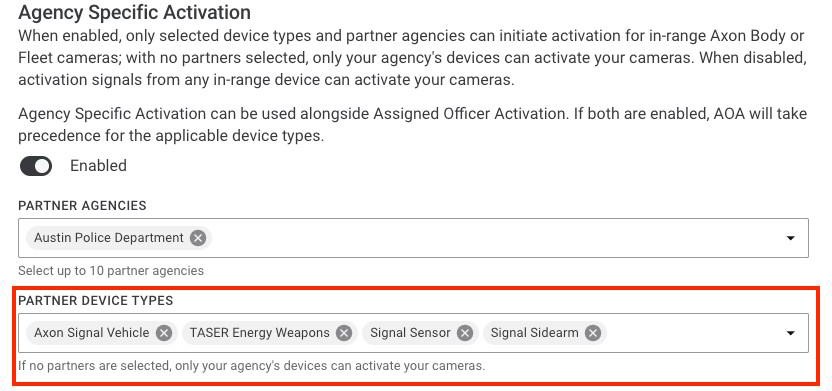
If you encounter an error or need help, contact Axon customer support.


