Device bulk assignment
Use the Bulk Assignment feature to assign devices to many users at once.
- Select Inventory.
- In the Management section, select Bulk Assign.
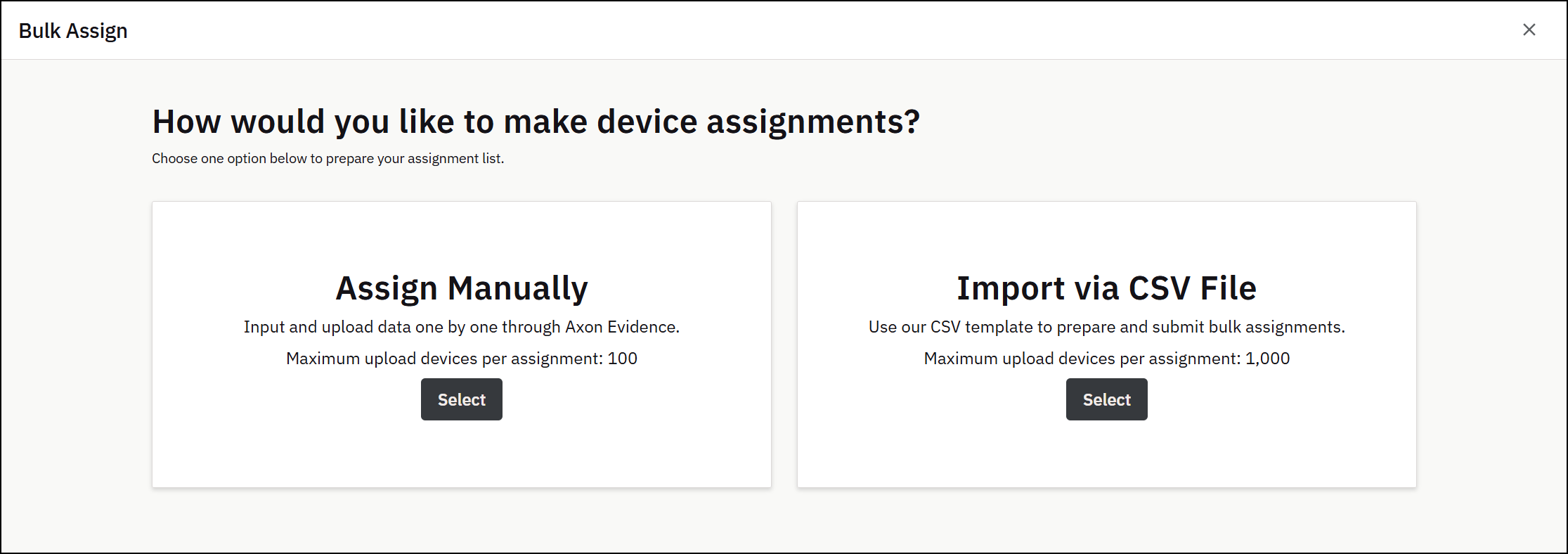
- Select whether you'd like to manually enter devices and their respective users, or if you want to assign devices automatically using a prepared CSV file.
Bulk assign using a CSV file
- Read the instructions on how to fill out the file, and then click Download Example Template.
- Download the template and only fill in the Badge ID and Device Serial Number columns (one ID or device serial number per cell)
- If multiple devices need to be assigned to the same ID, create separate rows with the same badge ID.
- If you want to unassign devices, fill in "unassign" in the Badge ID cell.
- Maximum 1000 devices per file.
- When prompted, save the file and then open it to begin entering the Badge IDs and Device Serial Numbers you want to assign.
- Once the file is complete with all the assignment data you want to submit, save the file, and upload it on the Bulk Assign page.
- All valid assignment data will be processed, and the designated devices will be automatically assigned to the appropriate users.
- If there are any errors in processing the data in your CSV file, download an Error File containing only the data that needs to be corrected and resubmitted. Follow the same steps as above to resolve any of these errors.
Bulk assign using manual entry
- In the first box in the Assignee column, start typing the name of the user to assign the device to. When matching users appear, select the user you want. You can also type the user's badge ID.
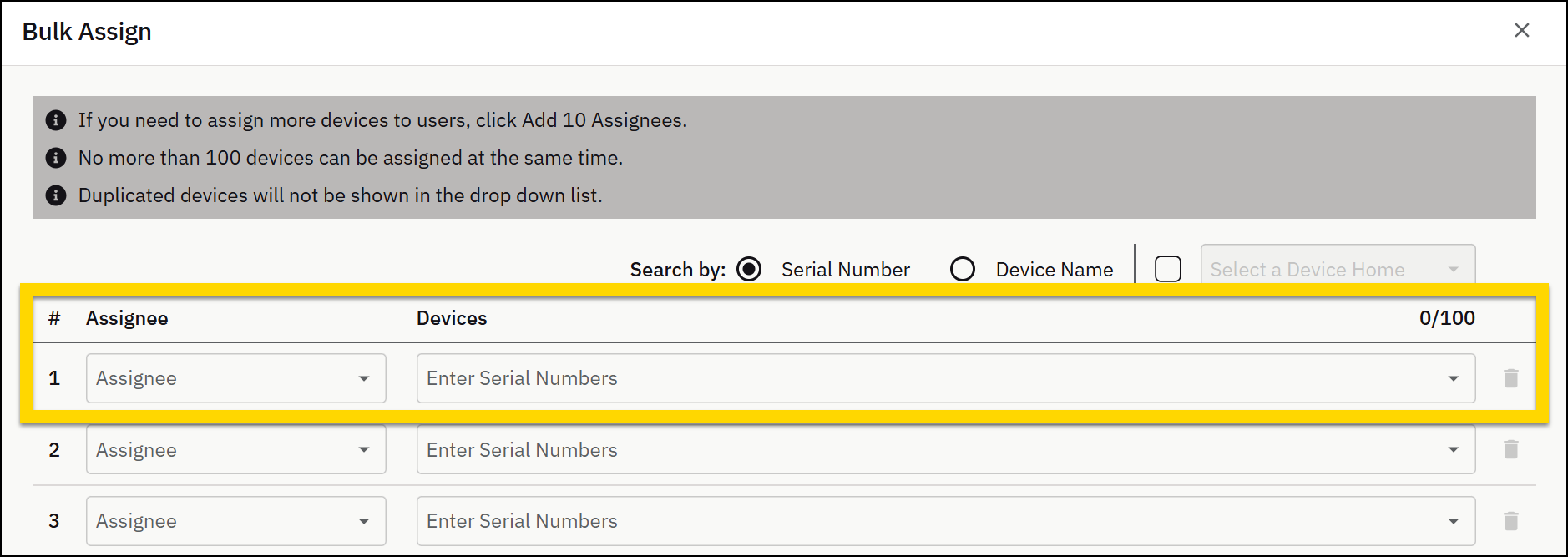
- In the first box under Devices, start typing the serial number of the device you want to assign to the user. When matching devices appear, select the device to assign. To search by Device Name instead of Serial Number, select the Device Name option above the table.
- For each additional device you need to assign, repeat the previous two steps. If you need more rows, click Add 10 Assignees.You can assign a maximum of 100 devices in a single Bulk Assign submission.
- When you are done specifying users and the devices to assign to them, select Submit. A confirmation box appears.
- Select Submit and Axon Evidence assigns the devices to the users you specified.
Verify device assignments
To verify the devices are correctly assigned:
- Select Inventory.
- In the Search section, select All Devices.
- Search for each device by serial number.
- View the Assignee name in the search results.
Supported devices
The ability to assign devices in bulk within Axon Evidence is not supported for all Axon devices. The following devices can or can't be assigned in bulk.
Devices that can be bulk assigned
- Axon Body 1
- Axon Body 2
- Axon Body 3
- Axon Body 4
- Axon Flex 1
- Axon Flex 2
- Axon Flex 2 Controller
- Axon Flex Controller V2
- Axon Flex POV
- Axon Sidearm
- TASER Haptic Battery
- TASER 7 Battery
- TASER 7 Correctional Battery
- TASER 7 Cartridge (12)
- TASER 7 Cartridge (3)
- TASER 7 Handle
- TASER 7 CQ
- TASER 7 VR Handle
- TASER 7 Inert VR Cartridge (12)
- TASER 7 Inert VR Cartridge (3)
- TASER 7 Sim Cartridge (12)
- TASER 7 Sim Cartridge (3)
- TASER 7 Training Cartridge (12)
- TASER 7 Training Cartridge (3)
- TASER 7 VR Cartridge (12)
- TASER 7 VR Cartridge (3)
- TASER 10 Handle
- TASER 10 VR Handle
- TASER 10 VR Handle 2
- TASER 10 Duty Cartridge
- TASER 10 Halt Cartridge
- TASER 10 Duty Magazine
- TASER 10 Halt Magazine
- TASER 10 Inert Magazine
- TASER 10 Training Magazine
- TASER 10 VR Magazine
- TASER X2 Handle
- TASER X26p Handle
Devices that can't be bulk assigned
- Axon Air
- Axon Body 3 Dock (1 Bay)
- Axon Body 3 Dock (8 Bay)
- Axon Body 4 Dock (1 Bay)
- Axon Body 4 Dock (8 Bay)
- Axon Dock
- Axon Fleet 2 Front Camera
- Axon Fleet 2 Rear Camera
- Axon Fleet 2 IR Controller
- Axon Fleet 3 Dual View Camera
- Axon Fleet 3 Interior Camera
- Axon Fleet 3 Hub
- Axon Fleet 3 Wireless Mic
- Axon Fleet 3 Wireless Mic Charging Base
- Axon Fleet Camera
- Axon Fleet Front Camera
- Axon Fleet Junction Box
- Axon Fleet Mount
- Axon Fleet Rear Camera
- Axon Flex ETM
- Axon Interview
- Axon SNF Server
- Axon Signal Unit
- SPPM
- TASER 7 Dock Charger


