Axon Evidence Local
Find Your Way Around Evidence Local
Learn how to use Evidence Local to view and work with evidence. You can view evidence listed in search results if any of the following are true:
- You own the evidence.
- The owner of the evidence has shared it with you.
- Your role allows you to view the evidence.
- You are a monitor of a group that the evidence owner is a member of.
- You are an administrator.
Watch this video to learn about finding your way around Axon Evidence Local.
Evidence page overview
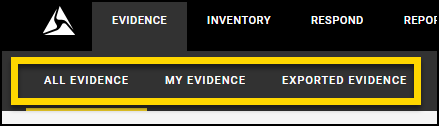
Evidence Local provides a feature to help you find the evidence you need. In the evidence search area, you can use any of the three evidence tabs to filter evidence:
- All Evidence(default): Displays all evidence, including evidence that you do not have permission to view, sorted by the most recently recoded evidence.
- My Evidence: Displays evidence that you uploaded. The User or Group filter is automatically set to your name.
- Exported Evidence: Displays evidence that has been exported for use externally.
Learn more about how to search for evidence.
From any of the evidence tabs, you can:
- View evidence: In the list of search results, select the title of the evidence you wish to review it.
- Change search results: Update the search filters as needed, and then select Search to refresh your results.
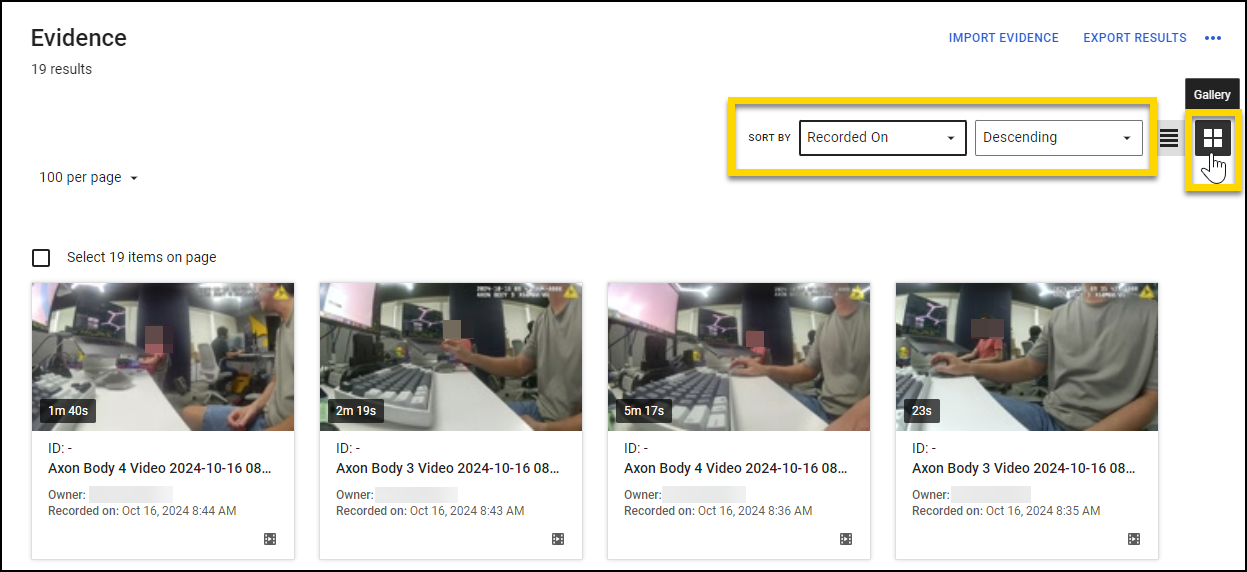
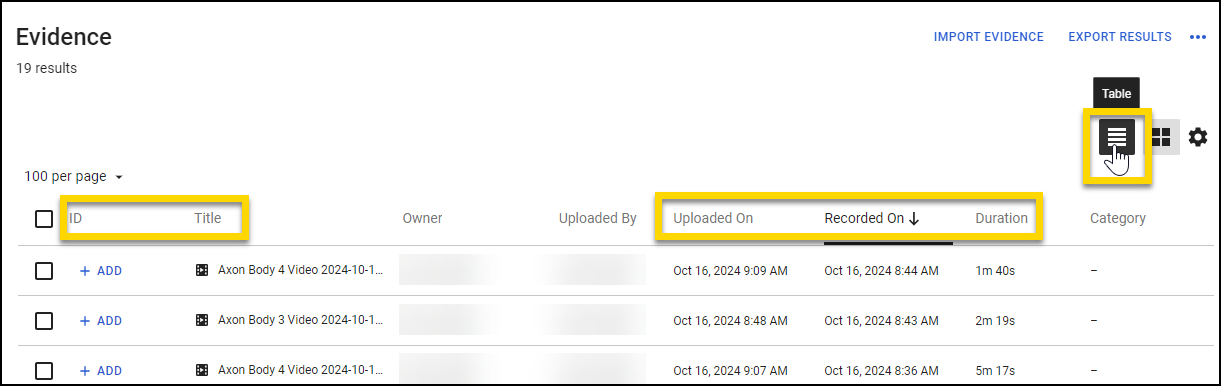
- Switch between layout options: Choose between table or gallery views to adjust how you view your evidence search results.
- Table view: Select the Table button (horizontal lines), and then select one of the following column headings to sort by ID, Title, Uploaded On, Recorded On, or Duration.
- Gallery view: Select the Gallery button (window pane), use the Sort By lists to select ID, Title, Uploaded On, Recorded On, or Duration, and then choose Ascending or Last modified - 26 March 2026Descending to change the sort order.
- Table view: Select the Table button (horizontal lines), and then select one of the following column headings to sort by ID, Title, Uploaded On, Recorded On, or Duration.


