Brief One
Overview
Brief One is an AI-powered evidence summary, review, and analysis tool that helps attorneys and law enforcement save time.
Brief One provides concise evidence summaries with ethical safeguards backed by the source evidence. If more details are required, Brief One helps you quickly see a timeline of key transcript moments. You can select a key transcript moment and supporting details to instantly go to the corresponding point in the evidence for fast review.
Access to Brief One depends on your organization's plan:
- Brief One is included with the AI Era Plan.
- Reach out to your Axon representative to access this AI product feature.
AI evidence summaries
AI evidence summaries automatically generate a concise narrative summary (less than 150 words), capturing key details from the evidence for supported evidence types. You can generate an AI summary for evidence that has already been uploaded by selecting Generate Summary.
- Audio and video: A summary is generated from the transcript
- Images and documents: A summary is generated from the content of the file.
If the audio is too short, an AI generated summary may not show as a result.
View AI evidence summaries in the Evidence details page
In the Evidence Detail Page, you can view AI summaries from either of these two locations:
- Overview tab
- Transcript tab
Before you begin
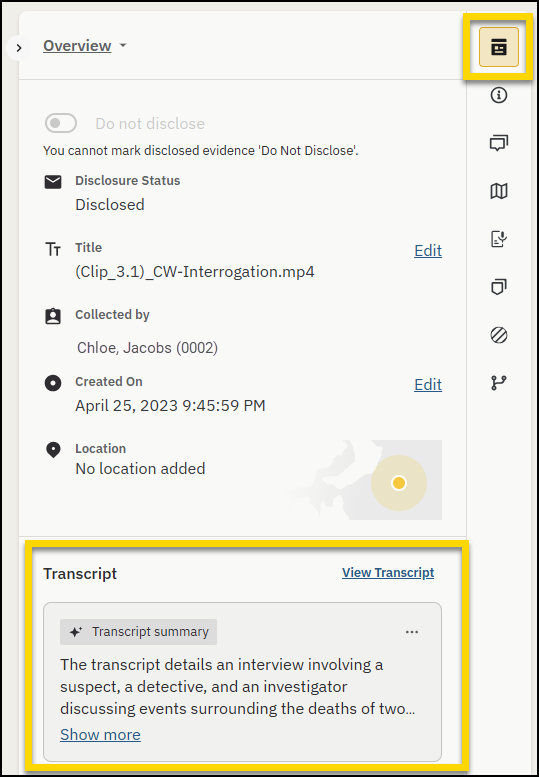
Open the evidence, by selecting a piece of evidence either within your case or from the All Evidence view. The evidence details page opens to the Overview tab.
Overview tab
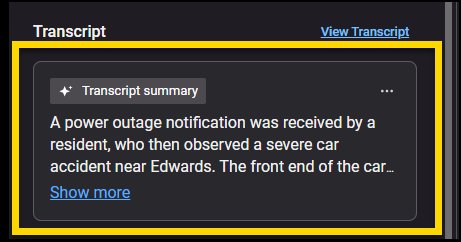
Under Transcript, in the Transcript Summary card, select Show more to expand the summary, or Show less to collapse it.
Transcript tab
Select the Transcript tab. In the Transcript summary card, select Show more or Show less.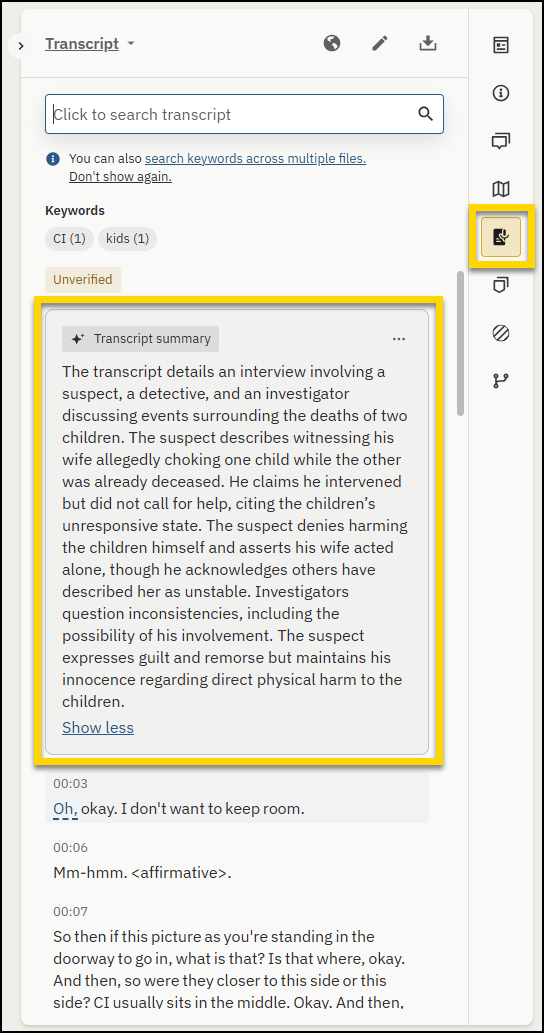
Transcript summaries are available only for evidence with a transcript.
Provide feedback on a transcript summary
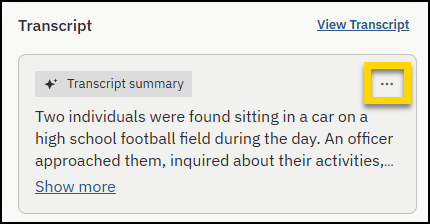
- In the Transcript summary card, select Provide feedback (ellipsis).
- Select Useful or Not useful.
After you submit feedback, Provide feedback is no longer available for that transcript moment.
Enable AI evidence summaries in the evidence table
- Select Evidence.
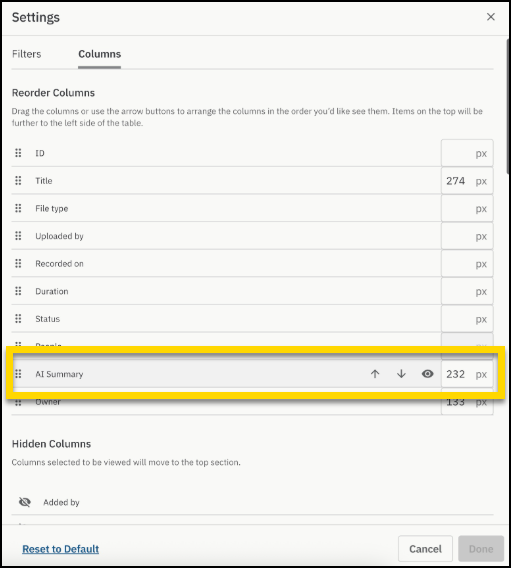
- Select Table Settings (gear).
- Check AI Summary, then select Done.
View AI evidence summaries in the evidence table
The AI evidence summary displays in the AI Summary column in the evidence table. Hover your mouse over a summary to view the entire summary.
Generate or view a transcript summary
Select the evidence to open it in the evidence details page. You can start transcription from either location:
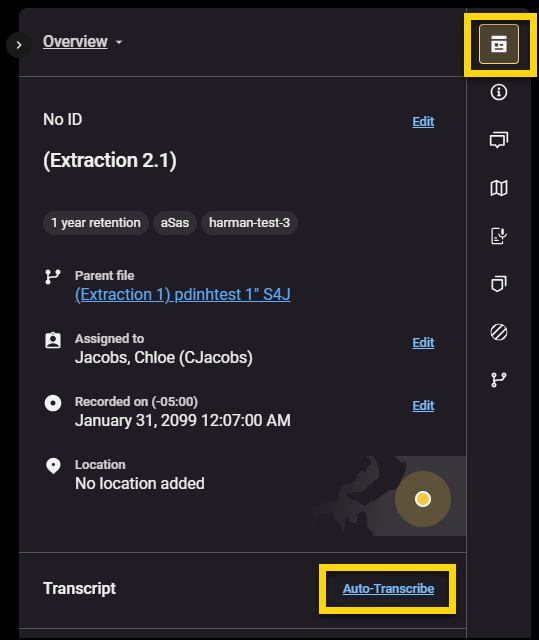
- Overview tab: Under Transcript, select Auto-Transcibe.
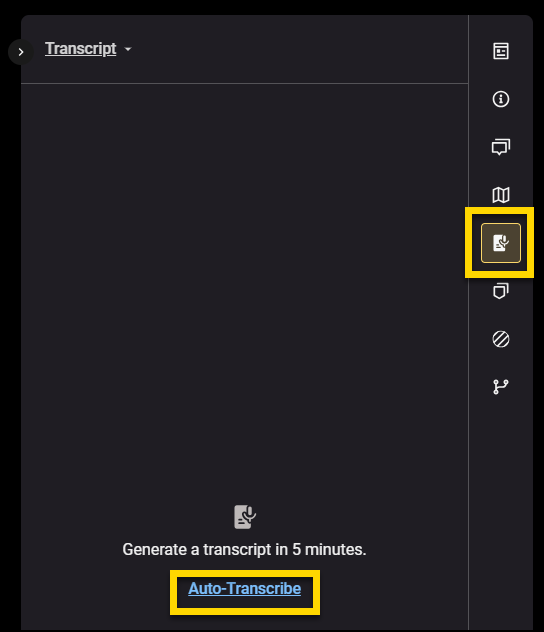
- Transcript tab: Select Auto-Transcribe.
After the transcript is available, the Transcript summary card is shown.
Transcript moments
Transcript moments highlight key events in an evidence transcript and add timestamps so you can review important sections faster (for example, Miranda Rights).
Transcript moments appear as:
- Markers (a single timestamp)
- Clips (a start and end timestamp)
You cannot edit or delete transcript moments. You can provide feedback to help improve moment quality.
Provide feedback on a transcript summary
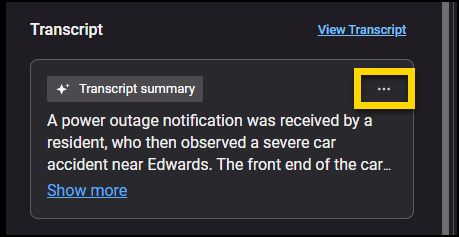
- In the Transcript summary card, select Provide feedback (ellipsis).
- Select Useful or Not useful.
After you submit feedback, Provide feedback is no longer available for that transcript moment.
View transcript moments
You can view transcript moments in two places:
- Markers and Clips: Select the Markers and Clips tab to view a list of moments.
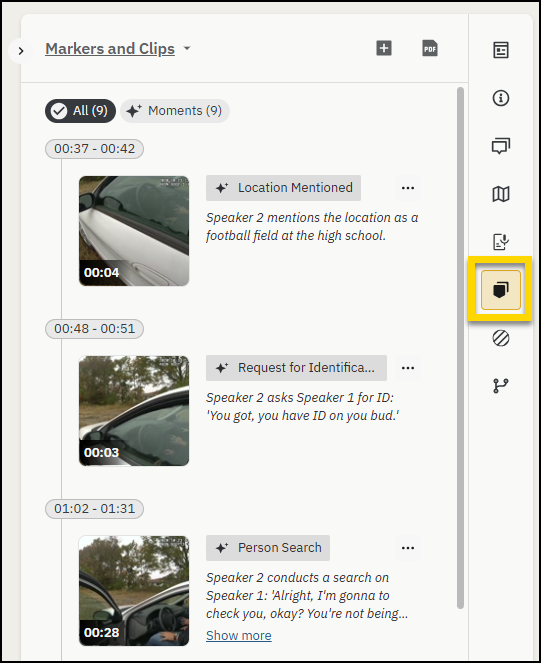
- Suggested moments track: On the video timeline, moments appear in the Suggested moments track.
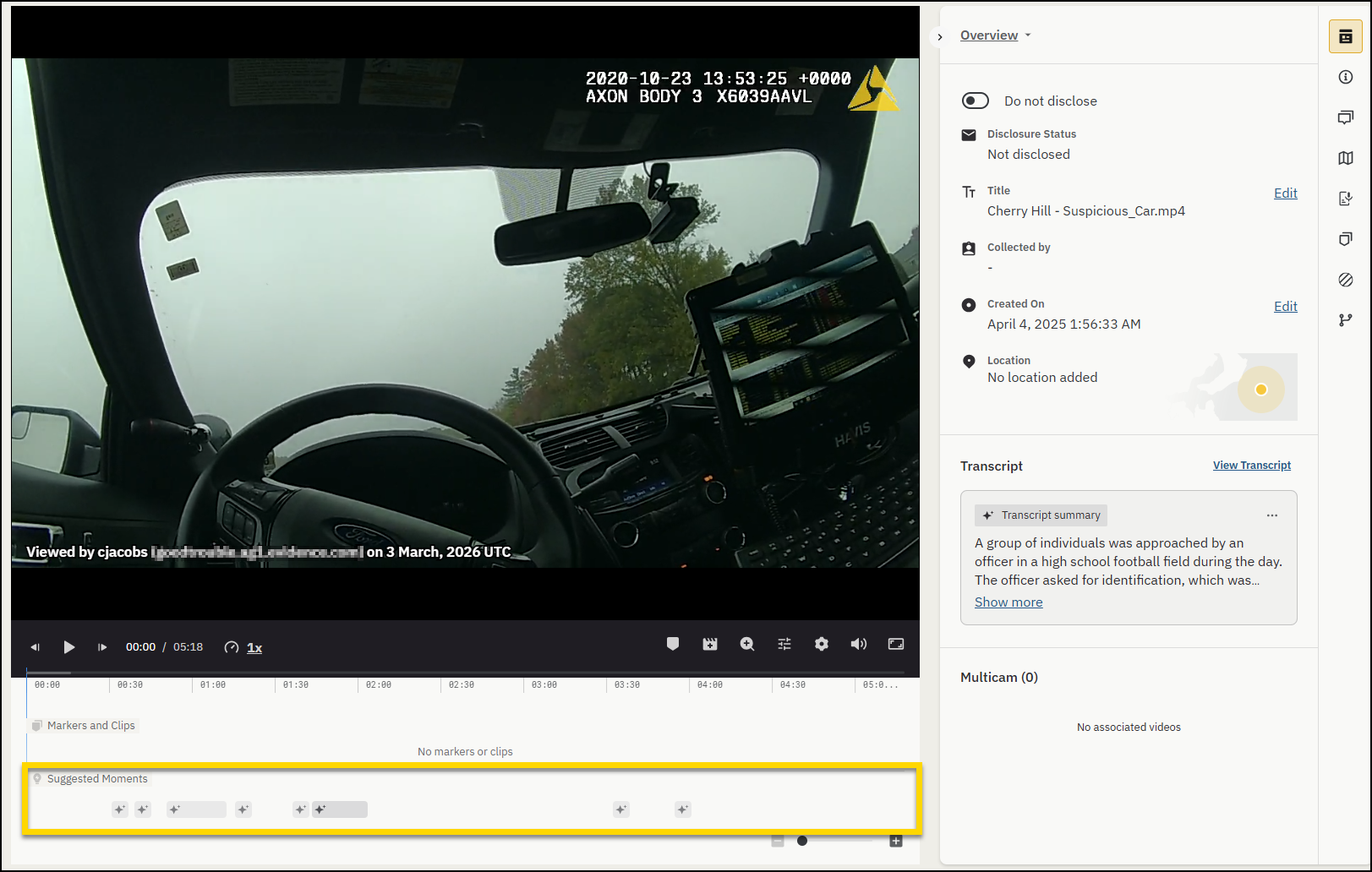
In the suggested moments track
- Hover over a moment to view its transcript summary.
- Select a moment to jump to that timestamp in the evidence.
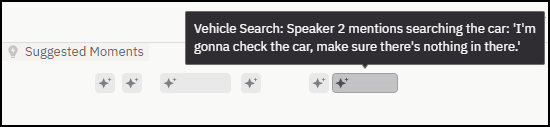
Moment categories
The following transcript moment categories are generally available to all Brief One users:
- Miranda rights
- Field sobriety test
- Request for identification
- Person search
- Legal representation
- Vehicle mentioned
- Person mentioned
Axon's AI-powered features use artificial intelligence to provide insights, recommendations, or analysis based on available data and user inputs. These outputs may include inaccuracies, limitations, or outdated information. These tools are designed to support—not replace—professional judgment, legal interpretation, and human oversight. Users are responsible for carefully reviewing and verifying AI-powered content before acting on it. Axon continually works to enhance AI accuracy, mitigate bias, and uphold ethical standards. Learn more at Axon AI.


