Return status
Watch this video to learn more about managing returns.
The Status of Return page shows the details of the selected return, when it was submitted, and the status.
Information about the page is provided below.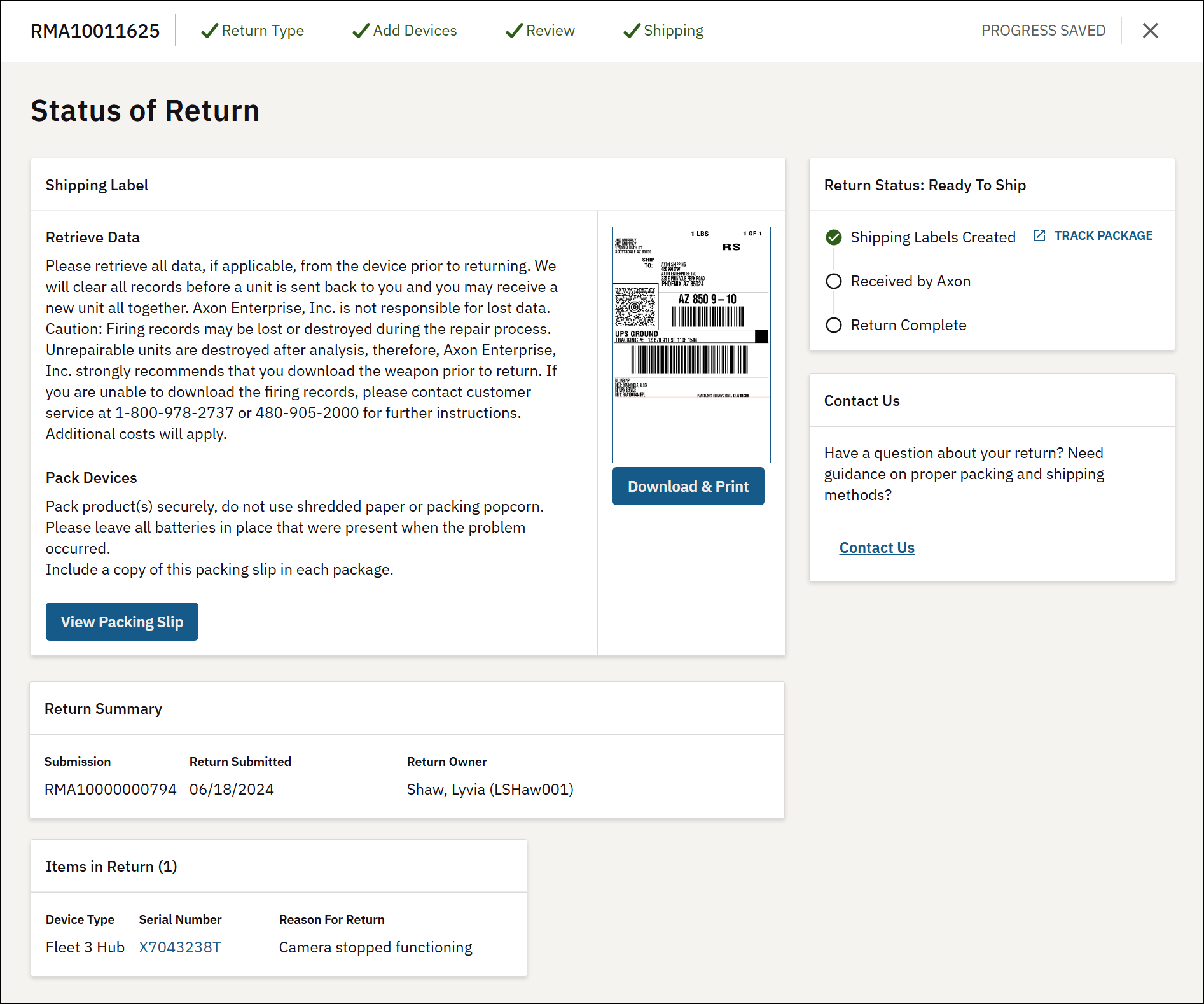
Status information
The right side of the page shows the status of the return. Note that the status on this page is derived from FedEx shipping statuses and will be updated periodically throughout the day. If your return did not use the FedEx labels, some steps in the status will be skipped.
Evidence recovery information
If evidence recovery was requested for devices submitted in this return, you can check the status of evidence being recovered without having to contact Axon. This information is shown at the bottom of the page and includes:
- Device information
- The expected number of videos
- The recovery status
- Links to any recovered videos
The evidence recovery information is updated twice per day.
Available actions
From the Status of Return page, you can:
- Click View Packing Slip: View and print the packing slip. This is opened in a new browser tab. A copy of the packing slip should be included in each box. The packing slip also has shipping instructions.
- Click Download: Download the FedEx shipping labels for printing.
- Click Contact Return: Start an email message with Axon Returns.
- Click Exit Return: Go back to the Returns page.


