Reviewing Officer Performance
Watch this video to learn how to review officer performance.
- Sign-in to your Axon Evidence account.
- On the dashboard page, under Axon Performance, select Launch Performance.
If you are on any other page in Axon Evidence, you can return to the dashboard by selecting the Axon logo on the menu bar.
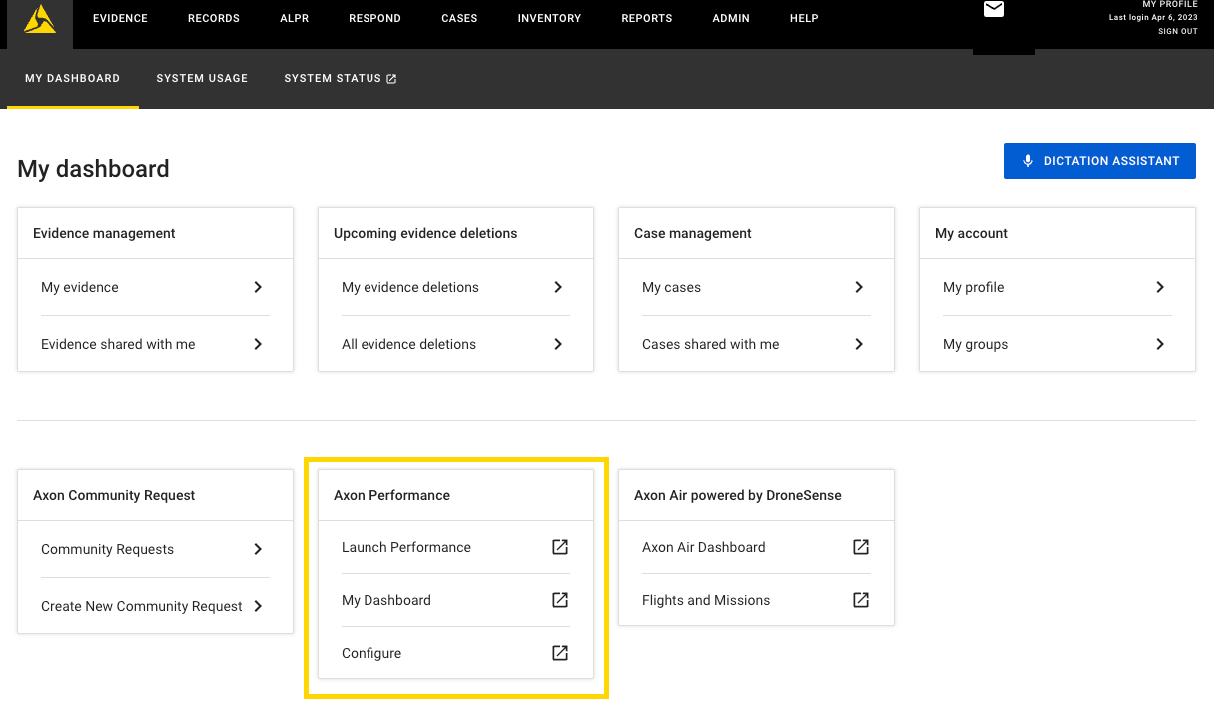
- Select Performance.
- If you supervise more than one squad, on the Squad Selection page, select the name of the squad with the officer you want to review. Otherwise, go to step 5.
- In the Squad Performance section, find the officer you want to review and select the officer's name. You are taken to the Officer page.
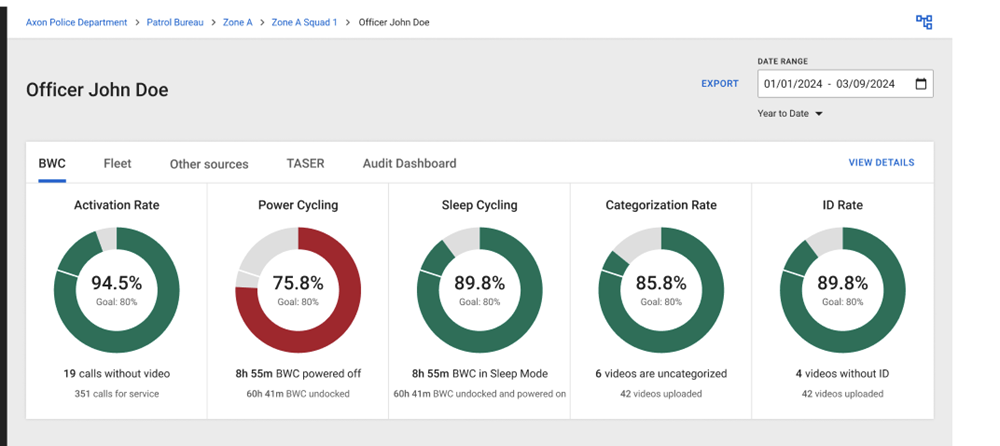
- Select the Date Range for the review period.
Date Range Description Yesterday The previous calendar day This Week The current calendar week, starting at midnight on Sunday Last Week The previous calendar week from midnight on Sunday until 11:59 (23:59) on Saturday This Month The current calendar month, starting at midnight on the first day of the month Last Month The previous calendar month from midnight on the first day of the month until 11:59 on the last day of the month Year to Date The current calendar year from midnight on January 1 until the current date. Last Year The previous calendar year Custom The date range defined by selecting the start and end dates. - Review the officer metrics and details for the date range.
- In the Reviews section, select New Policy Review to visit the Create Policy Review page. You must have the Initiate Policy Review permission to create a policy review.
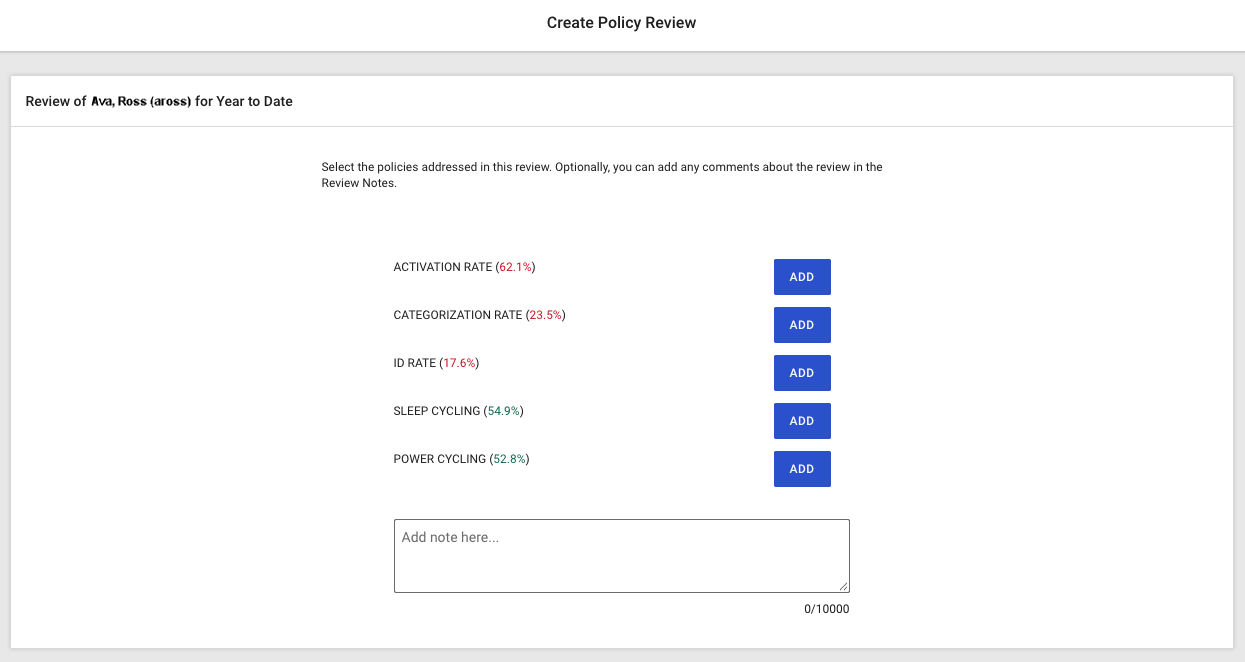
- To exit without saving the review, select the close icon (X).
- Select the policies you want to add to your report by selecting Add on the same line as the Metric.
- Enter any comments and notes in the Review Notes field. This entry can have a maximum of 500 characters.
- Review the information to verify it is correct and select Log Review.
- The review is saved and you are returned to the Officer page. Once a review is saved, an email is sent to the officer after the policy review is submitted. After saving, you cannot make any changes.


