Command Hierarchy without Monitoring Relationship Logic
Command Hierarchy helps dictate who can view and who is responsible for reviewing metrics and videos for random video reviews in Axon Performance. If your user sits in a group that is nested above other groups, that is seen as a supervisory position.
There are two ways Performance can read your Command Hierarchy.
- Historically, Performance has always leveraged the monitoring relationship tab for the lowest level groups in Command Hierarchy (no groups nested below, or the lowest level group that is toggled on in Performance Command Hierarchy settings).
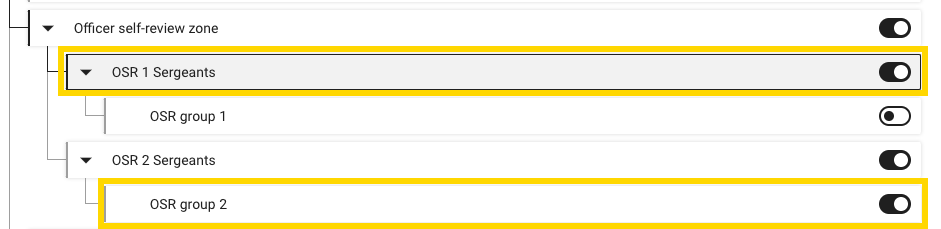
The User Monitors are the direct supervisor for the members of the lowest level group (OSR group 2) and the direct report to the group nested directly above (OSR 2 Sergeants).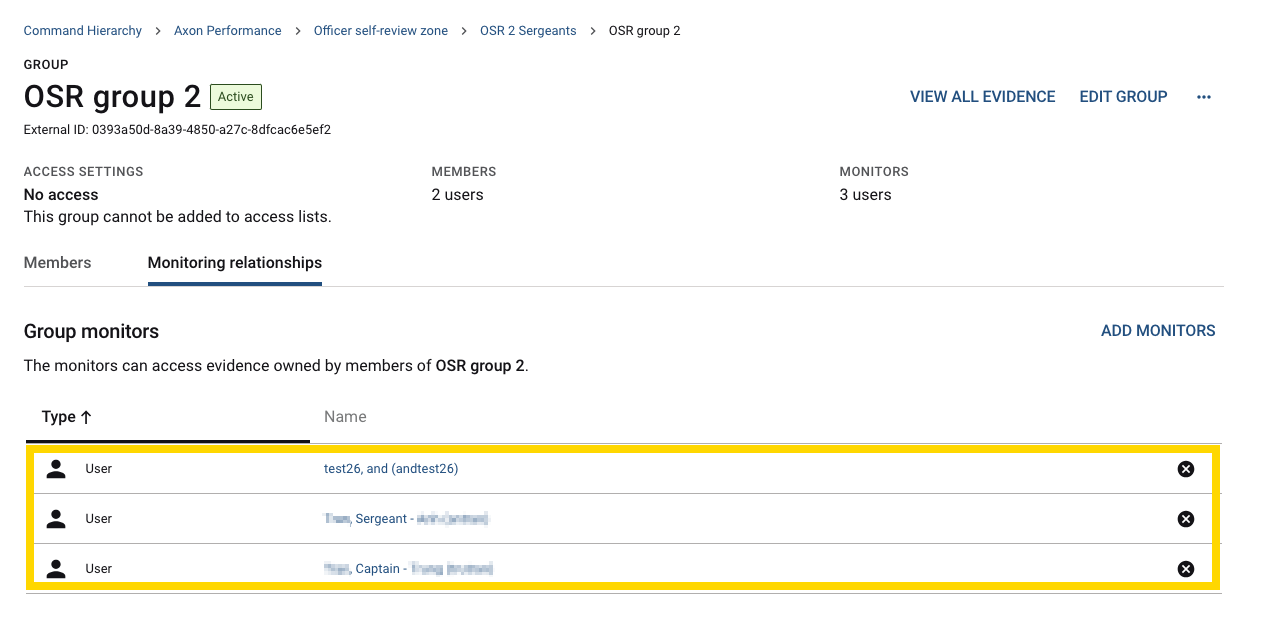
- Performance does NOT recognize the Monitoring relationship tab at any level in your agency’s Command Hierarchy.
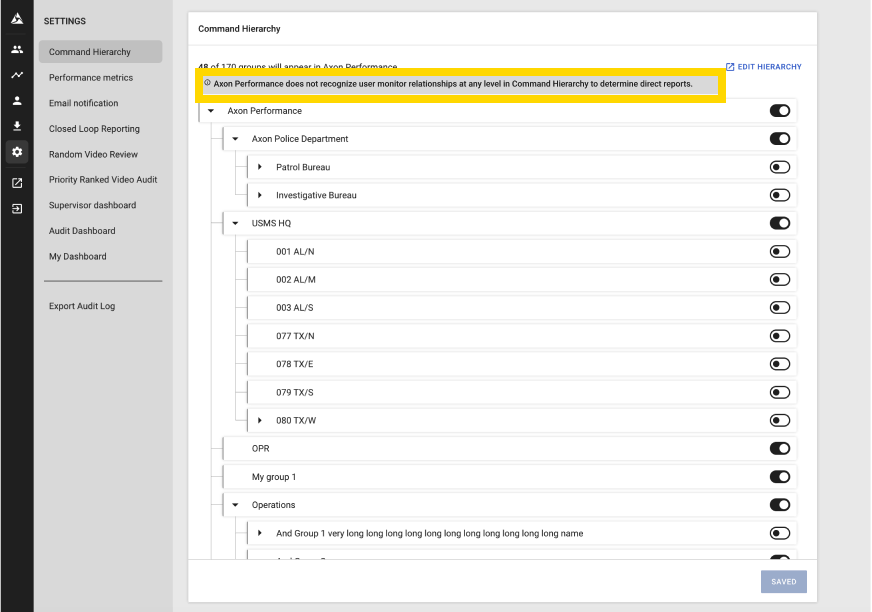
- If your organization uses this logic, a banner is displayed on the Command Hierarchy Performance settings.
- If your organization uses this logic, a banner is displayed on the Command Hierarchy Performance settings.
Switching to the new logic
- Contact your Axon representative in order to switch your agency over to the new Command Hierarchy logic for Axon Performance.
- Add additional line level supervisor groups into your Command Hierarchy structure in Axon Evidence:
- In the following example, Dayshift Sergeant(s), Nightshift Sergeant(s), and Swing Sergeant(s) groups needed to be added into the Command Hierarchy structure.
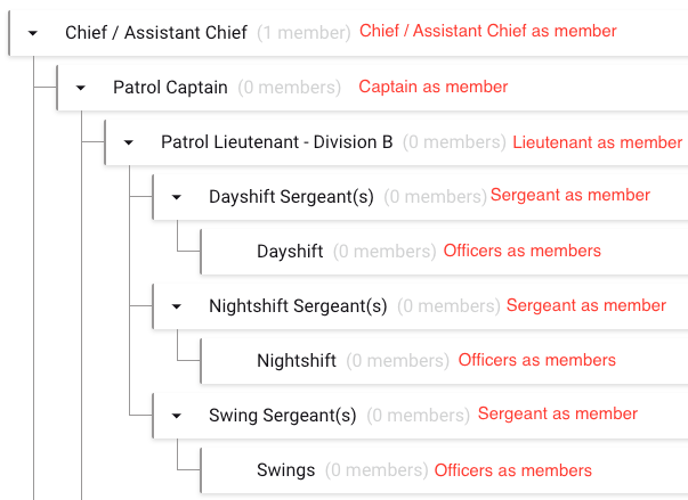
- In the following example, Dayshift Sergeant(s), Nightshift Sergeant(s), and Swing Sergeant(s) groups needed to be added into the Command Hierarchy structure.
- Once the additional groups are added to your command hierarchy structure, you will need to toggle the new groups on in Performance via settings.
- Optionally, remove the line level supervisors as user monitors from the dayshift, nightshift, swings groups.
Command Hierarchy Logic
Without monitoring relationship logic, Performance uses the structure and nesting to dictate direct supervisors at all levels of the Hierarchy.
- The direct supervisor for Squad A1 are the member(s) of Sgt District A.
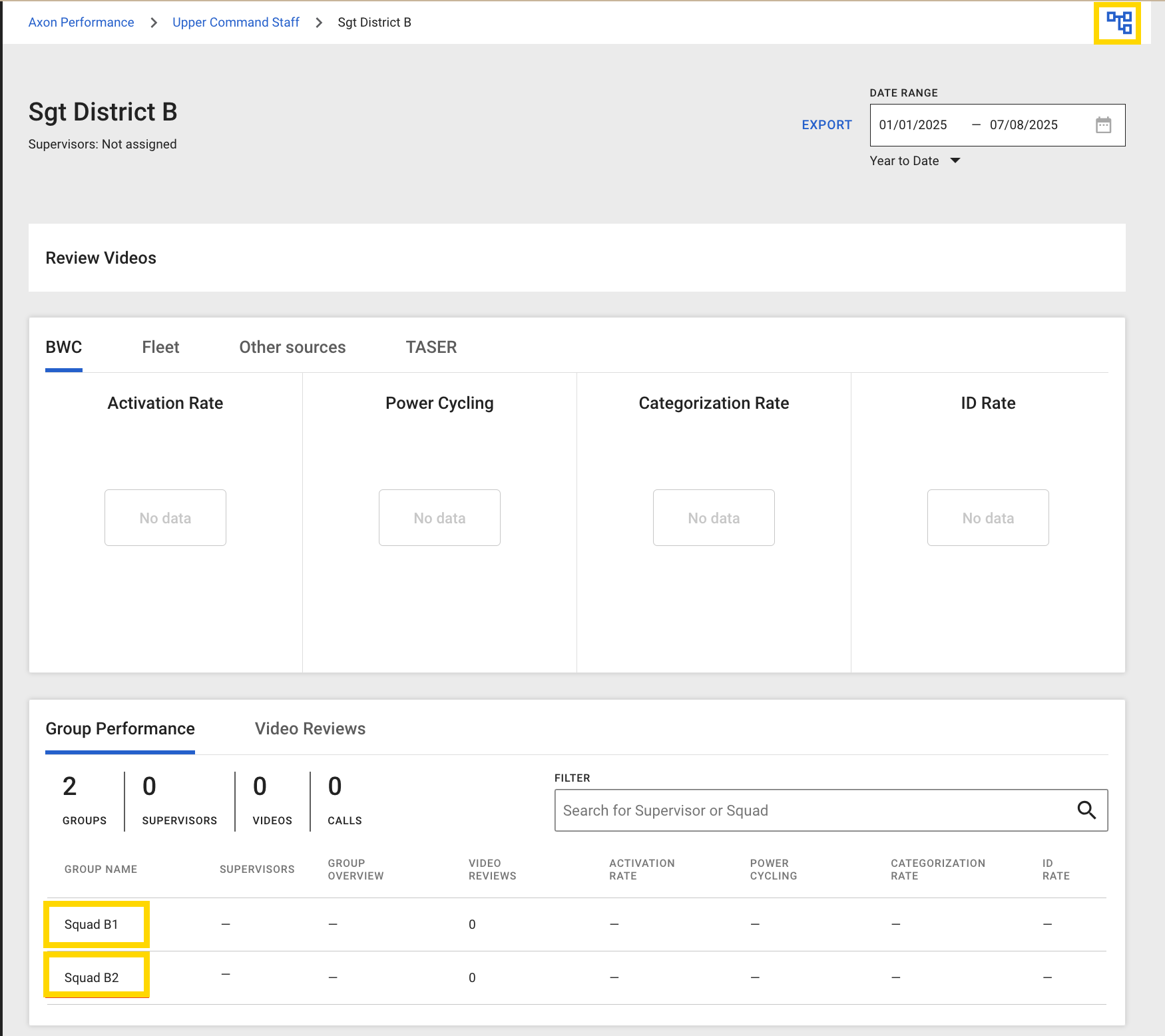
- The direct supervisor for Squad B1 and Squad B2 are the member(s) of Sgt District B.
- The direct supervisor of Squad C1 and Community Resource Sgt are the member(s) of Sgt District C.
- The direct supervisor of Community Resource Officers are the member(s) of Community Resource Sgt.
- The direct supervisor(s) of Sgt District A, Sgt District B, and Sgt District C are the member(s) of Upper Command Staff.
When a supervisor only has one child group nested below them and are the lowest level of the hierarchy (Sgt District A), they will be launched directly into their Squad dashboard (Squad A1).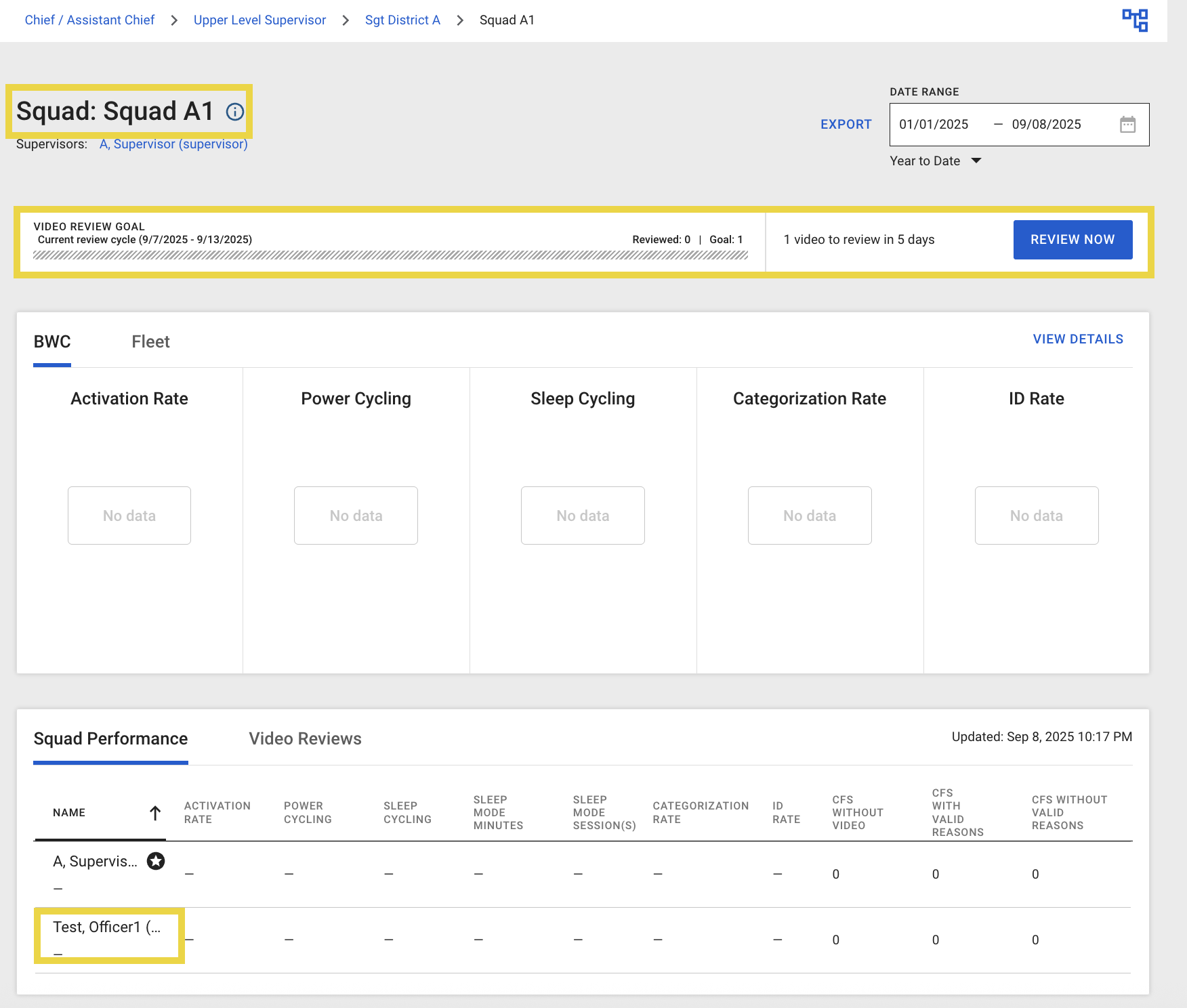
When a supervisor launches Performance and has more than one group nested below (Sgt District B and Sgt District C), they will be launched into their Sgt Dashboard. This Sgt dashboard does not have the ability to “Review Now” and the user has to navigate to one of the nested squads below (one of the squads that they directly oversee) to conduct reviews and review metrics.
For example, Sgt District B launches into Sgt District B dashboard which contains metrics for both Squad B1 and Squad B2. The user has to navigate to Squad B1 or Squad B2’s dashboard to get metrics specific to that squad and to conduct video reviews.
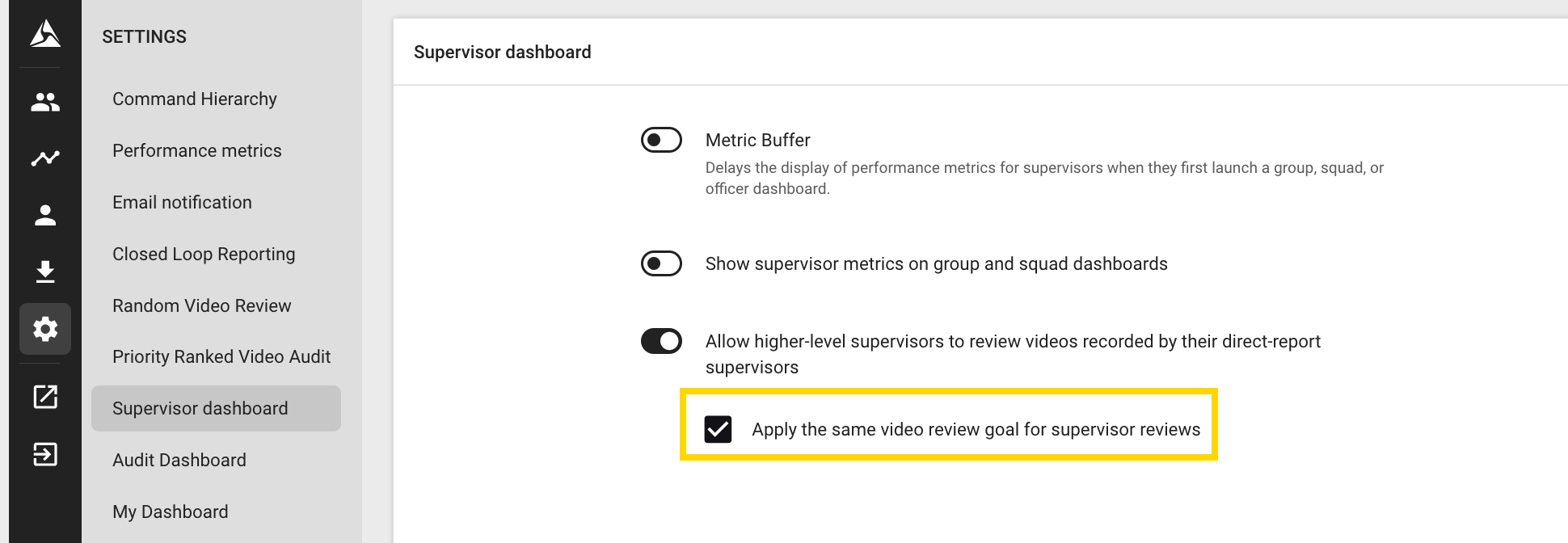
Since Sgt District C has further nesting below this group → Community Resource Sgt and Community Resource Officers, if "Apply the same video review goal for supervisor reviews" is enabled and pending the role and permission to review videos, there will be a review goal on Sgt District C's dashboard and ability to “Review now”.
Selecting Review now from Sgt District C’s dashboard triggers a review from the members of Squad C1 or members of Community Resource Sgt groups.