Check headset battery level
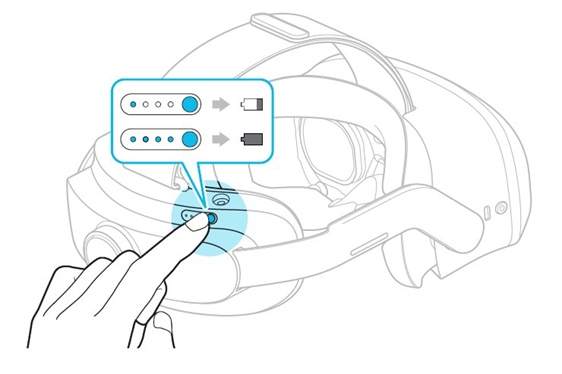
You can check the headset battery level by tapping the Power button once on the back of the headset, regardless of whether it's powered on. If all four LEDs are lit, the battery is fully charged.
Charge headset
Only use the HTC AC adapter to charge your headset. Charging with a USB will not work. This AC adapter is located in a small box within the original headset packaging. Remove the charger from its plastic bag before use.
To charge a headset:
- Place the headset in a safe and secure location.
- Plug the AC adapter into a nearby AC outlet.
- Connect the headset to the charger by placing the round charging port on top of the battery compartment.
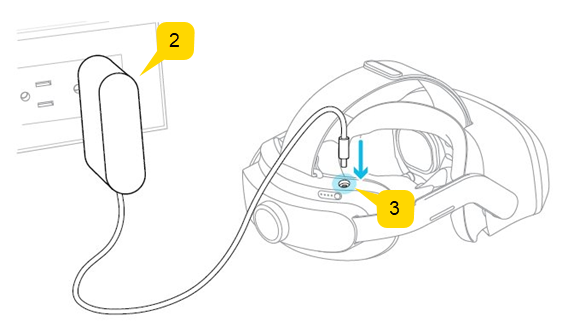
- A slow blinking light indicates the current battery status. When all four LEDs are lit, the headset is fully charged.
Note
Only use the HTC AC adapter to charge your headset. Attempting to charge the headset through a USB port will not work.


