Use a microSD card for VR storage
With Axon VR continuously growing and offering more content, managing your headset's storage has become increasingly important. If you download all available content, you will find that your headset storage is running out of space. You can add extra storage to your VR headset by using a microSD card.
MicroSD card recommendation
Headset recommended minimum: 256 GB or higher
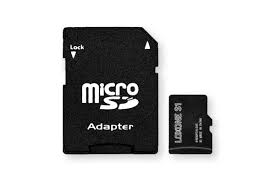
Use a microSD card for storage
To set up your microSD card:
- Power on your headset, but do not launch any apps.
- Remove the face cushion from the headset by gently pulling the flaps at the bottom of the cushion until it detaches from the headset.
- Insert a microSD card in the slot located on the left side.
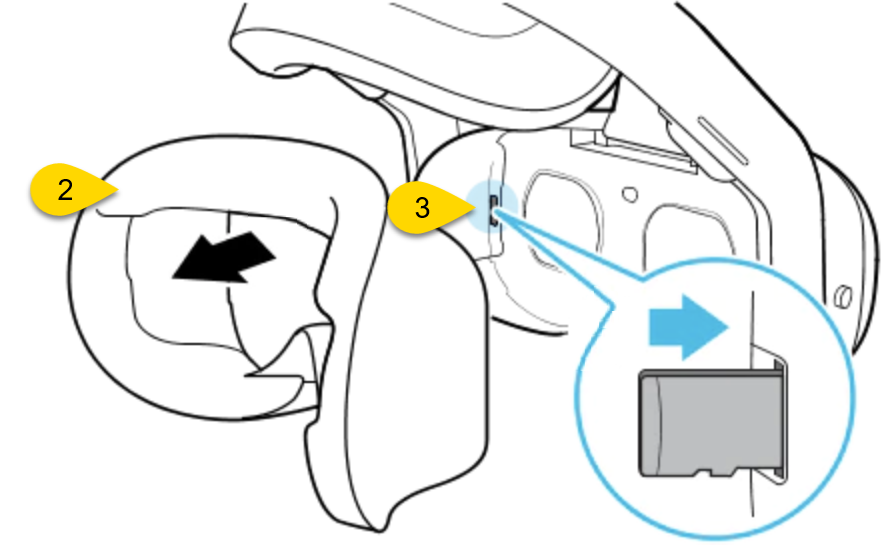
- Replace the face cushion.
- Put on the headset.
- A dialog box displays prompting you to use the microSD card as the new memory location. Select Confirm. The microSD card is setup.
Only remove the microSD card when the Community Engagement Training app is closed or the headset is powered off. Inserting a microSD card while in the app will not enable the prompt to accept the microSD card as the new memory location. Removing a microSD card during downloading or while a scenario is being played will cause the app to crash.
Additional microSD card usage notes
- Upon removing a microSD card, any downloaded/transferred scenarios will no longer be accessible on the headset. (Re-download, if applicable, without the microSD card in place.)
- Scenarios downloaded to a microSD card may be used on any headset once the microSD card with the downloaded scenarios is inserted.
- Using a microSD card with less available storage than the amount of scenarios downloaded will result in a partial transfer until the microSD card runs out of storage.
- Example: Using a 32 GB microSD card in a 128 GB headset.
- A headset will only access scenarios from one storage location during a session. Any scenarios in the headset’s local storage will not be accessible while a microSD card is inserted. The microSD card must be removed to access any scenarios stored locally on the headset.
- Example: An undersized microSD card was used and not all scenarios were transferred.
- Example: Some scenarios are already pre-existing on a headset when a microSD card with scenarios is inserted for use.


