Copy or submit narratives generated by Draft One
Once your body camera footage is uploaded and the Auto-Transcript is available, you can use Draft One to generate a draft narrative. (Draft One can be used on any playable audio/video files supported by Axon Evidence, not just Axon body camera footage.) You can also use Draft One to generate a draft a narrative without using evidence and instead recording a narration describing an incident. After carefully reviewing and revising the draft, you can copy it to your computer's clipboard (Axon Evidence) or submit it for supervisor review (Axon Records and Standards).
Watch this video to learn about the safeguards you will encounter when using Draft One to generate a narrative for a report.
Copy Draft One narratives in Axon Evidence
When you are confident that the narrative is complete and accurate, you can copy it into your incident report by selecting Copy to Clipboard.
When copying the narrative, you will be asked to review the draft once more. After reviewing, you must type your name in a box that appears below an acknowledgment statement. The text of this statement is configurable and may differ among organizations.
I acknowledge this report was generated using Draft One by Axon. I further acknowledge that I have reviewed the report in detail, made any necessary edits, and believe it to be an accurate representation of my recollection of the reported events. If needed, I am willing to testify to the accuracy of this report.
After selecting Copy, you can paste the narrative into your report.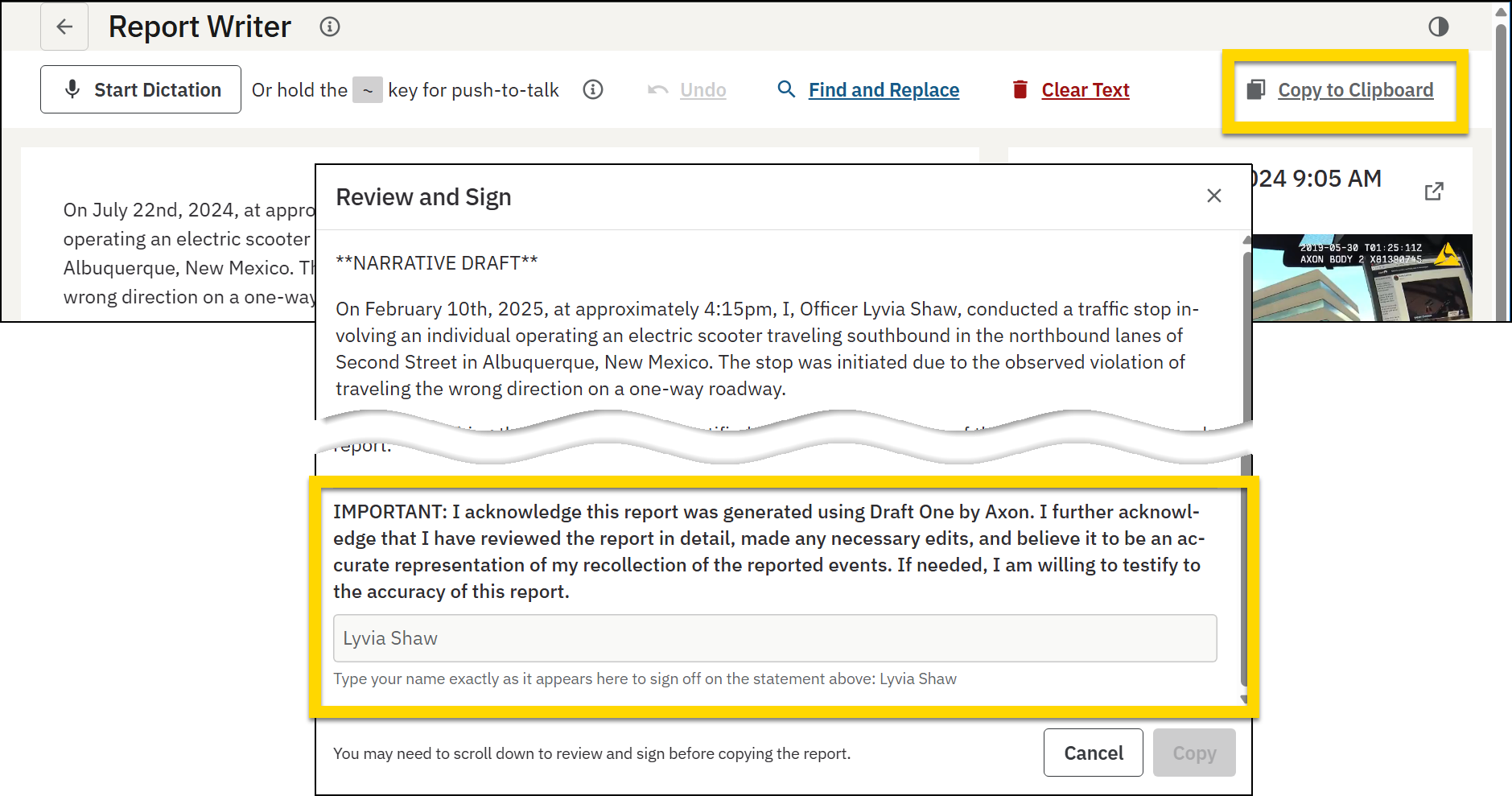
You can also highlight a portion of text and select Copy to Clipboard to copy only the highlighted text. You can to copy 250 characters at a time, for up to half the length of the draft before you are prompted to sign the acknowledgment statement. For example, if your draft contains 2,500 characters, you can copy 250 words up to 5 times before being required to sign the statement.
Submit reports with Draft One narratives in Axon Records and Axon Standards
When submitting the report, you will be asked to review the draft narrative once more. After reviewing, you must type your name in a box that appears below an acknowledgment statement. The text of this statement is configurable and may differ among organizations.
I acknowledge this report was generated using Draft One by Axon. I further acknowledge that I have reviewed the report in detail, made any necessary edits, and believe it to be an accurate representation of my recollection of the reported events. If needed, I am willing to testify to the accuracy of this report.
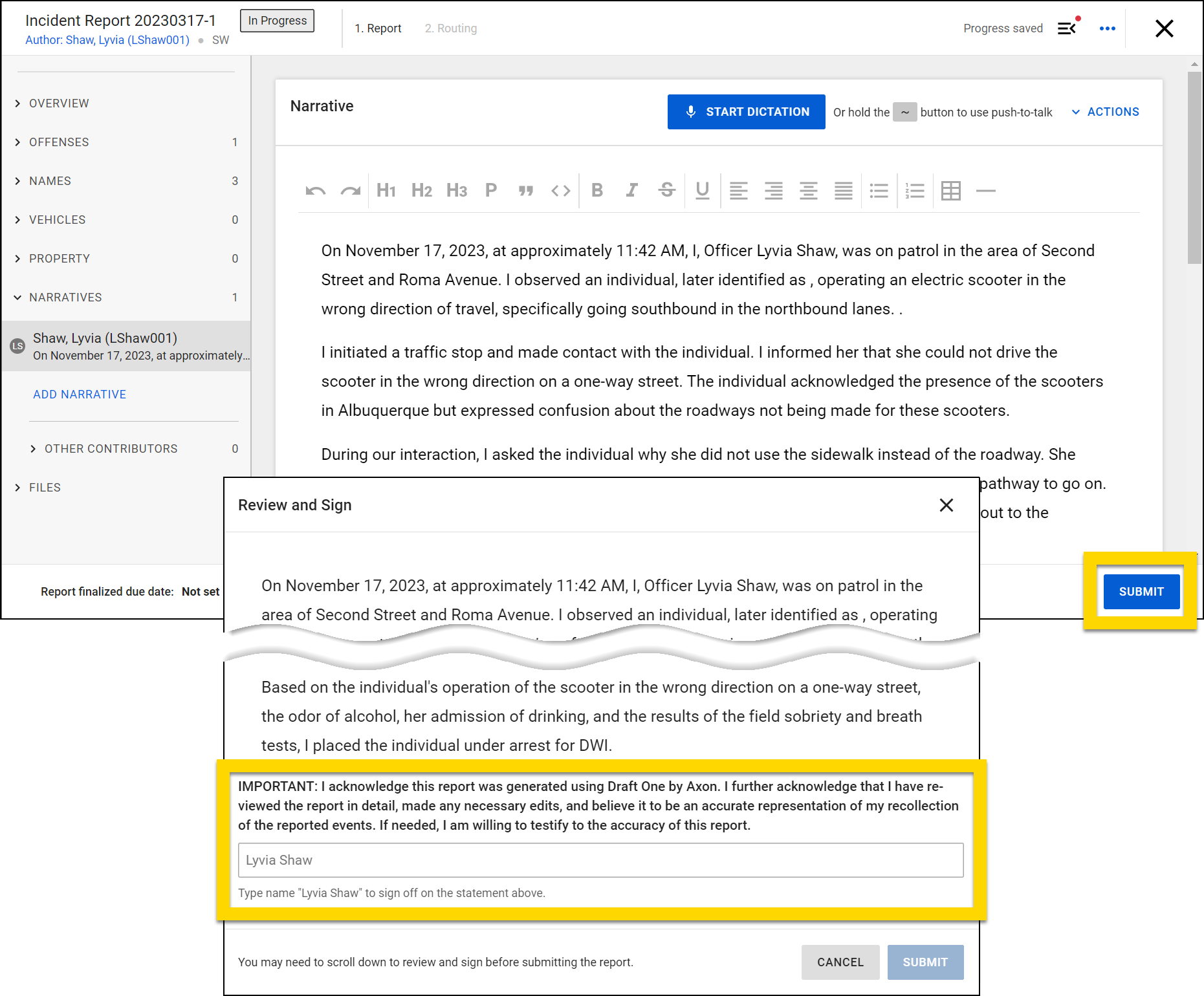
If Draft One is used to generate a narrative in a report, the report cannot be submitted using the mobile Axon app. Instead, it can only be submitted using the full desktop application.
Axon's AI-powered features use artificial intelligence to provide insights, recommendations, or analysis based on available data and user inputs. These outputs may include inaccuracies, limitations, or outdated information. These tools are designed to support—not replace—professional judgment, legal interpretation, and human oversight. Users are responsible for carefully reviewing and verifying AI-powered content before acting on it. Axon continually works to enhance AI accuracy, mitigate bias, and uphold ethical standards. Learn more at Axon AI.


