Vehicle network configuration
Within the vehicle, the MDT needs connectivity to the cameras on the local network and Axon Evidence.
Axon Fleet 2 Network Architecture – LTE Offload
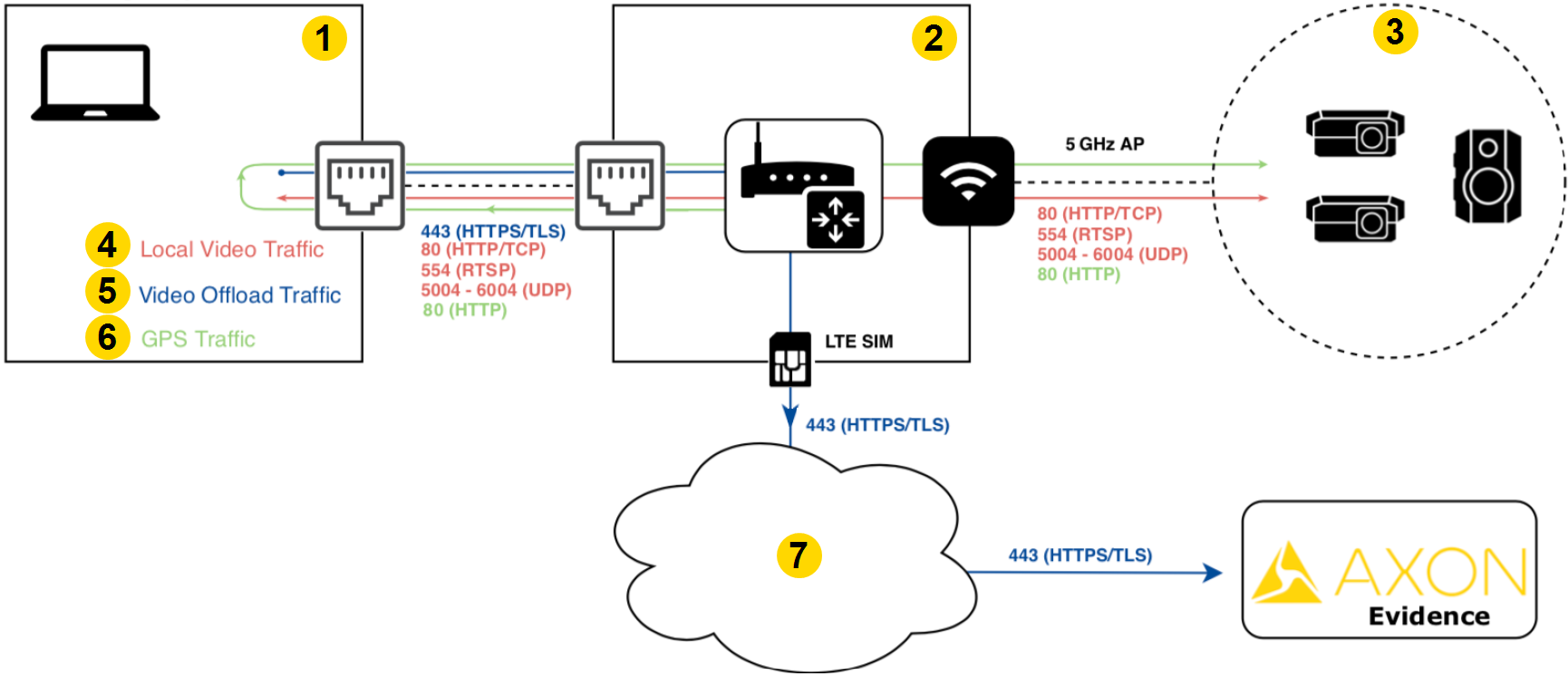
| Port | Protocol | Description | Callouts |
|---|---|---|---|
| 80 | TCP | Webservice API |
|
| 554 | RTSP | Local live view/video preview server | |
| 5004–6004 | UDP | Local live view for axon-agent.exe | |
| 443 | HTTPS/TLS | Outbound to Axon Evidence for authentication | |
| 10110 | UDP | GPS |
Requirements
- DHCP service for the cameras. The cameras query for an IP address at startup. The MDT/MDC running Axon View XL can hold a static IP.
- Axon Fleet 2 integrates with Axon body cameras, so the DHCP pool should contain a minimum of three camera IP addresses (two Fleet and one body camera).
- Layer 3 reachability between the Axon View XL app and the cameras. The devices don't rely on broadcasts in layer 2, so they can be placed in different VLANs, provided the subnets can route between each other.
- GPS Setup: Axon View XL listens for GPS on port 10110 UDP (NMEA or TAIP). Recommended GPS reporting interval is one second.
- For full tunnel VPNs, make exceptions for local traffic to the cameras.
Network configuration – Wi-Fi offload using wireless offload server
For qualified customers, Axon offers an optional offload method with an on-premises server. When a vehicle’s router connects to a pre-configured wireless offload infrastructure, Axon View XL establishes a connection to the offload server. Video is copied to the offload server from the in-car environment. Videos on the offload server are then uploaded to Axon Evidence.
Before starting this section, complete Vehicle Network Configuration .
Axon Fleet 2 Network Architecture – Wi-Fi Offload
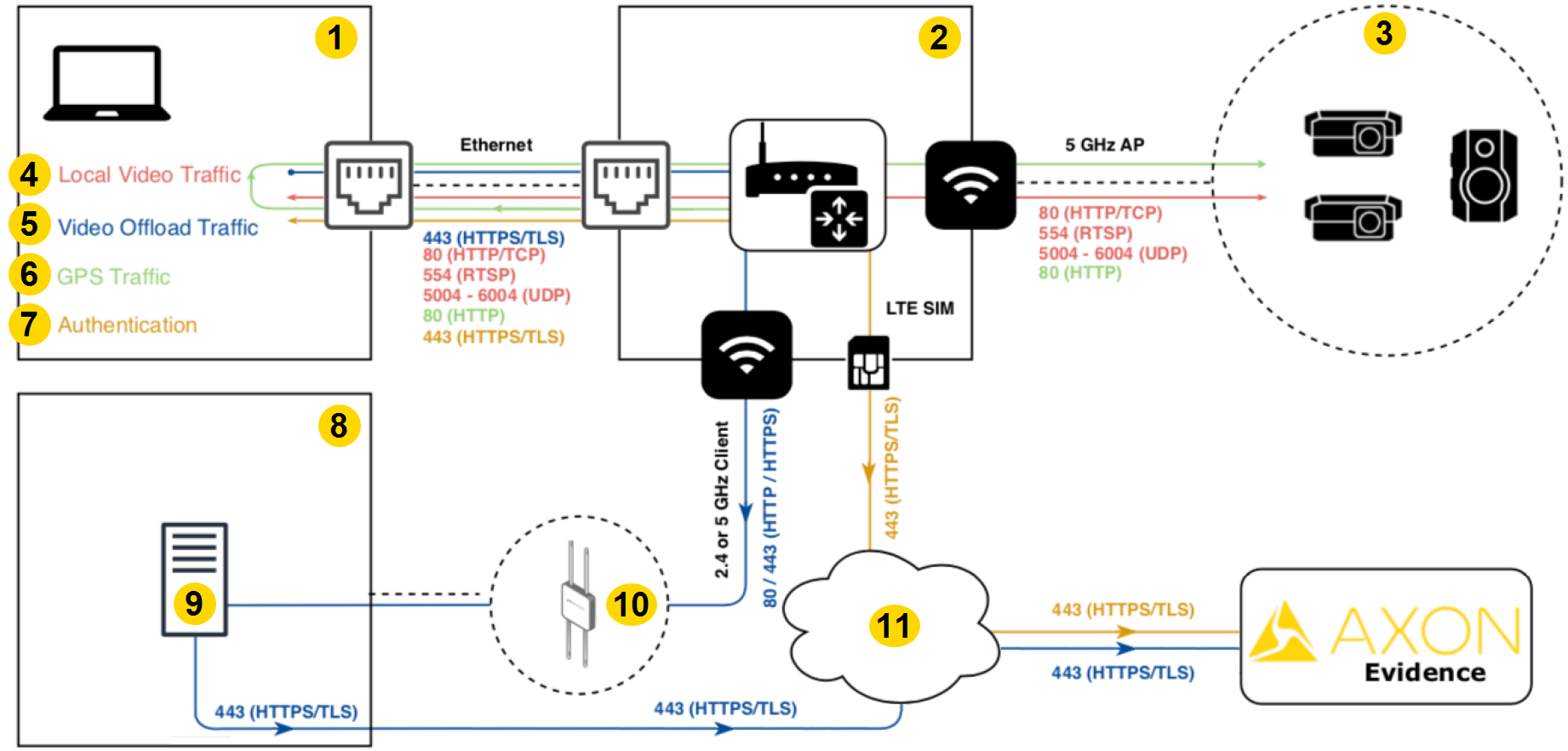
| Port | Protocol | Description | Callouts |
|---|---|---|---|
| 80 | TCP | Webservice API |
|
| 554 | RTSP | Local live view/video preview server | |
| 5004–6004 | UDP | Local live view for axon-agent.exe | |
| 443 | HTTPS/TLS | Outbound to Axon Evidence for authentication | |
| 10110 | UDP | GPS |
Requirements
In addition to the network requirements outlined in Network configuration , using a wireless offload server requires additional changes.
- An active Wireless Offload Server and qualified wireless infrastructure are required – please contact your Axon Sales Engineer for more information.
- Wi-Fi as WAN connection from the in-car router to wireless offload infrastructure. Axon recommends a dedicated radio for video offload.
- Complete network path from View XL to the wireless offload server.
- Avoid network IP conflicts between the onsite wireless infrastructure and the in-car network.
- If using VPN or APN, traffic bound for the wireless offload server must be exempt from the tunnel.
Warning
Failure to exempt this traffic from the tunnel may result in offload to the wireless offload server over the LTE connection.


