Audio Recording Controls
If your agency allows users to mute and enable audio recording while the Fleet cameras are recording video, then additional audio controls are available in View XL. The audio controls and current audio recording status are located below the associated camera panel in the View XL Control Tab. If the controls appear as separate buttons, then users can mute and enable audio recordings while the Fleet cameras are recording video.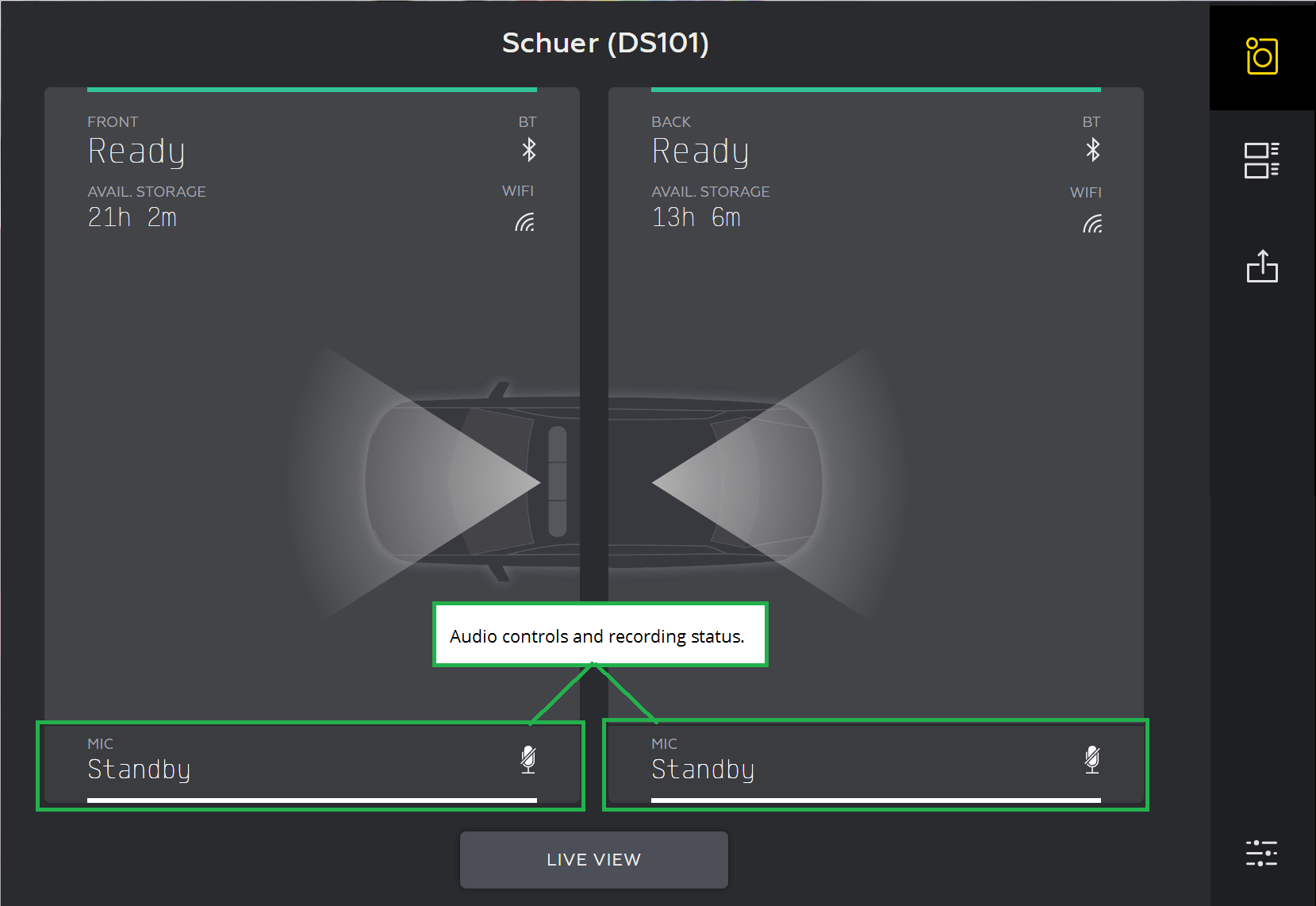
Mute and Record Audio
The audio controls are used to mute and enable audio recordings while the front camera or back camera is recording video. When the cameras are not recording, the audio control status shows STANDBY and the control settings are disabled.
- Tap
 (the record icon) to mute the audio recording for the camera. The associated camera will beep twice and audio status changes to MIC Off.
 - Tap
 (the mute icon) to enable the audio recording for the camera. The associated camera will beep twice and the audio status changes to MIC On.


