View XL Settings Tab
The Settings tab provides information about your Axon Fleet system, Axon Fleet cameras, and Axon body worn cameras that are paired with Axon View XL.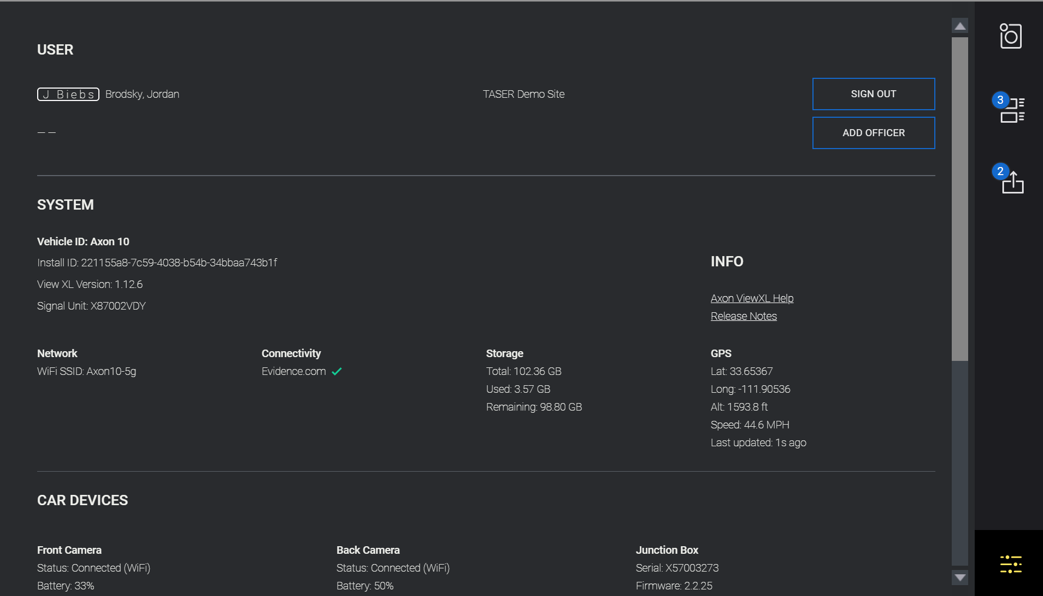
Changing Axon Fleet Camera Settings
- Tap
 (the Settings icon).
 - In the Cameras section, tap Settings under the Axon Fleet Camera you want to adjust.
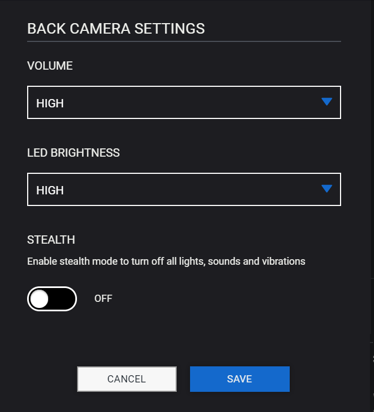
- Adjust the settings as needed.
- Volume - sets the volume of the camera's audio prompts, which are used to notify the user of camera status.
- LED Brightness - sets the brightness of the front LED ring on the camera. This can be set to High, Medium, or Low.
Note: Axon Fleet cameras with firmware version 1.9 or lower do not support the brightness setting.
- Stealth - turns on or off Stealth Mode. When stealth mode on, the camera will not beep or vibrate, regardless of other settings, and all camera lights are off.
- Click Save to return to the Setting tab.


