Updates
While View XL is connected to Evidence.com, it will automatically check for and apply any updated configuration settings every 10 minutes. This ensures the most up-to-date settings are applied to View XL and your Fleet systems.
Axon periodically distributes updates for Axon View XL software and Axon Fleet camera firmware. When updates are available, the system automatically downloads the update and displays an Update button showing the update is ready to install. Axon recommends installing updates at the beginning of a shift.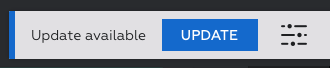
Tap the Update button to install the updates.
It might take a couple minutes to complete the installation. Axon View XL will close during the update and will automatically reboot once the update is completed.
Note: If your system is configured for manual uploads, also known as Dock and Walk, your Axon Fleet cameras will receive firmware updates through the Axon Dock.
You can see the Axon View XL version and the Fleet camera firmware versions by tapping  (the Settings icon) and looking in the System Info section.


