Public policy and usage
This
Viewing this page requires the ALPR System Administration permission.
The ALPR Policy and Usage Dashboard lets you selectively publish ALPR policy and usage information to a publicly available web page to facilitate community transparency and build trust in the agency’s ethical and compliant use of ALPR.
A live version of an ALPR Policy and Usage page is available at https://lewisvillepdtx.evidence.com/alpr/public/policy. Thanks to the Lewisville Police Department, Lewisville TX, for allowing us to link to their site.
Enable and edit the ALPR Policy and Usage page:
- On the menu bar in Axon Evidence, select Admin, then under Agency Settings select ALPR Policy and Usage. This displays the ALPR Policy and Usage Dashboard:
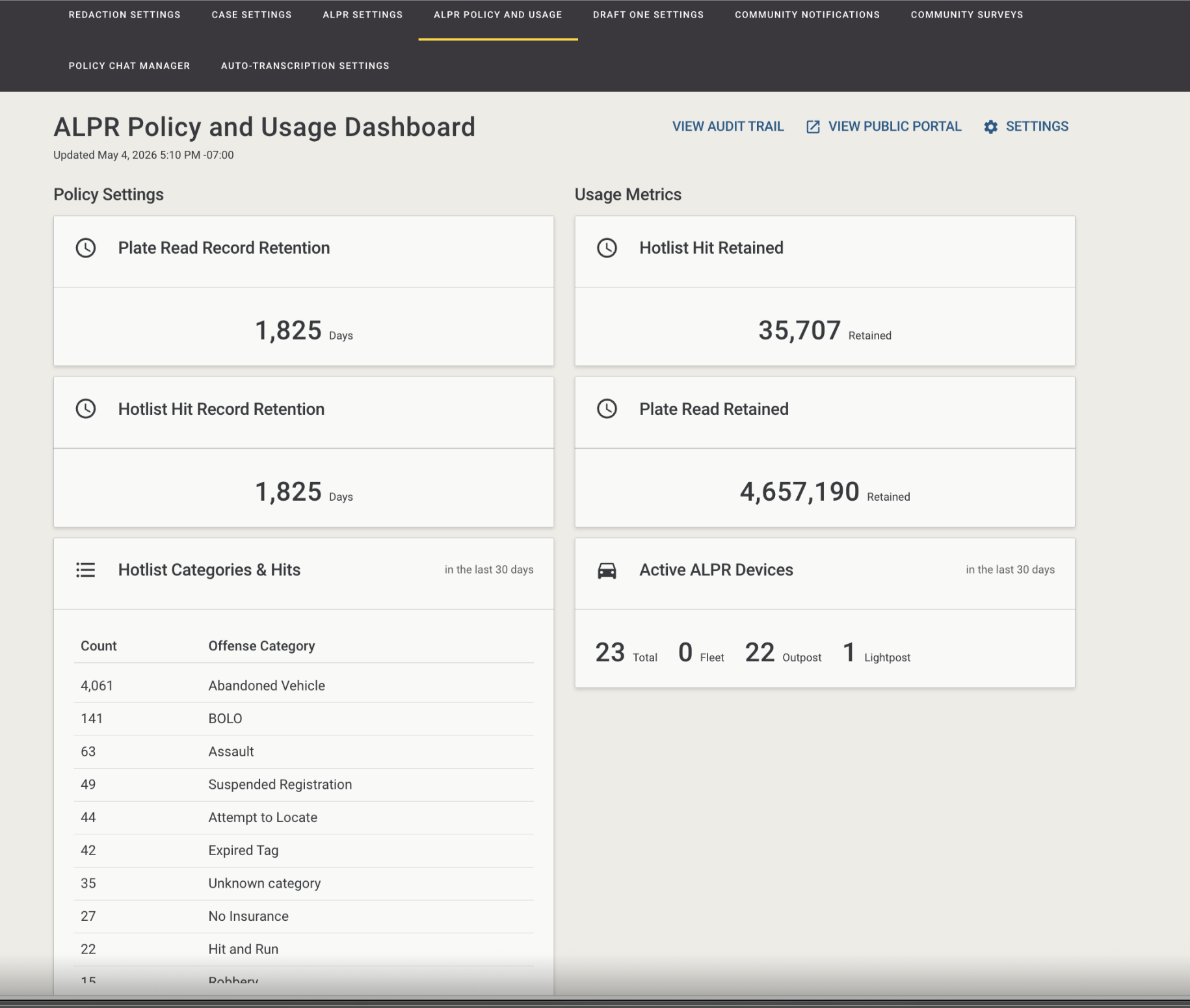
- Select Settings.
- Enable the ALPR Transparency Portal and toggle other settings as needed.
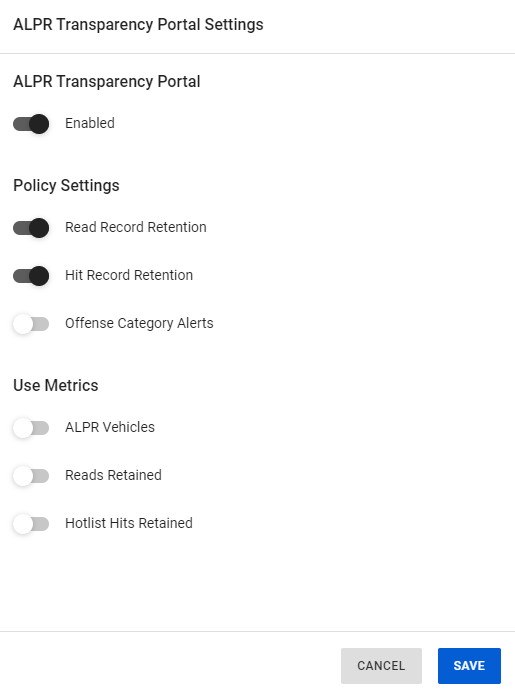
- Select Save. It may take up to 24 hours to any portal setting changes, including the initial portal publication, on the public-facing portal page.
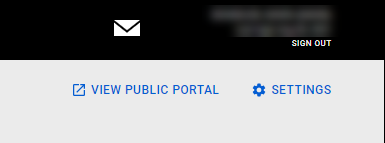
- To review the public-facing portal page, select View Public Portal at the upper-right.
Data publishes to the public page approximately every 24 hours. The URL for your page is <agency domain.com>/alpr/public/policy.
If the public page is not activated, the url will present a 404 error page.
For a sample public policy and usage page, see the link for Lewisville PD at the beginning of this topic.


