Convert an ALPR record to evidence from the detail view of a search result. The resulting evidence will be retained per your agency’s retention setting and available in Evidence workflows, such as adding to a case, just like any other evidence.
To convert an ALPR record to evidence:
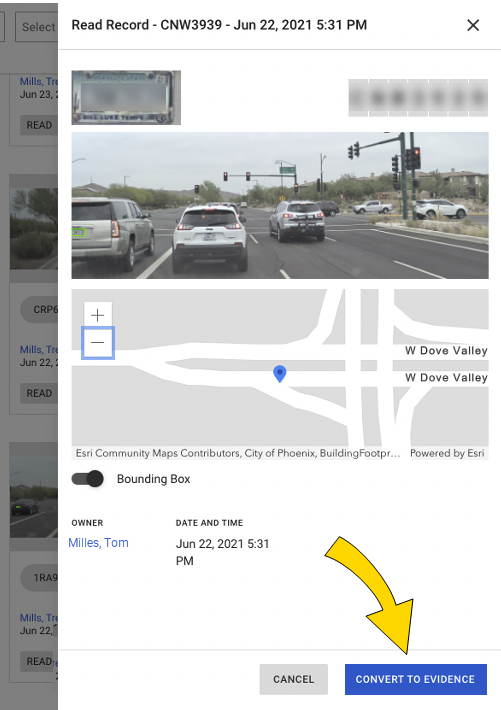
- Select Convert to Evidence at the bottom of the detail view.
- Enter the Owner, Title, Case (optional), and Evidence ID (optional).
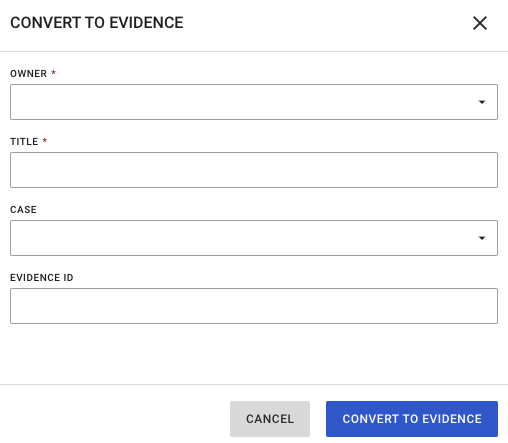
- Select Convert to Evidence.
A confirmation displays when the conversion is complete:
The new evidence file is available in the evidence view: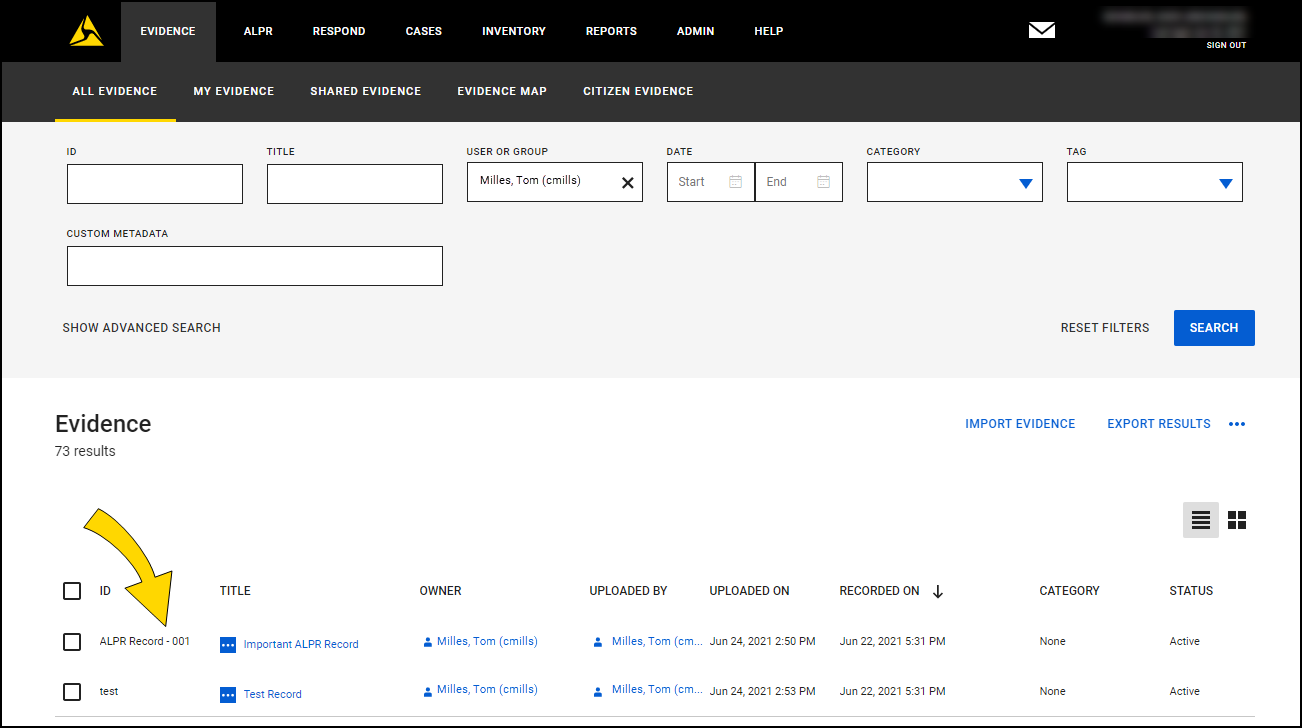
The evidence is a ZIP file containing the plate crop image, context image, and a PDF report including both images and metadata (plate read, date/time, and location). Download the ZIP must to view these files.
The evidence detail page now displays the following: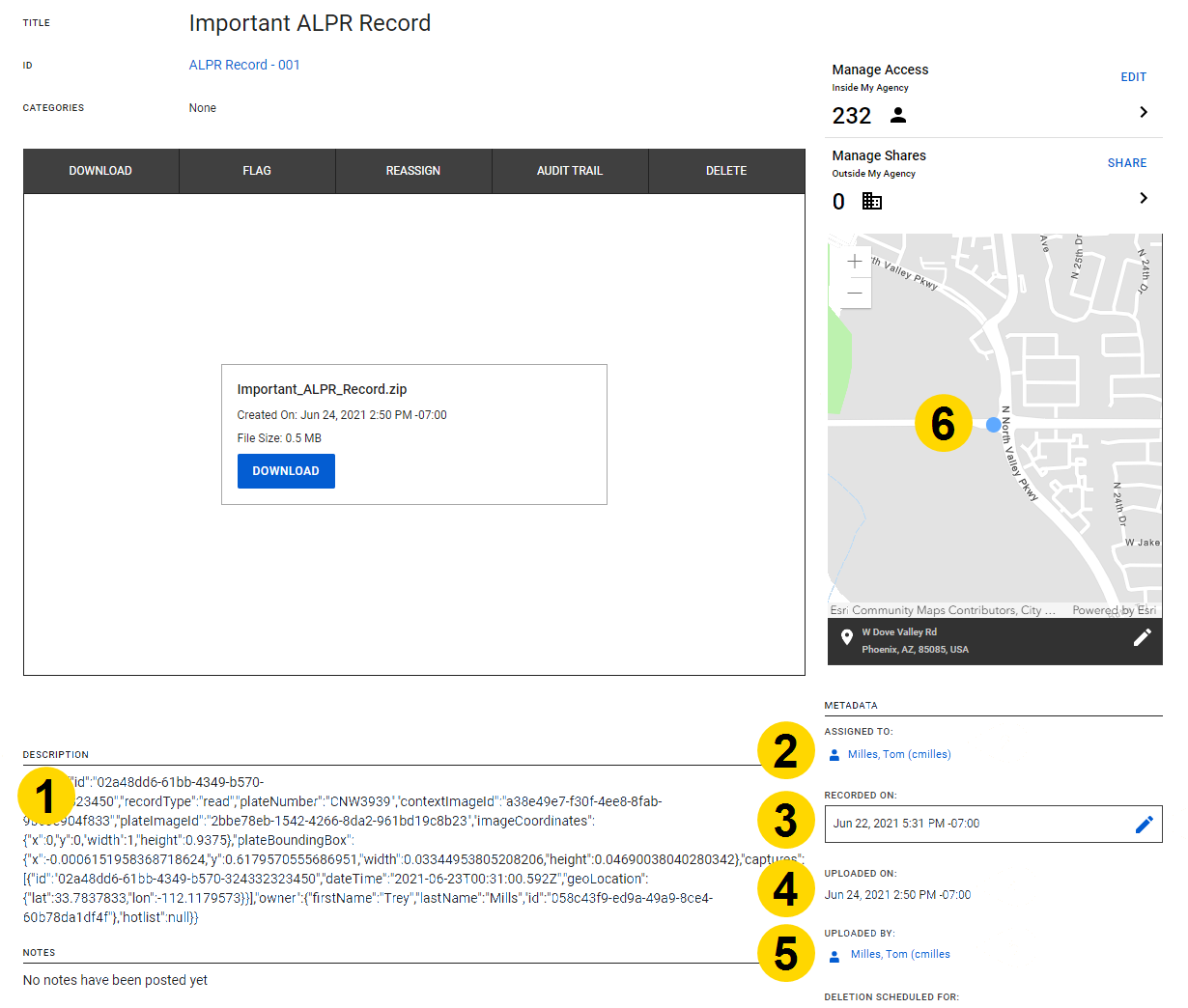
- The original metadata string in the Description.
- Assigned to – The Axon Evidence owner assigned when the read record was converted to evidence
- Recorded on – The date/time the read record was captured
- Uploaded on – The date/time the read record was converted to evidence
- Uploaded by – The Axon Evidence user who converted the read record to evidence
- Map – A pin where the read record was captured.


