Use cases
This
In particular, consider lane width when collecting in parking lots. This guidance is general and applicable in most cases, but parking lot configurations vary widely.
In all cases, poorly performing headlights (dim, dirty, broken) will reduce plate capture performance at night.
Parked parallel to passing traffic
Pan camera to first detent, 22.5°, to shift the capture area to cover two adjacent lanes while also parking a safe distance from the fog line. The limitations of headlight illumination at night will limit the capture area to one adjacent lane.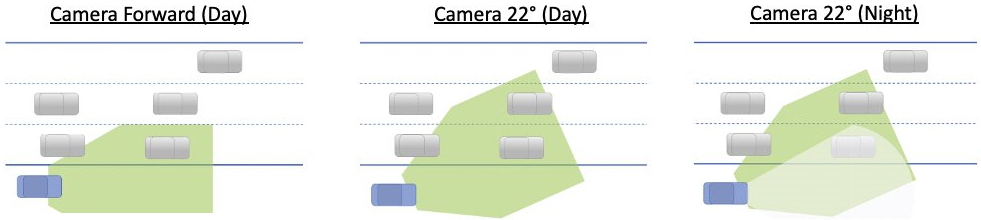
Parked perpendicular to passing traffic
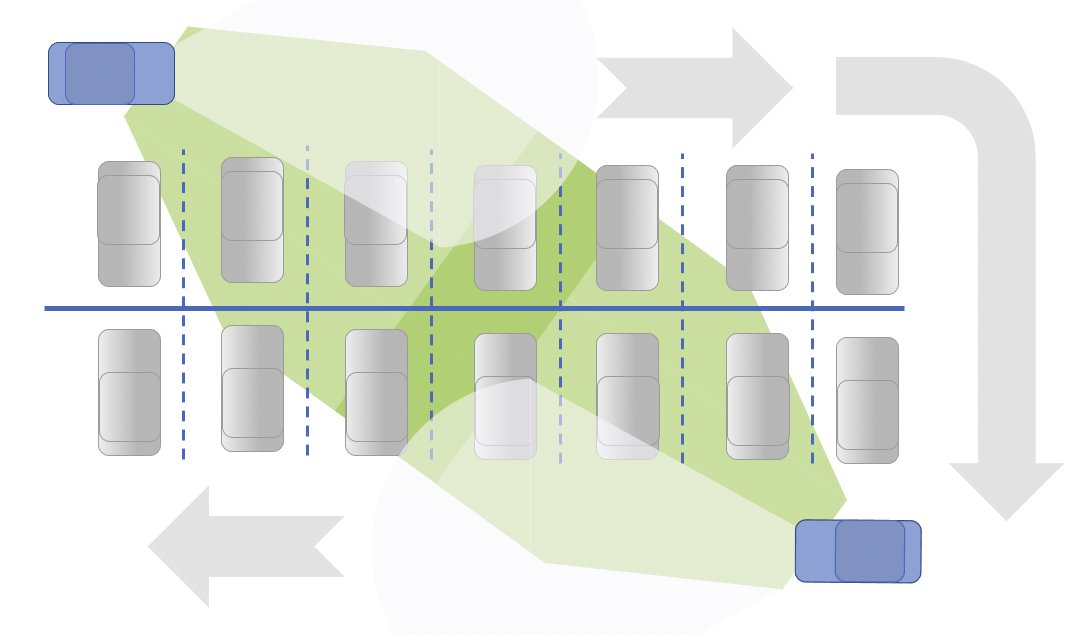
Pan camera to second detent, 45°, to capture passing traffic. At night, the overlap of the capture area with headlight illumination when perpendicular to traffic is so small that Axon Fleet 3 ALPR performance will decrease greatly.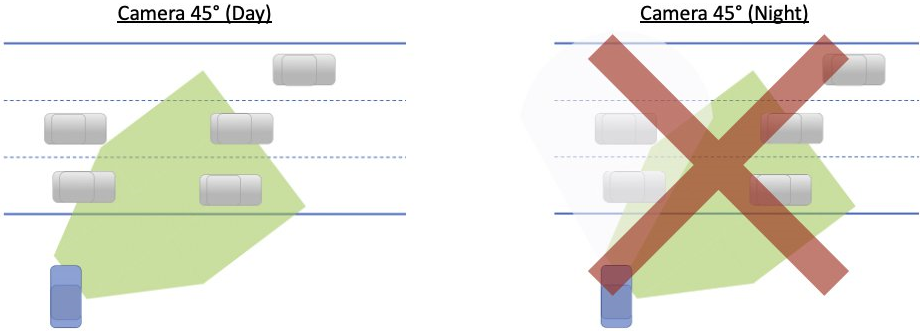
Perpendicular parking lots
Panning the camera at 45° is the recommended position for perpendicular parking scenarios in all lighting conditions.
Perpendicular parking lots are usually configured to support two-way traffic. Lane width can be 25 ft. or wider. Vehicles/plates on the left side of the lane are barely within the capture area and, combined with the skew angle of the perpendicular plates, will capture poorly with the camera facing forward. Performance at night is further affected by the limited headlight illumination on the left side of the lane.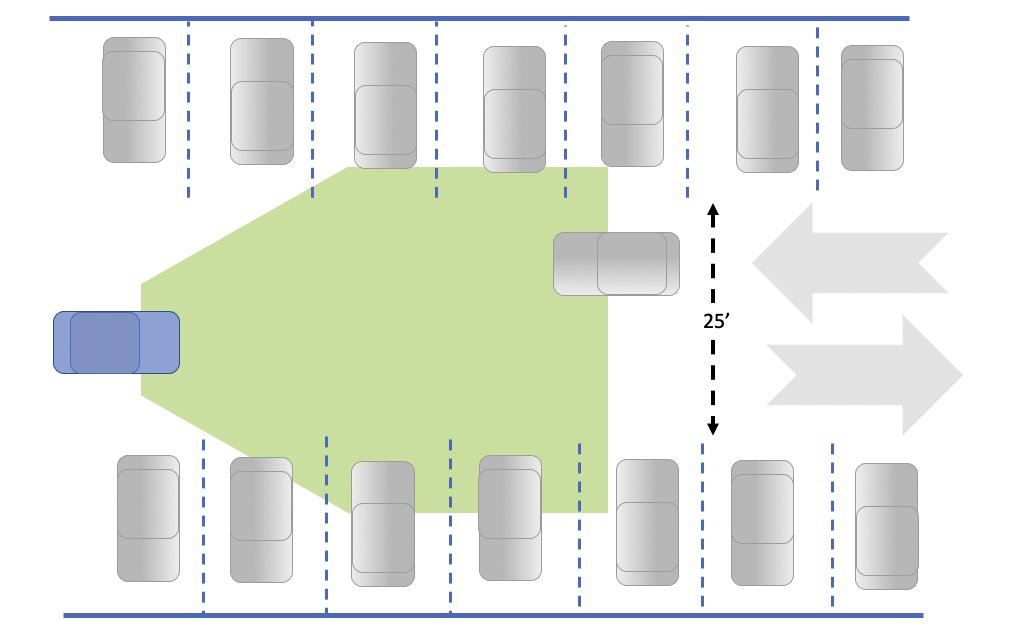
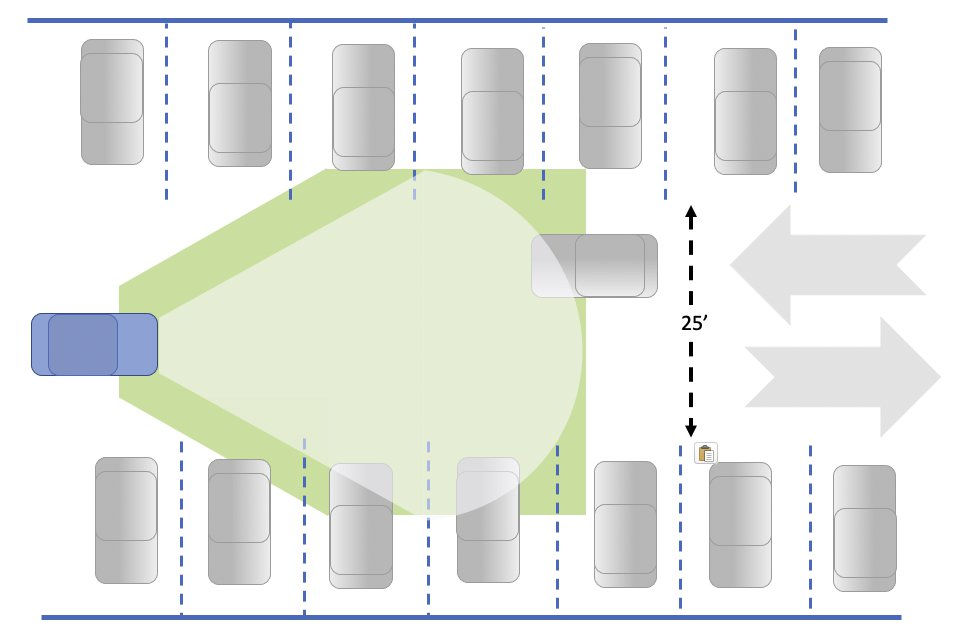
Panning the camera to the 2nd detent (45°) toward the right side significantly improves plate capture performance. Axon internal testing indicates better daylight capture by as much as 30% and as much as 100% at night with good headlight illumination.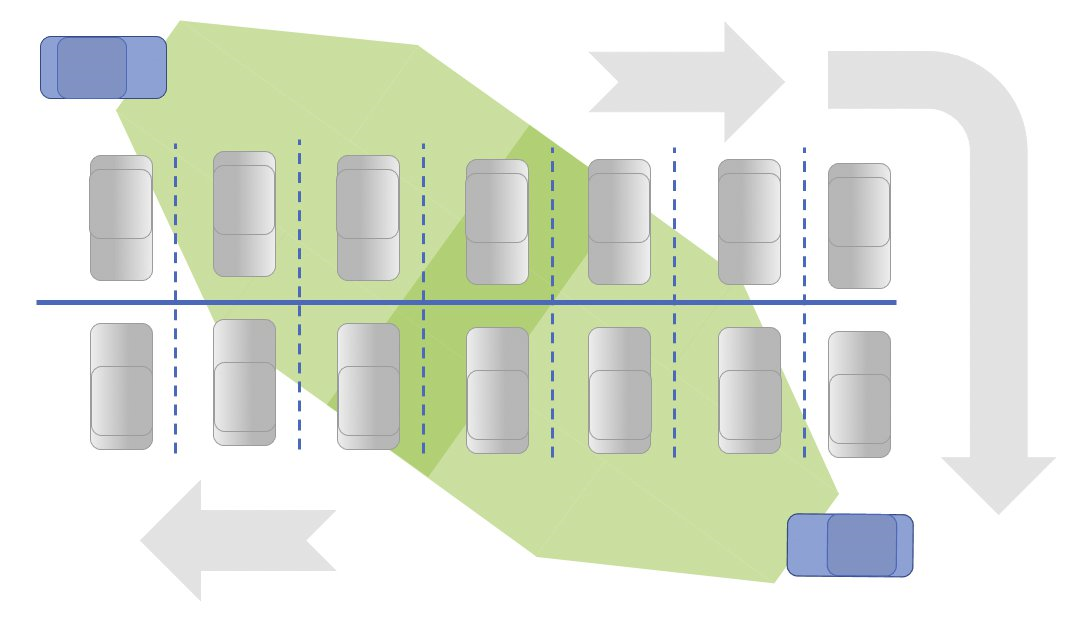
Diagonal parking lots
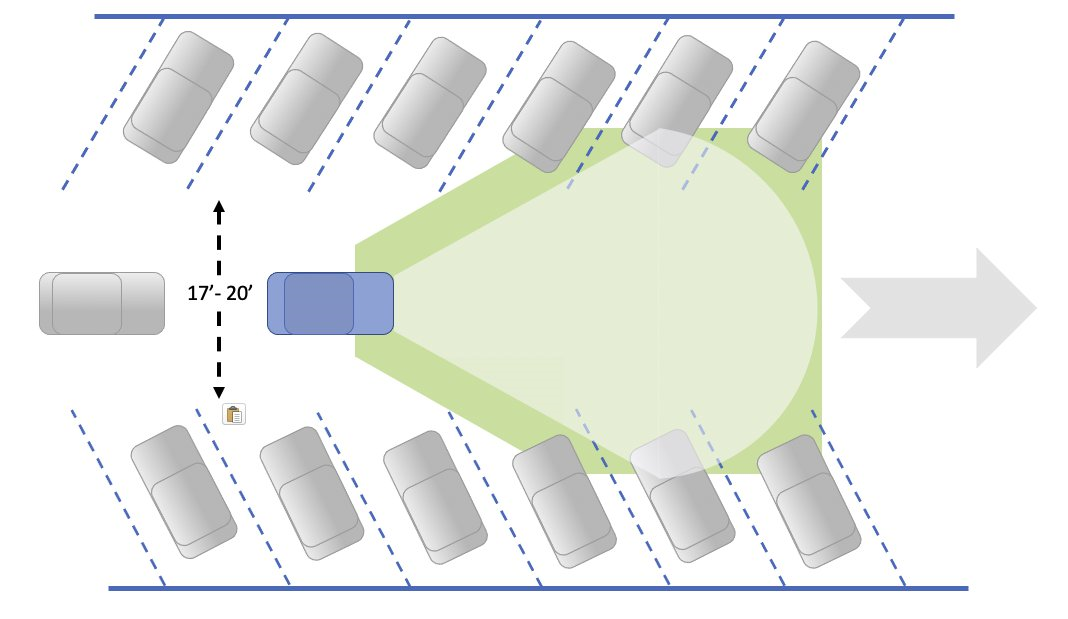
Camera forward is the recommended camera position for diagonal parking lots in all lighting conditions.
Diagonal parking lots are usually one-way and narrower than perpendicular parking lots. Plates to either side of the ALPR camera are within the capture area.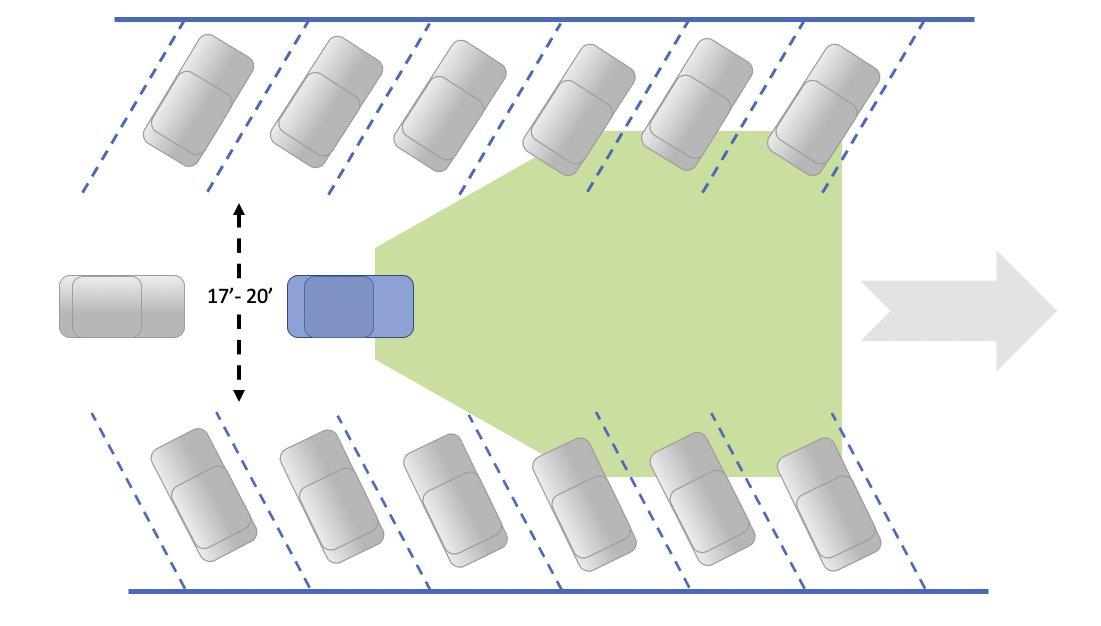
ALPR notification settings
In Fleet Dashboard, select Settings  on the right, then scroll down to toggle on/off either of the following two settings:
- Mute alerts
- Dashboard moves to front on Hit Alert
For a complete discussion of how to use and interact with ALPR hits and information in the Fleet Dashboard app, see the individual Dashboard topics or complete user guide (PDF) on the Fleet 3 product page. This includes:
- Notification settings (above)
- Hit reviews
- Snoozing alerts
Introduction ï this topic ð Search in Axon Evidence
Last modified - 28 April 2026


