August 2024
The schedule for the August 2024 release is as follows:
- Customers in the Enterprise region (.ent.evidence.com) and Canada region (.ca.evidence.com) receive on September 3, 2024.
- Customers in the European region (.eur.evidence.com), European legacy region (.eu.evidence.com), and New Zealand receive on September 4, 2024.
- Customers in the U.S. Federal (.us.evidence.com) and U.S. Law Enforcement region (.evidence.com) receive on September 5, 2024.
- Customers in Australia, the United Kingdom, and South America region (.la.evidence.com) receive on September 10, 2024.
For information on the update schedule times for your region, refer to the Axon Evidence Maintenance Schedule on the Axon website.
We don’t expect any downtime during this update.
Additional help documentation for the products included in these release notes is located at axon.com/help.
Download this month's release notesAxon Body 4
Operating system v1.2432
Axon Body 4 operating system v1.2432 starts with early access devices on September 2. This phased rollout is expected to span three and a half weeks, with general availability targeted for September 24.
This update includes the following fixes and improvements:
-
Device Pooling Improvements: Device pooling customers’ cameras now unassigns within 30 seconds upon docking and is able to be reassigned once the battery percentage is greater than 70%. Previously, cameras had to be charged greater than 90% and offload all evidence prior to entering the reassignment pool. Cameras will continue to be reassigned based on the order they were docked.
-
Exit Sleep Mode: A single press of the Event button now takes a user out of sleep mode.
To receive the firmware release on select devices ahead of the general release, please visit MyAxon to learn how to enroll devices in early access.
Axon Body 3
Ooperating system v1.33
Axon Body 3 operating system v1.33 starts with early access devices on September 3. This phased rollout is expected to span three and a half weeks, with general availability targeted for September 24. This update includes general bug fixes and improvements.
To receive the firmware release on select devices ahead of the general release, please visit MyAxon to learn how to enroll devices in early access.
Axon Fleet
Starting in late August and continuing through mid-September, Axon will begin a phased deployment of firmware update version v2.2431 for the Axon Fleet 3 system.
Axon ALPR
ALPR record search
This update includes the following improvements to the Axon Evidence ALPR Record Search feature:
Default ALPR screen within Axon Evidence
When using ALPR within Axon Evidence, the default screen displays information based upon the user’s assigned permissions. Users that have ALPR search permissions default to the ALPR Search screen, while users with hotlist management permissions default to the ALPR Hotlist Record Management screen.
Default map location for ALPR search
When using the ALPR Search screen, the map view now defaults to the location of the agency address, which is set on the Agency Profile screen.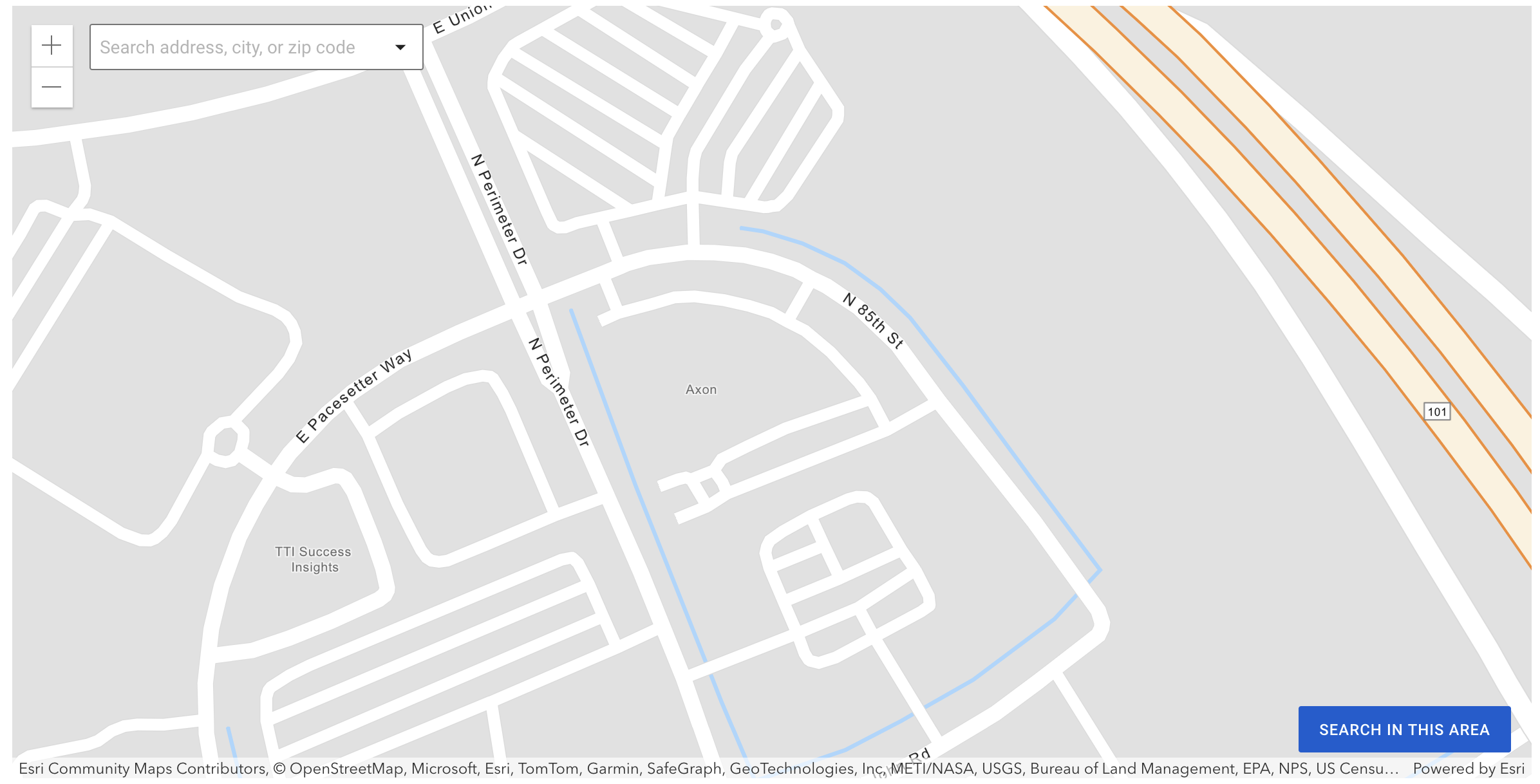
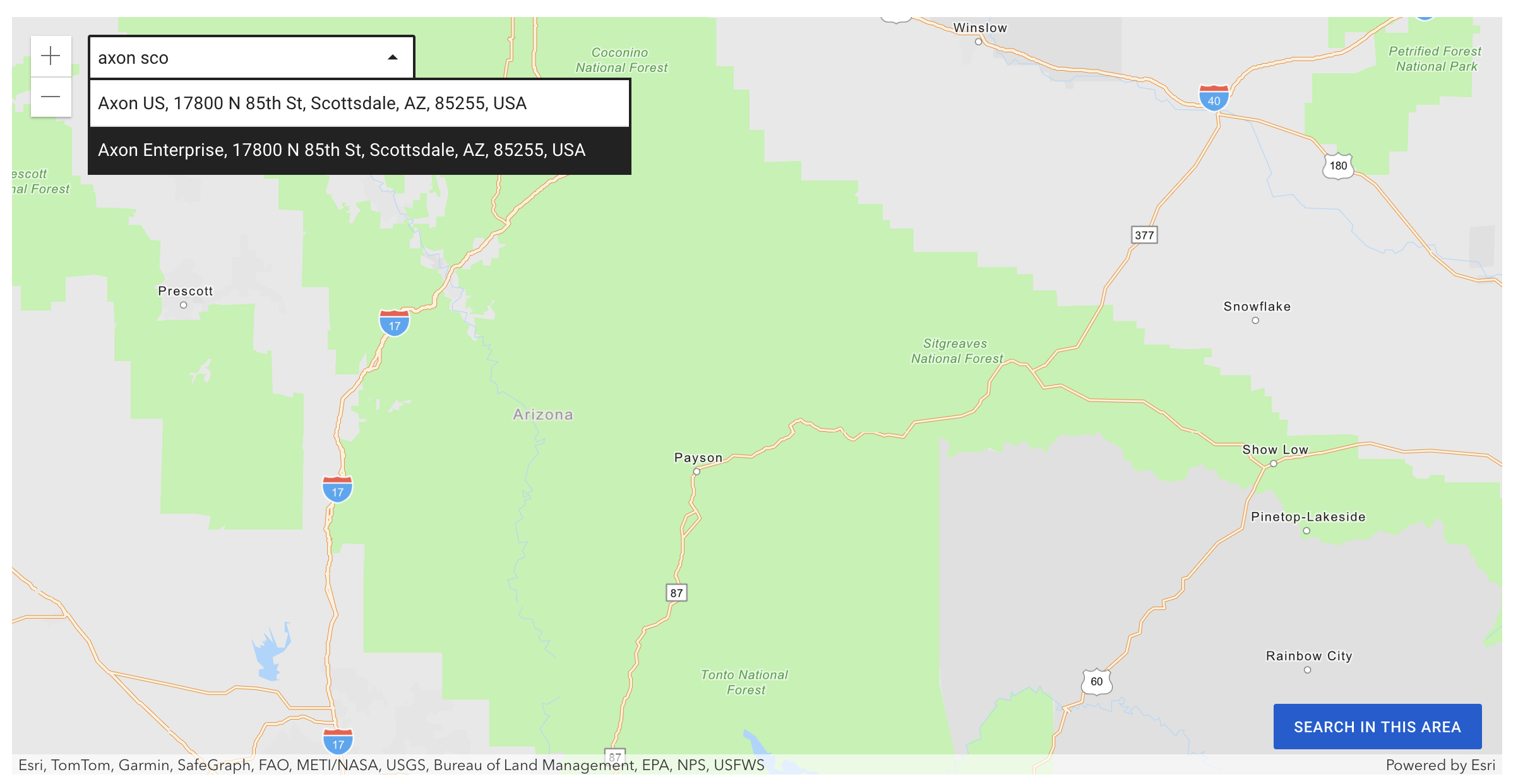
Search by address, city or ZIP
When using the ALPR Search screen, users can now use a location search field within the map to quickly move to a specific location. The location search allows the entry of a full address, county, city or ZIP code. This allows users to perform a search within the new location using any additional filters.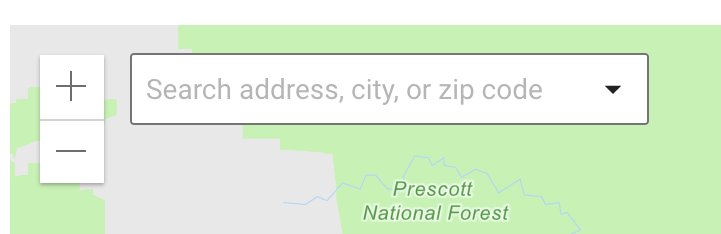
Search map satellite view
When viewing the ALPR Search results on the map, you now have the ability to use Satellite View.
Map marker distinction
When viewing the ALPR Search results on the map, to enable distinction between record types, Read records are now colored gray, while Hit records are colored Blue.
Axon Interview
We are happy to announce new capabilities in Axon Interview version 4.16.x, which release to all agencies by August 16, 2024. If you are using Axon Interview version 4.0 or above, the Axon Server Updater software helps you upgrade to this version. The updater can download the latest release from Axon Evidence, or you can download the release from MyAxon.
Do not upgrade servers which already have the Wowza error mentioned in the bug fixes section. Contact [email protected] for remediation PRIOR to software update.
The upgrade process takes 30 minutes to an hour, during which you will not be able to use Axon Interview.
General notices to upgrade Axon Interview software
- Beginning Jan 2025, Axon Interview will only provide technical support for the 4 latest software releases. In Q1 2025, Axon will only provide support to agencies that are running v4.13 or higher. This ensures customers have a good experience with the latest features and bug fixes.
- The legacy sign-in function in Interview will no longer be supported starting Jan 2025 due to new security requirements in Axon Evidence. It's important to update to v4.13 or higher by then or the users may not be able to sign-in to the system.
- Contact [email protected] if you need assistance updating your software.
New login experience updates
This release includes enhancements to the login experience from the 4.13 release.
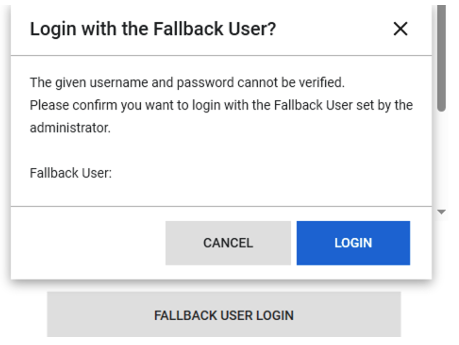
- Fallback user: Agencies can now utilize the “Fallback User” option. If this is enabled, users see a “Fallback User Login” option if the login does not succeed within 15 seconds.
- Integrated Windows Authentication: Agencies using EntraID can now sign-in to Interview without requiring additional authentication. This functionality is available for Active Directory authentication.
Live streaming backward compatibility
Large agencies sometimes upgrade their Interview systems in stages, leading to a version mismatch between the recording server and the Live Streaming application. From this release onwards, the Live Streaming client should be backward compatible with the past four versions of Interview unless a breaking change occurs. However, some functions, such as PTZ camera controls, metadata/note taking, and instant playback, are disabled to prevent incompatible operations due to version mismatch.
Legacy sign-on rename
Axon Interview supports Single Sign-On (SSO) with the new login experience. Because some customers still prefer to use the legacy sign-on method based on local verification, this method is now renamed to “Trust-Based Sign-On.” Enabling this option bypasses the new login experience.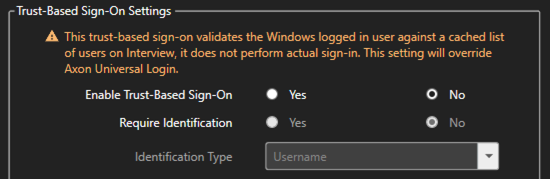
Synchronizing evidence retention categories
Axon Interview has updated the functionality for synchronizing evidence retention categories from Axon Evidence. Beginning in 2025, admins must upgrade to this version or higher to be able to synchronize categories. However, this change will not impact the ability to conduct Interviews.
Reminder to disable Sleep Mode on portable kits
As communicated in the March Release Notes, Windows Sleep/Hibernate mode should be disabled on all Interview installations using the Windows Client Operating system, including portable kits, to avoid recording issues. While sleep/hibernate modes are disabled by default in Axon’s installations, some customers have this mode enabled after re-installing their own OS or due to agency-specific settings. To mitigate this, ensure the following:
- Disable the Windows Sleep/Hibernate mode setting for all power profiles on your portable kits and any touch panels/PCs running the Interview Server application.
- Ensure that no other app is forcing the system to go to sleep.
- If you detect that the system has gone into sleep/hibernate mode, restart Windows to restore normal functionality.
For more information, see Best practices for custom OS image.
Resolved issues
- Axon Body 4
- Improved Axon View evidence playback stability on Pixel and Samsung devices.
- Camera returns to Idle/Sleep mode after firmware updates over Wi-Fi.
- Camera allows entry into Stealth Mode when storage is full.
- Axon Fleet
- Performance Improvements for ALPR Mute and Configurable ALPR Alerts – fixed rare ALPR instability with mute and “no alert” hotlist setup.
- Dashboard Connection improvements – resolved dashboard closure due to loopback port conflicts.
- Bug fixes and performance enhancements.
- Axon Interview
- Wowza Fix:
- A rare bug in the 4.15 release allowed the Wowza engine to subsequently break when the server was later rebooted. The symptom is non-functional camera with red exclamation in preview mode.
- Axon recommends any customers using 4.15 update their systems to 4.16 to prevent this issue. Customers using prior Interview versions must skip 4.15, it has been removed from EDCA.
- Do not update servers which have the Wowza error. It must be remediated by Axon support prior to SW updating. Please contact [email protected] to get support.
- Automatic updates in IR client applications would fail on first attempt when updating to v4.16. Logging in as admin or waiting 30 minutes to retry is a known workaround.
- Updating IR server through Server Updater would fail on first attempt when updating to v4.16. Closing and restarting the tool is a known workaround.
- User sync from Axon Evidence could fail when Axon Evidence returns duplicate users.
- For legacy Sign-On (now Trust-Based Sign-On), the incorrect Axon Evidence username was logged if there was a partial login match.
- The Buffer Extractor tool did not work with the secondary server in certain cases.
- The Buffer Extractor tool uploaded evidence without an owner.
- The Interview client UI froze while switching rooms in Kiosk mode.
- In certain conditions, metadata was not maintained in the Interview title or recording summary UI.
- In some cases, users received an error stating “The Interview started a few seconds ago” while closing the client.
- Users were unable to sign-in to Axon Interview if they had not set security questions in Axon Evidence.
- If a user closed the Live Streaming application while viewing a room, an error was logged.
- Wowza Fix:


