August 2024
The schedule for the August 2024 release is as follows:
- Customers in the Enterprise region (.ent.evidence.com) and Canada region (.ca.evidence.com) receive on September 3, 2024.
- Customers in the European region (.eur.evidence.com), European legacy region (.eu.evidence.com), and New Zealand receive on September 4, 2024.
- Customers in the U.S. Federal (.us.evidence.com) and U.S. Law Enforcement region (.evidence.com) receive on September 5, 2024.
- Customers in Australia, the United Kingdom, and South America region (.la.evidence.com) receive on September 10, 2024.
For information on the update schedule times for your region, refer to the Axon Evidence Maintenance Schedule on the Axon website.
We don’t expect any downtime during this update.
Additional help documentation for the products included in these release notes is located at axon.com/help.
Download this month's release notesBeta features
We're introducing a new section in our release notes called Beta Features. As part of our ongoing innovation efforts, some features will now be tagged with a "Beta" label. These features are fully functional and designed to enhance your experience, while still being refined and improved based on user feedback.
Why beta?
We aim to deliver new features to you as early as possible. Beta features allow you to explore and experiment with the latest innovations while giving us valuable feedback. Your insights are crucial in helping shape and improve these new features over time.
While we're committed to making these features the best they can be, we understand that not every beta feature will be a perfect fit right away. If a feature doesn't meet expectations, we'll revisit and refine it, or even retire it if necessary. Our goal is to deliver tools that truly work for you. We encourage you to explore these new features and share your feedback with your Axon representative. Your input is invaluable as we continue to innovate and improve.
Automated People Detection
We’re excited to introduce Automated People Detection in Axon Evidence. All pro-license users in the US Law Enforcement and Canada environments will automatically receive permissions to use this new feature. This feature streamlines the review process for law enforcement professionals by automatically detecting individuals in videos captured with Axon Body 3 and Axon Body 4 cameras. Automated People Detection addresses the challenge of reviewing large volumes of video evidence by significantly reducing the time needed to identify and analyze the appearance of people.
Please note that this tool does NOT use facial recognition. It focuses on the entire image, recognizing objects in the shape of a person rather than identiyfing specific facial features.
Users can initiate Automated People Detection for evidence and view thumbnails of all the people who appear in the video on both the Evidence Search and Evidence Details pages. This enables users to quickly identify videos where people appear and jump to that moment, reducing the overall time needed to review evidence.
Feedback is encouraged! We value your feedback on this new feature. Please reach out to your Axon representative to share your thoughts and experiences as you use Automated People Detection.
Key highlights
Permissions setup:
-
Because pro users will automatically receive permissions to use this new feature, admins are encouraged to review the following permissions to determine if any need to be disabled. See Automated People Detection Overview and Permissions for additional information.
- Start and View People Detection: Users with this permission can both initiate Automated People Detection and view the results on the Evidence Search and Evidence Details pages.
- View Restricted Evidence: Users with this permission can view evidence processed by Automated People Detection but can’t initiate it.
- List Restricted Evidence: Allows users to view Automated People Detection results in their search results for Restricted evidence.
Initiate Automated People Detection:
-
Users with permission can start Automated People Detection from either the Evidence Search page or the Evidence Details page.
-
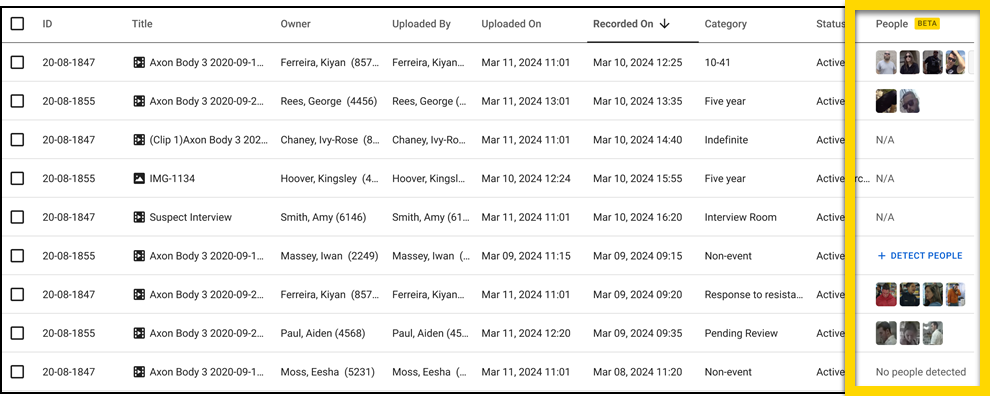
From the Evidence Search page: Users can initiate Automated People Detection by selecting Detect People in the new People column. After the process is complete, thumbnails of detected people appear in the People column, representing individuals who appear for the longest duration in the video. Learn more about this process in the Automated People Detection Quick Start Guide.
-
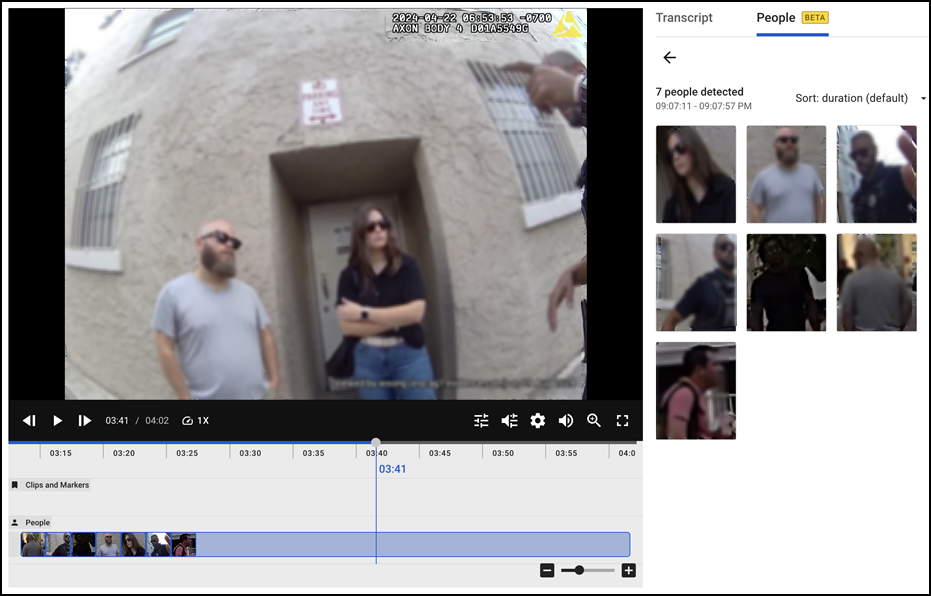
From the Evidence Details page: Users can initiate Automated People Detection by selecting the People tab, and then selecting Detect People. After the process is complete, detected people are displayed as thumbnails in the People tab. Here, users can also view appearance details, including the first appeared time and timestamps for each individual appearance. Additionally, users can work with the results on the video timeline, such as reviewing specific segments where individuals appear or isolating specific detections. Learn more about this process in the Automated People Detection Quick Start Guide.
-
From the Evidence Search page: Users can initiate Automated People Detection by selecting Detect People in the new People column. After the process is complete, thumbnails of detected people appear in the People column, representing individuals who appear for the longest duration in the video. Learn more about this process in the Automated People Detection Quick Start Guide.
Core platform changes
This section outlines foundational updates that affect all users. This includes things like sign-in updates, user management, and account management.
To fully utilize Axon’s new features and enhancements, you must update your browser to the latest version. Due to the new functionality and improvements, these specific versions will be blocked starting in October because they are not compatible with Axon’s current security standards :
|
Browser |
Unsupported version |
|---|---|
| Google Chrome | Any versions below 40 |
| Microsoft Edge | Any versions below 17 |
| Mozilla Firefox | Any versions below 44 |
| Safari | Any versions below 11.1 |
You will receive an “Update Required” message when attempting to sign-in with an outdated browser version.
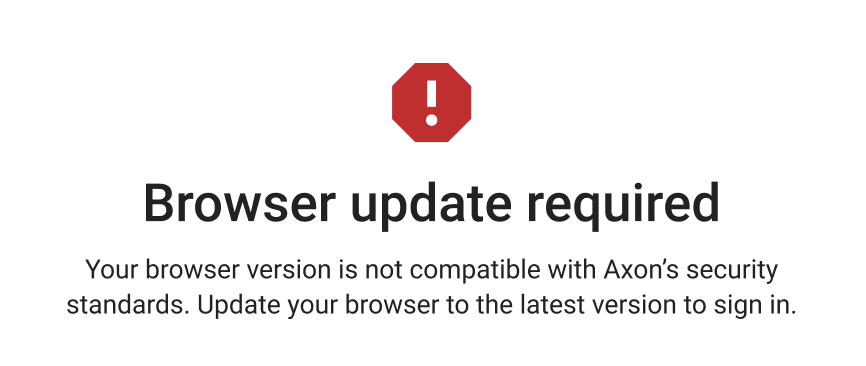
Axon recommends the latest web browser version to ensure a seamless experience with our web applications.
Axon Evidence
Axon Evidence
Automatic account deactivation now available for administrators
Automatic Account Deactivation allows Axon Evidence administrators to automatically enforce account deactivation for inactive users. This allows administrators to systemically enforce account access policies and reduce time spent manually deactivating inactive users. For more information, see Automatic Account Deactivation.
This feature can be enabled in the Sign In Configuration section of the Admin tab by selecting the Enable Automatic Deactivation checkbox.
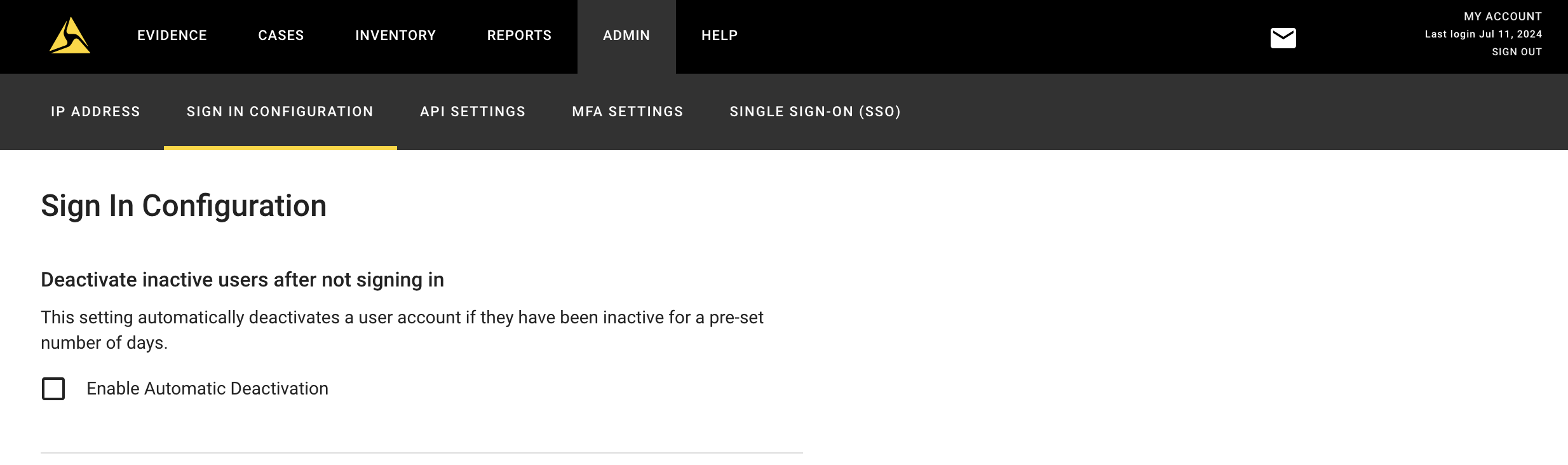
Once enabled, administrators may configure the number of inactive days, i.e. number of days with no sign-in, between 5 and 730 days, before the accounts are automatically deactivated. You can enable emailed warnings to the inactive users prior to the deactivation to allow the user opportunity to sign-in. The number of days prior to deactivation for the warning can be set by the administrator. Additional email reminders, based on different time intervals, can be set up by selecting Add Email Reminder.
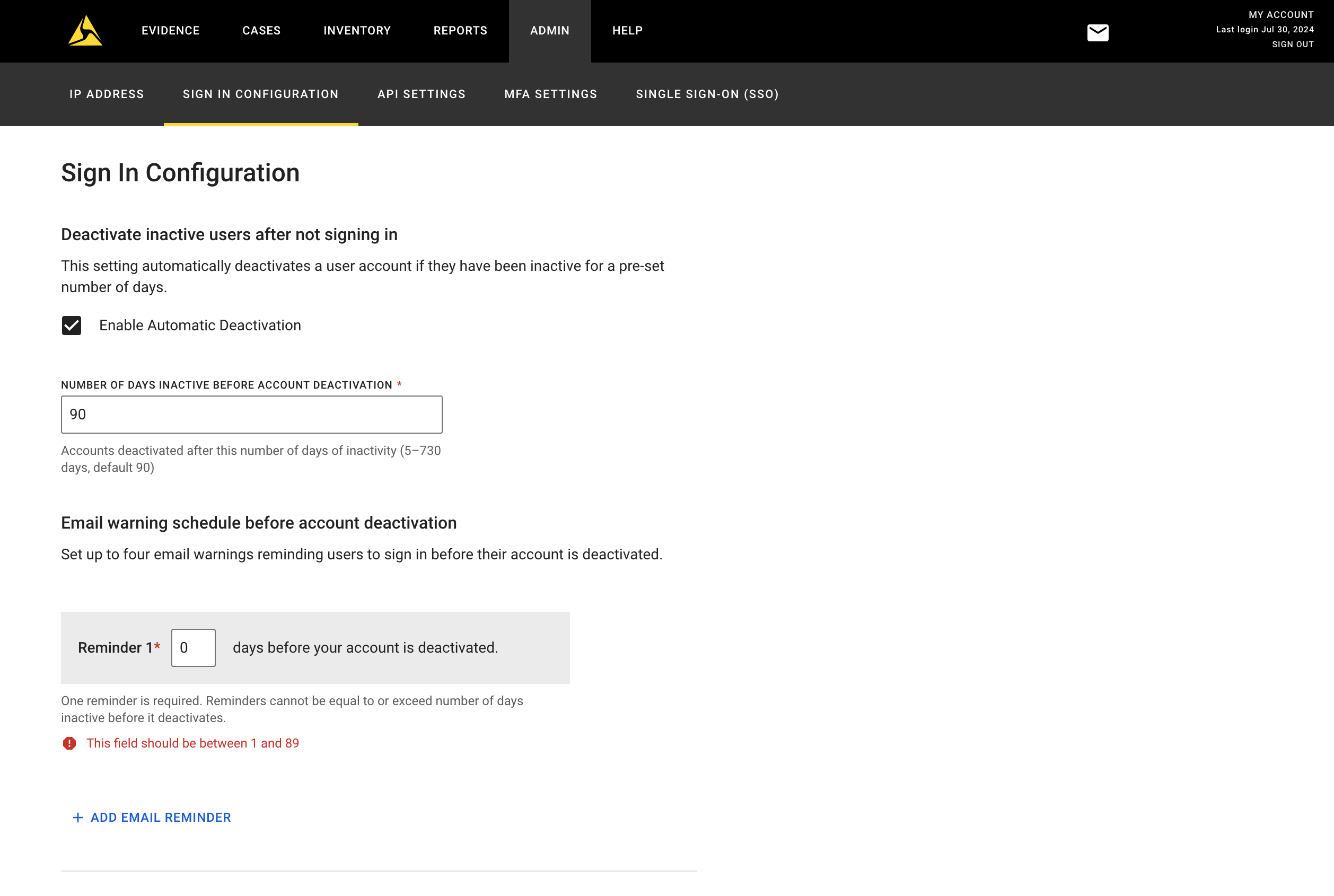
Once an account is deactivated, users still requiring access must reach out to their administrator to be reactivated and invited to reset their credentials.
Evidence results selection
On the evidence search page, a new dropdown is added to the top of the page so that users can select how many search results they’d like to view from 100-500.

Axon Auto-Tagging
We are excited to announce the launch of Auto-Tagging Geofencing. This feature is designed to improve the accuracy and efficiency of evidence tagging, reducing the risk of lost or mislabeled footage. For more information, see Configure Geofencing for Auto-Tagging.
- More precise call association: Leveraging GPS data and geofencing around dispatch locations, auto-tagging can now automatically link evidence records to the corresponding call for service (CFS) with higher accuracy, even during busy shifts in which officers have to handle multiple stacked calls.
- Time savings: By automating the tagging process and applying CAD metadata to evidence more accurately using GPS coordinates, geofencing helps prevent clerical errors that could lead to lost or mislabeled evidence. This feature further frees officers from manually tagging evidence.
- Configurable settings: Agencies can customize geofencing parameters to best fit their workflows such as set the radius around dispatch locations (minimum 50 meters), define the percentage of video that must fall within the dispatch location’s geofence, and exclude specific locations from geofencing such as hospitals or police headquarters.
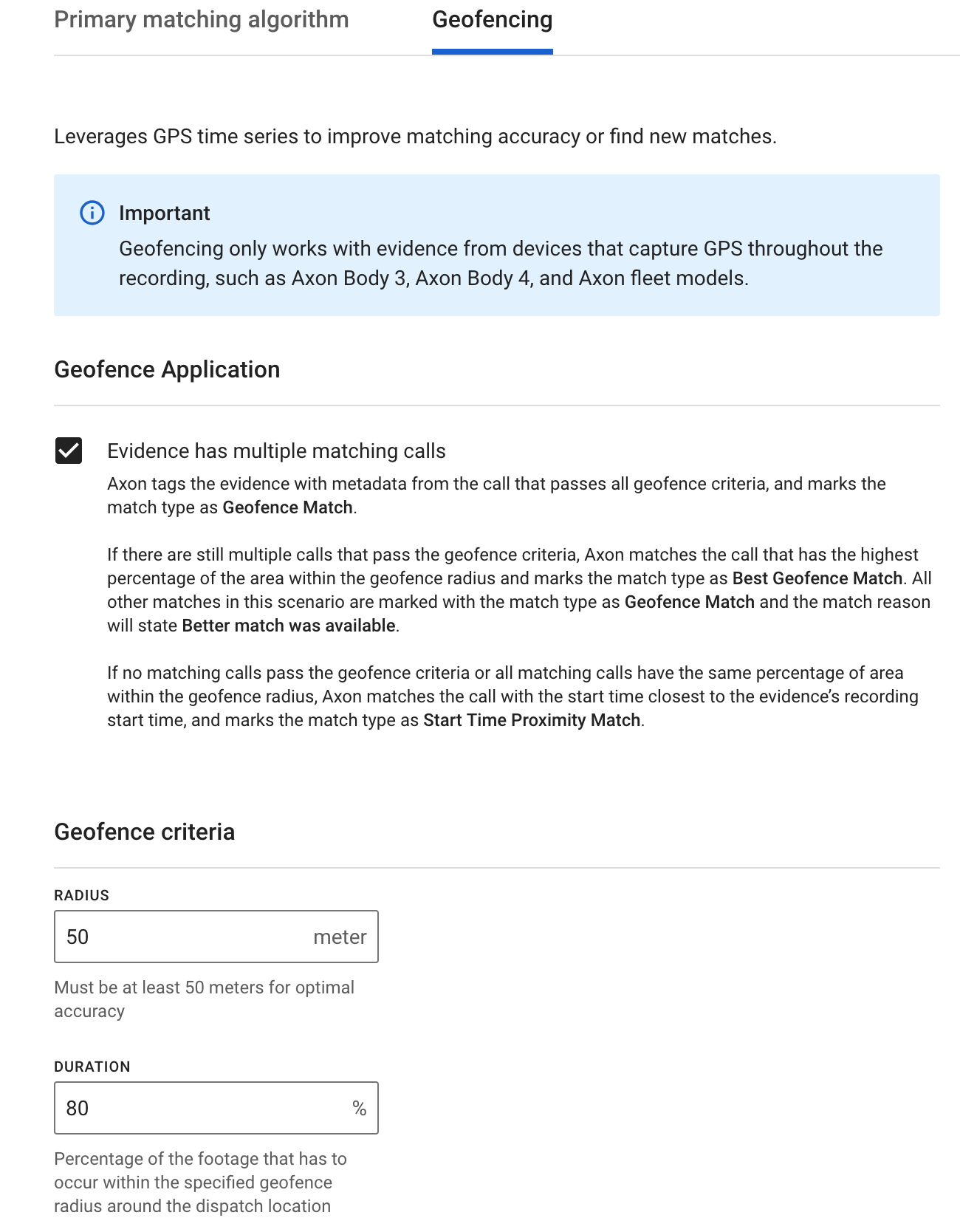
To start using geofencing for Auto-Tagging, please reach out to your customer success manager or contact us at [email protected]. An Axon representative will help you enable geofencing and configure its parameters to best fit your agency’s workflows. For more information, see Enhancing auto-tagging via geofencing.
Axon Auto-Transcribe
Auto-Transcription admin page
The new Auto-Transcription Settings admin page provides agency administrators two new settings. First, administrators can now easily set a default auto-transcription language for their agency, including the ability to select bilingual models, such as our new 'Multilingual English-Spanish (Beta)' model for the first time. Secondly, administrators can now set which languages their users are able to auto-transcribe their evidence. Please work with your Axon representative to enable the Auto-Transcription admin page.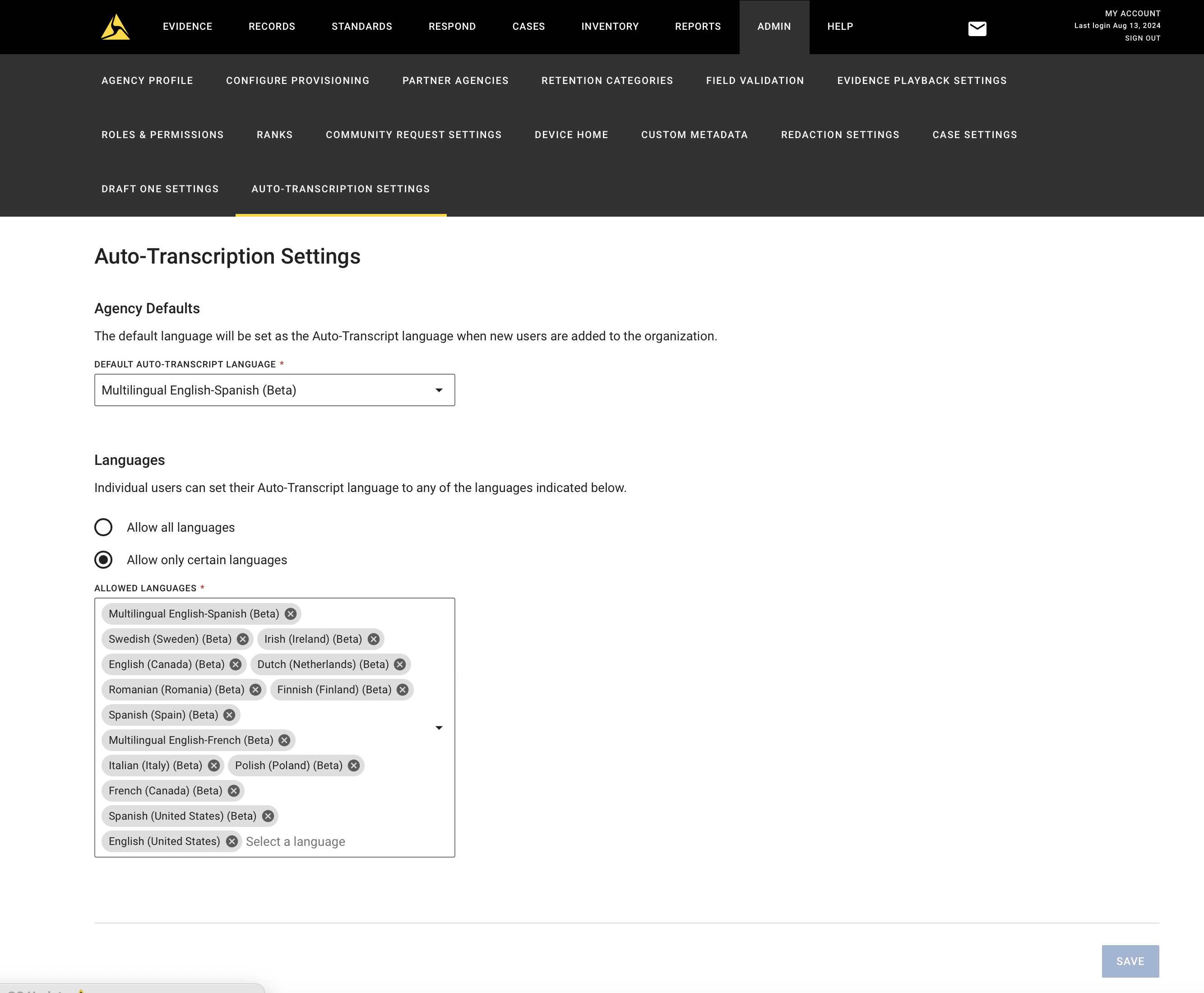
15 new early-access Auto-Transcription Languages
We’ve introduced 15 new early-access auto-transcription languages. These new options include, but are not limited to, “Australian English”, “United Kingdom English, “Swedish”, “Netherlands Dutch”, “Polish”, “Romanian”, and more. These languages can now be set as your agency default or selected for auto-transcription on-demand. Please work with your Axon representative to enable these new auto-transcription languages.
Dictation in General Availability for U.S. English
Dictation launched to general availability for U.S. English. Users will see a Report Writer button on their Axon Evidence homepage where they can start dictation and start creating report narratives by speaking instead of typing, whether on their computer or mobile data terminal (MDT). Users can now also dictate in over 40 new early-access dictation languages based on their agency's location.
Admins still have the ability to disable dictation using the “Turn Dictation Assistant Off” feature flag. Customer audio data or text from dictation is not stored in any audit logs. All dictated data is cleared once users close the browser tab.
Case management
Capture to/from Case ID changes in audit trail
Audit events for Case ID updates have been modified to add the previous value of Case ID.
- The old audit event: Case ID updated to “G-26042024-1234”
- The new audit event: Case ID updated from “G-26042024” to “G-26042024-1234“
Evidence viewing and playback
Marker and clip Handles for Automated People Detection
If your agency has access to the new Automated People Detection (found in the Beta features section), all users see a new timeline style where users can select and hold Marker and Clip handles to adjust. The list of Markers and Clips still appears below the evidence for users to edit and delete. For more information, see Working with Clips and Markers. 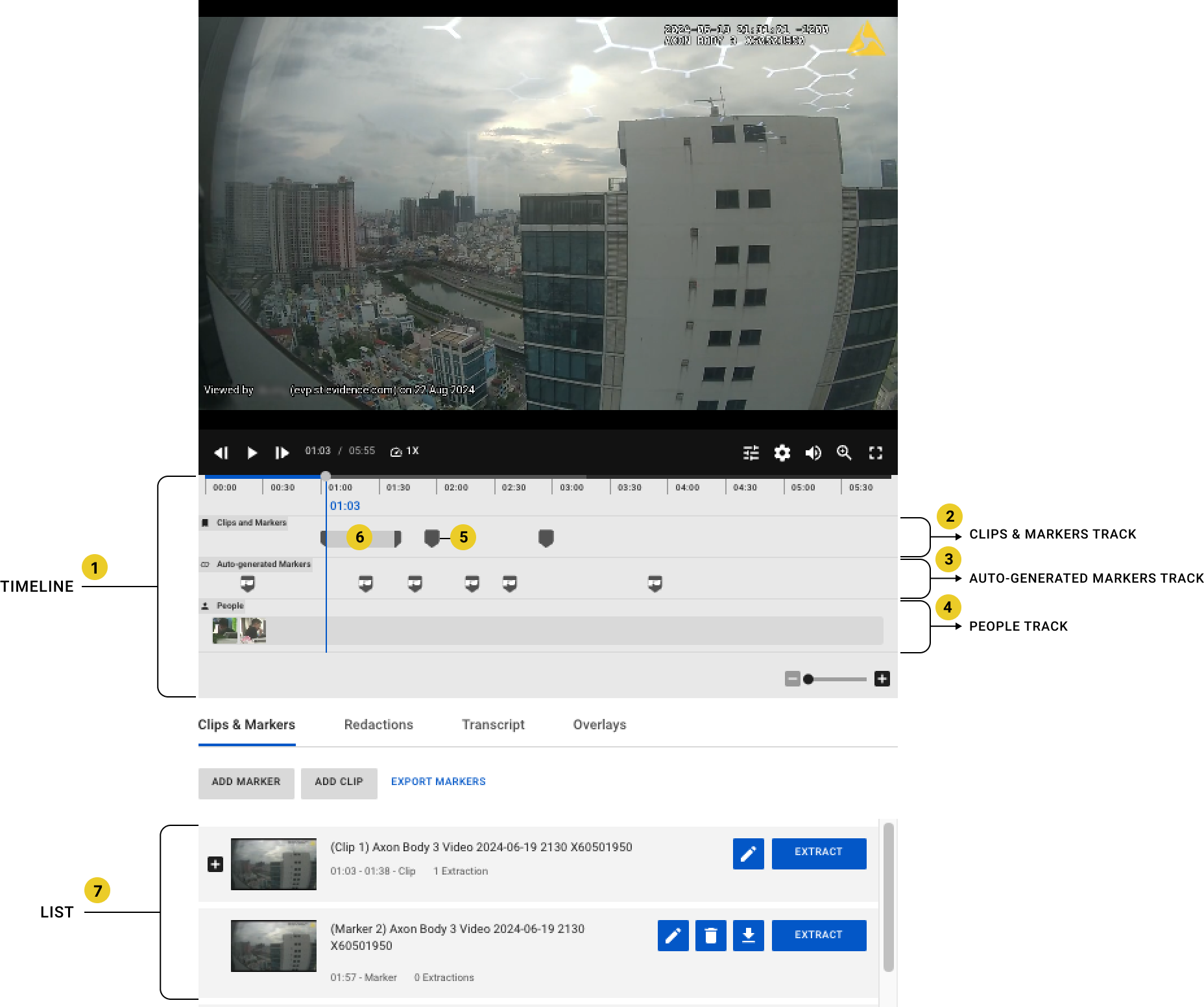
Third-Party Video Support
The following updates include:
- Playback support for IntraLogic Solutions (ILS) .exe formats.
- Support for Flir (formally DVTel) .dvt formats, and Genetec .g64x files.
- Improved handling of .re4 formats containing multiple streams of data.
If you encounter a video file format in which playback is not yet supported by Axon Evidence with Axon Third-Party Video Support, email [email protected] and provide details about the unsupported format.
Mobile
Axon App
iOS
New features and enhancements:
App security enhancement:
- Improved Jailbreak Detection: We’ve enhanced security to better detect jailbroken devices.
Notes for CA agencies:
- Added shift details to the home screen.
- Consistent Dates: Enjoy consistent date formats across the app, with added support for YYYY-MM-DD for Canadian English.
EN-CA language support:
- Added Fastlane script to generate EN-CA language.
- Added support for YYYY-MM-DD format for EN-CA locale.
- Updated MyTasks API and mechanism to retrieve date format and language.
Accessibility enhancements:
- Resolved various keyboard accessibility issues.
- Improved the readability of non-text content.
- Enhanced button visibility with better contrast ratios.
- Ensured smooth scrolling at high zoom levels.
- Fixed text truncation problems across different components.
- Added tooltips for truncated text to help you see full titles.
- Adjusted padding to make content fully scrollable even at 400% zoom.
- The app now correctly announces status changes and updates to screen readers.
Stability improvements:
- Resolved issues with missing files that were causing problems.
- Fixed hard-coded values and lint warnings.
- Addressed top crashes to make your app more reliable.
- Resolved crashes during local authentication for a smoother experience
User experience updates
- Enhanced the datetime fields with new, clearer labels.
- Replaced relative dates with absolute dates for better clarity.
- Improved status messages and loading indicators for screen readers.
- Introduced interval checks to maintain accurate online/offline status.
- Streamlined the navigation and display of multiple pages.
- Fixed overlapping UI elements and ensured proper scaling from landscape to portrait modes.
- Improved interaction feedback and resolved issues with action buttons.
Axon Evidence Upload XT and XTMT
Decommissioning legacy Upload XT version authentication
Upload XT v1.x and Upload XT v2 versions before 2.6.x have been out of support for over a year and will no longer support authentication starting as early as September, at which time you must update to the latest version of Upload XT v2.8.0 available on MyAxon.
XTMT (Upload XT Migration Tech) updates
The latest XTMT Preview 2 was released in June with updated automation samples and tutorials which are now available on XTMT Self-Service Migration Overview.
XTMT Preview 3
XTMT Preview 3 will release in September with support for custom metadata, per-file “recorded on” manual date setting, performance improvements for per-file metadata and pre-upload case validation. The general availability release is targeted for October with the next release of Upload XT (2.10). Register for updates and early access and resources: https://forms.office.com/r/N5NufbJ9zC
Resolved issues
- Axon Evidence Viewing and Playback
- Improve information message of video player banner for 3rd-party video when it contains multiple streams.
- Remove unnecessary dialog when opening 3rd-party video on disclosure portal.
- Auto-Transcribe
- Miranda Detection: Fixed a bug where Miranda is detected 2 times in Markers.
- Auto-Transcribe A la carte Flow: Addressed issue that caused transcription to be locked re-transcribed to other languages when minutes run out of A la carte agencies.
- Axon Evidence
- The audit trail now includes the user inputted "Friendly Name" on the evidence map.
- For users with the 24-hour notation feature flag, all applicable locations will use 24-hour notation correctly.
- Tags search functionality issues have been resolved.
- For users with the Mandatory Metadata feature flag, users will only see requests for the missing metadata.
- Reporting
- Dated Deleted and Deletion Time inconsistencies have been resolved.
- Axon App
- Fixed an issue where the app would scroll automatically when opening a form.
- Resolved the problem with PWA pages not opening correctly on iOS 16.
- Corrected display errors where action menus floated incorrectly after zooming.
- Ensured seamless video playback by showing an unsupported view for some video formats.
- Addressed localization issues for better translation accuracy.
- Create Note display issues fixed.
- Dialogs now have consistent widths.
- Biometric Validation issues resolved.
- Timezone Discrepancies are a thing of the past.
- Session Expiry works flawlessly.
- Photo Attachments now work as expected.
- Floating Button options are improved for better usability.
Coming soon
Axon Evidence
Case management
Viewing Evidence Not in a Subfolder
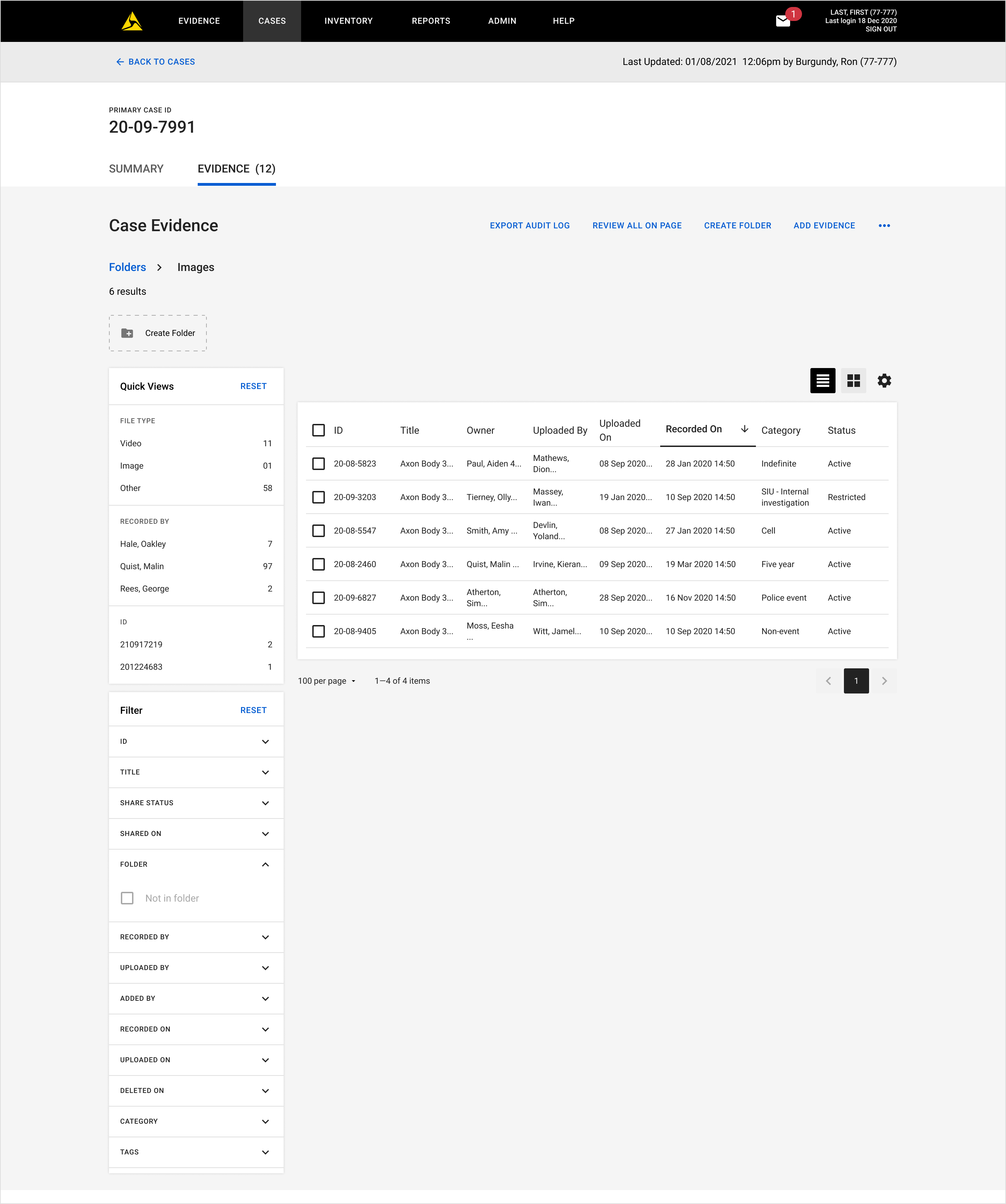
The new filter “Not in folder” will be added to the Case Evidence page to help users organize case evidence in folder. Users can use this to filter out evidence files which are not in any folders.
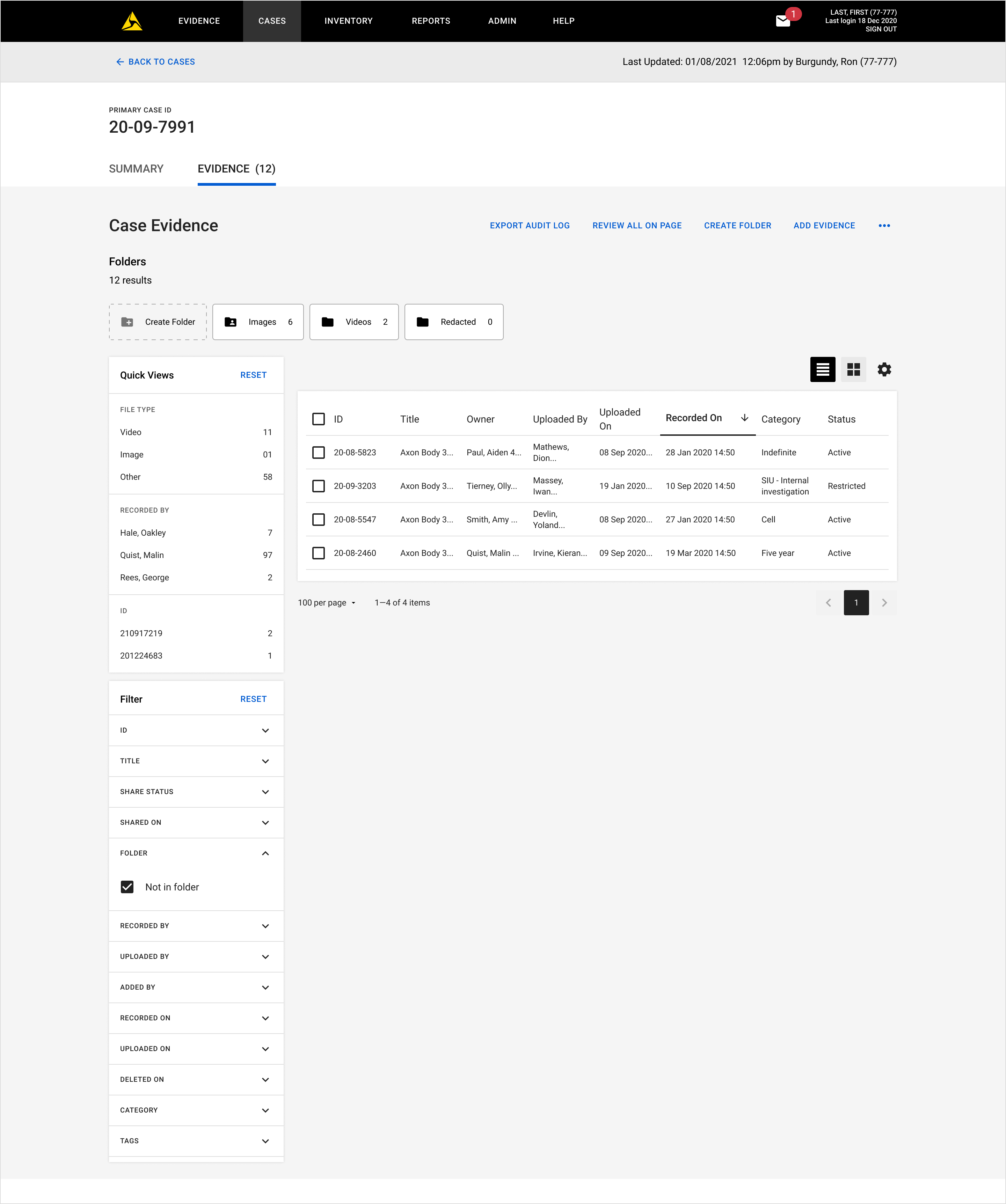
This filter is only enabled when users are not in a folder or subfolder.
Redaction
Redaction Assistants:
The existing Redaction Assistants are getting new AI models for the Heads, License Plates, and Screen Assistants within Redaction Studio. These updates include the following:
- A shift from identifying faces to identifying heads, which helps the model identify more heads, including side profiles and heads at the edge of the screen.
- More object identification across all models.
- Increased processing speed for models to return results faster.
Third-Party Video Support
Look for the follow updates coming in September
- Introducing playback support SEON .exe, Pittasoft .mp4, and Airship aggregate formats
- Updated support for Panasonic Arbitrator .av3, ExacqVIsion .exe, Dahua .par, Genetec .g64x formats
- Improved handling fo Milestone .blk, Flir (formally DVTel) .dvt, and improved channel identification for .img formats
Mobile
Axon App
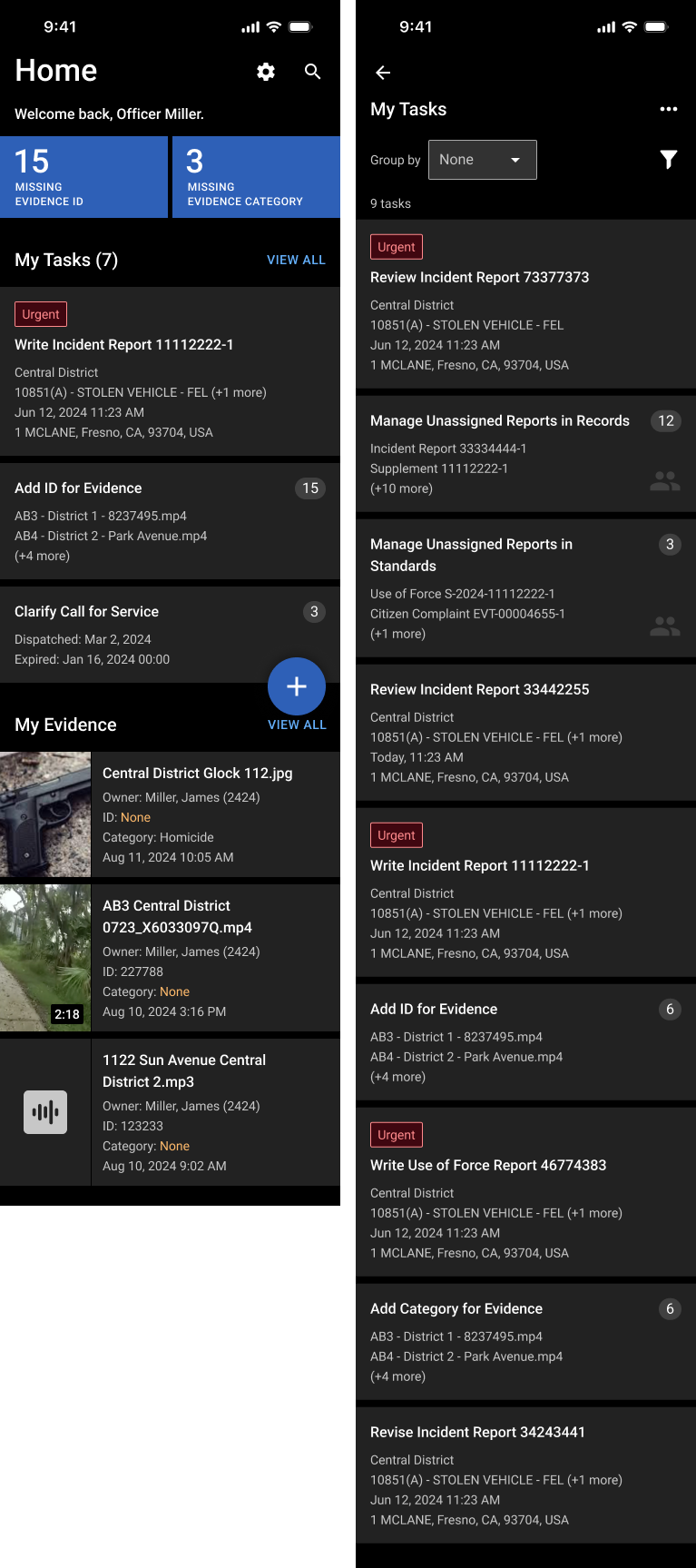
Unified Tasks
In October, the Axon app is beta releasing its "My Tasks" section to bring all user tasks into one convenient hub. No more juggling between different systems – DEMS, RMS, and Performance tasks will all be accessible in one place. We're breaking down silos between DEMS, RMS, and Performance, consolidating user tasks regardless of their origin. This means less time searching and more time taking action.
- Patrol Supervisor Power-Up: Patrol Supervisors gain new tools to streamline their workflow. Beyond reviewing assigned reports, supervisors can now proactively manage unassigned reports, ensuring nothing slips through the cracks under the task "Manage Unassigned Reports in Records/Standards.
- Blue metric tiles are now becoming tasks: In addition to the two blue metrics tiles currently displayed, which show when evidence is missing an ID or category, these tiles will now be grouped as specific tasks under the section called My Tasks. This change aims to simplify user workflow and help them manage and identify any missing information related to evidence.
- Performance on the Go: Experience the convenience of Performance features right from your mobile device. Supervisors with random video review goals can review videos and provide feedback while away from their desk. Officers that have calls for service that are not associated to body-worn-camera footage will be able to provide justification while out on patrol.