Version 4.46 (February 2024)
Third-Party Video Support
Video evidence is crucial, but proprietary formats from CCTV and other sources create technical challenges. Those challenges can cause delays during investigations, and when handled incorrectly can even change the appearance of truth. How video evidence is played matters dramatically when it comes to evidence quality and integrity. Accurate playback is often a challenge due to the wide variety of digital evidence formats encountered during investigations. Many CCTV and surveillance system manufacturers use proprietary file types to record video.
Managing third-party video evidence just got easier! By incorporating video conversion and playback tools in Axon Evidence Local, your agency can review, store, and organize video evidence from many sources with the confidence that you are viewing the correct playback. Ensuring forensic integrity by converting videos into a lossless standard format for playback, while the original video file always remains untouched in the system, your agency can now utilize Axon Evidence Local to view original video evidence and share accurate copies ready for court.
With Axon Evidence Local's Web-Import feature, adding CCTV footage or any other external video can be done by dragging and dropping.
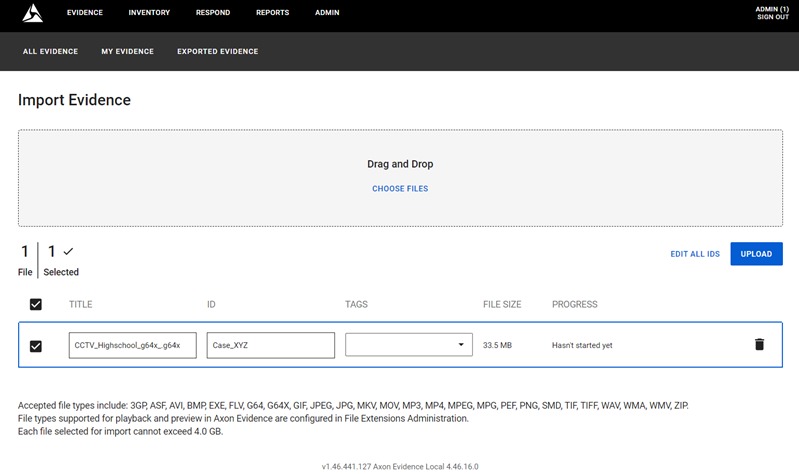
Upon import, Axon Evidence Local identifies third-party video files and presents you with the option to initiate conversion to a playable format.
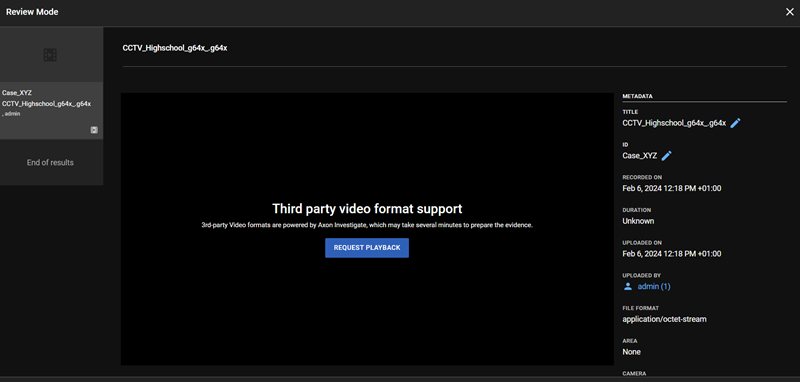
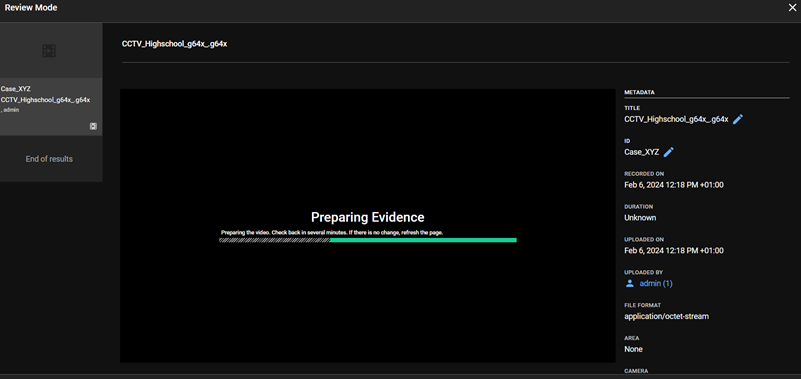
Your video converts in the background. The time needed to perform the conversion depends on factors like video length and the underlying server performance.
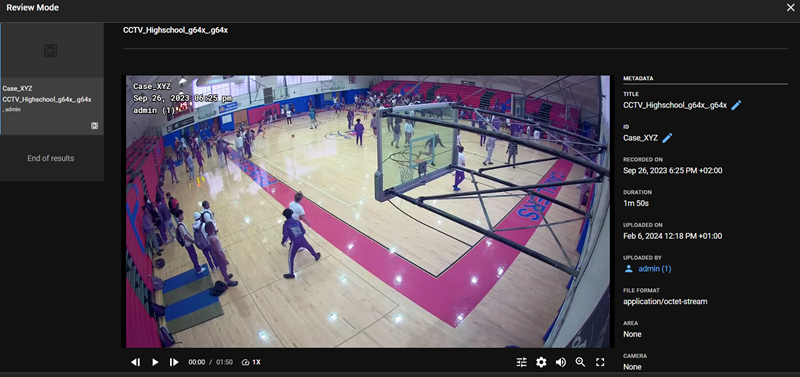
Upon completion of the conversion process, the video is available for playback and subsequent review of the provided third-party digital evidence.
Web-UI Migration: Digital Evidence Export (Single or Bulk)
The new web-based digital evidence export empowers you to seamlessly select and export one or multiple digital evidence files. It is designed to simplify your workflow and protect your data.
Browse through the evidence list and click on the checkboxes next to the files you want to export.
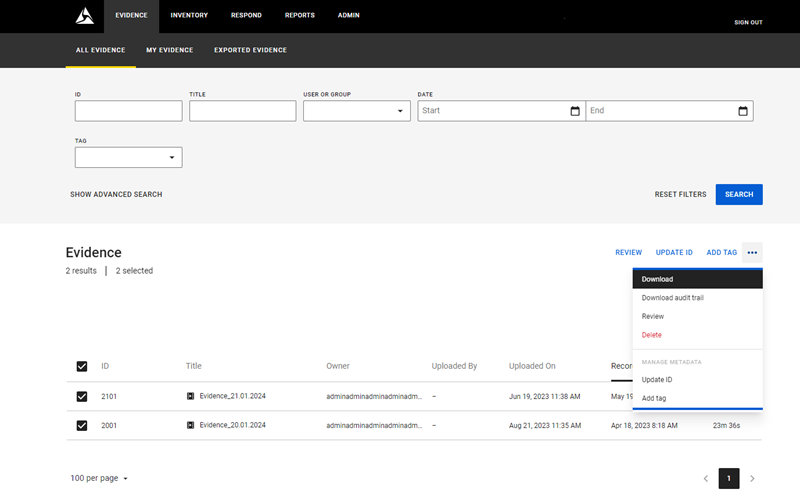
Choose your preferred export method:
- ZIP: Download a password-protected ZIP file containing your chosen evidence files and audit logs, ensuring secure and convenient sharing.
- ISO: Create an ISO file containing a password-protected ZIP of your evidence files and audit logs, which is perfect for offline storage, archiving, or sharing.
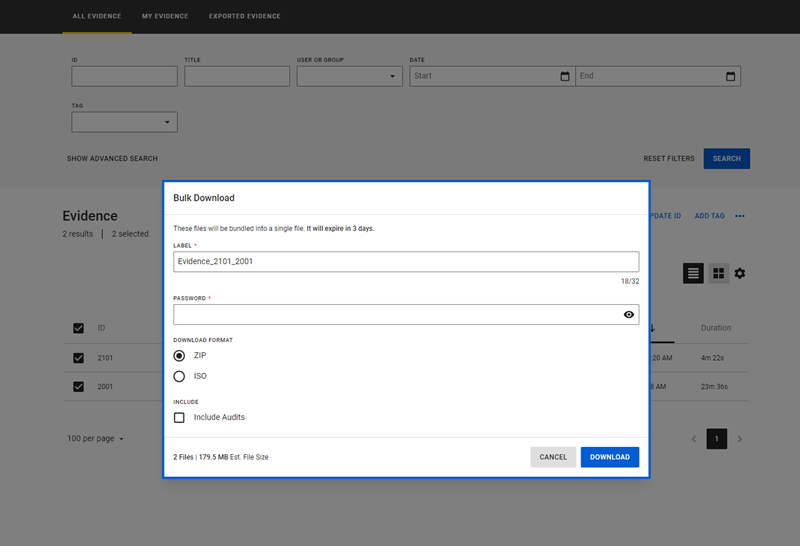
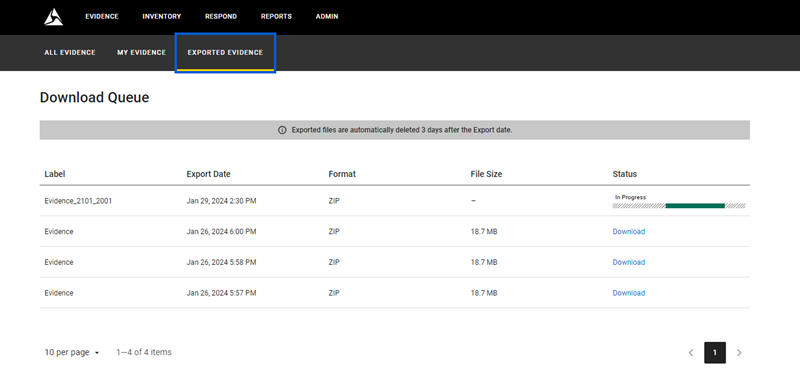
Both export options offer encrypted password protection, ensuring only authorized users can access exported evidence. The dedicated "Exported Evidence" section provides both export status and historical records for exported assets.
Web-UI Migration: System Audit Trail
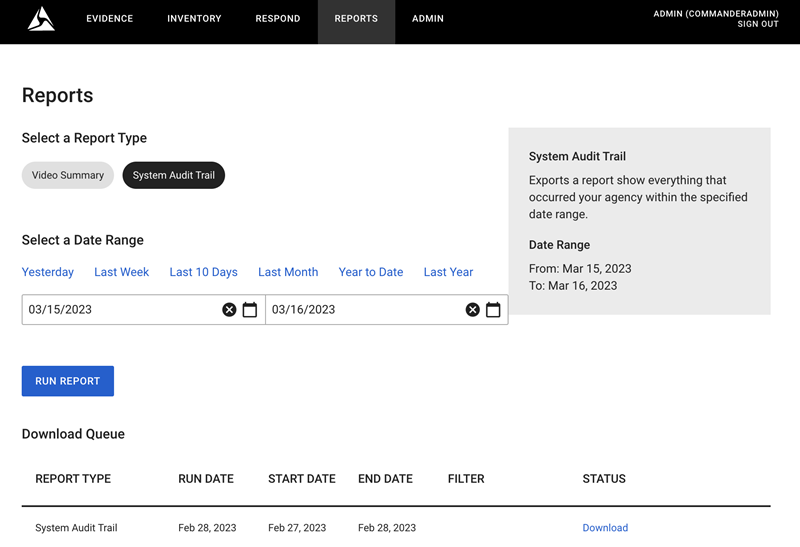
The System Audit Trail offers a comprehensive record of all user actions within the system. This reporting tool allows you to easily specify a desired timeframe and generate detailed reports in PDF format for further analysis.
Web-UI Migration: Respond Settings
Axon Evidence Local 4.46 introduces a revamped web-based UI for managing Respond settings. This simplified interface allows you to configure Respond alerts, export the audit log, and enable or disable warnings for real-time service access.
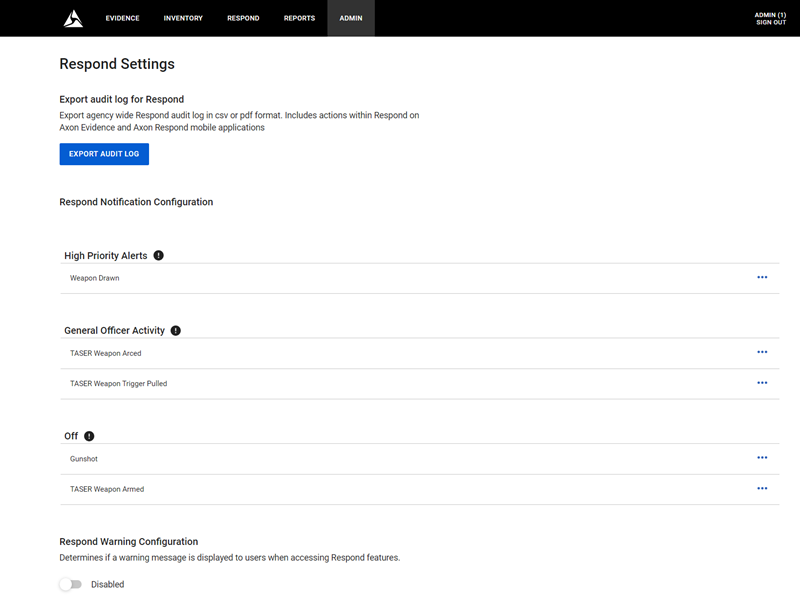
Enable optional real-time service access warning to create user awareness before accessing potentially sensitive live data.
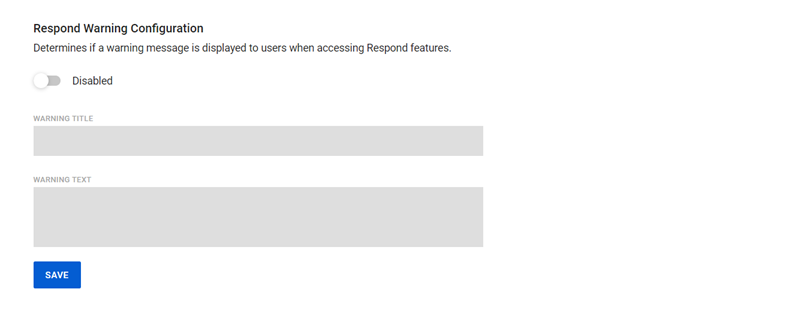
Duplicate existing User Group
Save effort and customize permissions by copying existing groups and adjust them based on your agency's unique needs with assigning specific permissions for each group.
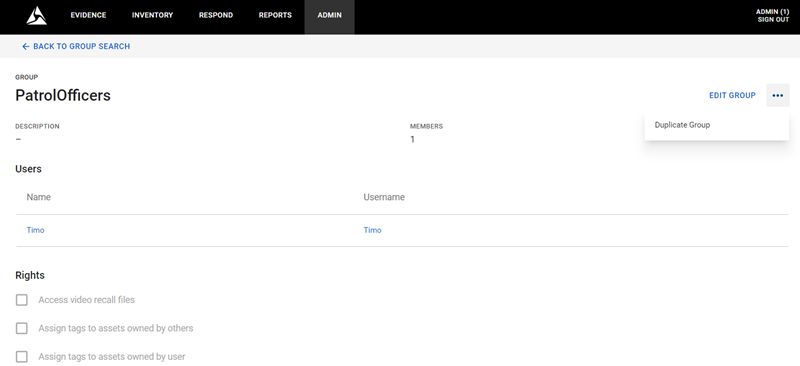
Edit group information, add users, and adjust permissions.
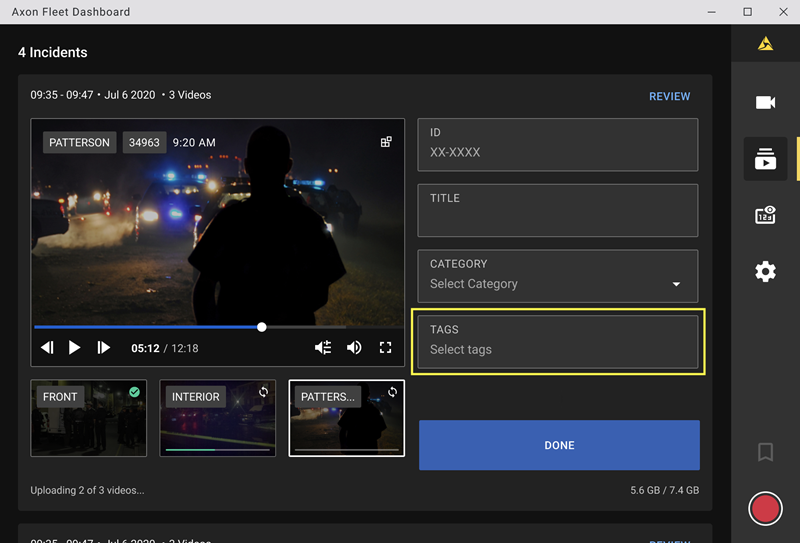
Fleet 3 Workflow Enhancement - Tag Evidence
Axon Fleet Dashboard can be used to streamline your tagging workflow. Begin assigning tags to your video evidence directly within the dashboard before transferring it to Axon Evidence Local for centralized storage and management. This integrated approach empowers you to efficiently organize and categorize your video data, optimizing your post-capture processing tasks.
New Language Support
Effective with Axon Evidence Local (4.46.), the following new languages are supported.
- Basque (desktop client)
- Turkish (desktop client)
- Hebrew (desktop client)
- Thai (desktop client and web-UI)
- Hungarian (desktop client and web-UI)
- Korean (desktop client and web-UI)
Minor Enhancements
- Improved device pairing workflow for Axon Fleet & BWC (reconnect)
- Added standalone media streaming service (transcoding and conversion)
- Added support 3PV in manual import
- Improved audit trail log (Windows/Linux)
- Enhanced the parser UI login client to view/load the current log file to UI
- Enabled CSV audit log for user audit trail
- Added fill data for new columns on inventory search: Last docked and Camera State
- Upgraded Redis windows for Commander to version 5.0.14.1
- Enhanced the error log 400 when generating audit log
- Added 3PV: Handling failed extraction cases
Bug Fixes
- General bug fixes and improvements
Dependency/Compatibility Updates
- TASER7 Handle
- TASER7 Charger
- AB@/Flex2 Dock
- AB@/Flex2
- AB3
- Axon Fleet 3
- ADM iOS
- ADM Android
- View iOS
- View Android ViewXL
- Interview
- Evidence Local Server: Windows Server 2016, 2019, 2022
- Evidence Local Desktop Client: Windows 10-64bit, 11-64bit
- Evidence Local Web Client: Firefox, Chrome, Edge
- Database: MS SQL Server 2016, 2018
- Upgradable from Evidence Local version: 4.38, 4.40, 4.42, 4.44


