Version 4.52 (November/December 2024)
Summary of key updates
- Discontinued Features
The next release of Evidence Local will no longer support the following components:- Axon Evidence Local Desktop Client
- ACE-Standalone
- PostgreSQL for TASER Device Logs
- X2 Support (via Evidence Sync)
Agencies should review these changes and plan migrations or updates accordingly. For assistance, contact the support team.
- Dependency Update: .NET 8
Upgrading to .NET 8 is now required for the Evidence Local Application and Desktop Clients, ensuring compatibility and improved performance. - Axon Evidence Local Now Supports Axon Body 4
Seamlessly manage Axon Body 4 devices, including device assignments, settings, firmware updates, and RFID pooling, while leveraging advanced features like an enhanced field of view and real-time Axon Respond support. - Deregistration for Axon Body 3 and 4
Easily deregister Axon Body 3 and 4 cameras, enabling transitions between test and production environments or changes to SSL certificates. - Video Summary Report Enhancements
Includes new CSV support for greater flexibility, detailed data rows, and updated labels for improved clarity and usability. - Web-UI Migrations
Several administrative features have been migrated to the Web-UI for better accessibility and usability:- Mandatory Reason for Access: Users must provide justifications for evidence access, recorded in audit logs.
- Associations: Automate file organization and transfers with workflow rules.
- Ingestions: Manage standard and hot ingestion points directly in the Web-UI.
- Locations: Configure storage locations via UNC paths in the Web-UI.
- Device Export Enhancements
Thedevice-index.jsonfile now includes new fields:- DeviceHome: Current home location of the camera.
- DeviceLastSeen: Dock location where the camera was last docked.
- Axon Evidence Local Dependency and Compatibility Updates
Updates include support for Axon Body 4 firmware, latest Axon apps, and compatibility with modern servers and operating systems.
Announcement: Discontinued features in the next release
Starting with the next release of Evidence Local, we will no longer support the following features or components:
- Axon Evidence Local Desktop Client
- ACE-Standalone
- PostgreSQL for TASER Device Logs
- X2 Support (via Evidence Sync)
Please review this list and plan accordingly. If you have any questions or need assistance, feel free to reach out to our support team.
Dependency update: Axon Evidence Local
Application server
The upgrade to .NET 8 is required for the Server Manager to function properly on the Application Server. This upgrade can be performed using the Axon Evidence Local Installation Wizard (Launcher) or by manually installing the necessary files. Agencies may also use their own software delivery tools to complete the installation.
Desktop client
The .NET 8 upgrade is also required for the Evidence Local Desktop Client. However, this will be automatically installed as part of the regular installation process via the .msi installer. Alternatively, agencies can use their software delivery tools to manage the .NET 8 installation.
Web client (browser)
The web client operates entirely through a browser, eliminating the need for .NET 8. It provides seamless access to the Axon Evidence Local application without additional software requirements.
Axon Evidence Local now supports Axon Body 4
We’re excited to announce that Axon Evidence Local now seamlessly integrates with the latest generation of body cameras - the Axon Body 4! This update lets you efficiently and securely manage all evidence created with Axon Body 4 cameras.
With this integration, Axon Evidence Local offers:
- Device Management: View detailed Axon Body 4 device information and assign devices to users effortlessly.
- Camera Settings and Updates: Apply camera configurations and enable automatic firmware updates across your agency.
- RFID Device Pooling: Support for RFID device pooling, including management of different Device Homes.
- Dock-Based Registration: Streamline the registration process using a dock-based workflow.
- Camera Deregistration: Easily unregister devices from Axon Evidence Local when needed.
This integration simplifies device management and enhances your ability to support the latest technology in your agency.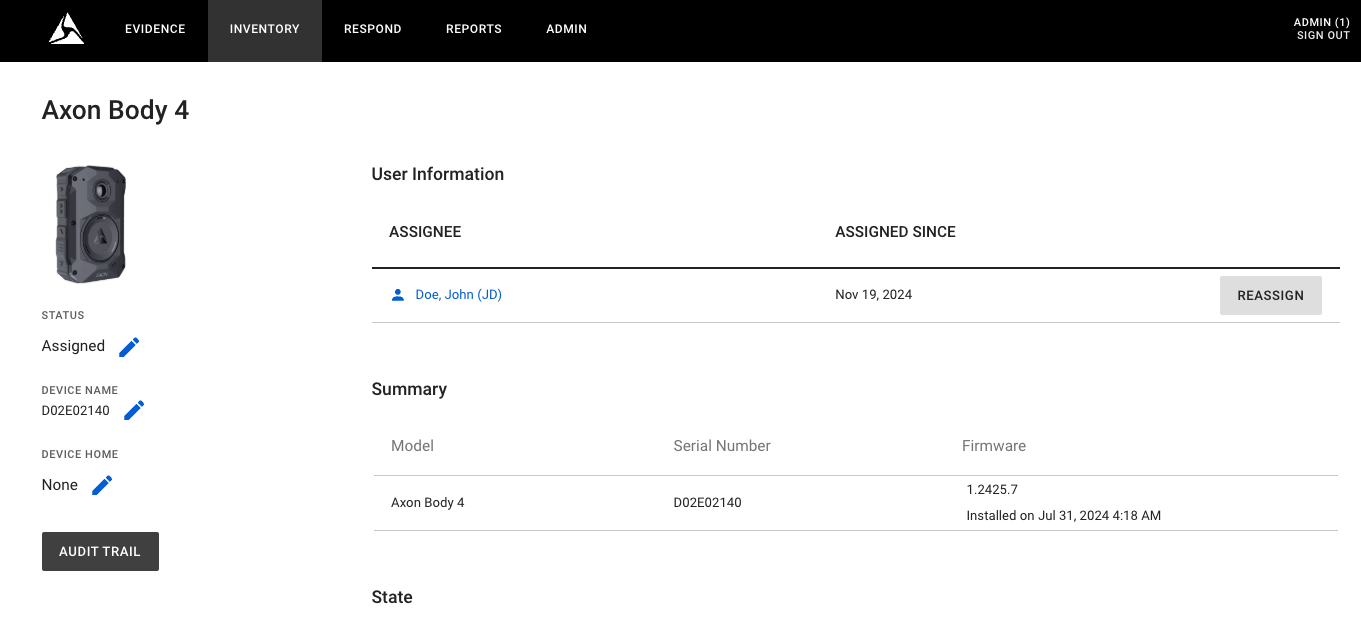
Axon Body 4 camera features
The Axon Body 4 camera offers several advanced features designed to enhance functionality and user experience:
- Enhanced Field of View: Features a 160-degree field of view, providing a wider perspective compared to previous models.
- Improved Camera Sensor: Equipped with an upgraded 5-megapixel sensor for clearer and more detailed recordings.
- Full-Shift Battery Life: Powered by a 4300 mAh battery, ensuring operation throughout a full shift, even when using real-time services.
- Optional Point-of-View (POV) Accessory: Offers an additional POV camera module that can be mounted on tactical eyewear, lapels, or used handheld, providing unique perspectives.
- Fast Charging: Features a magnetic disconnect fast charge cable, delivering 20% charge in 30 minutes for quick turnaround.
- Enhanced Security and Storage: Utilizes XTS-AES 256-bit encryption for secure footage and includes a 128GB solid-state hard drive for ample storage.
- Real-Time Support with Axon Respond: When integrated with Axon Respond, it provides live maps, instant alerts, and live streams for real-time support.
For more details, visit https://www.axon.com/products/axon-body-4.
Dock-based registration for Axon Body 4
Dock-based registration is a streamlined process introduced by Axon for registering Axon Body 4 cameras. It allows agencies to register and configure their Axon Body 4 devices directly through the Axon Dock, without requiring manual intervention via a web interface or Axon mobile apps.
Key features
- Automatic Registration: When an Axon Body 4 camera is connected to a pre-configured Axon Dock, the dock automatically registers the device to the agency's Axon Evidence Local Server.
- Pre-Defined Configuration: The dock applies pre-set agency configurations, such as device settings during the registration process.
- Ease of Deployment: This process reduces setup time, especially for large fleets, as multiple devices can be registered in bulk by docking them.
- Security: The dock ensures that only authorized devices are registered, using secure communication with Axon Evidence Local.
Note: This feature requires a special DHCP setup in your agency to work. Please contact your Sales Engineer, Professional Services Manager, or Regional Support Manager for advice.
Prerequisite
The Axon Body 4 Dock must be registered to your Axon Evidence Local instance for your agency.
Registering the dock
There are two methods to register a dock with your Axon Evidence Local Server:
- Axon Device Manager (ADM): To register your dock using Axon Device Manager, refer to the detailed documentation here.
- Manual Bulk Registration: This allows you to register docks by manually entering their serial numbers.
Manual bulk registration
- Use the bulk register dialog to enter multiple device serial numbers and register them simultaneously.
- Upon successful registration, the devices are ready for deployment.
Manual bulk registration allows you to register docks by manually entering their serial numbers. Follow the steps below for this process.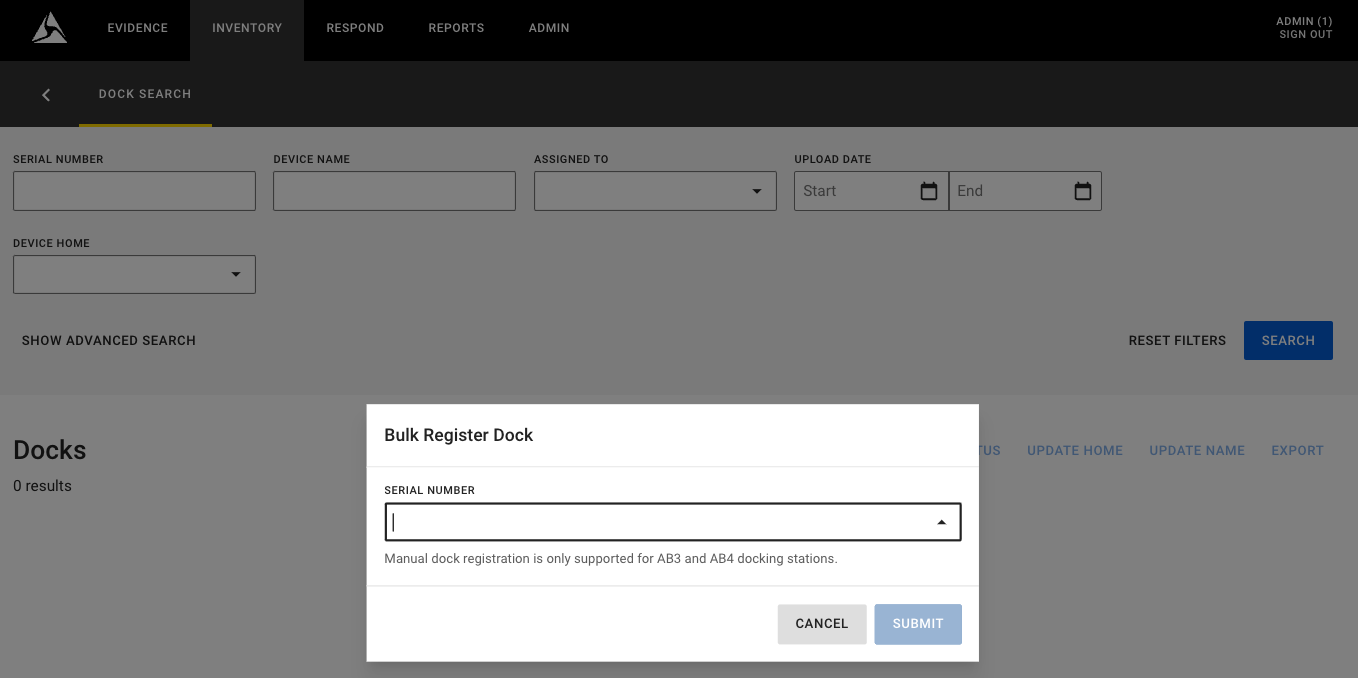
Bulk Register Dialog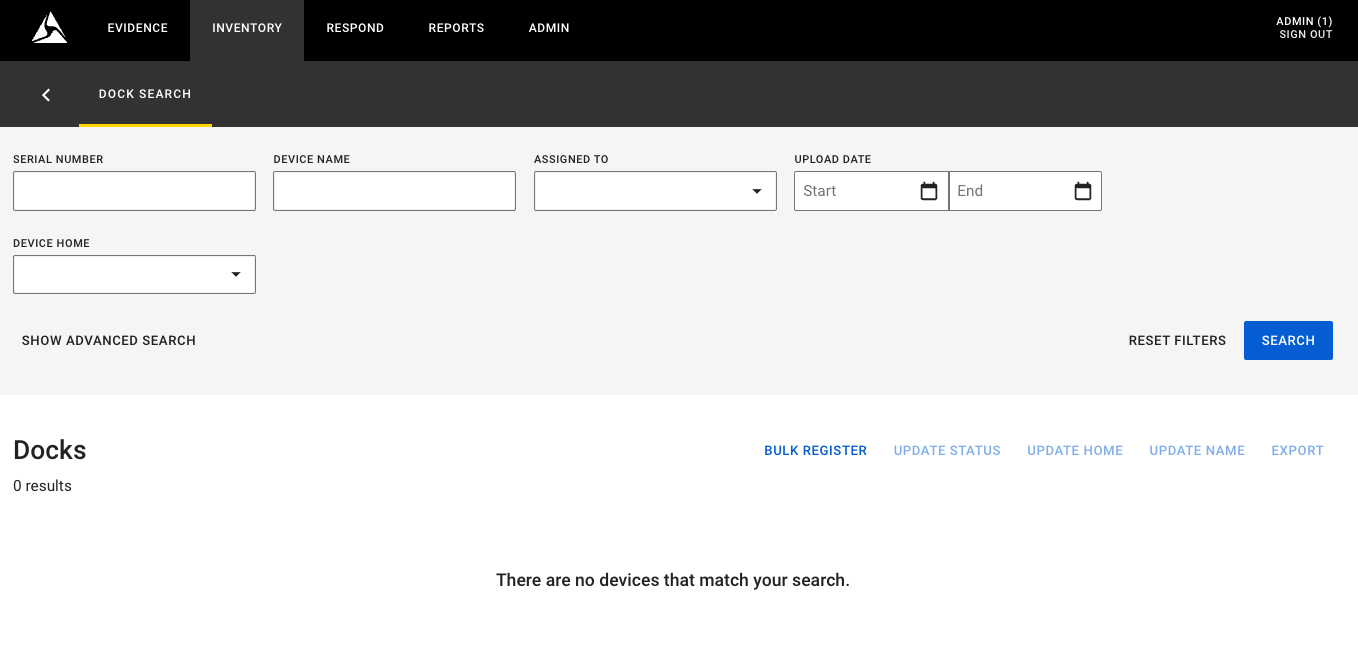
Entering Serial Numbers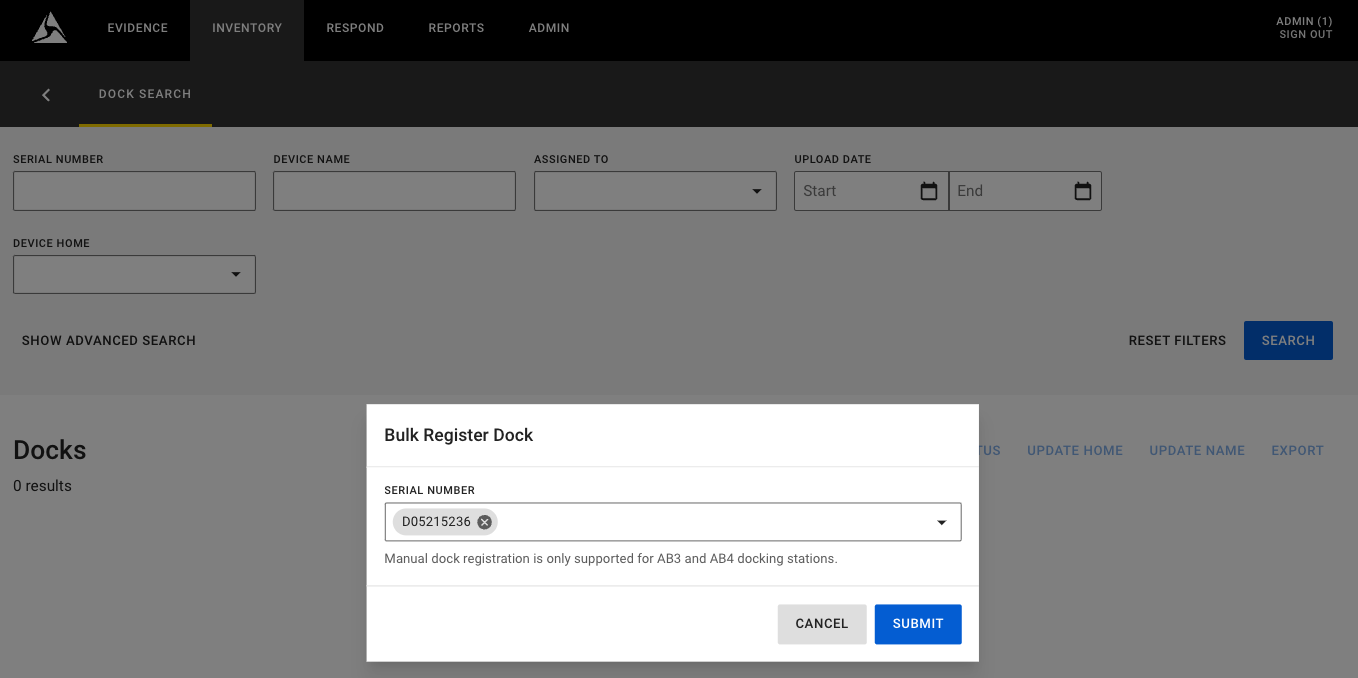
Note: This dialog allows you to enter multiple device serial numbers and register them simultaneously.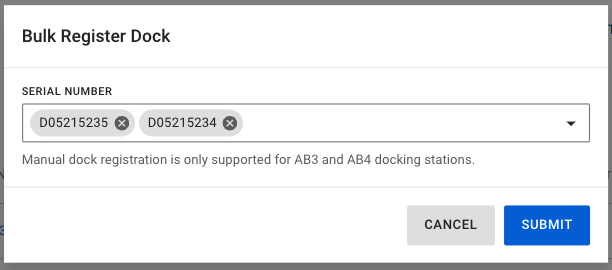
Registration Successful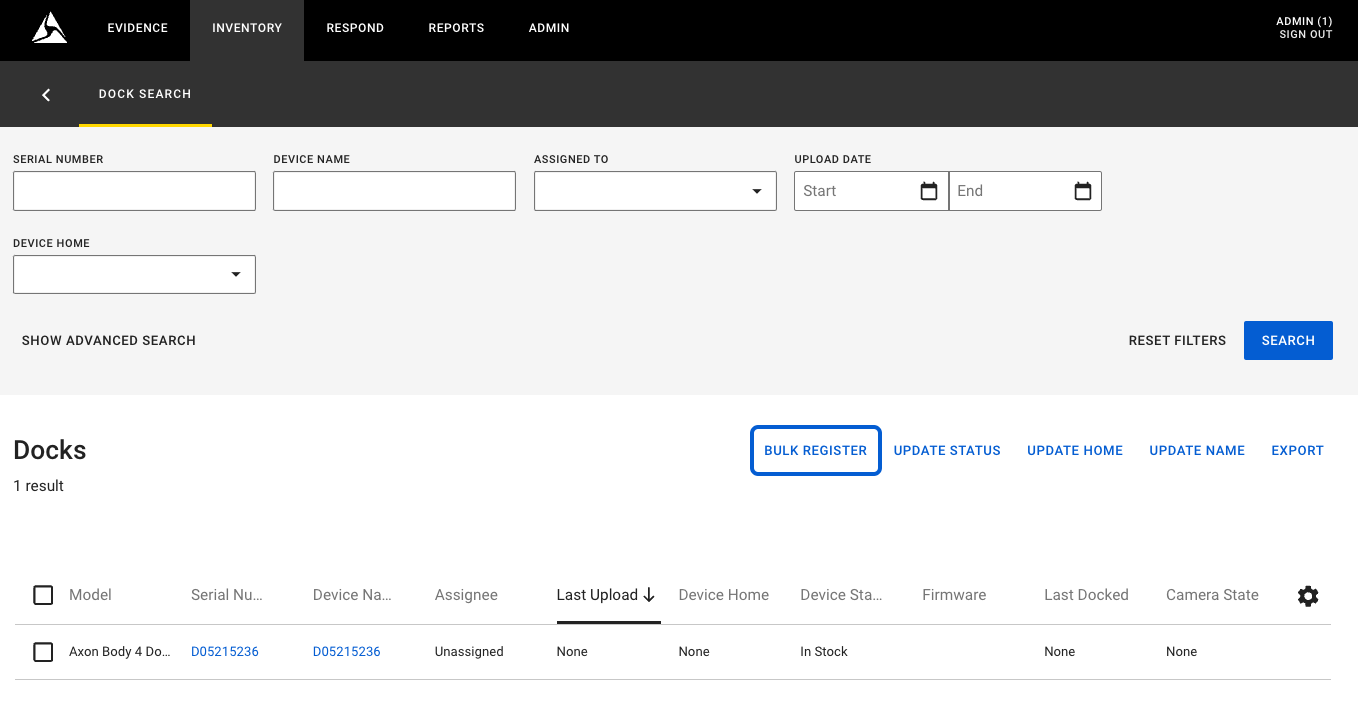
Using dock-based registration
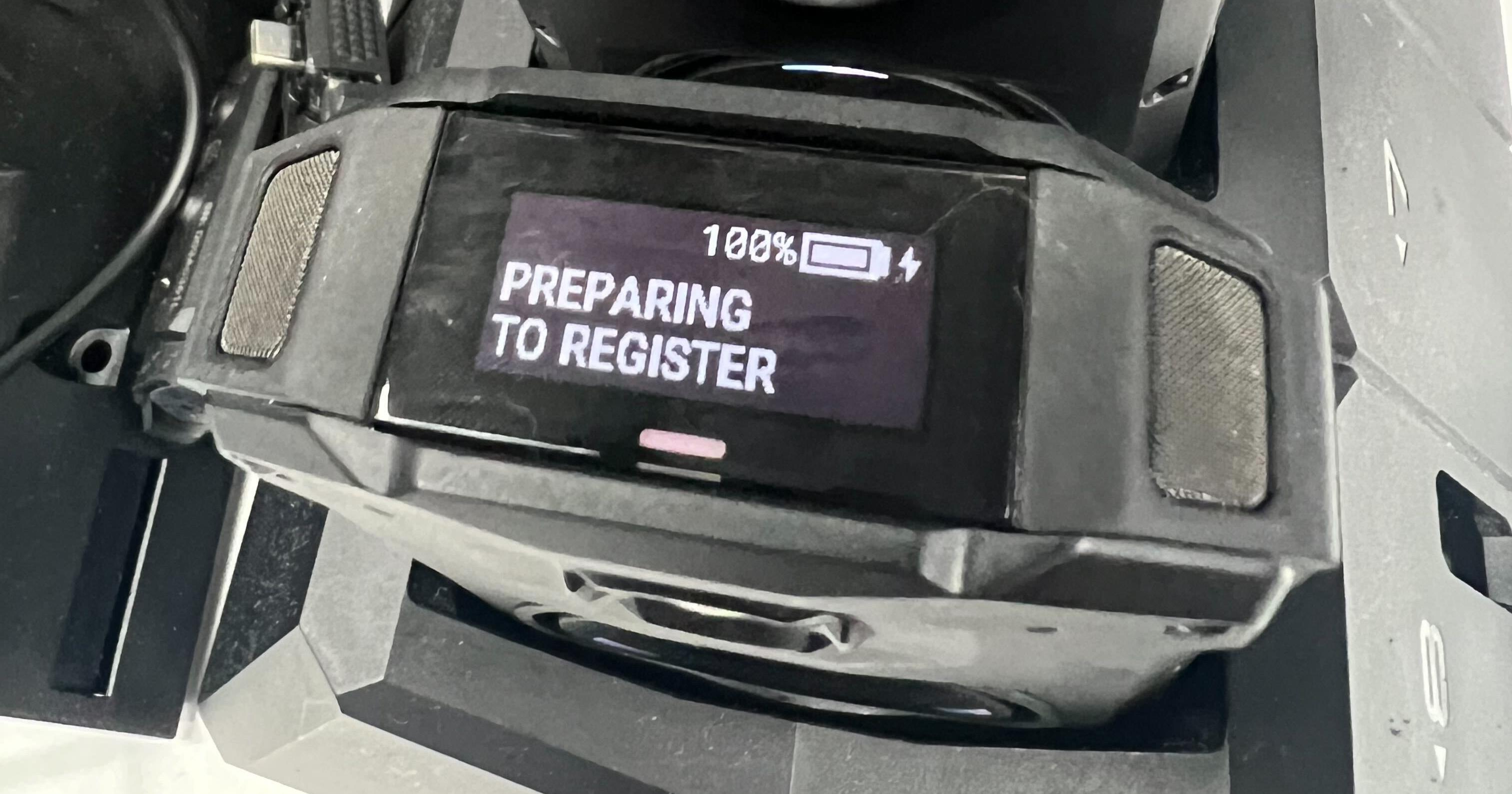
- Camera is Preparing for Registration Upon Docking: The camera begins the registration process automatically.
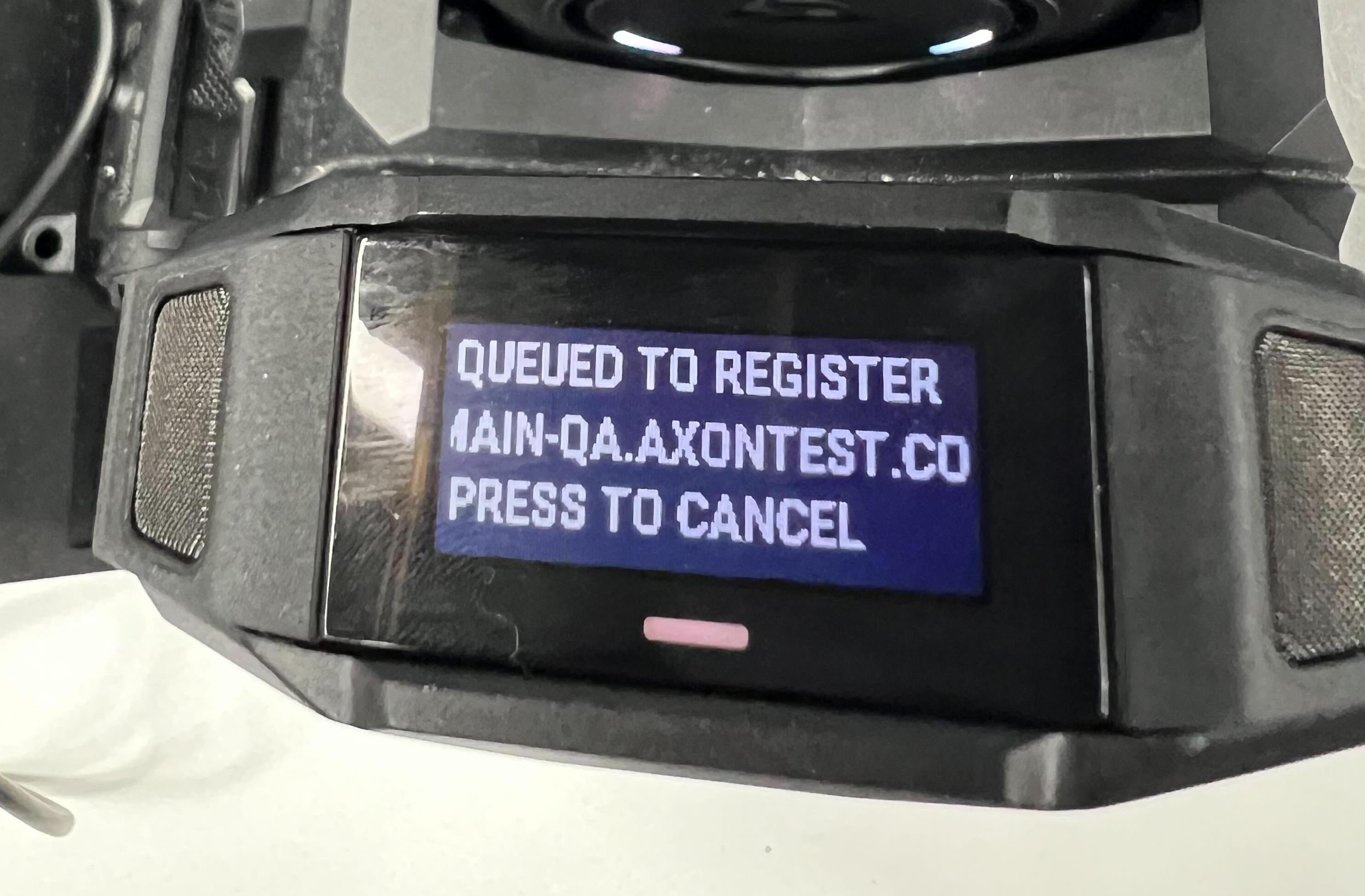
- Queued for Registration: Displays a notification allowing the user to cancel registration if needed.
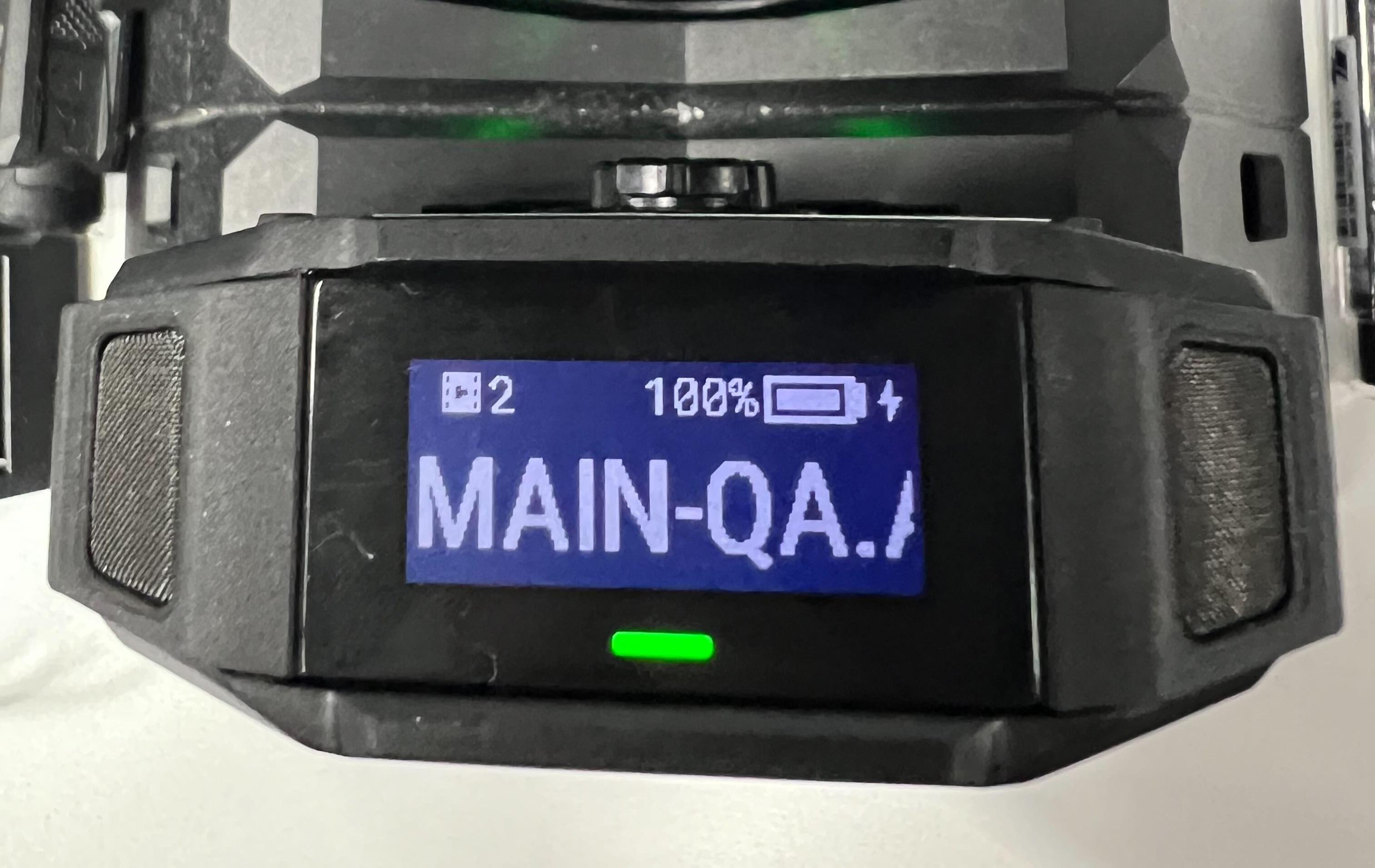
- Camera Registration Successful: Indicates that the camera is fully registered and ready for operation.
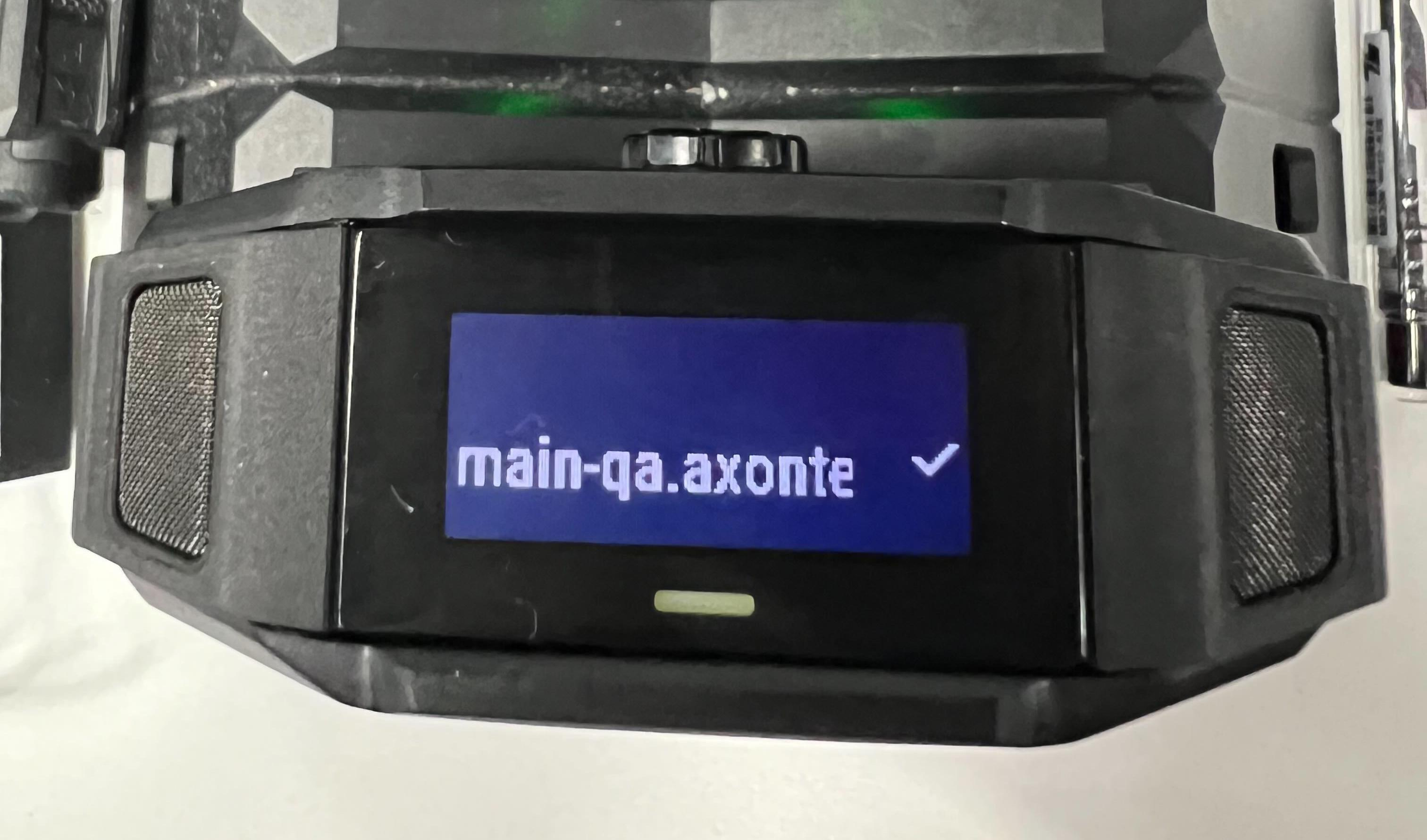
- Camera Ready for Operation
Deregistration for Axon Body 3 and 4
With this release, you can easily deregister Axon Body 3 and 4 cameras without needing to send them back to Axon. Simply deregister the cameras and connect them to a different instance for registration.
This feature is particularly useful for agencies with test servers, enabling smooth transitions of body cameras from test environments to production systems, or if an agency needs to change their SSL certificate for encryption in transit.
User Permission Required
- Allow Device Deregistration
Deregistration Page
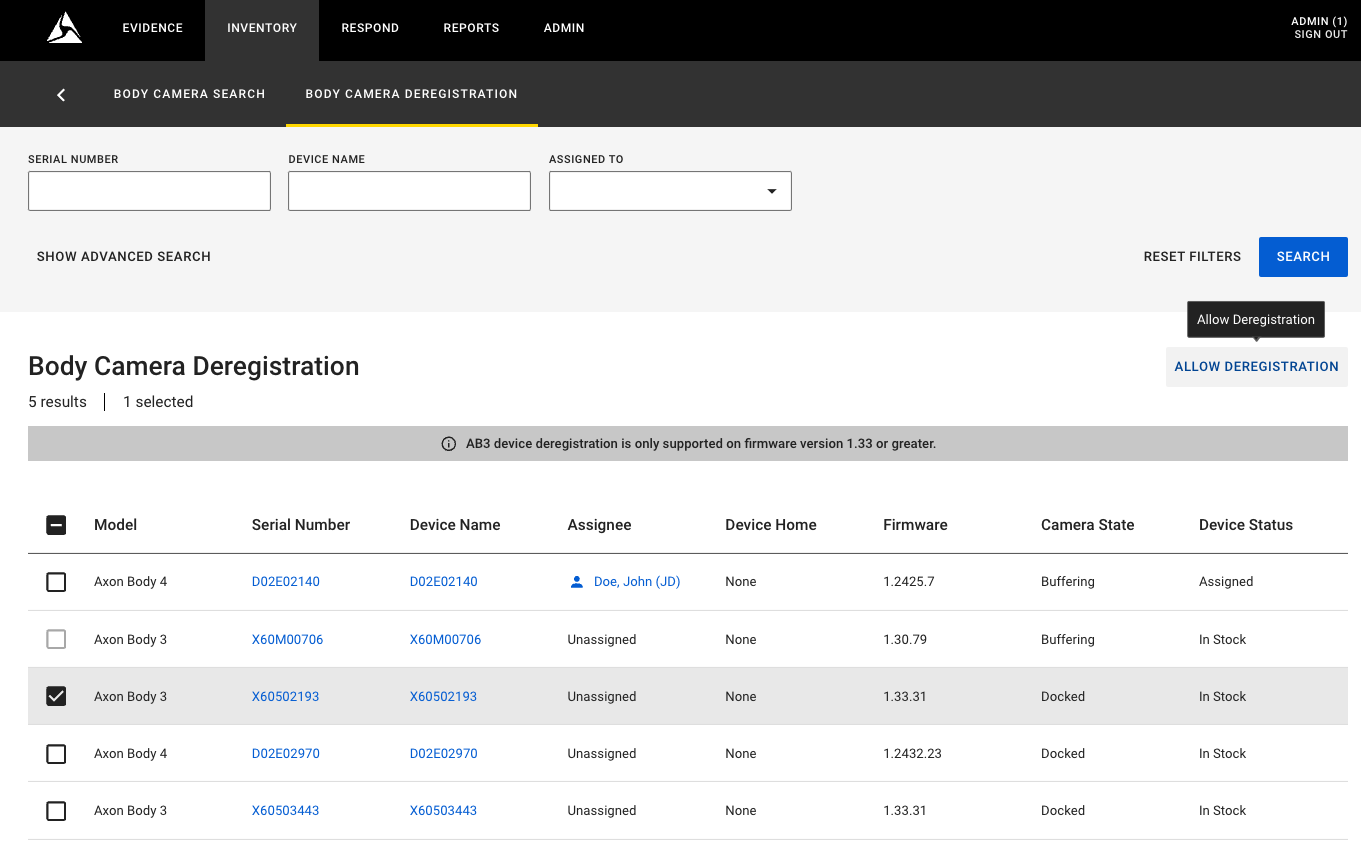
To initiate deregistration, confirm the action and provide a reason, which will be recorded in the audit logs for documentation.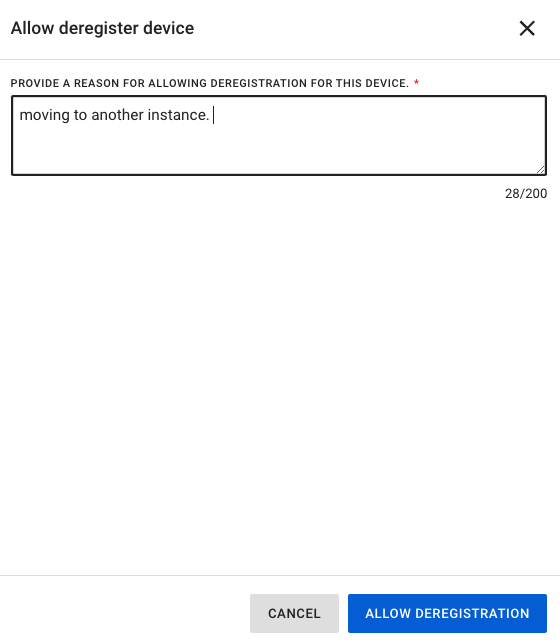
Device Status
Once deregistration is initiated, the device status changes to Queued for Deregistration.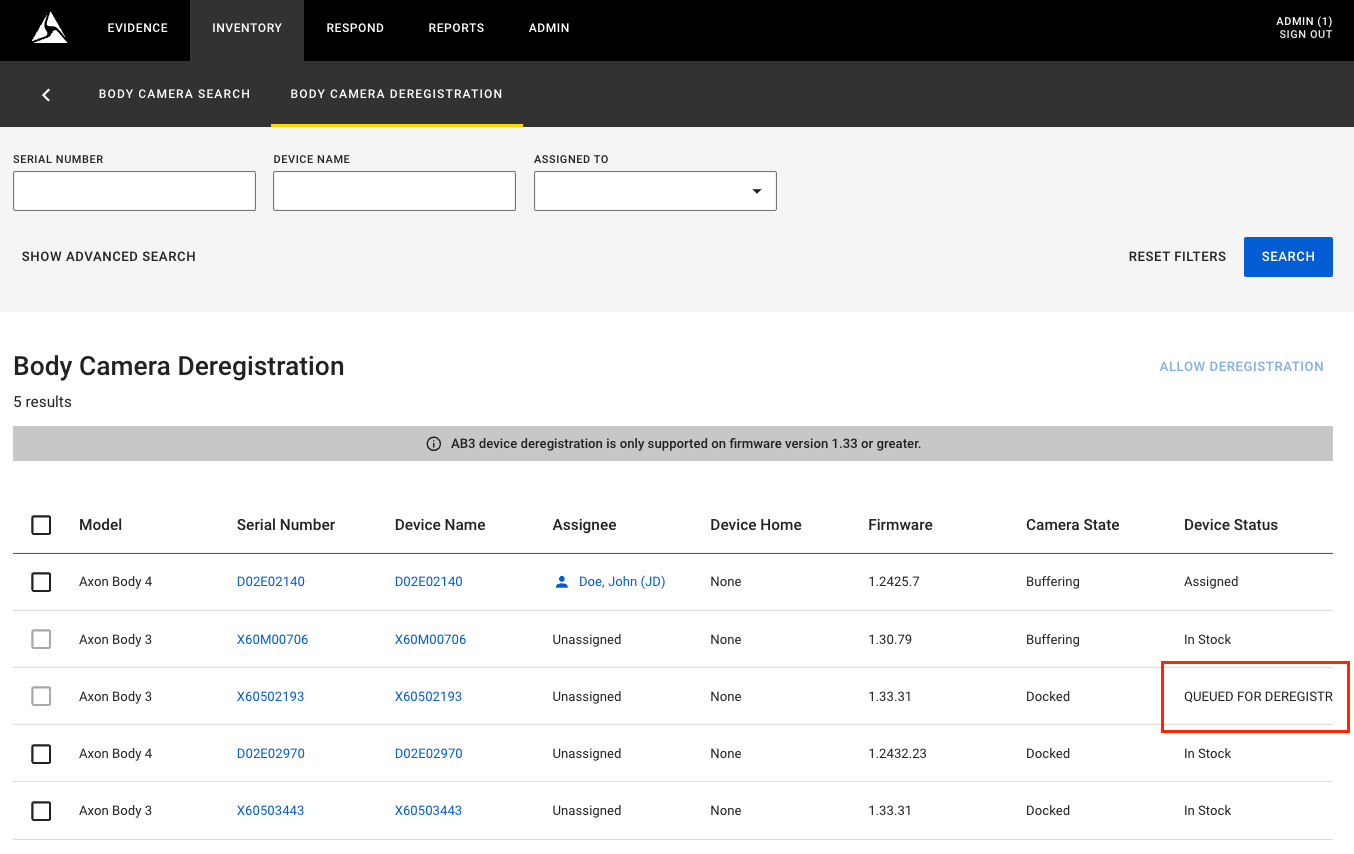
Ensure your camera is docked or dock it after initiating the deregistration process. The next time the camera is docked, it will automatically complete the deregistration. If there are recorded videos still on the camera, they will first be offloaded to Evidence Local before deregistration begins. Additionally, ensure the camera’s battery level is above 10%, as deregistration will not proceed if the battery is below this threshold. If the battery is low, the camera will charge until it exceeds 10% and then start the deregistration process.
Video Summary Report enhancements
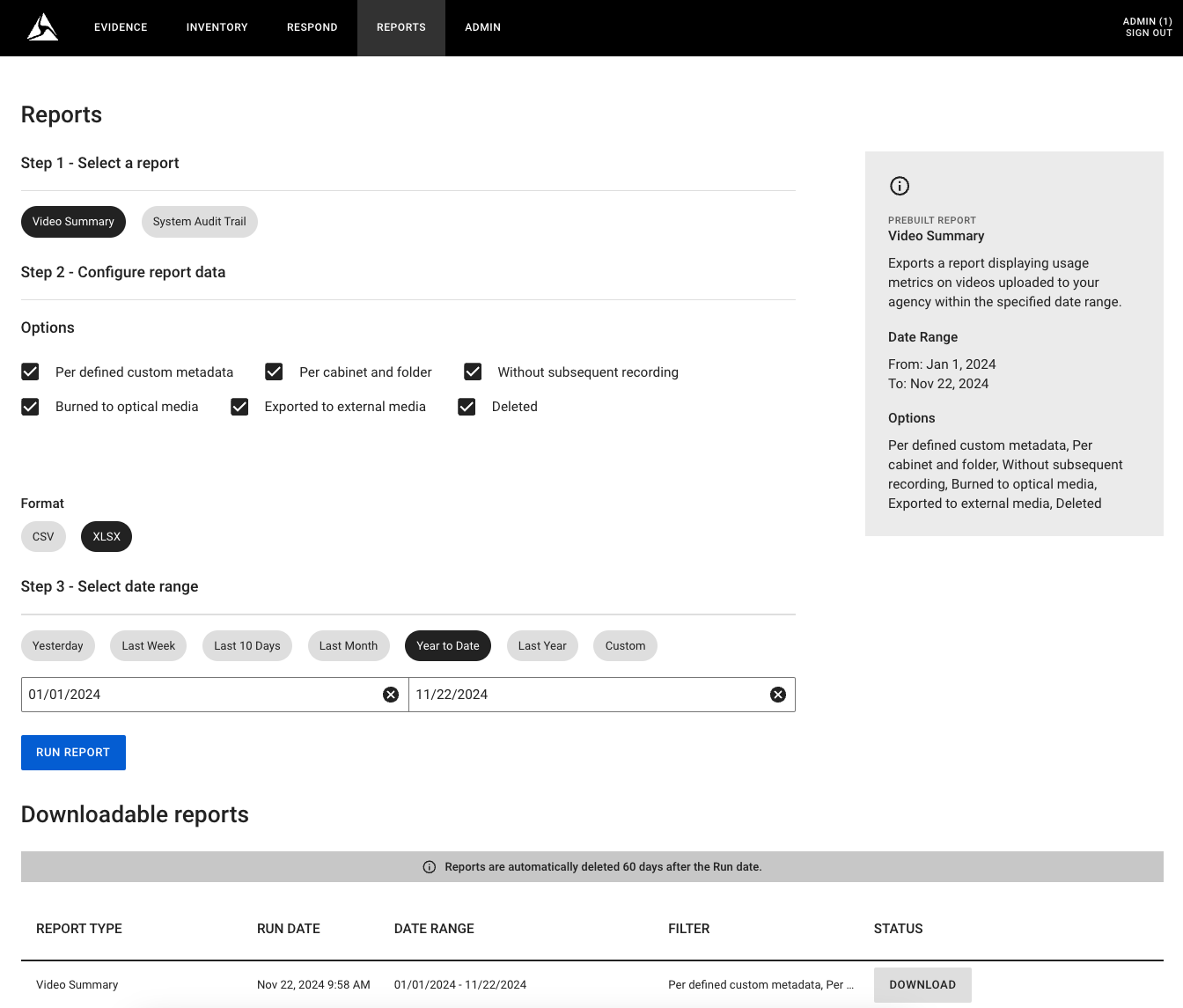
The Video Summary Report has been improved to include more detailed data and to offer greater flexibility in output formats. It now supports not only the XLSX format but also CSV, making it easier to use with a wider range of tools.
Report creation
Updates to the Historical Data section
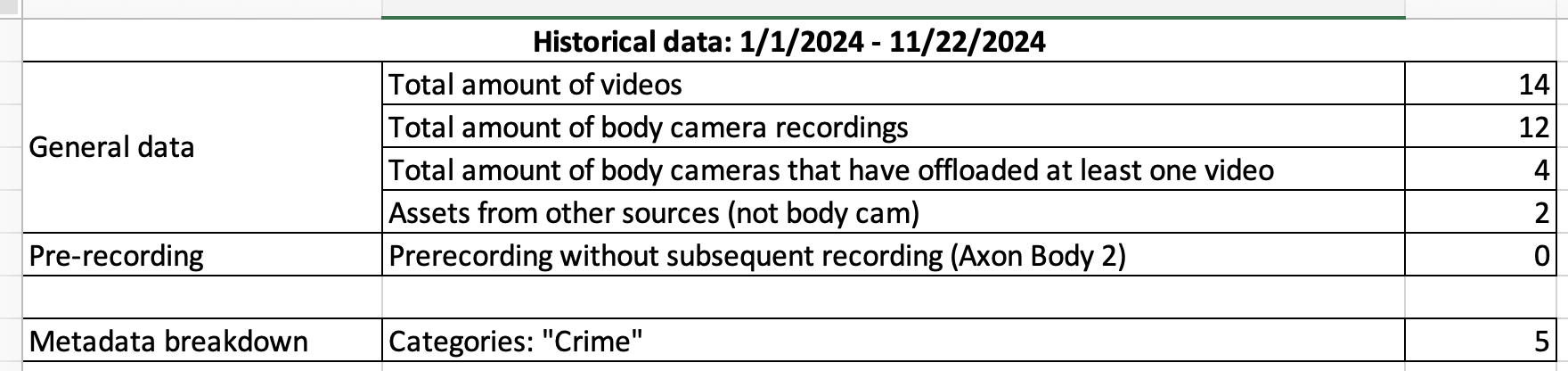
New data rows
- Total amount of body cameras that have offloaded at least one video: Displays the number of cameras that have ingested at least one asset into the system during the selected time frame.
Label changes
-
Previous Label: Number of recordings
New Label: Total amount of videos
-
Previous Label: Number of body camera recordings
New Label: Total amount of body camera recordings
-
Previous Label: Other sources
New Label: Assets from other sources (not body cam)
-
Previous Label: Pre-recording without subsequent recording
New Label: Pre-recording without subsequent recording (Axon Body 2)
Updates to the Current System State section
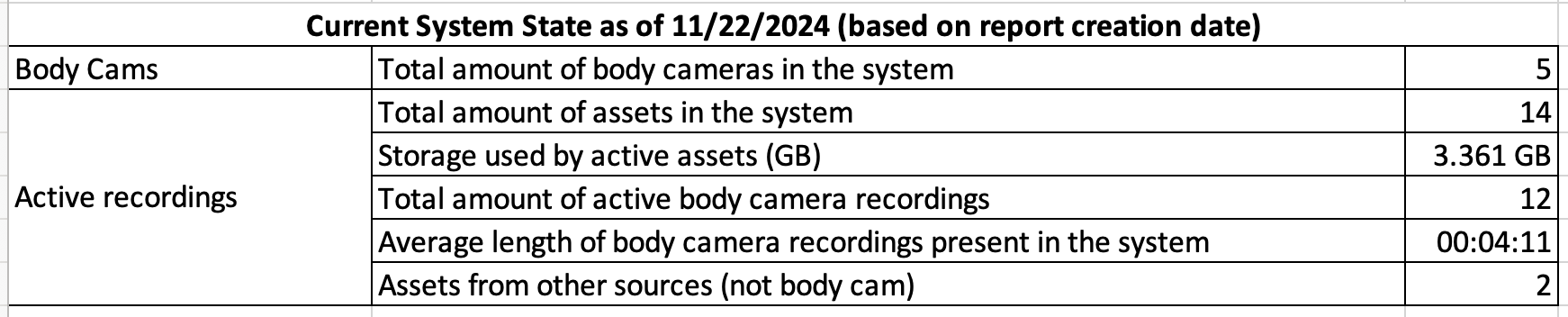
New data rows and label changes enhance clarity and provide additional insights:
New data rows
- Total amount of body cameras in the system: Displays the number of cameras registered in the system (AB1, AB2, AB3, AB4).
- Storage used by active assets (GB): Shows the amount of storage allocated to active assets that are not queued for deletion or already deleted, measured in GB.
- Average length of body camera recordings present in the system (hh:mm:ss): Displays the average length of recordings for active assets.
Label changes
-
Previous Label: Number of recordings
New Label: Total amount of assets in the system
-
Previous Label: Number of body camera recordings
New Label: Total amount of active body camera recordings
-
Previous Label: Other sources
New Label: Assets from other sources (not body cam)
-
Previous Label: Files which currently are not associated with any container
New Label: Total amount of assets that are in uncategorized files cabinet
New section: Breakdown by Camera (Selected Period)
This report section details the number of videos offloaded by each camera within a selected timeframe, providing a clear view of individual camera usage. It helps identify cameras that are underutilized, frequently used, or not used at all.
Additional data for data export feature
The device-index.json file now includes two new fields:
- DeviceHome: Represents the current home location assigned to the camera as an attribute in the file.
- DeviceLastSeen: Indicates the home location of the dock where the camera was last docked.
This enhancement improves visibility into device assignments and docking history.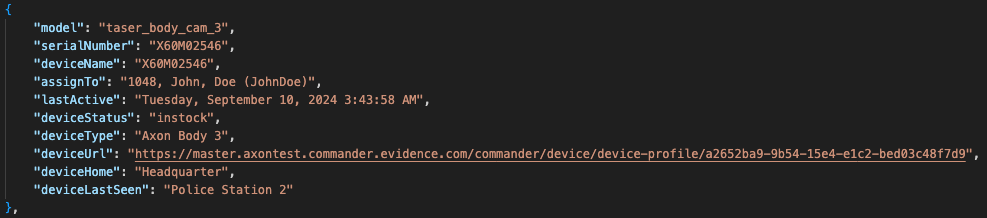
Web-UI Migration
Mandatory Reason for Access
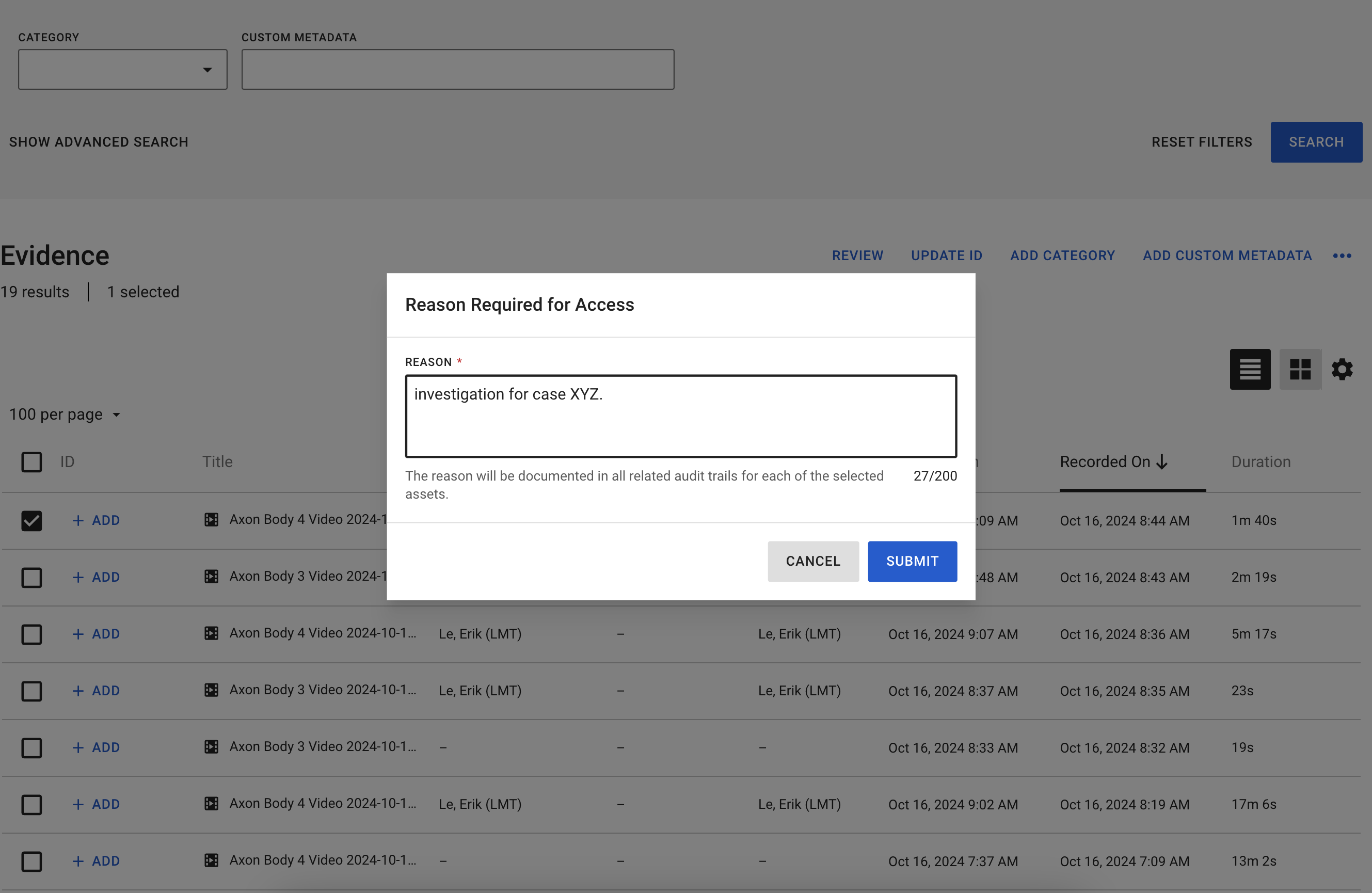
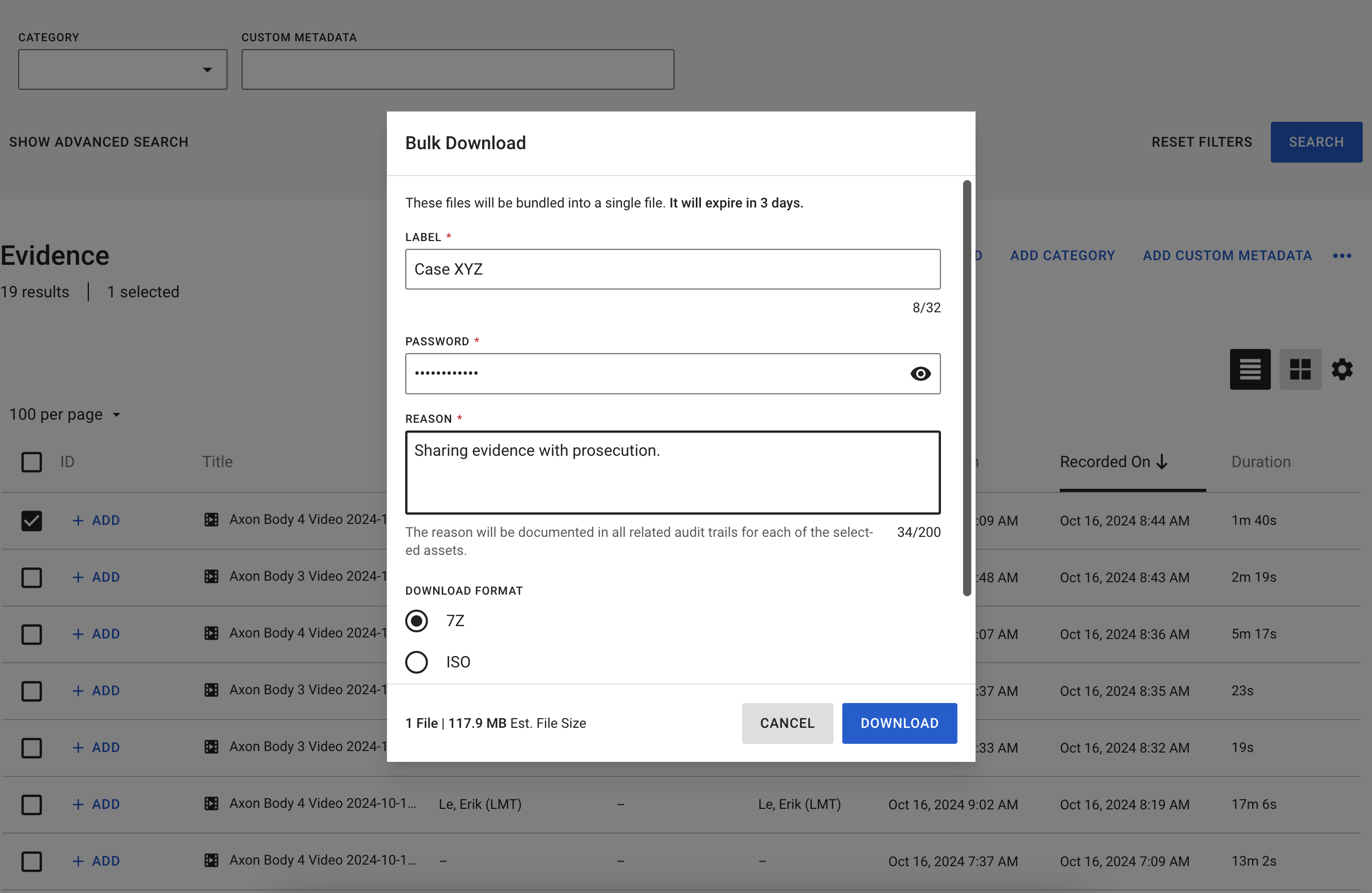
With this release, the Mandatory Reason for Access feature has been migrated to the Web UI, including its Admin Configuration Settings. The feature ensures that users are required to provide a mandatory justification whenever they access evidence through the Web UI. The reason provided is automatically recorded in all related audit trails, offering full transparency and accountability.
- Evidence Access (Playback)
- Evidence Access (Export)
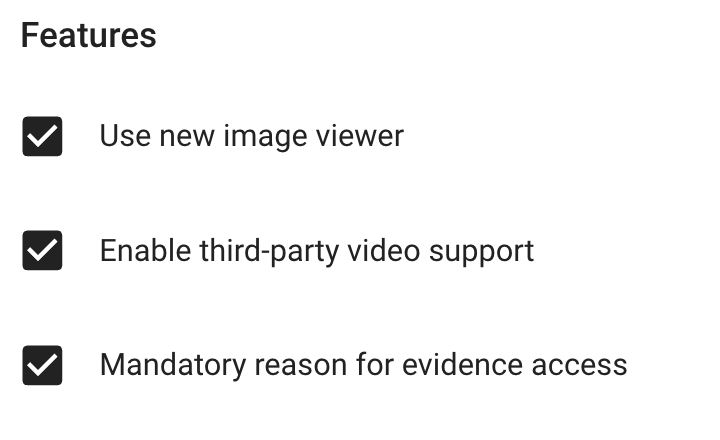
Feature Configuration (Admin Section)
This can be configured in the Admin Section under System Settings within the Features tab.
Associations
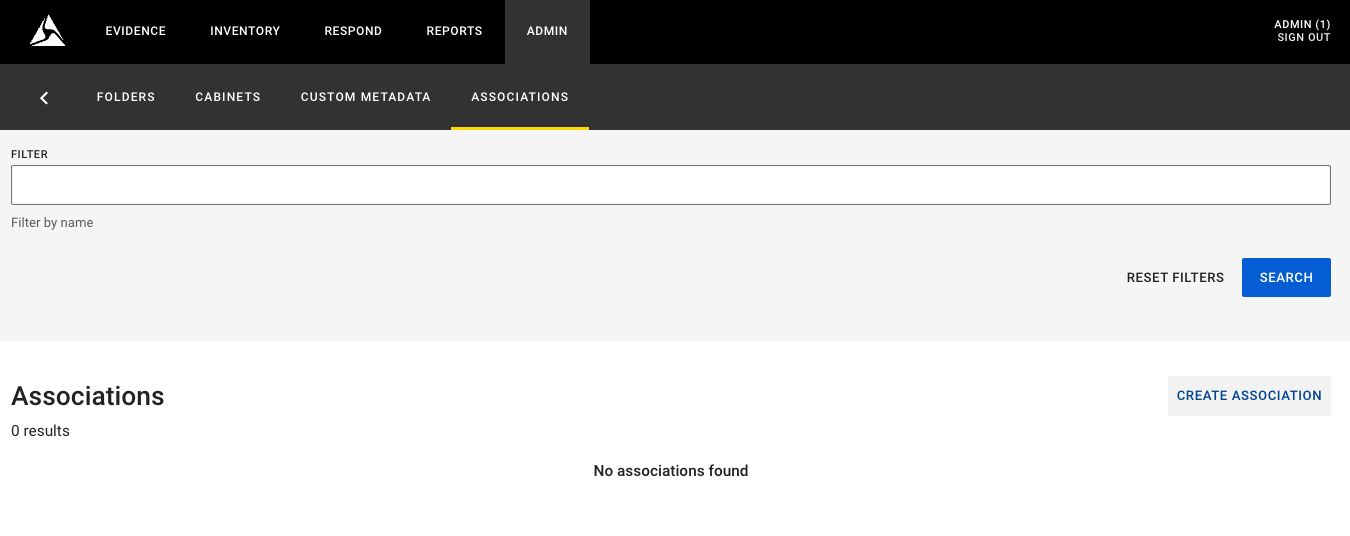
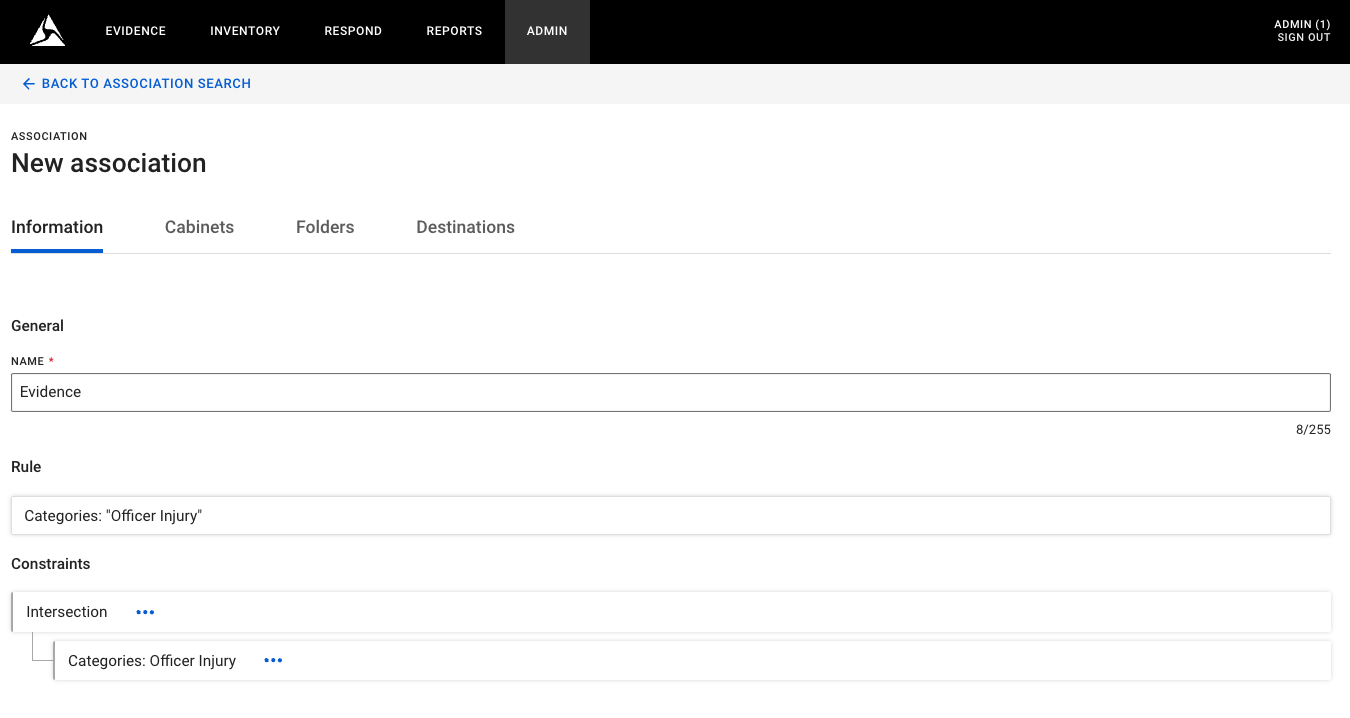
With this release, the setup and configuration of Associations has been migrated to the Web UI. An Association is a workflow rule that automates the organization and secure movement of files within Evidence Local. Files are placed in an organizational structure (such as a folder or cabinet) or transferred to a specific destination when certain conditions are met.
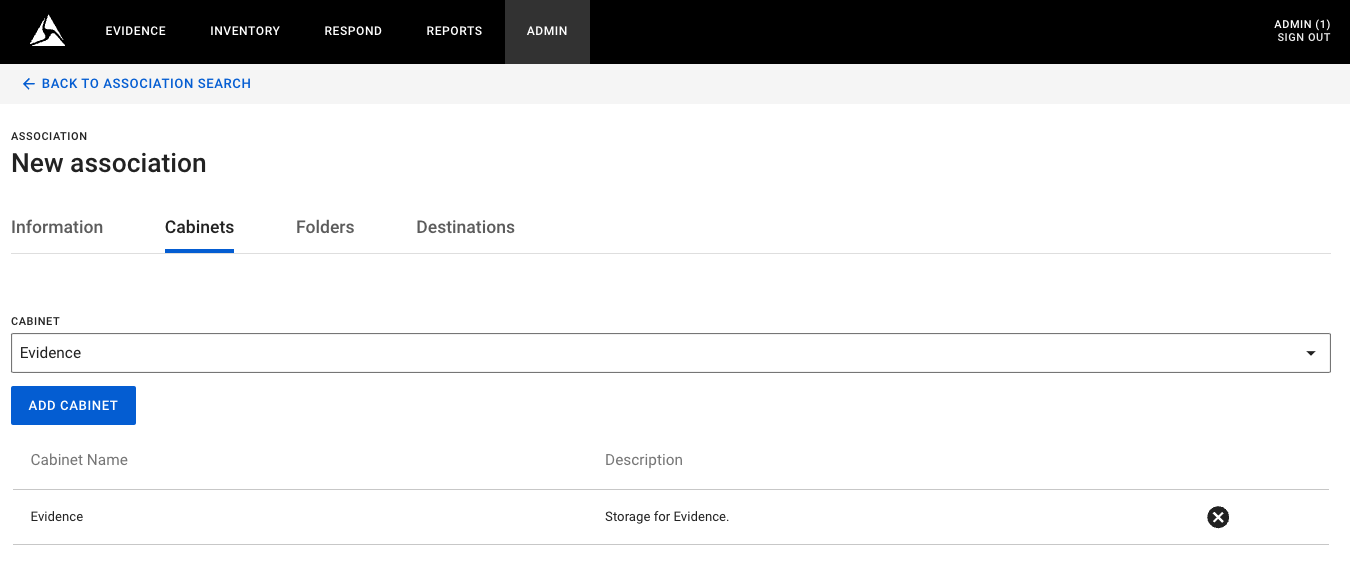
An association always contains at least one constraint, the condition checked to determine if the rule is triggered—and a location where the file is sent when that condition is met. A constraint can be based on areas, markers, sources, custom metadata, and users. The location where the file is sent can be a folder, cabinet, or destination.
An association can have multiple constraints, and you can set how they relate to each other. There are two types of constraints:
- Union constraint: This triggers an action when any of the individual constraints are met (like the OR command in programming). When multiple constraints exist, they are union by default, but can be changed to intersection when creating an association.
- Intersection constraint: This triggers an action when all the individual constraints are met.
System Administration - Associations
Create New Association
Assign to Storage Location (Cabinet / Folder)
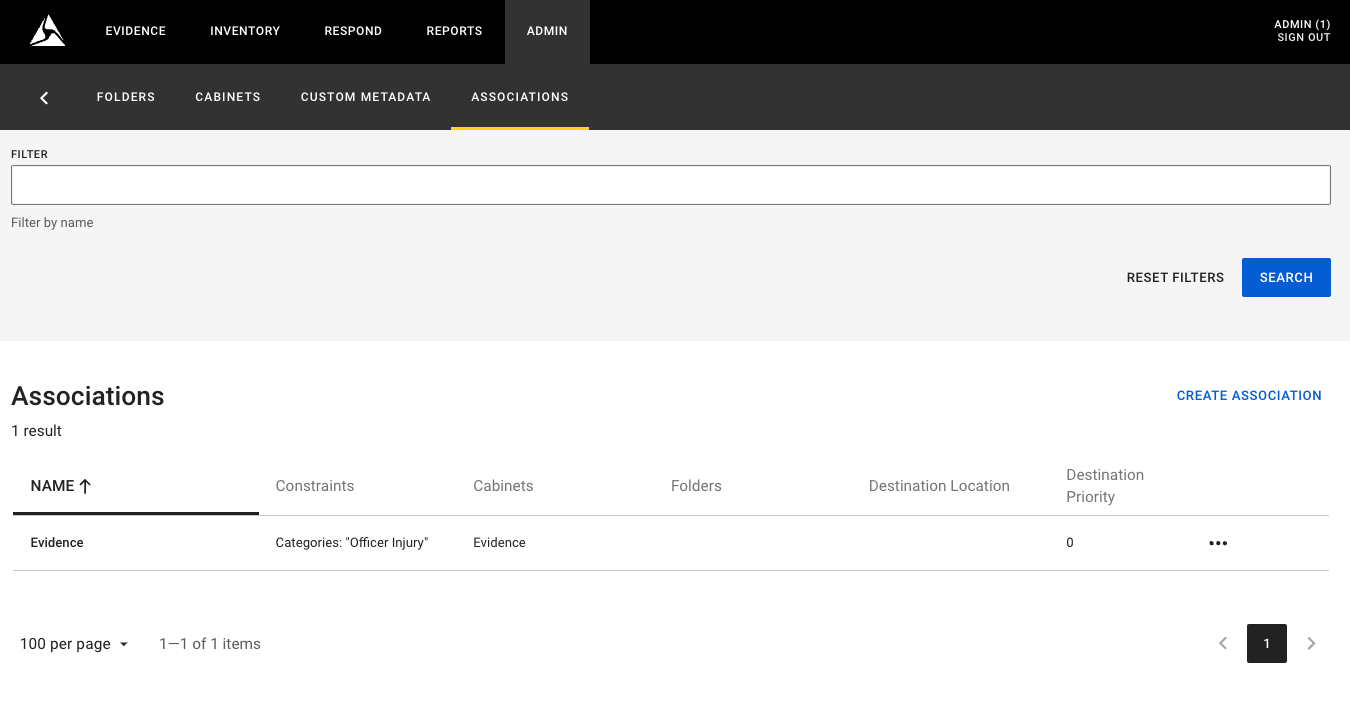
Association Created
Ingestions
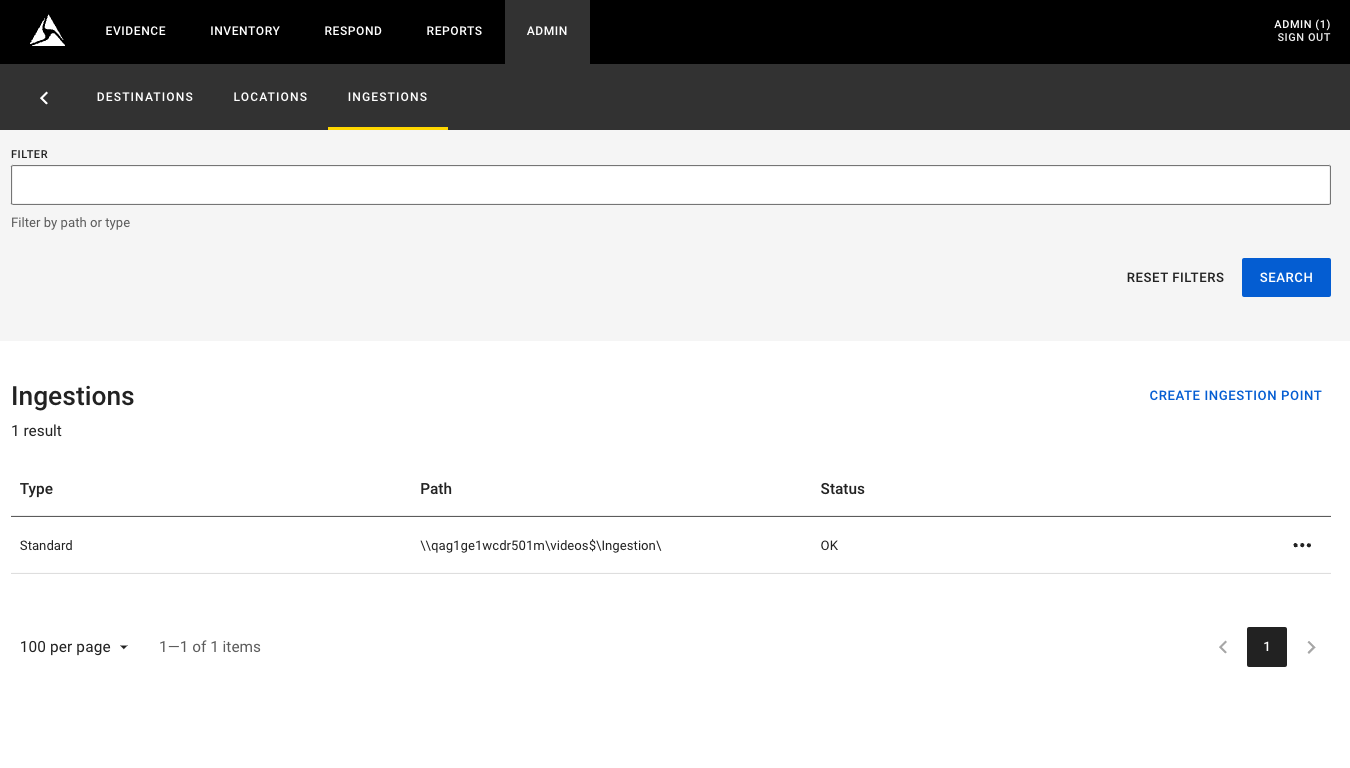
With this release, the Ingestion Point Configuration feature has been migrated to the Web UI for easier management.
Ingestion points serve as the default method for importing files into Evidence Local. The system monitors these points regularly, checking for new files to ingest. Ingestion points can be configured as either Standard or Hot:
- Standard Ingestion Points: Process files using a standardized method, supporting various proprietary metadata formats from compatible third-party systems, as well as a standard metadata format.
- Hot Ingestion Points: Process files with user-specified metadata. For files to be recognized by Evidence Local, their extensions must be defined in the file extensions matrix. Hot ingestion points allow administrators to configure folders that Evidence Local monitors to ingest all files placed into them while assigning pre-set metadata. They also provide a convenient way to ingest large volumes of files without using the manual import tool.
System Administration
The System Administration page now includes options for managing ingestion points directly from the Web UI. Use these tools to configure ingestion folders and monitor imported files efficiently.
Locations
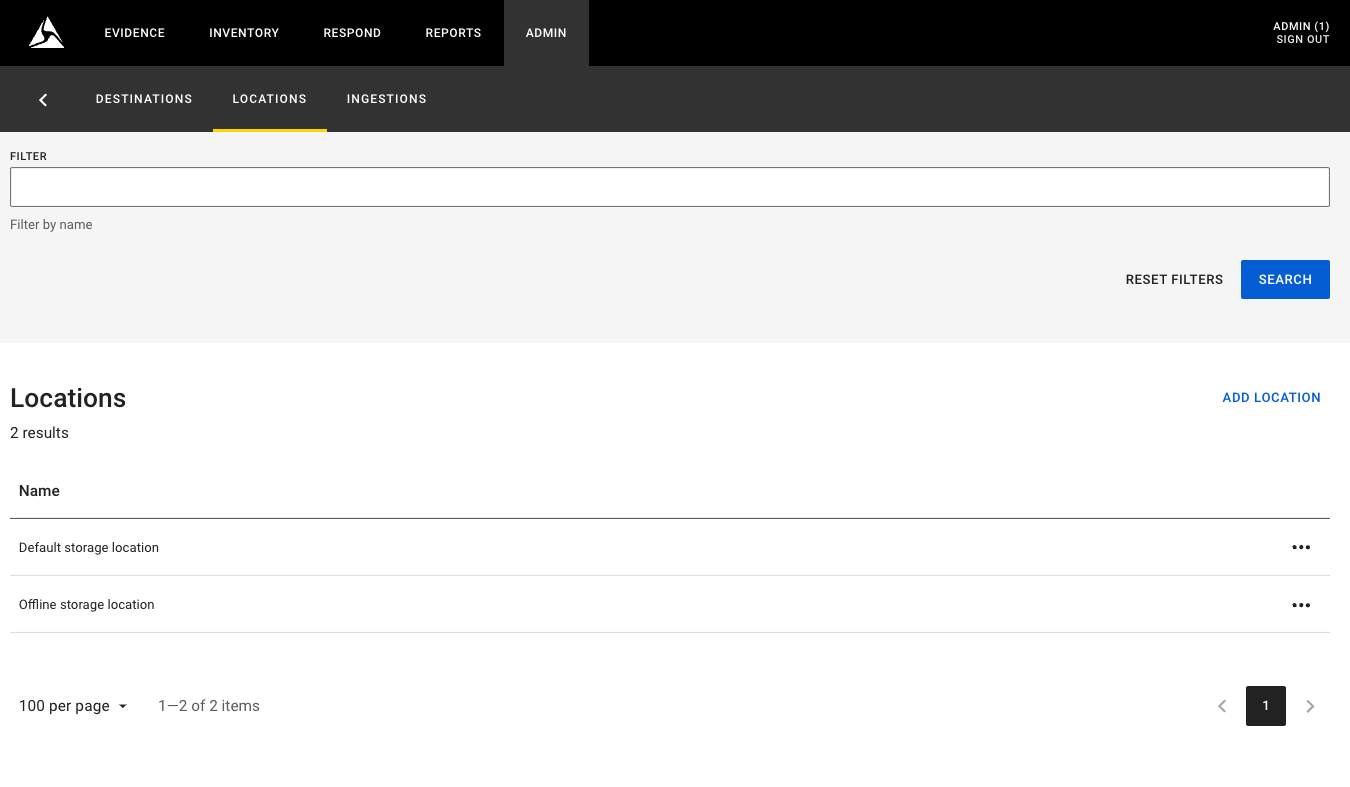
With this release, the Storage Location Configuration feature has been migrated to the Web UI, making it easier to configure and manage. Storage locations are defined using UNC (Universal Naming Convention) paths, representing network locations where files are physically stored and managed by Evidence Local. This powerful feature enables seamless distributed storage for your files, improving flexibility and scalability.
System Administration
Administrators can now configure storage locations directly in the Web UI, enabling faster and more intuitive management of distributed storage resources.
Evidence export configuration settings
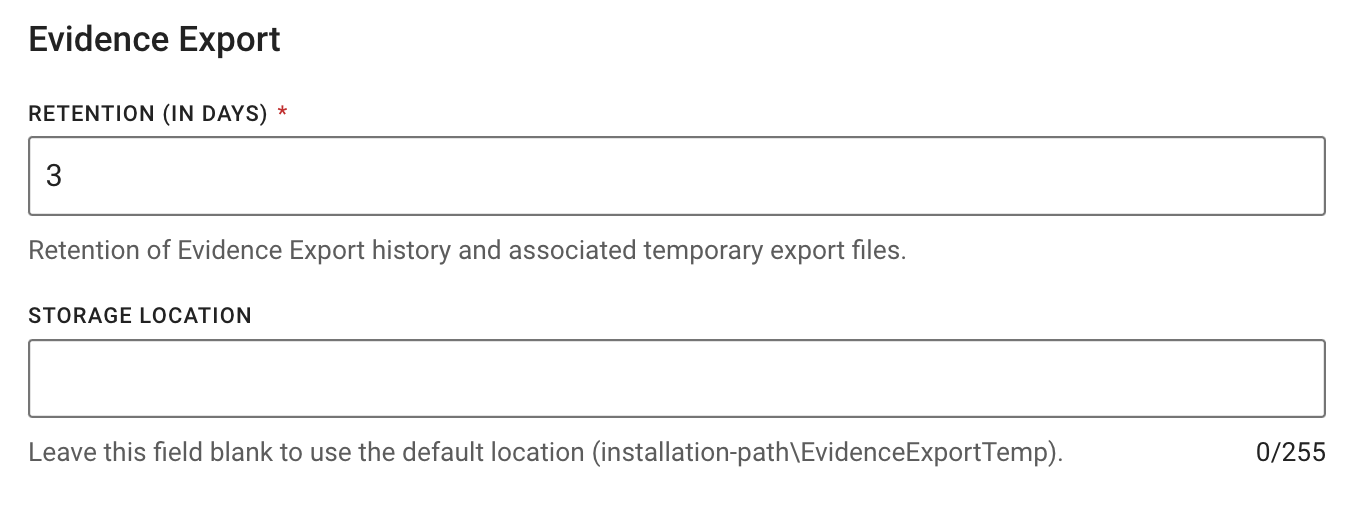
In the Admin Section under System Settings, administrators can define the retention period for evidence history, the associated temporary files, and the storage location. The storage location can be set to either a default path or a UNC path on a network storage location.
Dependency / Compatibility
Devices Firmware
| Devices | Supported FW Version |
|---|---|
| AB2 / Flex2 | 1.27.7 |
| AB3 | 1.31.35, 1.32.40, 1.33.31 |
| AB4 | 1.2432.23 (encrypted) |
| AB 2 / Flex 2 / TASER Dock | 3.19 |
| Flex 2 Controller | 0.7.3 |
| Fleet 3 | 2.2439 |
| TASER 7 | 2.04 |
| TASER 10 | 1.2.0 |
| TASER Dock Charger | 2.0.22 |
Applications
| Application | Supported App Version |
|---|---|
| Axon Device Manager iOS | 3.2.5 |
| Axon Device Manager Android | 3.13.1 |
| Axon View iOS | 6.6.2 |
| Axon View Android | 6.4.0 |
| Axon Capture iOS | 5.17.0 |
| Axon Capture Android | 5.16 |
| Axon Device Checkout iOS | 2.0.3 |
| Axon Device Checkout Android | 0.6.2 |
| Axon ViewXL | 1.27.4 |
| Axon Interview | 4.16.4.7 |
Other dependencies
- Evidence Local Server: Windows Server 2019, 2022
- Evidence Local Desktop Client:
- Windows 10 64-bit / Windows 11 64-bit
- .NET 8
- Evidence Local Web Client: Firefox, Chrome, Edge
- Database: MS SQL Server 2016, 2019, 2022
- Upgradable from Evidence Local version: 4.46, 4.48, 4.50


