Version 5.6 (December 2025)
Introduction
Axon Evidence Local 5.6 introduces the following enhancements:
- Easier user permissions: Review and change a user's permissions directly on their profile.
- Better device pooling: Smoother kiosk checkout, privacy controls, and clearer assignment rules.
- Faster, more consistent reporting: Setup is simpler, reports run faster, and downloads stay available for 60 days.
- Organization-managed languages for devices: Set your organization's default language and apply it to supported Axon body-worn cameras.
User permission update
With this release, we are improving the usability and accessibility of User Permissions by redesigning the experience to present rights inline on the user’s detail page, enabling in‑context review and updates without invoking the prior sidebar editor.
This new user permissions management interface now closely aligns visually with Evidence.com, displaying detailed descriptions for each permission explaining its use. This change enables agencies to manage user rights more flexibly and prepares the platform for future enhancements.
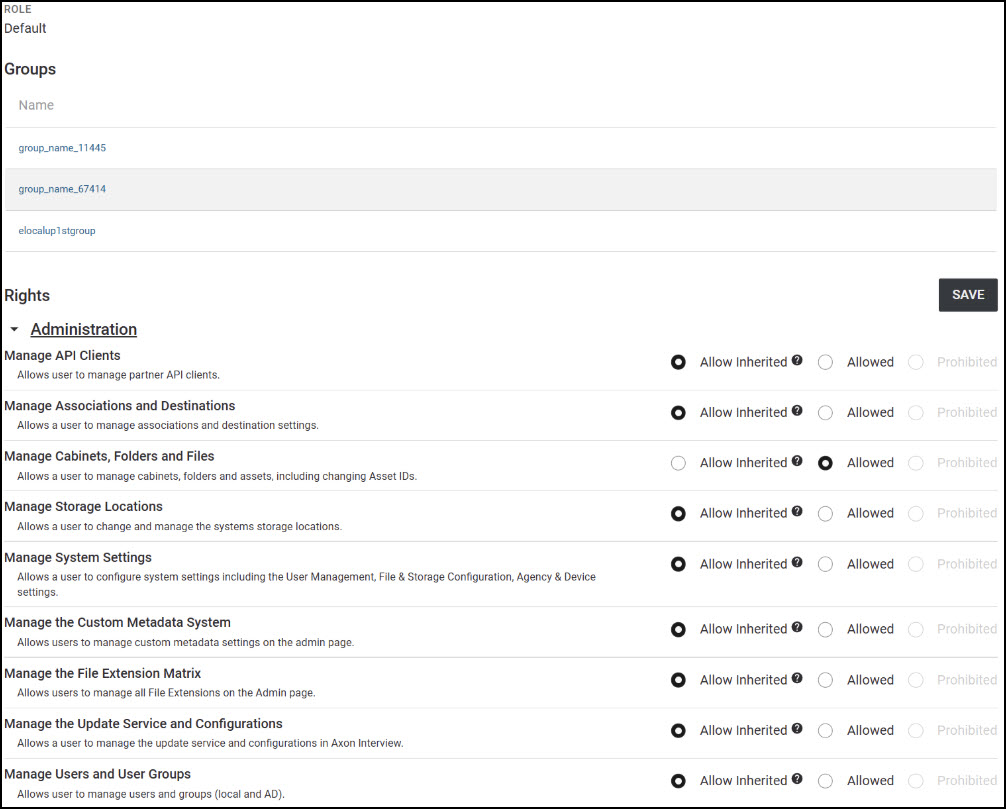
Chevrons to the left of permission groups now also allow users to easily expand or collapse groups of settings, making it quicker to find relevant options, reducing visual clutter, and keeping the interface organized and manageable even when there are many permission categories as users can quickly expand or collapse sections, allowing them to focus only on the permissions relevant to their current task.
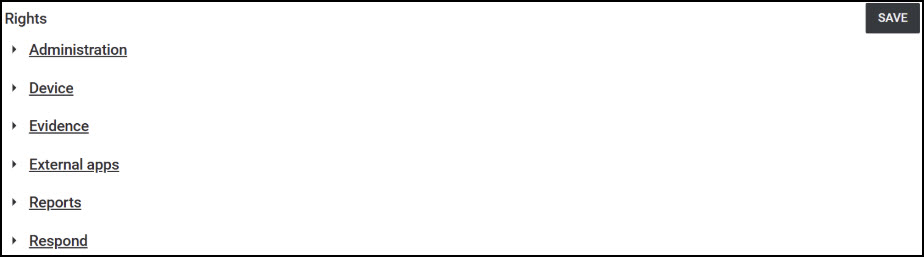
The new interface shows the users (Active Directory-)groups directly below the user details on the user page and below that, the list of permissions or rights.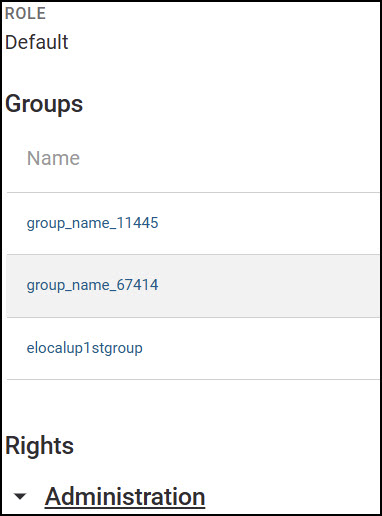
This layout keeps everything in one place and makes it easy to understand where a permission comes from and whether it can be changed.
Permission statuses
- Allow Inherited: Defer to the user’s group membership rights. The effective permission comes from the groups the user belongs to; no explicit user-level override is set. Use this when you want group policy to decide access rather than setting it per user.
- Allowed: Grant the permission explicitly for this user. Choose this when the user should have access regardless of whether their groups currently grant it.
- Prohibited: Deny the permission explicitly for this user. Choose this when the user should not have access. Greyed-out, inherited permissions from groups cannot be removed on user level.

This inline, in-context view lets you quickly review and adjust user-level permissions while clearly distinguishing items controlled by group membership from those you can modify per user.
Changes to the user permissions can now be saved with a single click on the SAVE button in the top-right corner of the rights section. The update maintains full backward compatibility with existing user data and workflows, meaning that all permissions set prior to the update will remain exactly as they were, so this change will not affect already configured rights and workflows. The new interface will accurately reflect these pre-existing permission settings, so agency administrators do not need to review or reconfigure any permissions after the update.
Pooling enhancements
Pooling enhancements in Axon Evidence Local v5.6 improve the management and deployment of Device Pooling Kiosk systems. These changes will address privacy limitations and streamline assignment workflows.
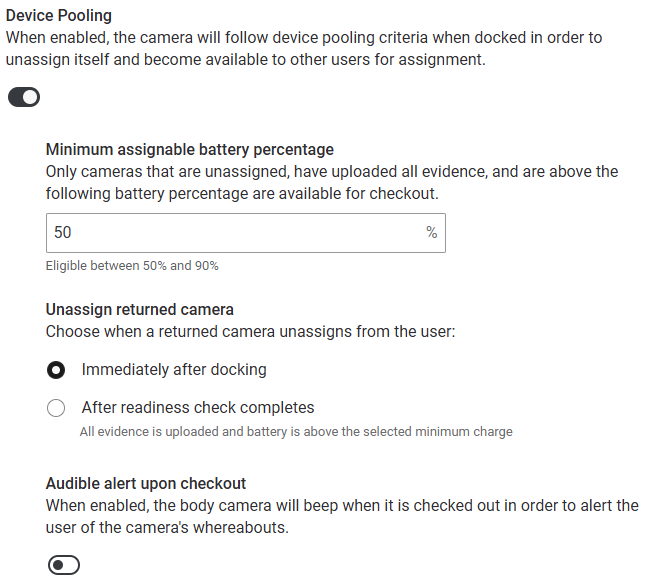
When device pooling is activated, three new associated settings can be used to configure the device pooling behavior. The first one is the configurable minimum battery threshold for checkout. With this setting agencies can set the readiness level that best fits their shift needs and have that value enforced by the devices during assignment. The second setting controls when a camera will be unassigned and with the third option, agencies can now enable an optional audible alert on assignment to help officers quickly locate their assigned camera in a pool, improving pick-up speed in high‑density docking areas.
Single camera assignment
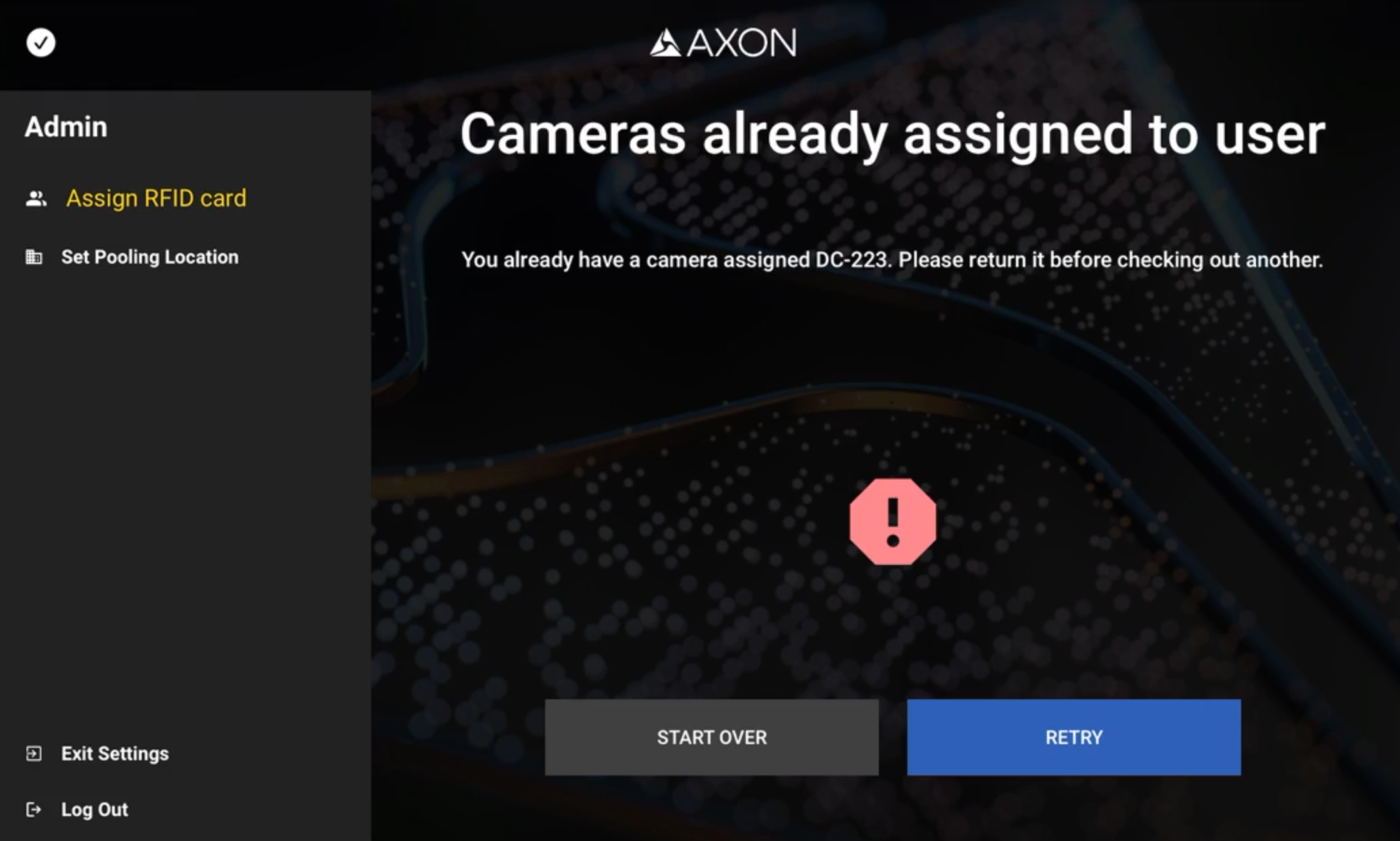
The new Single Camera Assignment feature enforces that each officer can only be assigned one camera at any given time from a pool of devices. This will prevent the checkout of multiple cameras to the same user. By ensuring that only one camera is assigned per user, this enhancement also reduces the risk of device misplacement, and simplifies pool-based deployments, especially for large agencies managing extensive fleets of body-worn cameras.
User workflow
An officer authenticates at the Checkout Kiosk (e.g., RFID card scan). If the user already has an active camera assignment, the kiosk blocks the checkout and instructs the user to return the existing device before another assignment can be made with the Checkout Kiosk.
After docking an already assigned camera, the device will automatically unassign the user, depending on the applied settings either immediately or after the device completed the readiness checks. Once the user has been unassigned, the Kiosk checkout process can be started again to obtain a new device from the pool (subject to agency policies and Kiosk availability).
Note: This restriction applies to the Kiosk device‑pooling workflow only; users can still assign cameras via the Axon Evidence Local UI or Axon Device Manager (ADM) as usual (i.e., the “single camera at a time” rule does not generally block manual assignments of multiple cameras).
First/Last name change
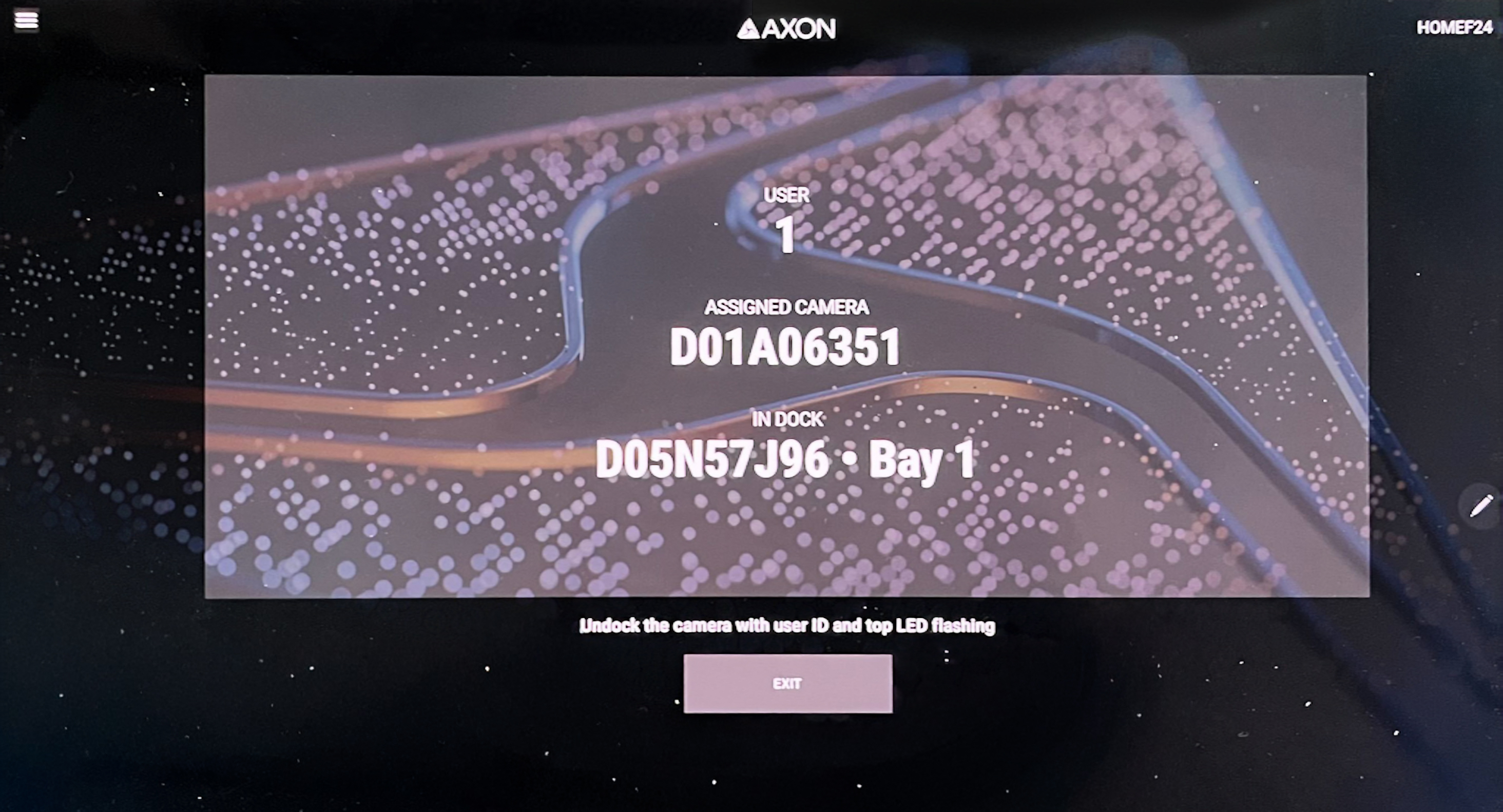
When enabled, this feature will hide the users' first and last names from the checkout kiosk or tablet application and instead display the user or badge ID only. The ID will also be shown on the camera. This provides agencies with greater flexibility and privacy control over how user information is displayed during device assignment and checkout processes. The setting is supporting privacy requirements or operational preferences in environments where user anonymity at the kiosk is desired.
Enhanced reporting
With version 5.6 the reporting functionality in Axon Evidence Local has been updated to more closely match the reporting experience in Evidence.com. Generated outputs for many reports, such as Video Summary, System Audit Trail and User Audit Trail, now remain available to download for up to 60 days after creation. To access these Reports, we added a Downloadable reports section on the main Reports page as well as the sidebar at each report location (for example, the device detail page for device audit trails via Export Audit Trail). 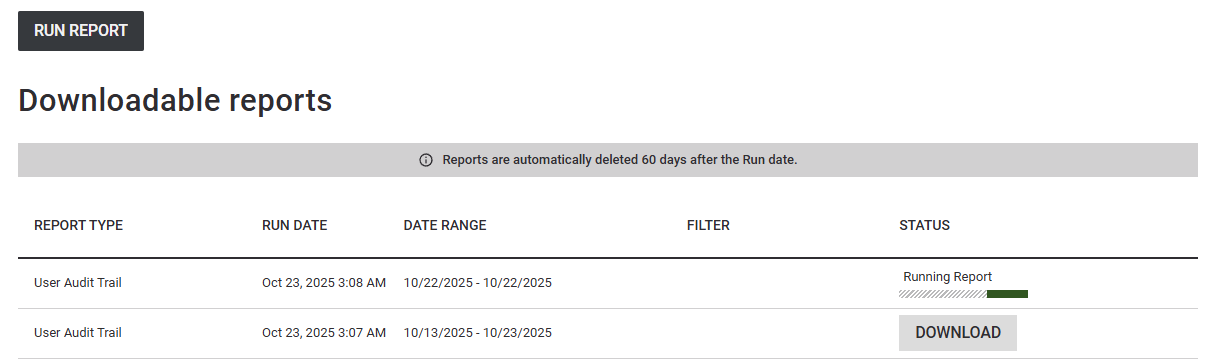
Users can now return to these pages during that time frame and re-download the exact file without regenerating it, which is especially helpful for scheduled reviews or audits. Creating a report on the specific pages now happens in a slide-out side panel instead of a full-page change. You can choose the period and format and generate while staying on your current page, then continue working as the report is prepared in the background.
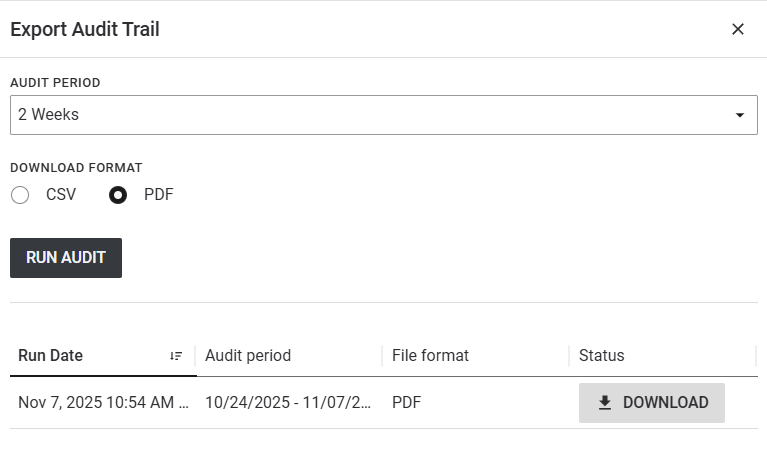
Creating a report on the specific pages now happens in a slide-out side panel instead of a full-page change. You can choose the period and format and generate while staying on your current page, then continue working as the report is prepared in the background. Large and complex reports complete faster than before, reducing wait time between generating and receiving the download. Combined with 60‑day retention, this means less time spent re‑running the same report and more time reviewing results.
On-device localization
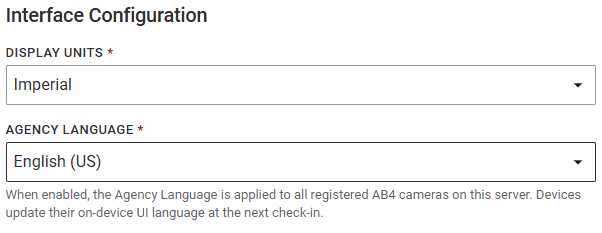
Axon Evidence Local now includes On-Device Localization, which enables Axon Body-Worn Cameras to display interface text in multiple languages. Language selection is set at the agency level using the AGENCY LANGUAGE selection under System Settings > Standard Settings > Interface Configuration. The agency language setting defines the standard language presented when users access Axon Evidence Local in a browser and is also the default language used as a fallback when a user logs out of the interface, as well as reports and audit trails.
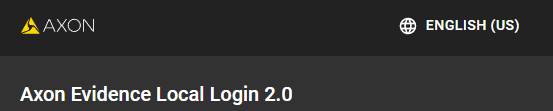
Users who prefer a different interface language can change it from the language selector in the upper-right corner of the login page before signing in but this change applies to their session only and does not alter the agency default.
The on‑device language for Axon Body cameras follows the agency language and updates the next time the camera connects; per‑user browser overrides do not affect the device UI language.
Currently, supported device languages are English, French, Dutch, and Korean, with English as the fallback. This feature is available for AB4 and upcoming devices. Language changes are applied only when the camera is connected and are logged for auditability.
Dependencies
Devices Firmware
| Devices | Supported FW Version |
|---|---|
| AB2 / Flex2 | 1.28 |
| AB3 |
v1.2522.9 v1.2528.13 v1.2534.16 |
| AB4 |
v1.2522.26 v1.2528.39 v1.2534.39 |
| AB 2 / Flex 2 / TASER Dock | 3.20.240801.0336 |
| Flex 2 Controller | 0.7.3 |
| Fleet 3 | v2.2529.4025 |
| TASER 7 | 2.0.6 |
| TASER 10 | 1.5.39 |
| TASER Dock Charger | 2.7.13 |
| TASER BLE Bundle | 1.4.2 |
Applications
| Devices | Supported FW Version |
|---|---|
| Axon Device Manager iOS | 3.3.1 |
| Axon Device Manager Android | 3.20 |
| Axon View iOS | 6.8 |
| Axon View Android | 6.7.0 |
| Axon Capture iOS | 5.17.1 |
| Axon Capture Android | 5.18.1 |
| Axon Device Checkout iOS | 2.1.0 |
| Axon Device Checkout Android | 1.2.1 |
| Axon Fleet 3 Dashboard (Win) | 1.2.7446 |
| Axon ViewXL |
1.32.4 1.33.1 |
| Axon Interview | 4.16.4.7 |
Other dependencies
- Evidence Local Server: Windows Server 2019, 2022, 2025
- Evidence Local Web Client: Firefox, Chrome, Edge
- Database: MS SQL 2019, 2022
- Upgradable from Evidence Local version: 5.0, 5.2, 5.4


