Version 5.8 (January 2026)
Introduction
Axon Evidence Local v5.8 focuses on strengthening evidence reporting, auditability, device security and Hybrid Workflows with Evidence.com while continuing to align the on-premises experience with Evidence.com.
This release:
- Introduces optional integration with Evidence.com, enabling Hybrid and Backup modes. Agencies can retain primary on-prem evidence control while selectively using cloud features for processing or automatically maintaining on-prem backups of cloud evidence. The integration is fully opt-in, policy-driven, auditable, and controlled by administrators to meet regulatory and operational requirements.
- Expands TASER 7 event reporting with added visual pulse graphs in TASER 7 logs, helping reviewers quickly understand how a TASER 7 device was used during an incident.
- Enhances evidence audit trail reports so they more closely match the format and level of detail available in Evidence.com and improves the performance and reliability of generating very large reports.
- Introduces new security and sign-in capabilities for Axon docks, giving agencies more control over who can access dock management interfaces and transitioning docks to the same modern sign-in experience used across the Axon ecosystem, thereby deprecating Legacy Login.
- Adds Euskara (Basque) as a supported language in the Axon interface, expanding localization support for agencies operating in multilingual regions.
Integration with Evidence.com Hybrid / Backup
Axon Evidence Local v5.8 introduces an optional integration with Evidence.com (SaaS solution). This feature allows multiple modes for operation based on customer needs.
- The Hybrid Workflow Solution bridges Axon Evidence.com (cloud) and Axon Evidence Local (on-premises), enabling agencies to retain primary on-prem evidence control while selectively using Evidence.com cloud features for processing. Through secure, customer-initiated, one-way connectivity, evidence can be temporarily uploaded to Evidence.com to leverage cloud-only capabilities, including Community Request, Sharing, Transcription, DraftOne, and other optional AI-based services available in the cloud, and then returned to Evidence Local with all derived outputs. The hybrid model is fully opt-in, policy-driven, auditable, and designed to meet strict regulatory and operational requirements without compromising security, transparency, or chain of custody.
- The Backup Mode is designed for customers who primarily favor cloud-based solutions but have specific on-premises requirements. It enables agencies to connect Axon Evidence.com with Axon Evidence Local to address a broader set of regulatory, operational, and strategic needs. Through configurable data flows, selected evidence can be automatically downloaded from Evidence.com and securely stored on-premises. This supports use cases such as locally retaining sensitive or classified data, maintaining an on-premises redundant backup of critical evidence, or meeting operational or regulatory constraints that cannot be fully satisfied by a cloud-only approach. In this model, Axon Evidence Local complements Evidence.com by providing additional control and resilience, allowing agencies to extend their cloud deployment without compromising compliance, security, or operational requirements.
Control, Transparency and Audibility
The integration with Evidence.com is opt-in and fully controlled by the agency. All data movement is initiated from Axon Evidence Local; Axon Evidence.com does not initiate transfers of evidence content from the local system on its own. Every upload and download related to hybrid or backup operations is recorded in existing audit trails, providing a complete, searchable history of how evidence moved between systems.
Administrators decide:
- Which Axon Evidence.com tenant to connect to
- Which evidence should be eligible for hybrid processing or backup
- What retention rules apply to copies in Axon Evidence.com after processing is complete
- Which user roles are permitted to initiate and manage hybrid-related actions, such as uploading evidence for cloud processing.
This allows each agency to tailor the experience to its own operational policies, regulatory environment and comfort level with cloud usage.
For more information, in-depth training, setup guidance, or trial access, please contact your Axon representative.
TASER Logs to Evidence (TASER 7 Pulse Graphs support)
This release introduces a significantly richer TASER 7 event reporting experience in Axon Evidence Local.
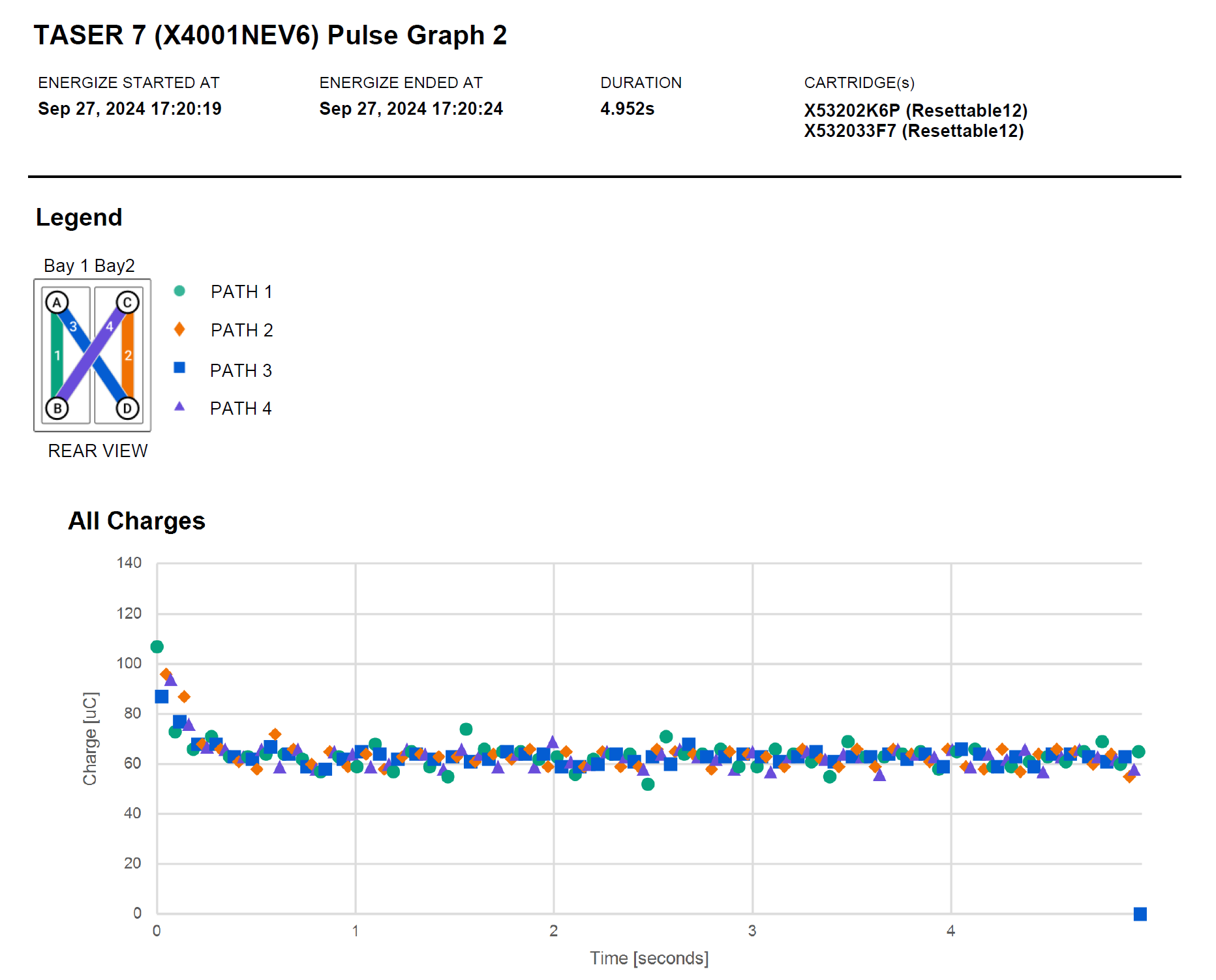
When generating TASER 7 logs with the TASER Logs to Evidence workflow, Axon Evidence Local now adds detailed visual charts that summarize key aspects of each discharge event (pulse graphs). These pulse graphs make it easier for reviewers to see, at a glance, how the device was used, including the sequence and characteristics of discharges.
Key benefits for agencies:
- All in one place TASER 7 evidence
TASER logs or evidence reports now include high-fidelity charts, pulse graphs, that represent the underlying electrical activity for each discharge as well as the logged events, closely matching what is available today in Evidence.com. - Improved handling of complex usage scenarios
The discharge-parsing logic for TASER 7 logs and pulse graphs has been refactored, optimized to efficiently identify overlapping discharge sequences, minimize redundant computations and support accurate pulse-graph reports even for complex real-world firing patterns.
These improvements are designed to add clarity and detail through adding pulse graphs to TASER 7 logs generated with the existing TASER Logs to Evidence workflow without requiring changes to permissions or workflows.
Universal Login Enablement and Security Updates for TASER/AB2 Docks
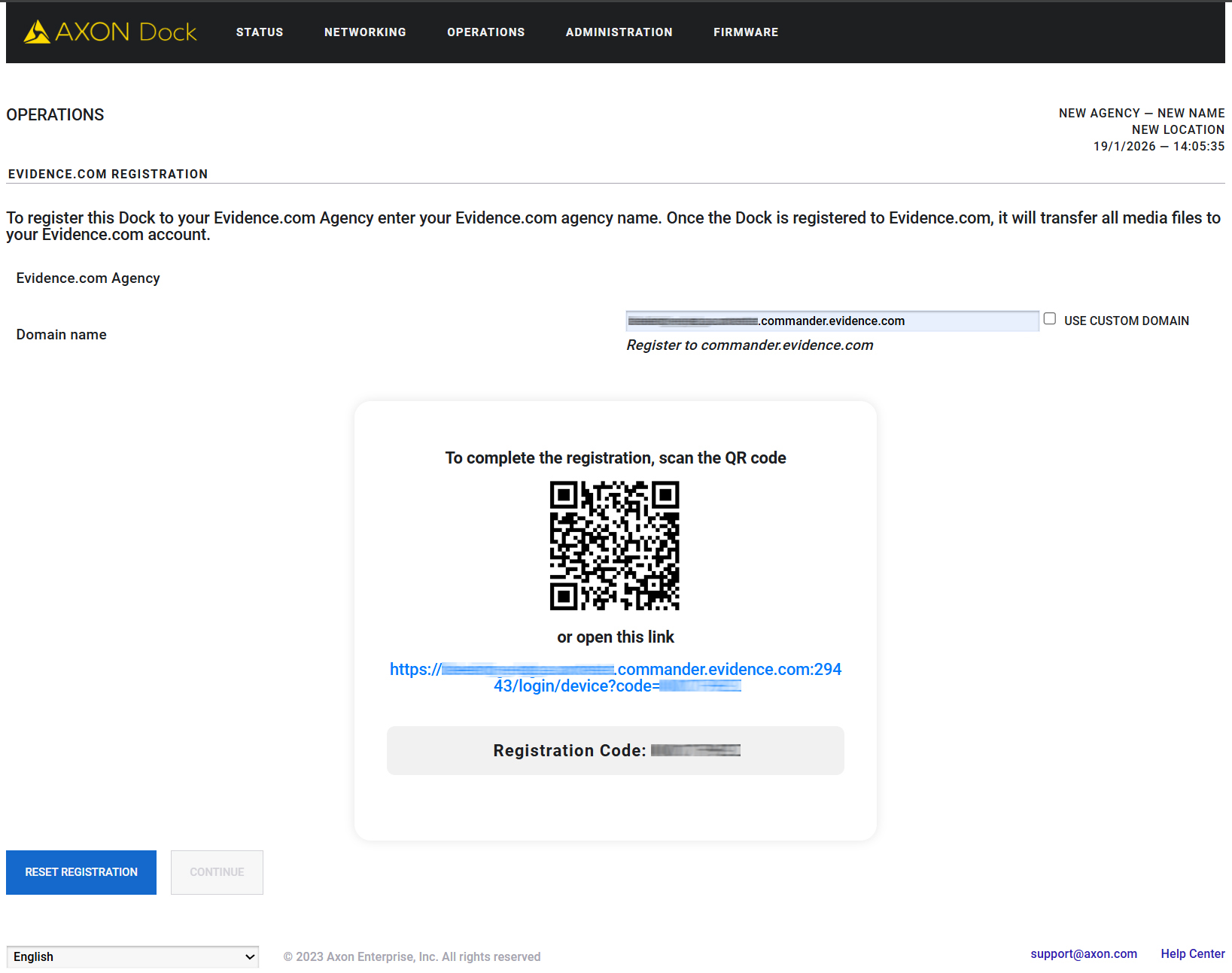
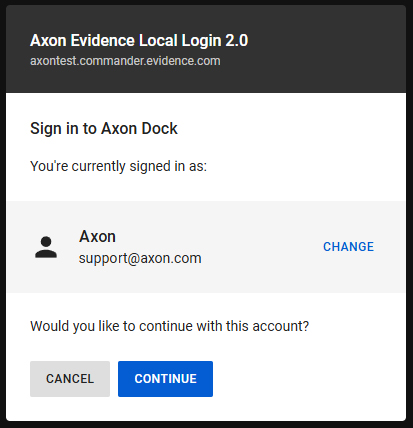
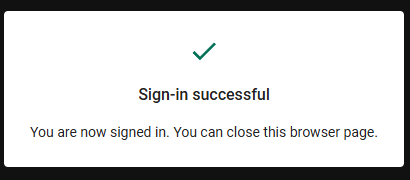
Axon Evidence Local 5.8 also enables Universal Login as well as adding new capabilities for agencies using Axon docks for TASER and AB2/Flex2, bringing them in line with the modern authentication experience already used by other Axon services and applications. This feature requires Axon Dock firmware v3.22 which will be included in the Axon Server Manager for this version, so all registered docks will be automatically updated.
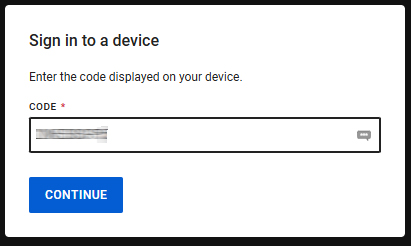
What this means for agencies:
- Consistent sign-in experience
Docks will use the same standard sign-in framework as the rest of the Axon ecosystem, simplifying training and day-to-day operations for administrators and support staff. - Phase-out of legacy login
The older, legacy login method used by docks is being retired in favor of Universal Login. Docks that are already registered and up to date will continue to function normally. Older, unregistered docks with firmware < v3.22 may require a firmware update before they can be registered with Axon Evidence Local after upgrading to this version.
Axon recommends to register all agency docks to the Axon Evidence Local server prior to upgrading to Axon Evidence Local 5.8 to ensure dock firmware and configuration are in a supported state before and after the server upgrade. Agencies should follow the standard Evidence Local deployment checklist and work with their Axon representative if they have questions about dock readiness.
New settings give administrators more control over how the dock management interface can be accessed across the network. This will restrict access to the Dock UI admin ui on the WAN port, MNG port will still be available.
Benefits include:
- Tighter control over remote access
Agencies can now restrict access to the dock’s management interface so that configuration access is limited to trusted network paths, helping to reduce exposure of administration tools on broader networks.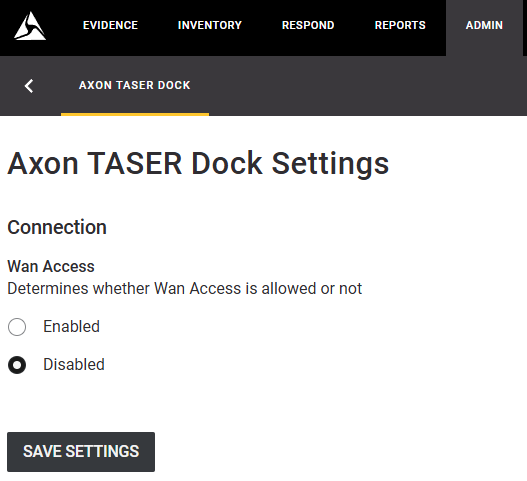
- Modernized credential management
Dock credentials used to communicate with Axon Evidence Local now follow a more modern security model with regular key rotation.
Enhanced Audit Trail
With this release, Axon Evidence Local also introduces an upgraded audit trail functionality to provide a more data-rich header for Evidence details, Source Device and Report Generation info.
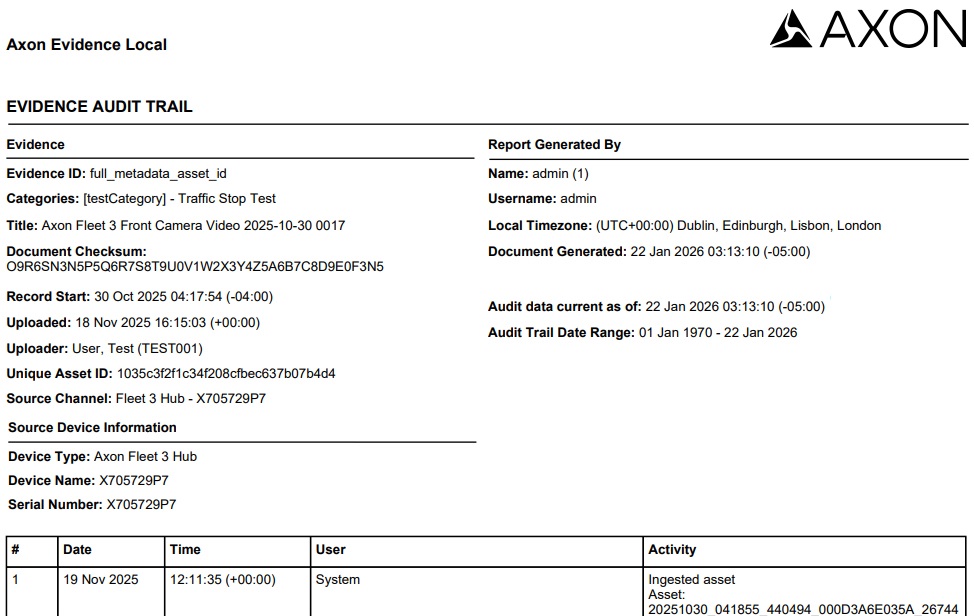
This includes added fields of evidence modifications, source device information and report generation. Audit Trails can now be narrowed down by selecting the time or audit period in addition to the date-picker. The 10 last ran audits are now also directly visible in the sidebar and can be downloaded using the DOWNLOAD button, so users can now return to these pages and re-download the exact file without regenerating it, which is especially helpful for scheduled reviews or audits.
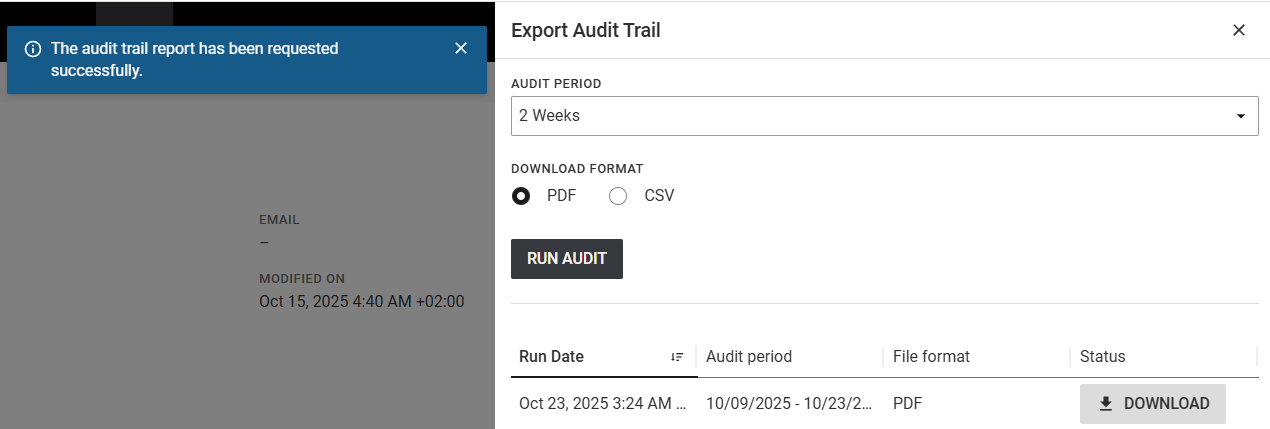
Note: Pictured above is the User Audit Trail interface, Evidence Audit Trail is available in PDF-format only.
Euskara Language Support
Axon Evidence Local now includes the Euskara (Basque) as a supported user interface language and associated services (Axon Server Manager) to better support agencies operating in multilingual environments, especially in Spain.
Dependency / Compatibility Overview
Devices Firmware
| Devices | Supported FW Version |
|---|---|
| AB2 / Flex2 | 1.28 |
| AB3 | 1.34.45 1.35.58 1.2504.1 |
| AB4 | 1.2522.26 1.2528.39 1.2534.39 |
| AB 2 / Flex 2 / TASER Dock | 3.22 |
| Flex 2 Controller | 0.7.3 |
| Fleet 3 | v2.2529.4025 |
| TASER 7 | 2.0.6 |
| TASER 10 | 1.5.39 |
| TASER Dock Charger | 2.7.13 |
| TASER BLE Bundle | 1.4.2 |
Applications
| Application | Supported App Version |
|---|---|
| Axon Device Manager iOS | 3.3.1 |
| Axon Device Manager Android | 3.2 |
| Axon View iOS | 6.8 |
| Axon View Android | 6.7.0 |
| Axon Capture iOS | 5.17.1 |
| Axon Capture Android | 5.18.1 |
| Axon Device Checkout iOS | 2.1.0 |
| Axon Device Checkout Android | 1.2.1 |
| Axon Fleet 3 Dashboard (Win) | 1.2.7446 |
| Axon ViewXL | 1.32.4 1.33.1 |
| Axon Interview | 4.16.4.7 |
Other Dependencies
- Evidence Local Server: Microsoft Windows Server 2019, 2022, 2025
- Evidence Local Web Client: Firefox, Chrome, Edge
- Database: Microsoft SQL 2019, 2022
- Upgradable from Evidence Local version: 5.0, 5.2, 5.4, 5.6


