Version 6.0 (April 2026)
Introduction
Axon Evidence Local 6 is a major new release that delivers a faster, more modern evidence management experience for on-premises deployments. It introduces significant improvements to digital evidence ingestion, support for the next generation of Axon Signal Sensor for automatic body camera activation during critical incidents, and optional enterprise Single Sign-On (SSO). It also aligns the on-premises user experience more closely with the redesigned Axon Evidence experience in the cloud, while adding new capabilities for real-time services and Fleet 3.
This release includes:
- A new Evidence Service that simplifies evidence ingestion and delivers faster upload performance
- Support for the next-generation Axon Signal Sensor, along with Key Vault for Secure Signal Activation Technology
- WatchMe and bi-directional voice communication for Respond
- Optional enterprise SSO integration using SAML 2.0 or OpenID Connect, enabling users to sign in with their agency’s existing identity provider
- The redesigned Axon Evidence user interface for a more consistent and modern experience
- Automatic license plate recognition (ALPR) for Fleet 3 vehicles, including hotlist management, reporting, and configuration capabilities
Modernized Evidence Ingestion Pipeline
Axon Evidence Local 6.0 introduces a modernized evidence ingestion engine that replaces the previous Parser service. The new Evidence Service now manages metadata ingestion, storage lifecycle, retention, replication, post-ingestion processing, and audit logging in a more unified and efficient way. Existing ingestion workflows continue to operate as expected, while benefiting from improved throughput and greater stability under load.
For agencies, this means:
- Evidence Service replaces Parser Service
The Parser Service no longer appears in the Windows Services list or Server Manager UI. It has been replaced by the new Evidence Service, which is now the service administrators will see and manage.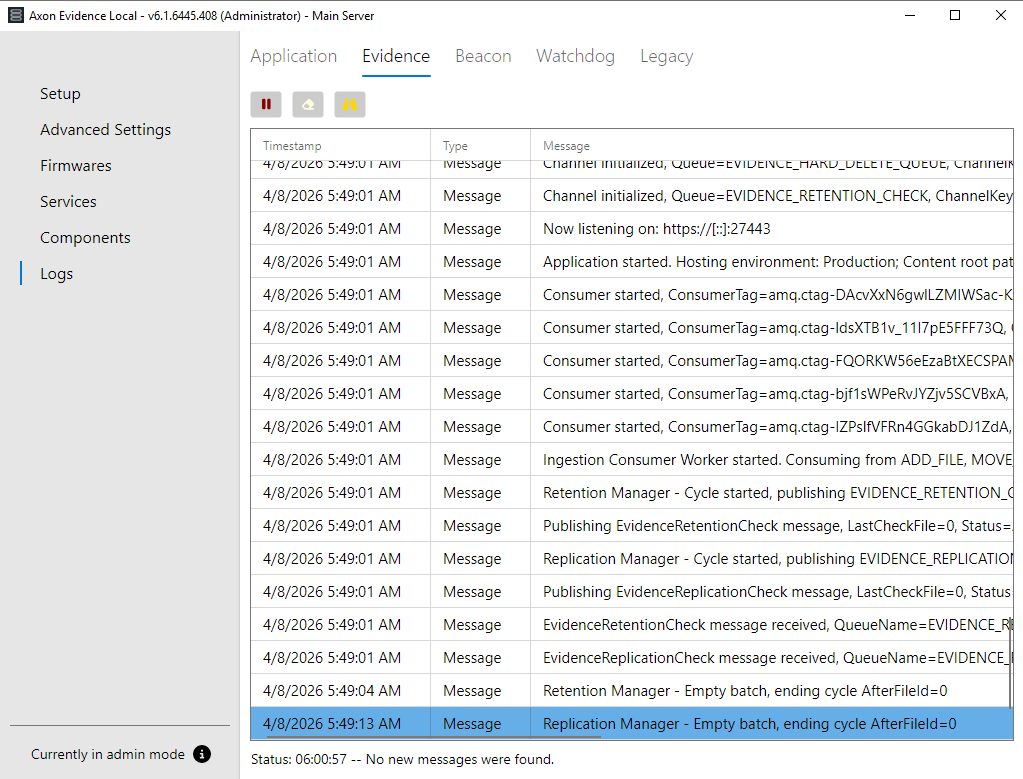
- Updated ingestion workflows
Parser-based modes, such as folder-based “hot ingestion,” have been removed. Support for Axon App Upload XT has been added to provide a more flexible and streamlined ingestion workflow. See Upload XT and ingestion workflow below. - More reliable uploads
The new ingestion engine is designed to handle larger files and higher upload volumes more reliably and efficiently. - Faster processing
Evidence moves from uploaded to searchable and reviewable more quickly and consistently, even during periods of heavy system load. - Less administrative overhead
Administrators no longer need to manually pre-register file extensions. Axon Evidence Local now automatically accepts and classifies new file types, helping reduce upload errors and day-to-day administration. - The same trusted audit trail
All compliance-critical audit logs for ingestion, storage, and deletion remain in place, so reporting and chain-of-custody workflows continue to function as before, now supported by a more robust underlying implementation.
These changes are largely transparent to administrators. Existing upload workflows continue to work, while agencies benefit from smoother evidence intake, improved performance, and reduced maintenance overhead.
Axon Evidence Upload XT Support
Axon Evidence Local 6.0 adds support for the Axon Evidence Upload XT application as the recommended way to bulk-upload and migrate third‑party or legacy evidence into Axon Evidence Local going forward, replacing older folder‑based workflows.
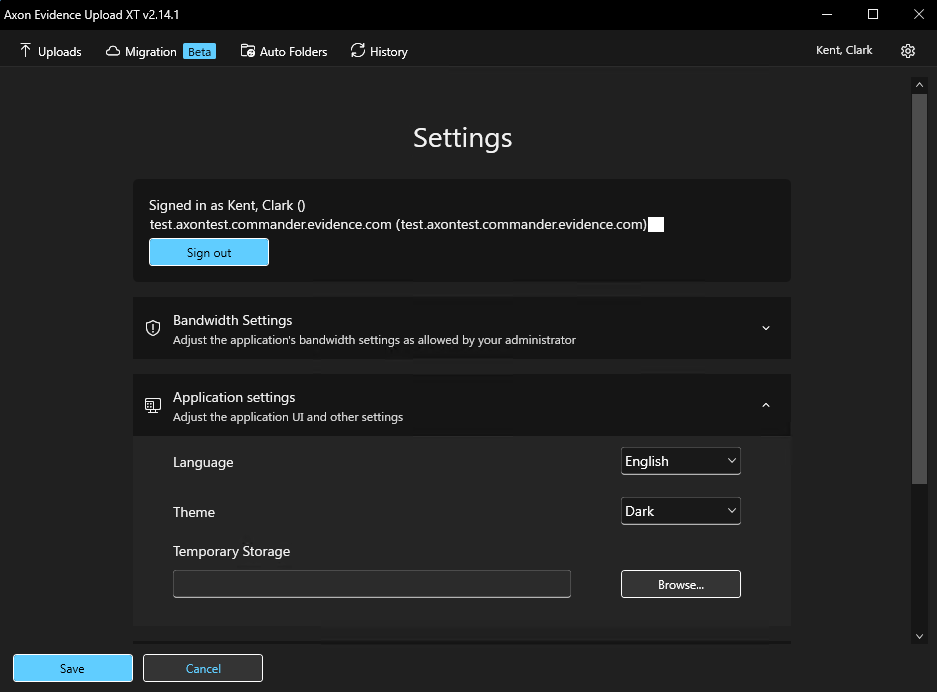
As part of this change, the legacy “hot ingestion” mode that watched server folders for new files is removed; agencies that previously copied files into hot ingestion folders should now run Axon Evidence Upload XT on a workstation or server, point it at their Axon Evidence Local tenant and configure categories and Evidence IDs for files in their chosen upload folders to achieve the same outcome.
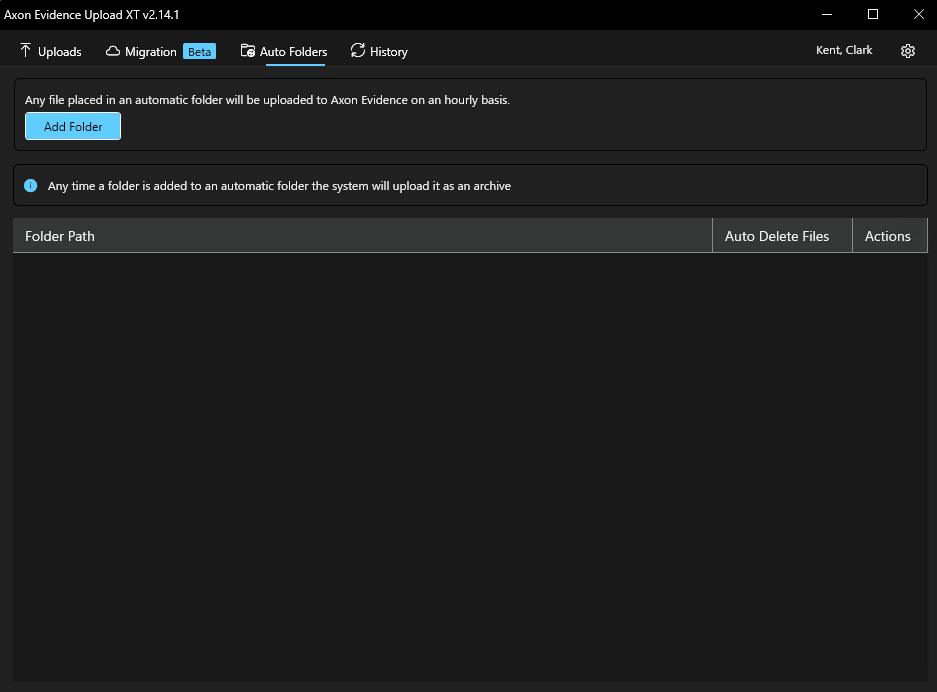
Axon Evidence Upload XT also supports “Auto Folders,” which let you mark one or more folders on a Windows machine for automatic upload so that, while Axon Evidence Upload XT is running, it checks those folders on a regular schedule, uploads any new files it finds and can optionally remove them from the folder after a successful upload.
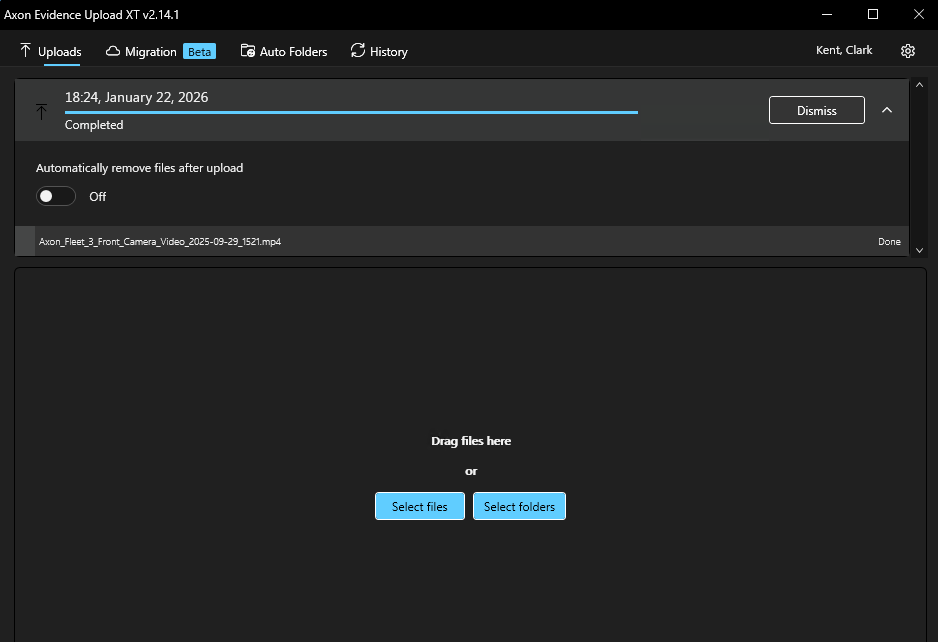
Axon Evidence Upload XT sends those files through the standard Axon Evidence Local ingestion API so they appear like any other evidence in the system, with the same metadata, search, retention and audit logging behavior as dock uploads or web imports, while providing a more robust and supportable workflow than server‑side hot folders.
Signal Sensor integration
Axon Evidence Local 6.0 adds full support for Axon Signal Sensor (SSR), the next-generation signal sensor that uses the Secure Signal protocol to send activation events (e.g., holster draw, baton, pepper spray, handcuffs) to body-worn and Fleet devices over BLE.
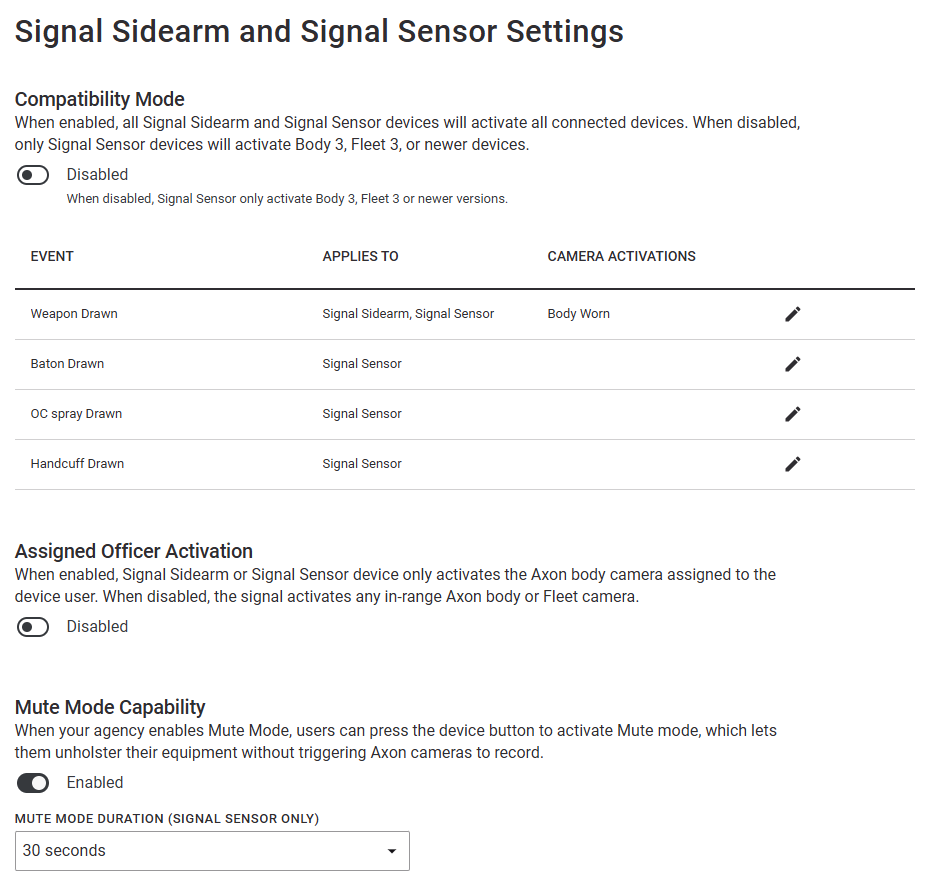
Axon Device Manager (ADM) is used for setting up and calibrating the device. Note: ADM firmware v3.2613.0+ is required to configure SSR for Axon Evidence Local as well as latest device firmware (see table below).
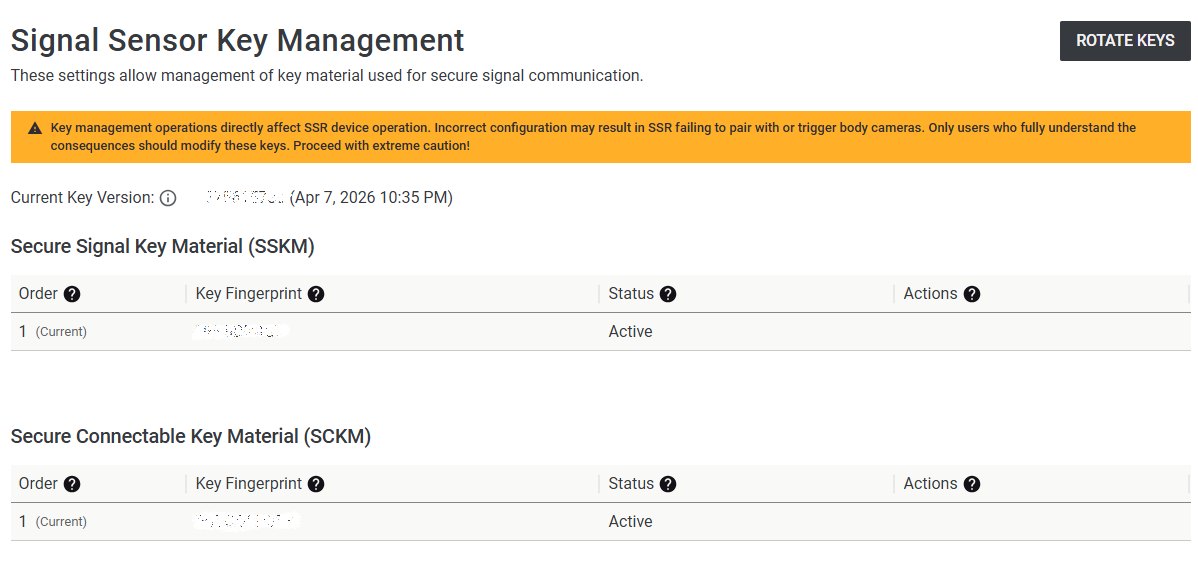
Signal Sensor devices must be provisioned with agency-specific encryption keys created within the Axon Evidence Local server of the agency and stored in a newly built-in Key Vault (see next chapter). Axon Device Manager fetches these keys from Axon Evidence Local and programs them into each Signal Sensor device during setup. For setup see the Signal Sensor Installation Instructions.
Key Vault
Axon Evidence Local 6 introduces Key Vault, a built-in secure store for sensitive secrets, including Signal Sensor secure key material, to support Axon Signal Sensor and future encrypted features. Key Vault provides encryption at rest using modern cryptography and does not require an external key management service.
Action required
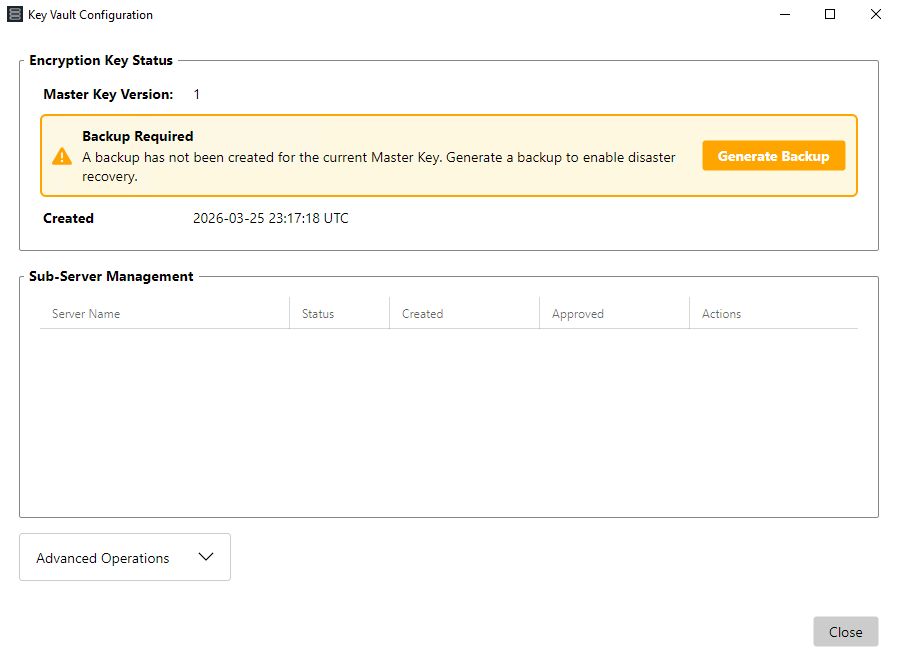
As part of the upgrade to version 6, Key Vault must be configured, and backup codes must be generated and stored securely before Signal Sensor or any other Key Vault-backed feature is used in production. See the installation manual for detailed setup instructions. Key Vault is now mandatory and must be configured for normal daily operation, even if Signal Sensor devices are not currently in use.
Please refer to the Axon Evidence Local Installation Manual chapter for Key Vault configuration and operations.
Livestreaming, WatchMe and Bi-Directional Communication
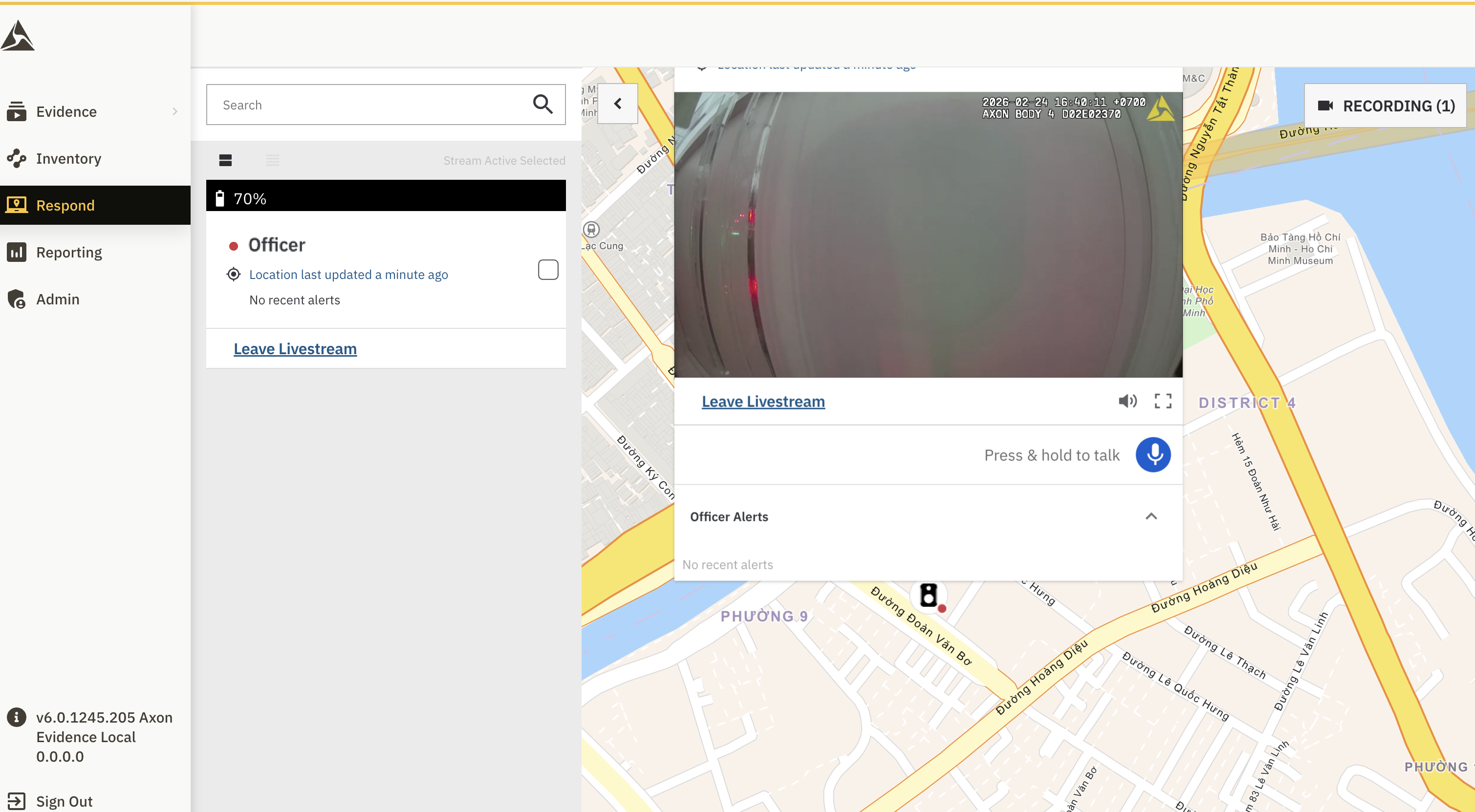
Axon Evidence Local 6.0 replaces the previous Sunstone and Sunstone Cleaner services with a new native Livestream service. This release also introduces two additional Respond capabilities: WatchMe and Bi-Directional Communication for Axon Body 4.
What’s new
- New livestreaming service
A purpose-built .NET service now manages livestreaming in place of Sunstone and Sunstone Cleaner. It is designed to integrate more closely with Evidence Local’s Windows and .NET stack, providing improved observability, diagnostics, and serviceability. - WatchMe
Officers can press a configured programmable button on their Axon Body 4 camera to indicate that they want to be monitored. Dispatchers can immediately see which officers have requested monitoring.
WatchMe is treated as a livestream trigger, allowing a stream to begin even when device-level livestream preferences would otherwise prevent it.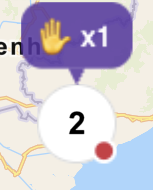
- Bi-Directional Communication
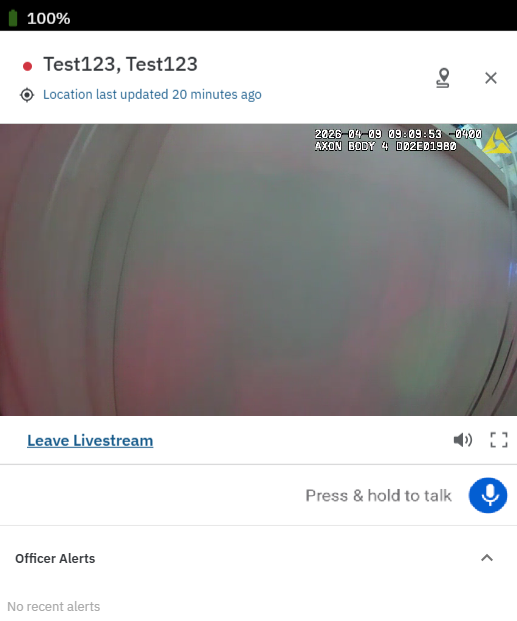
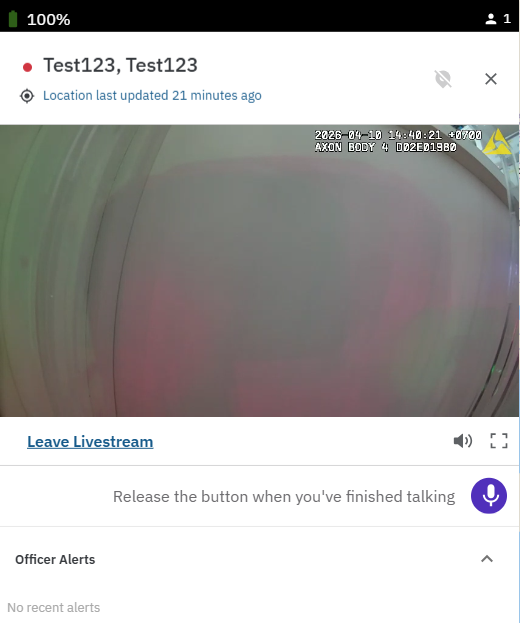
Bi-Directional Communication enables dispatchers to initiate two-way audio communication with an officer directly through the officer’s Axon Body 4 camera from the Respond map. This allows dispatchers not only to monitor an incident through livestreaming, but also to communicate with the officer in real time when necessary. By combining live video with direct voice communication, this feature helps improve coordination, situational awareness, and response effectiveness during active incidents.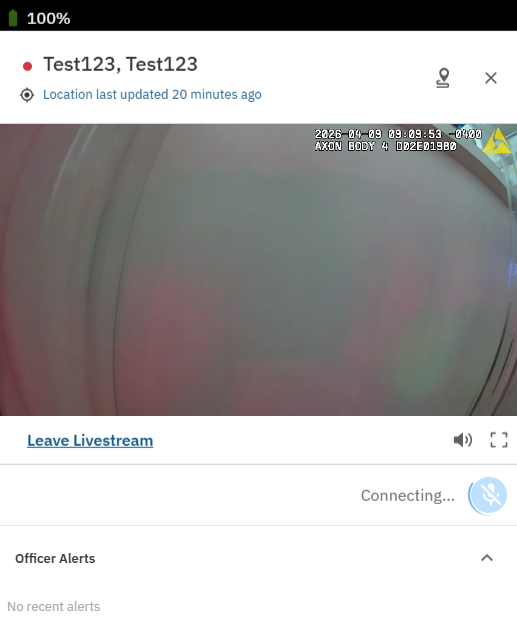
Single Sign-On (SSO) via SAML or OpenID Connect
Axon Evidence Local introduces optional Single Sign-On (SSO), enabling agencies to authenticate users through an existing corporate identity provider (IdP), such as Active Directory Federation Services (AD FS), Okta, or Microsoft Entra ID.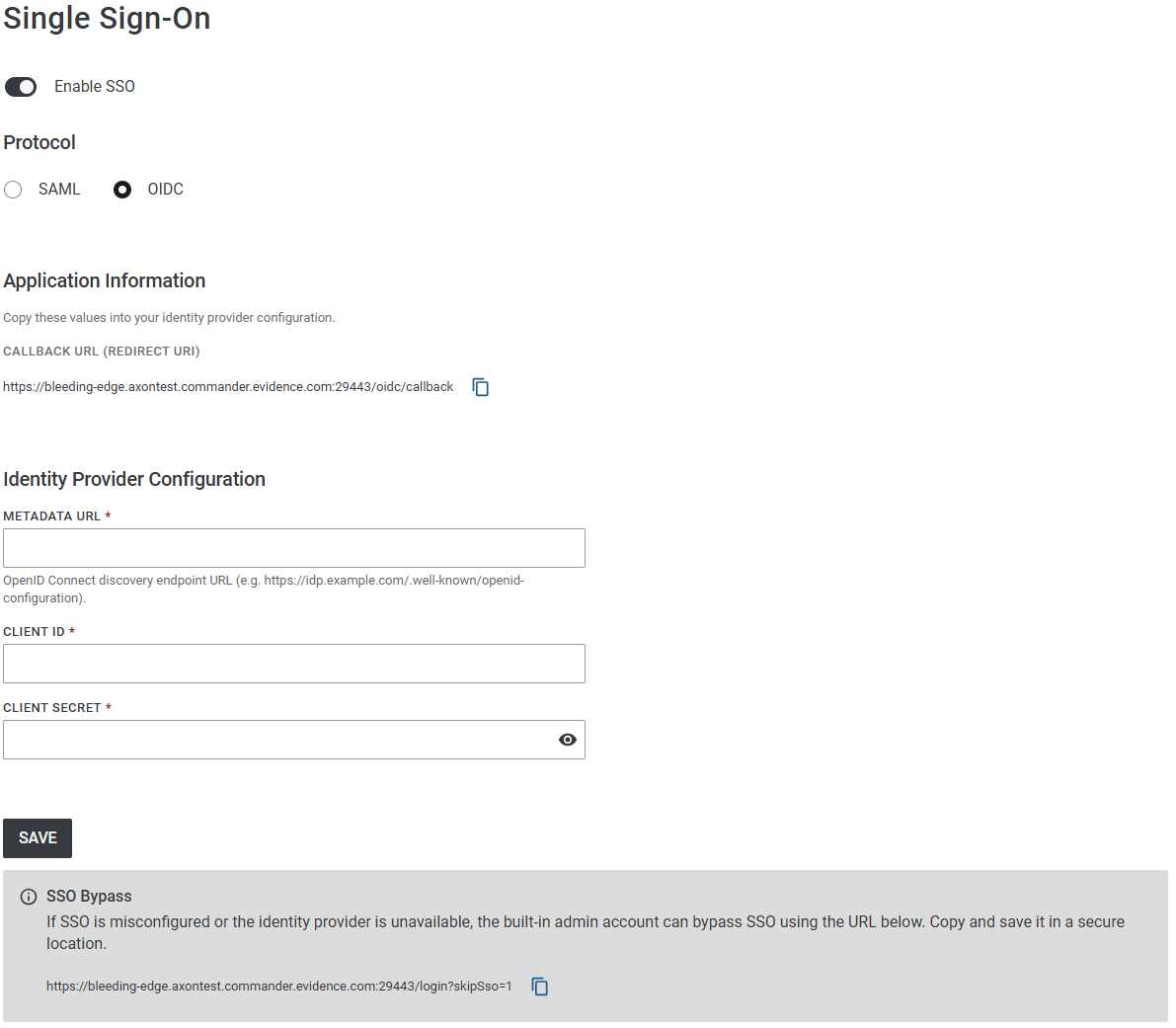
Key behavior
- Supports SAML 2.0 or OpenID Connect (OIDC); each deployment is configured with a single IdP using one protocol
- When SSO is enabled, users sign in through the agency’s identity provider. The built-in admin account and users with the Bypass SSO permission can still use local credentials as an emergency backup if SSO is unavailable.
- Uses Just-In-Time (JIT) provisioning to automatically create users on first sign-in. The new account is linked to the IdP subject identifier; email or username changes at the IdP will not create duplicates.
- Is configured through a dedicated admin interface and integrates with the existing login experience
Note
SSO is fully opt-in and has no effect unless configured and enabled. To help avoid lockout, Axon recommends assigning the Bypass SSO permission to multiple IT administrators and following the documented SSO setup and recovery procedures described in the installation manual.

Please refer to the Axon Evidence Local Installation Manual chapter for Single Sign-On (SSO) configuration.
New Look and Feel (redesigned Axon Evidence Design)
Axon Evidence Local 6.0 delivers an updated user interface designed to improve usability, navigation, and overall efficiency. With a refreshed design aligned to the redesigned Axon Evidence experience, this release brings a more modern and consistent interface to on-premise evidence workflows. The update introduces streamlined sidebar navigation, a consolidated evidence details page, a modernized media player, and a cleaner administrative experience. Together, these enhancements make it easier for users to review evidence, access key tools and move through common workflows with greater efficiency.
What’s new
- Streamlined sidebar navigation for quicker access to key areas
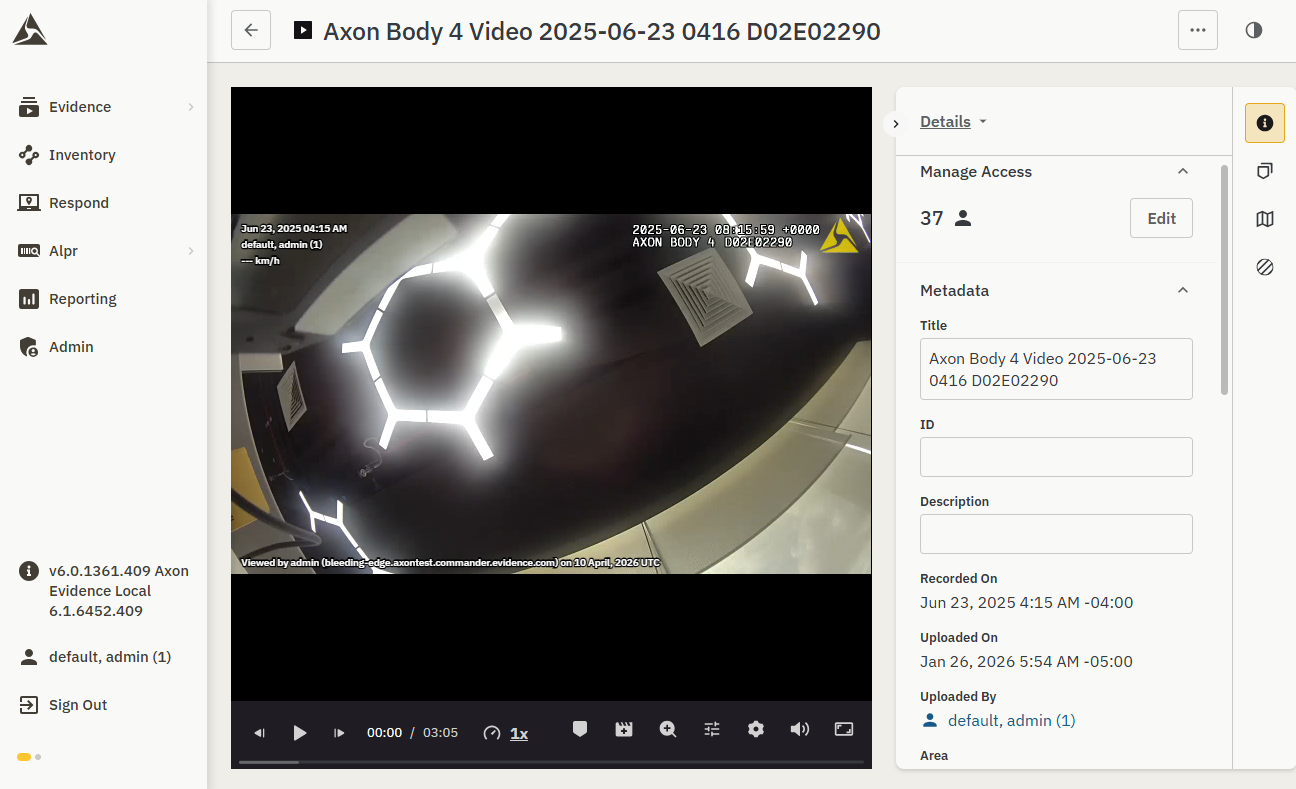
- A refreshed evidence layout that keeps primary media front and center, with related tools and information organized in intuitive tabs
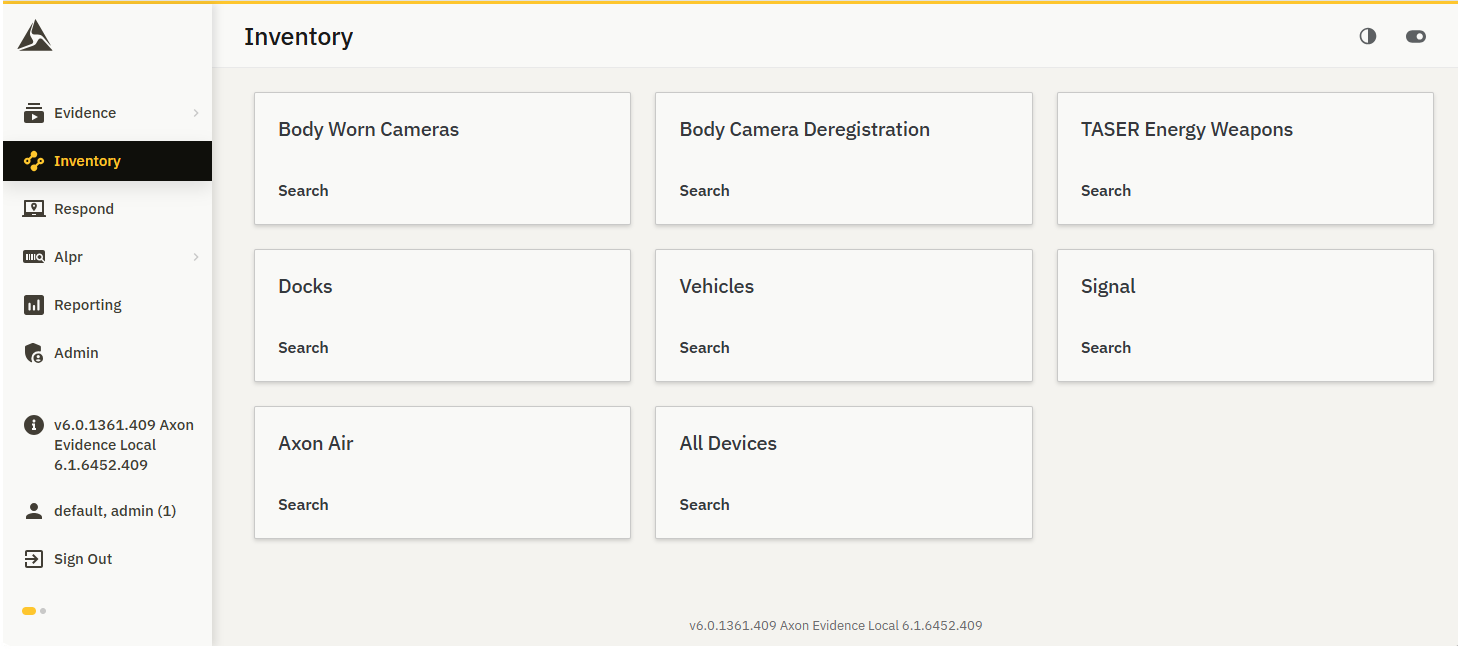
- A consolidated evidence details experience that brings key actions and metadata into a single workspace
- A modernized media player with smoother playback and improved review controls
- A cleaner admin experience with more consistent layouts and controls, incl. dark mode.
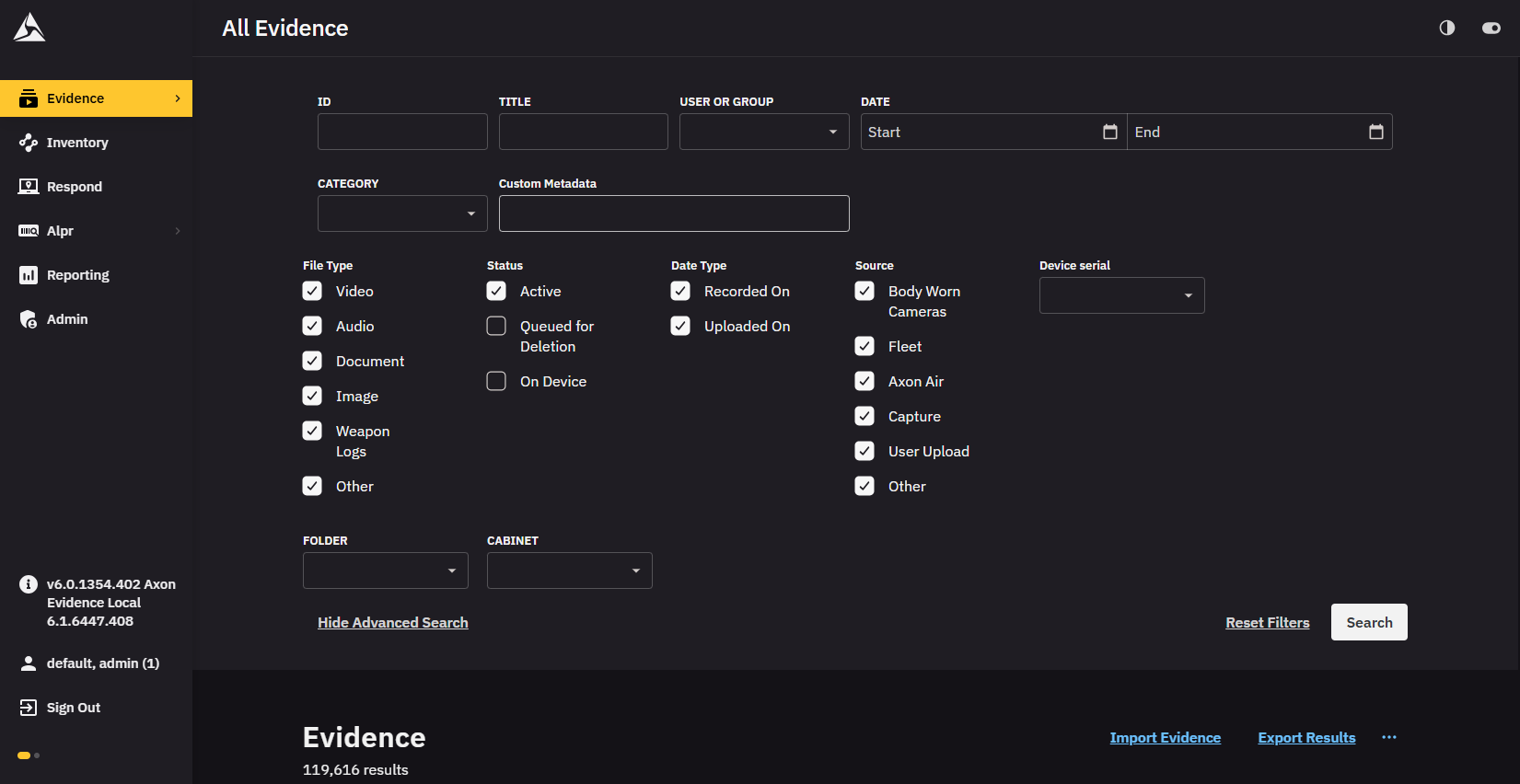
- A more unified experience across Evidence Local and Axon Evidence, helping support hybrid deployments with less training overhead
Core workflows remain unchanged. Users can continue to play evidence, review clips and markers, apply redactions, view related evidence, and manage access as they do today. This release focuses on improving how those workflows are presented, making the experience more consistent, intuitive, and easier to navigate.
Temporary option to revert to the previous look
For this Q1 2026 release only, users have the ability to switch back to the legacy experience if they prefer while they become familiar with the new design.
- In Evidence Local 6.0, the redesigned Axon Evidence Local is the default styling, but users can toggle back to the prior styling from within the UI.
- This toggle is temporary and will be removed in the next quarter release, at which point the redesigned Axon Evidence Local layout will be the only available experience.
Agencies should plan for users to adopt the new layout during the 6.0 lifecycle, as future releases will standardize on the redesigned Axon Evidence Local experience.
Axon Fleet 3 ALPR with Hotlist Management
Axon Evidence Local 6.0 introduces a new Fleet 3 ALPR module that enables Automatic License Plate Recognition (ALPR) workflows for Fleet 3 devices. This feature is currently available in Early Access for selected customers.
When enabled, agencies can manage ALPR hotlists, configure agency-level ALPR settings, ingest reads and hits from Fleet 3 devices, and search, filter, export, and review ALPR results within Evidence Local. Hits can also be converted into evidence as part of existing investigative workflows.
What’s new
- Hotlist management to create, update, and retire ALPR hotlists
- Agency-level ALPR configuration for managing operational settings
- Read and hit ingestion from Fleet 3 devices
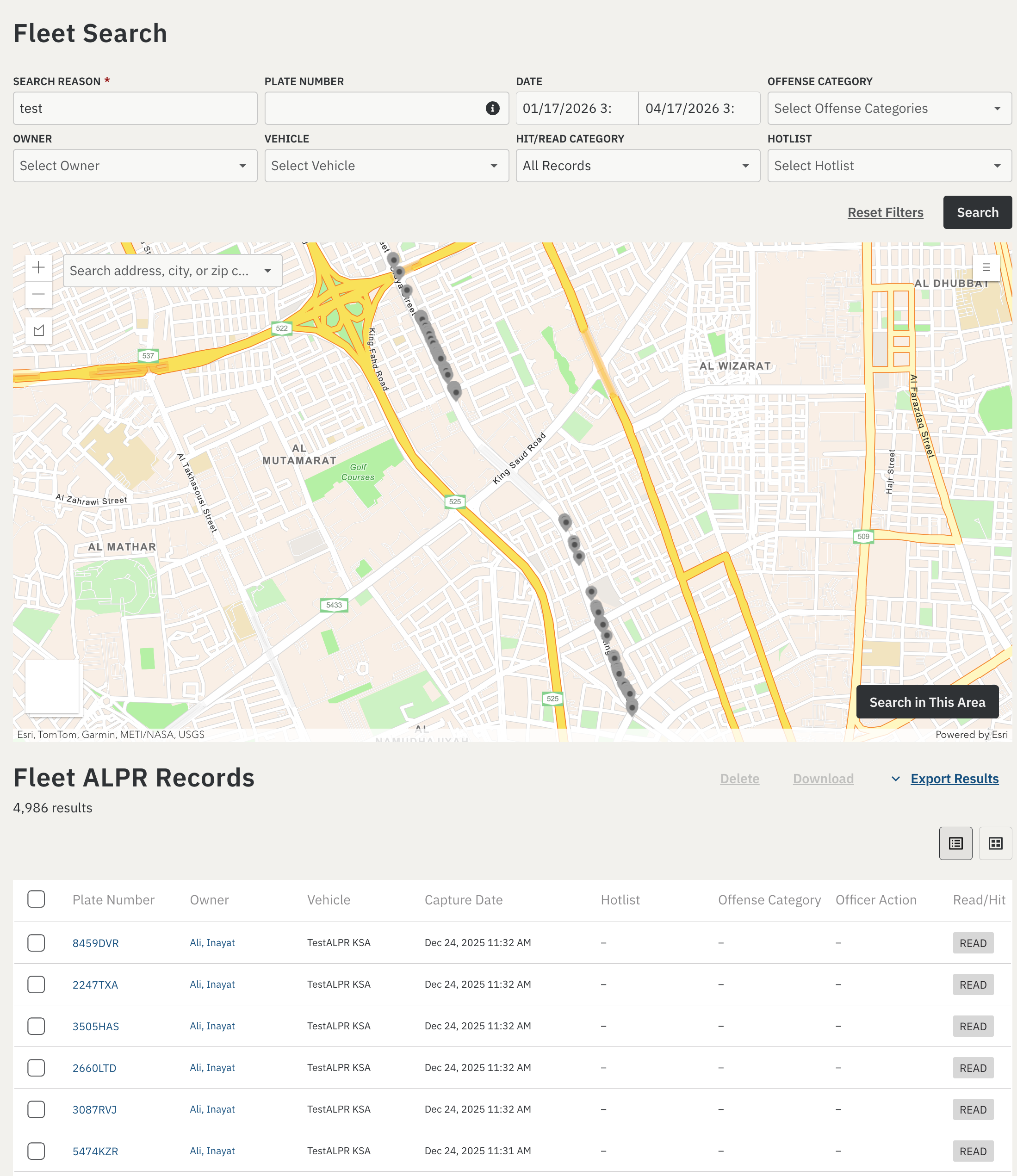
- Search and filtering for reads and hits using metadata, location, and other available criteria
- Visualization and review tools to help agencies analyze ALPR activity
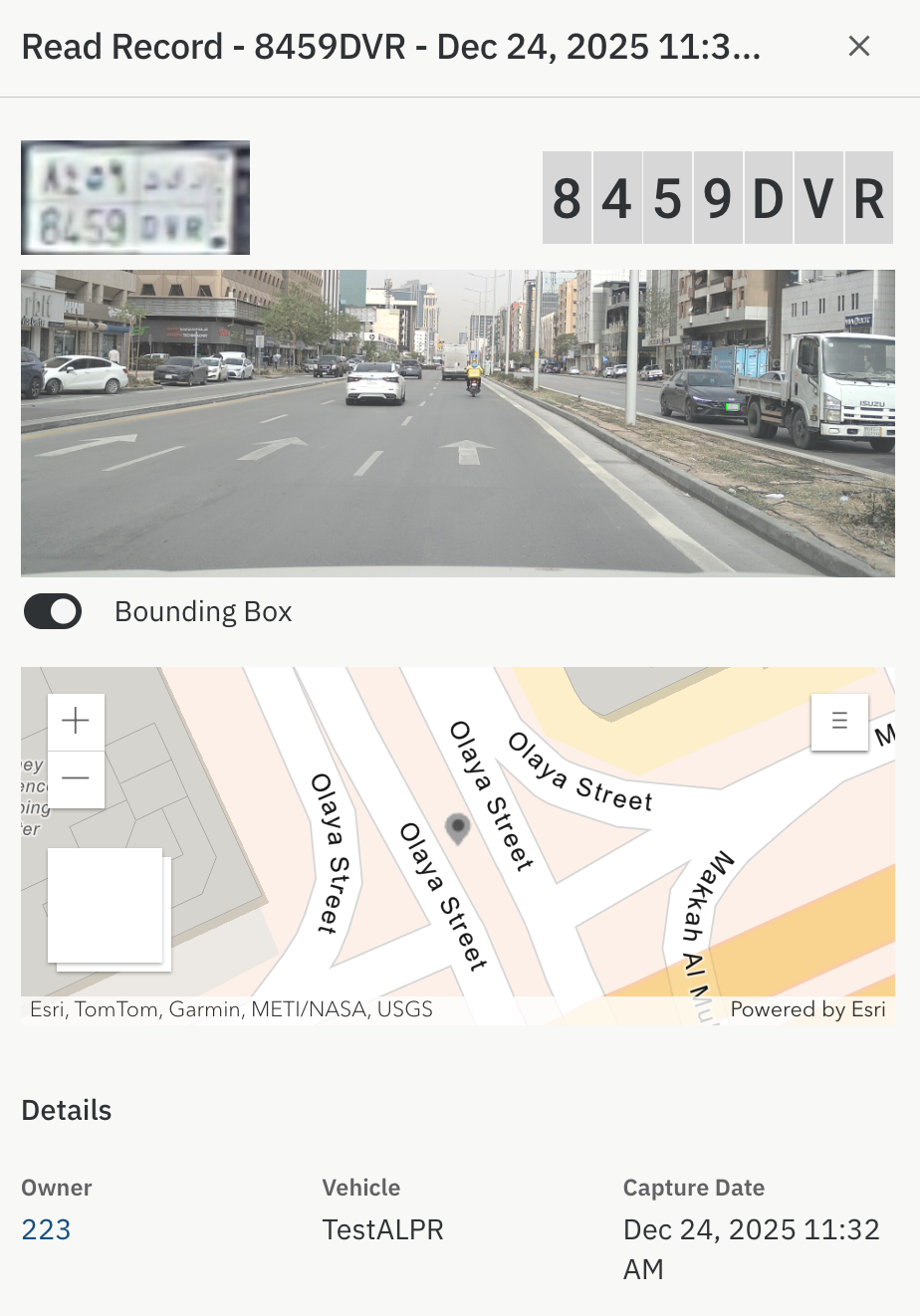
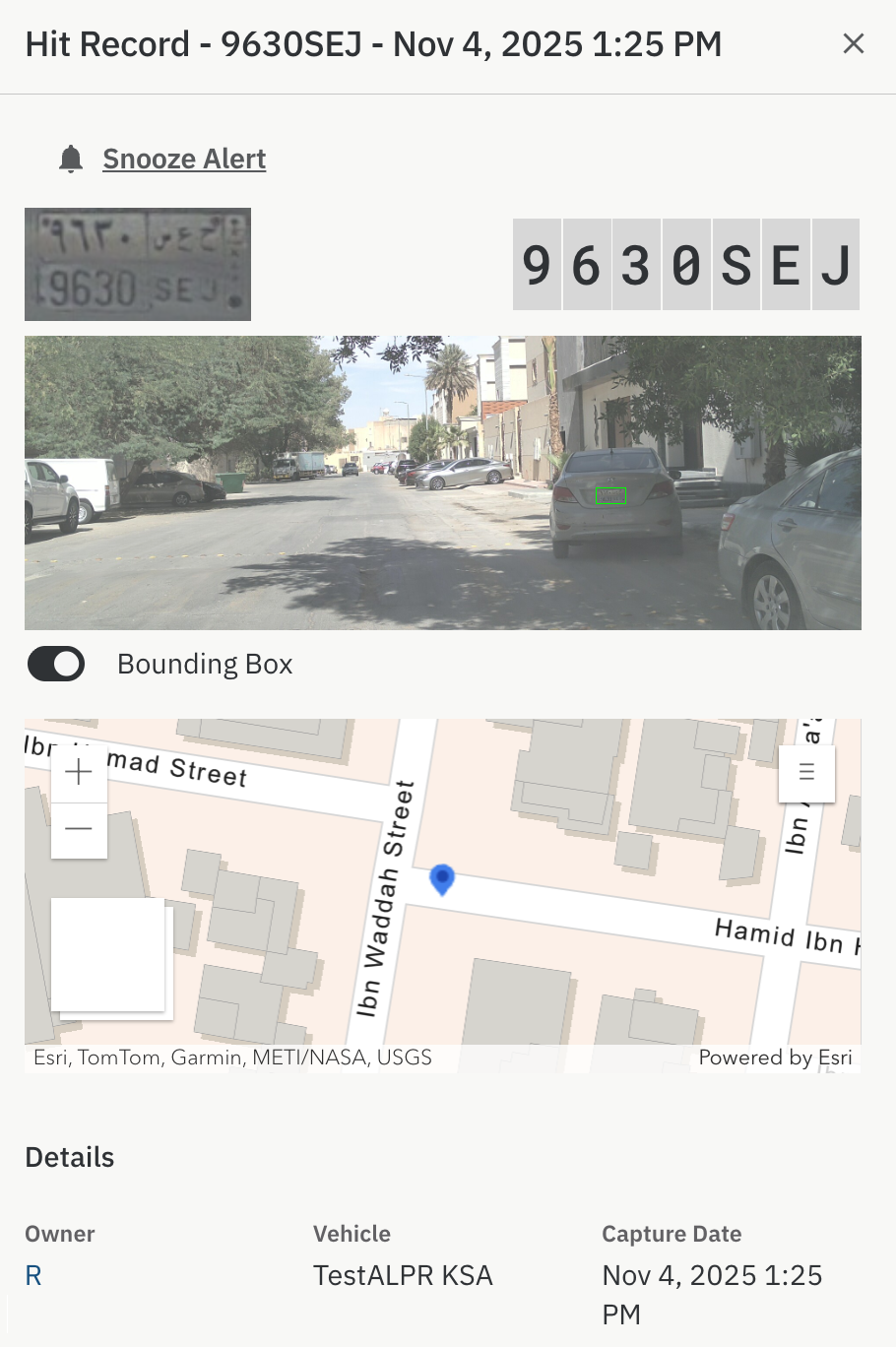
- Storage of reads and hits with associated data, including license plate images, location information, and relevant hotlist metadata such as vehicle information, offense category, and recommended action
- Retention controls for reads and hits to support local regulatory and operational requirements
- Export capabilities for read and hit results
- Ability to convert hits into evidence for downstream evidence management workflows
Hotlist Records Management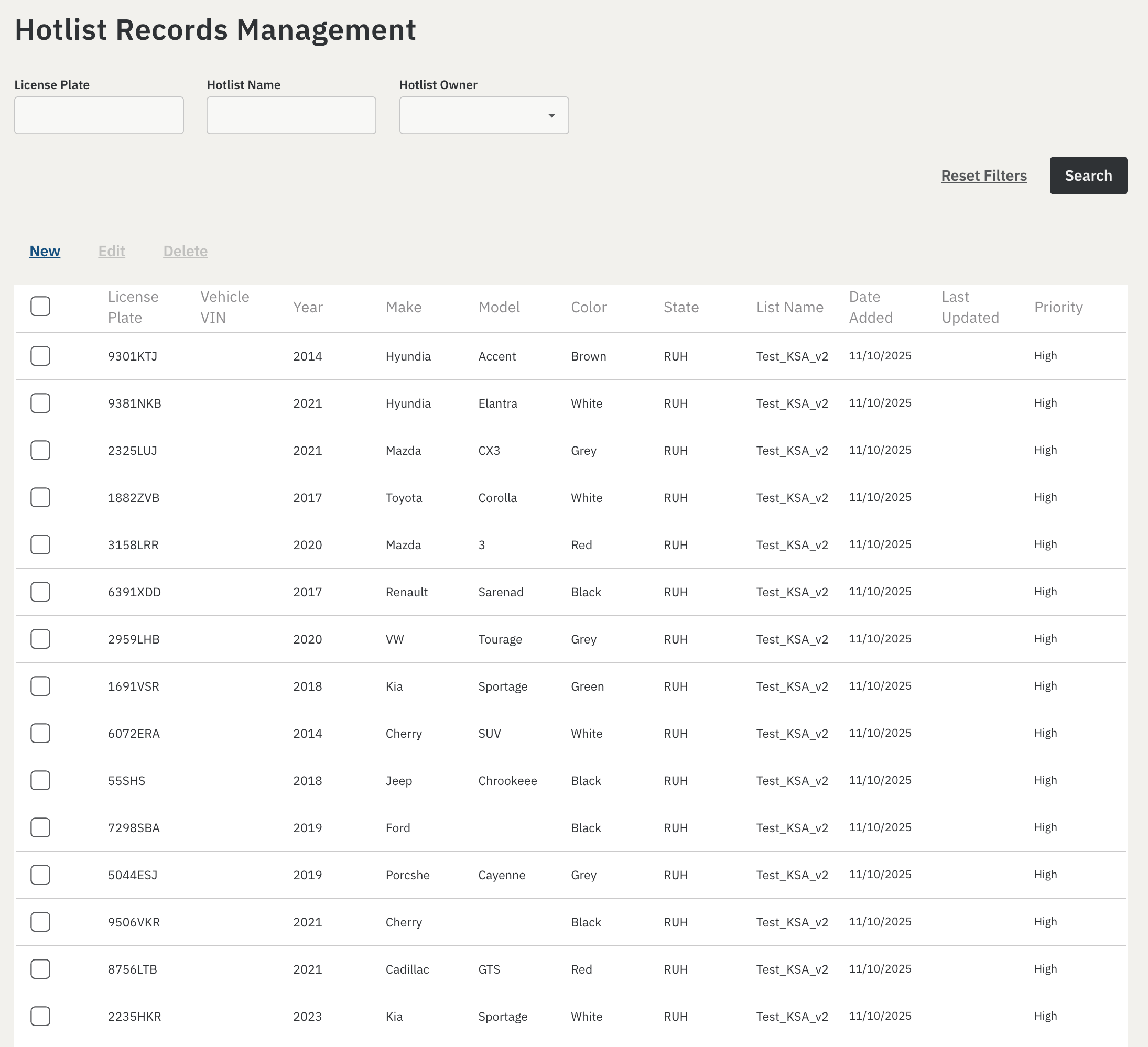
Fleet Search for Reads and Hits
Read and Hit Record
Security, Platform and Dependency Updates
Axon Evidence Local 6.0 includes a set of platform and dependency upgrades designed to strengthen security, improve stability, and modernize the runtime environment.
What’s new
This release includes the following updates:
- .NET 10 (from 8.x), helping prepare for future platform support requirements ahead of .NET 8 end of support. The required runtime is bundled with the installer as a prerequisite.
- RabbitMQ 4.2.4 (from 3.12.2), including fixes for OpenSSL-related vulnerabilities. This version is bundled with the installer.
- Newtonsoft.Json 13.0.4, addressing a high-severity vulnerability present in older versions.
- Avalonia 11.3.9 and an updated SkiaSharp, resolving known vulnerabilities in the Server Manager UI stack.
- For Respond customers, a strong recommendation to run Kurento 7.0 and coturn 4.6 on Ubuntu 22.x or later for improved stability. These components are not bundled with Axon Evidence Local.
These updates are largely transparent to end users, but deployment may require coordination with internal server maintenance, operating system patching policies, and change management processes.
Device Firmware Update
With this release we updated device firmware shipped with Axon Evidence Local Server Manager but take note, AB3 firmware version 1.25.31 (April 2023) is not compatible with this release due to a known regression in camera auth token handling.
⚠️ Important Note: AB3 Devices must be upgraded to a supported firmware (for example 1.34.45+ or 1.2504.1) before upgrading Axon Evidence Local, otherwise cameras may lose authentication and can take up to 7 days to recover.
Dependency / Compatibility Overview
Devices Firmware
| Devices | Supported FW Version |
|---|---|
| AB2 / Flex2 | 1.28 |
| AB3 | 1.34.45 1.35.58 1.2504.1 For SSR: min. 1.2607.11 |
| AB4 | 1.2522.26 1.2528.39 1.2534.39 For SSR: min. 1.2607.40 |
| AB 2 / Flex 2 / TASER Dock | 3.22 |
| Flex 2 Controller | 0.7.3 |
| Fleet 3 | 2.2529.4025 For SSR: min. 2.2612.4638 |
| TASER 7 | 2.0.6 |
| TASER 10 | 2.7.13 (live) 1.5.39 (inert) |
| TASER Dock Charger | 2.7.13 |
| TASER BLE Bundle | 1.4.2 |
| Signal Senor | 1.2611.0 |
Applications
| Application | Supported App Version |
|---|---|
| Axon Device Manager iOS | 3.3.1 For SSR: min. v3.2613.0 |
| Axon Device Manager Android | 3.2 |
| Axon View iOS | 6.8 |
| Axon View Android | 6.7.0 |
| Axon Capture iOS | 5.17.1 |
| Axon Capture Android | 5.18.1 |
| Axon Device Checkout iOS | 2.1.0 |
| Axon Device Checkout Android | 1.2.1 |
| Axon Fleet 3 Dashboard (Win) | 1.2.7446 |
| Axon ViewXL | 1.32.4 1.33.1 |
| Axon Interview | 4.16.4.7 |
| Axon Evidence Upload XT | 2.14.1 |
Other dependencies
- Evidence Local Server: Microsoft Windows Server 2019, 2022, 2025
- Evidence Local Web Client: Firefox, Chrome, Edge
- Database: Microsoft SQL Server 2019, 2022
- Upgradable from Evidence Local version: >= v4.36


