January 2025
These release notes describe all user-facing changes that will be included in the next Axon Records and Standards releases, along with advance notice of major upcoming features, updates, and applications.
There is one release scheduled for January:
- January 22, 2025
Releases begin rolling out at 11 AM Pacific time and may continue through the following day. We do not expect any downtime during these updates. Please note that availability is subject to change. Depending on the complexity and amount of items included in a release, some items in these notes may not be available until two days after the release.
Additional help documentation for Axon Records and Standards is located at axon.com/help. Do you have feedback about Axon's release notes? Submit it here.
Download this month's release notesRecords preview release
This section includes information about upcoming features and updates that are available for testing in training environments. These are beta features, and all functionality may not be fully present or completely reliable.
Property Management
The following feature will be available on January 22, 2025. Contact your Axon representative to have it activated in your organization's training environment.
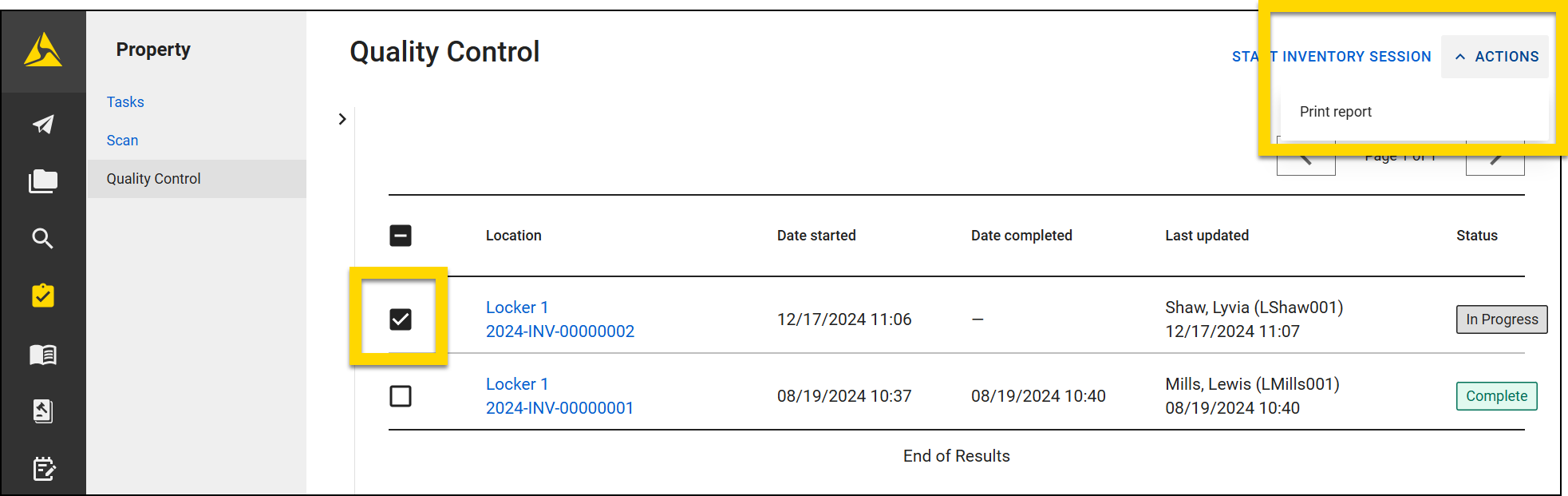
- You can now print the results of property inventory session by selecting the checkbox beside one or more inventory sessions from the list on the Quality Control page and selecting Actions > Print report.
In the printout, property items are divided into two sections:
- List of all items either Confirmed in the location or and To Be Inventoried
- Session history, including which items were marked as misplaced or UTL, and when the session was started and finished.
Warrants
The following feature will be available on January 22, 2025. Contact your Axon representative to have it activated in your organization's training environment.
- A new warrants service assignment feature allows supervisors to assign warrants as ‘tasks’ to their officers.
- Officers can keep track of the warrants assigned to them for service in their My Tasks inbox. Once the warrant is served, officers can clear the assignment task from their My Tasks inbox and update the status or log an activity on the warrant.
Administrator Console
The following feature will be available on January 22, 2025. Contact your Axon representative to have it activated in your organization's training environment.
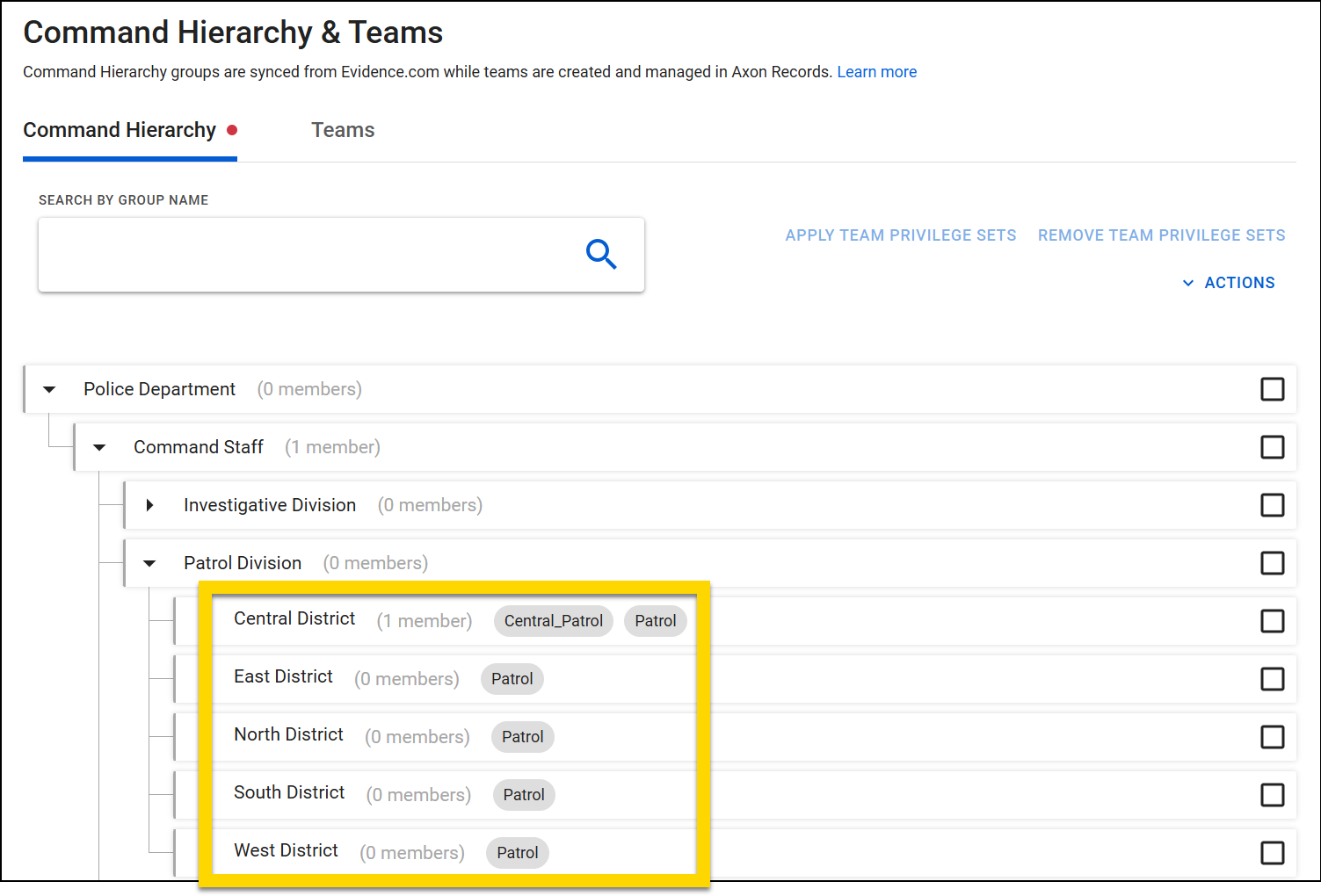
- You can now manage privileges for your Command Hierarchy Groups by using Privilege Sets.
- A privilege set is a set of multiple privileges that can be applied to a Command Hierarchy Group. All users who belong to that Group are given the privileges in the privilege set.
- For more information, see MyAxon.
Records general release
This section includes information about upcoming features and updates that are available in all production environments.
Draft One
The following updates will be applied to the production environments of all organizations on January 22, 2025.
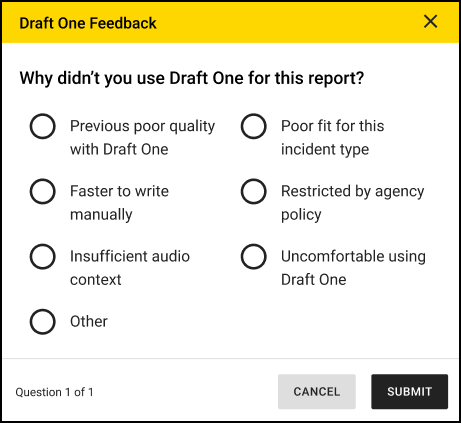
- A new survey will appear after you submit a report that contains a narrative where Draft One was NOT used.
Case Management
The following features will be available for all organizations to use in their production environments on January 22, 2025.
- You can now use the following filters on all tabs in the NIBRS Disposition Review inbox:
- Assignee
- Date First Submitted
- Date of Incident
- Incident ID
- Offenses
- Now, when preparing cases for sharing, you can select a Full Incident Report option to generate a PDF of the latest version of the incident report (including all supplements).
- Note: only cases can be shared; incidents that have not been turned into a case cannot be shared.
Property Management
The following features will be available for all organizations to use in their production environments on January 22, 2025. Contact your Axon representative to have them activated for your organization.
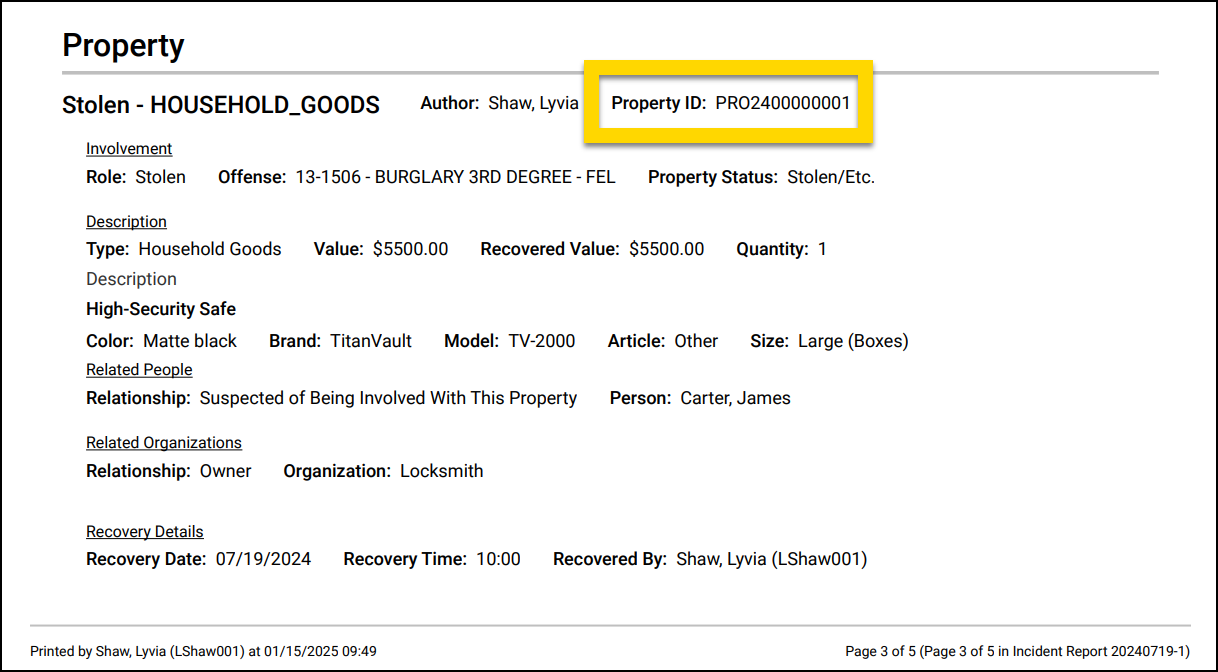
- Now, when reports that contain property items are printed, the Property ID is printed for each item.
- You can now track who the Responsible Officer is for a property item. A Responsible Officer receives email notifications when the retention period for an item is close to expiring. They can then update the retention period as needed.
- When an item is submitted to the Property department, the user who submits the property item is assigned as the Responsible officer.
- If the incident is turned into a case, the Responsible Officer is re-assigned to the case’s Lead Detective. If the case is ever transferred or reassigned, the Responsible Officer is updated accordingly.
- See MyAxon for more information.
The following update will be applied to the production environments of all organizations on January 22, 2025.
- Now, if your organization uses both the responsible officer feature, as well as the authorized disposition feature, the only user who can update a property item’s authorized disposition is the user who is assigned as that item’s responsible officer.
- The following privilege in the Administrator Console can be given to users to allow them to update authorized dispositions of ALL property items, regardless of whether or not they are assigned as the item’s responsible officer: Property - Authorized Disposition - Update the authorized disposition for property items.
Form Builder
The following updates will be applied to the production environments of all organizations on January 22, 2025.
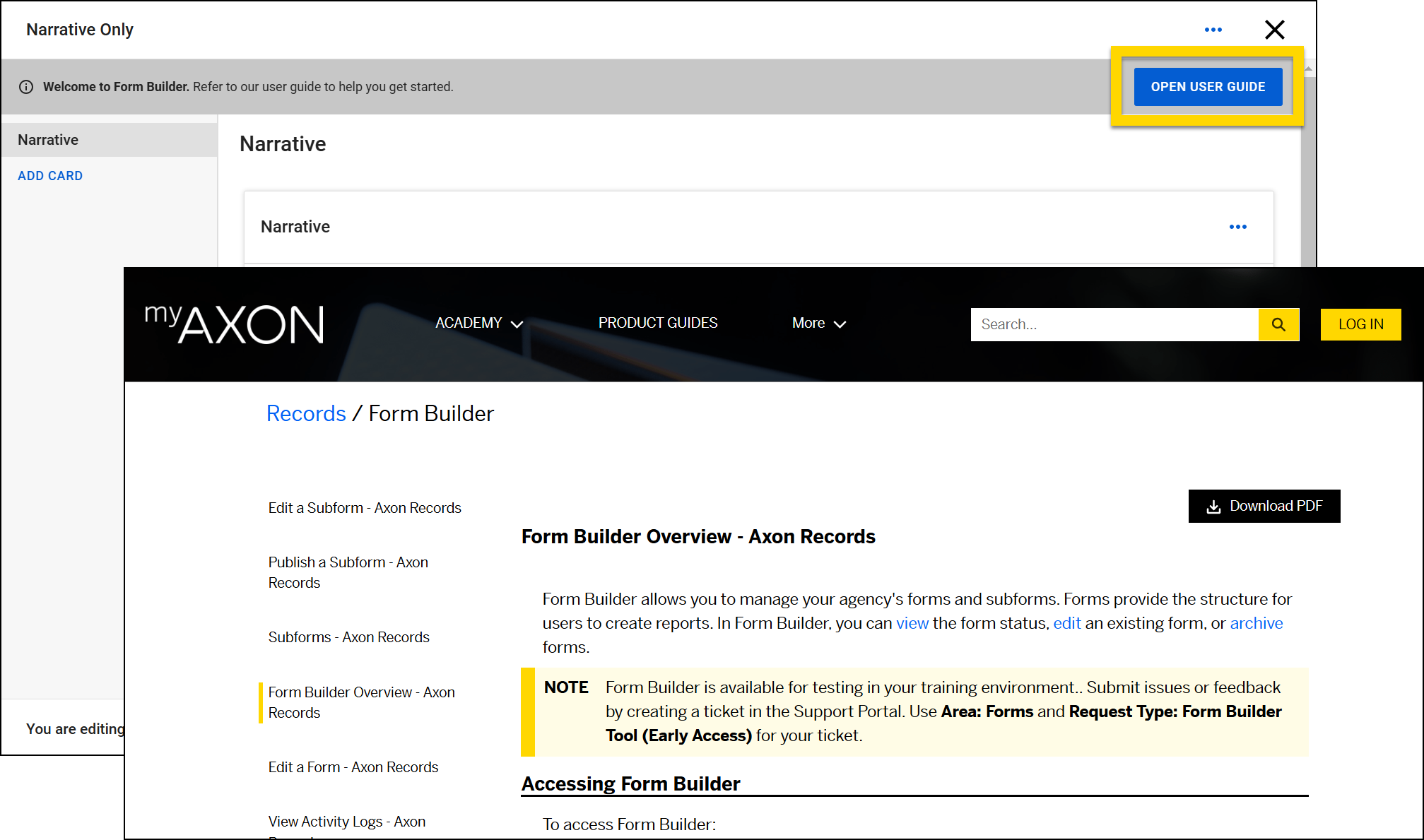
- You can now access the Form Builder User Guide from within Form Builder. While editing a form, select Open User Guide to open the MyAxon help content in a new browser tab.
Records resolved issues
This section includes information about upcoming bug fixes and resolved issues that will be released to all production environments.
Search
The following issue will be resolved on January 22, 2025:
- Previously, when using the NIBRS Offense Category filter in Incidents Search and selecting Other, no search results appeared. This issue has been resolved, and this filter functions as expected.
NIBRS
This section includes information about upcoming updates and bug fixes for NIBRS validation rules, errors, and submissions.
All Agencies
The following update will be applied to the production environments of all agencies on January 22, 2025:
- You can now request to activate an "Acting in Concert" rule. This rule requires that all offenders must be linked to each NIBRS offense on an incident report to meet the Acting in Concert requirement for NIBRS compliance.
- A validation message appears to users if this rule is enabled: "Not all offenders are connected to each offense. If one or more of the offenders did not act in concert with the listed offenses, additional incident reports should be created to separate out the offenses and offenders. If the offender/arrestee committed or assisted in the commission of all the crimes in this incident, each offense must be associated in the Involvement section above."
- To activate this rule at your agency, contact Axon Customer Support or your agency’s NIBRS Specialist.
Colorado Agencies
The following update will be applied to the production environments of all agencies on January 22, 2025:
- Previously, on Rape - Strong Arm offenses (NCIC 1103), users were allowed to select any Weapon/Force Type value. Users will now be restricted to only choosing Personal Weapons (40), Other (90), and Unknown (95).
Ohio Agencies
The following update will be applied to the production environments of all agencies on January 22, 2025:
- Ohio Implied Edits for 2903.21, 2903.211, and 2903.22 have been fixed to include Intimidation (13C) offenses.
- Users are now required to complete the Criminal Activity/Gang Involvement field when a 2919.22 (Endangering Children) offense is added to an incident report.
- Previously, offenses classified under 90A (Bad Checks) didn’t require the offender to be associated with the 90A offense. Users will now be required to add an associated offender or arrestee for these offense types.
- This update resolves a problem with the JSON submission file, which previously failed to accurately submit duplicate offenses of 2913.02 and 2905.32 to the State of Ohio. Now, the JSON submission file will correctly include the NIBRS UCR Code when multiple Ohio Revised Codes are present on the same incident report.
Standards preview release
This section includes information about upcoming features and updates that are available for testing in training environments. These are beta features, and all functionality may not be fully present or completely reliable.
Form Builder
The following feature will be available on January 22, 2025. Contact your Axon representative to have it activated in your organization's training environment.
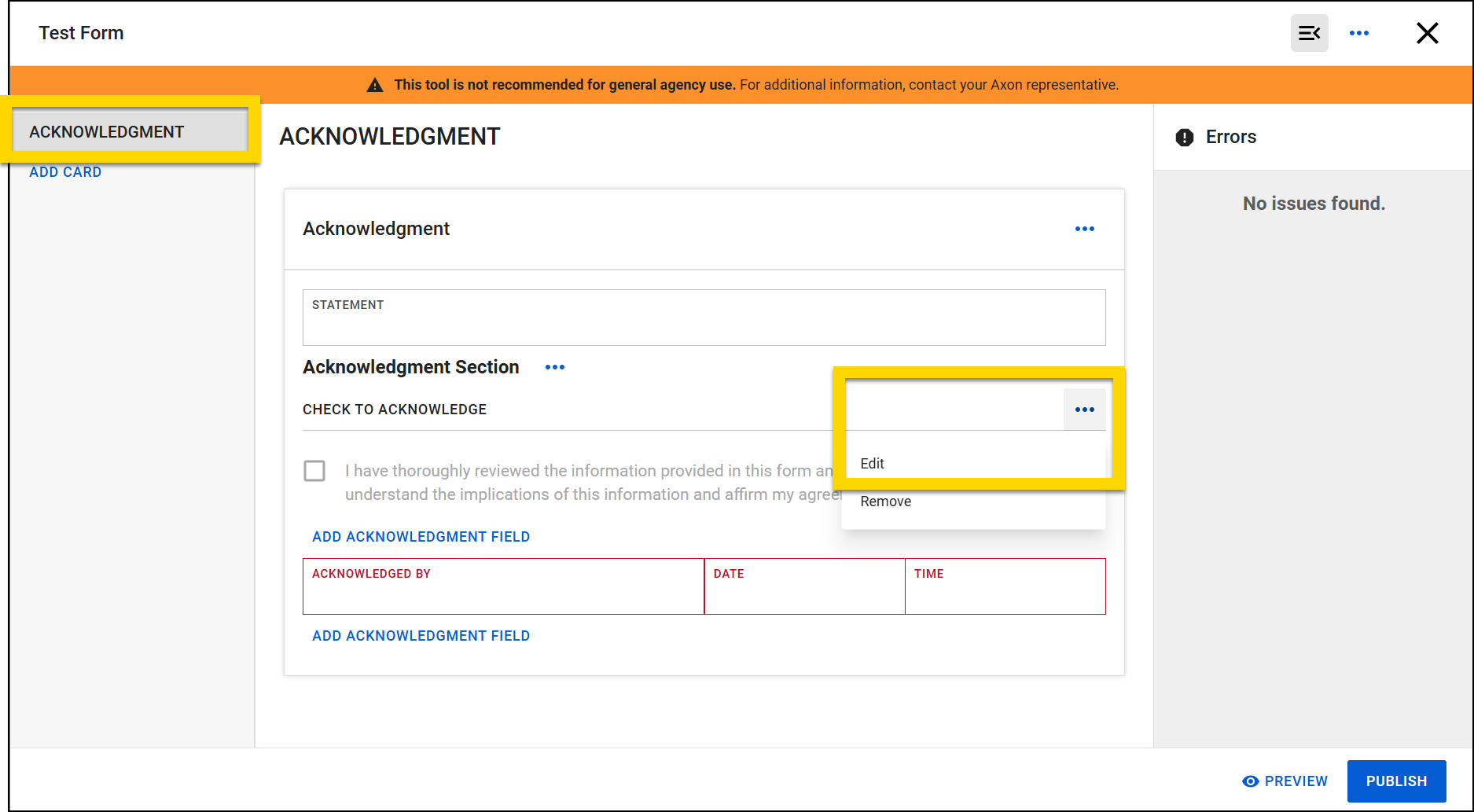
- You can now add an Acknowledgement section to a form in Form Builder.
- When this section is added to a form, users who complete that type of report can digitally acknowledge their completion of the report.
- When inserting an Acknowledgement section into a form, the default language can be customized as required for your organization.
Administrator Console
The following feature will be available on January 22, 2025. Contact your Axon representative to have it activated in your organization's training environment.
- You can now manage privileges for your Command Hierarchy Groups by using Privilege Sets.
- A privilege set is a set of multiple privileges that can be applied to a Command Hierarchy Group. All users who belong to that Group are given the privileges in the privilege set.
- For more information, see MyAxon.
Standards general release
This section includes information about upcoming features and updates that are available in all production environments.
Draft One
The following updates will be applied to the production environments of all organizations on January 22, 2025.
- A new survey will appear after you submit a report that contains a narrative where Draft One was NOT used.
Form Builder
The following update will be applied to the production environments of all organizations on January 22, 2025.
- You can now access the Form Builder User Guide from within Form Builder. While editing a form, select Open User Guide to open the MyAxon help content in a new browser tab.


