Maintenance and repair tracker
It's important to monitor your fleet of energy weapons and perform timely maintenance and repair to minimize the risk of weapon failure and save you time. Tracking maintenance on paper or in a separate spreadsheet can be lost and is hard to audit.
Track maintenance and wear
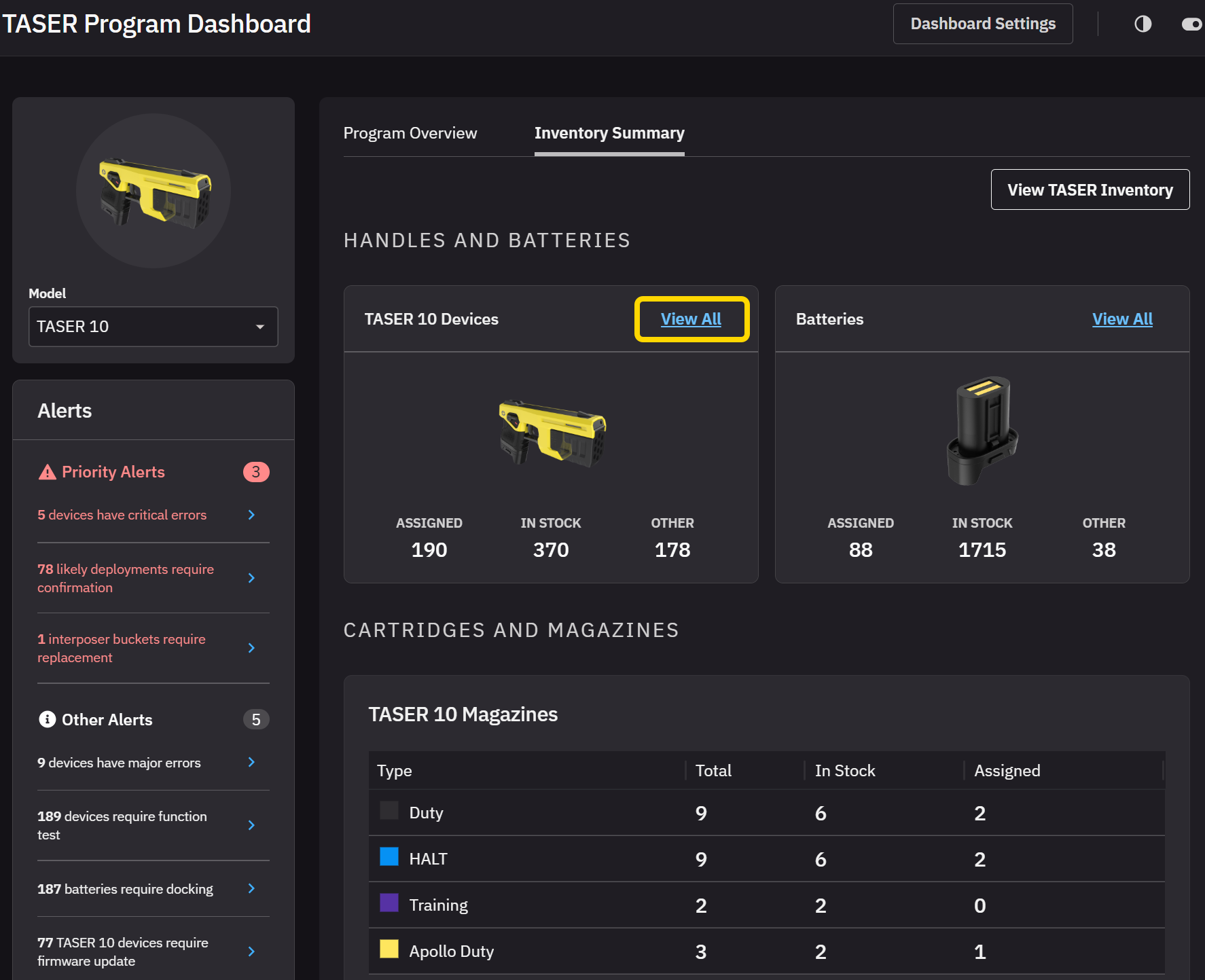
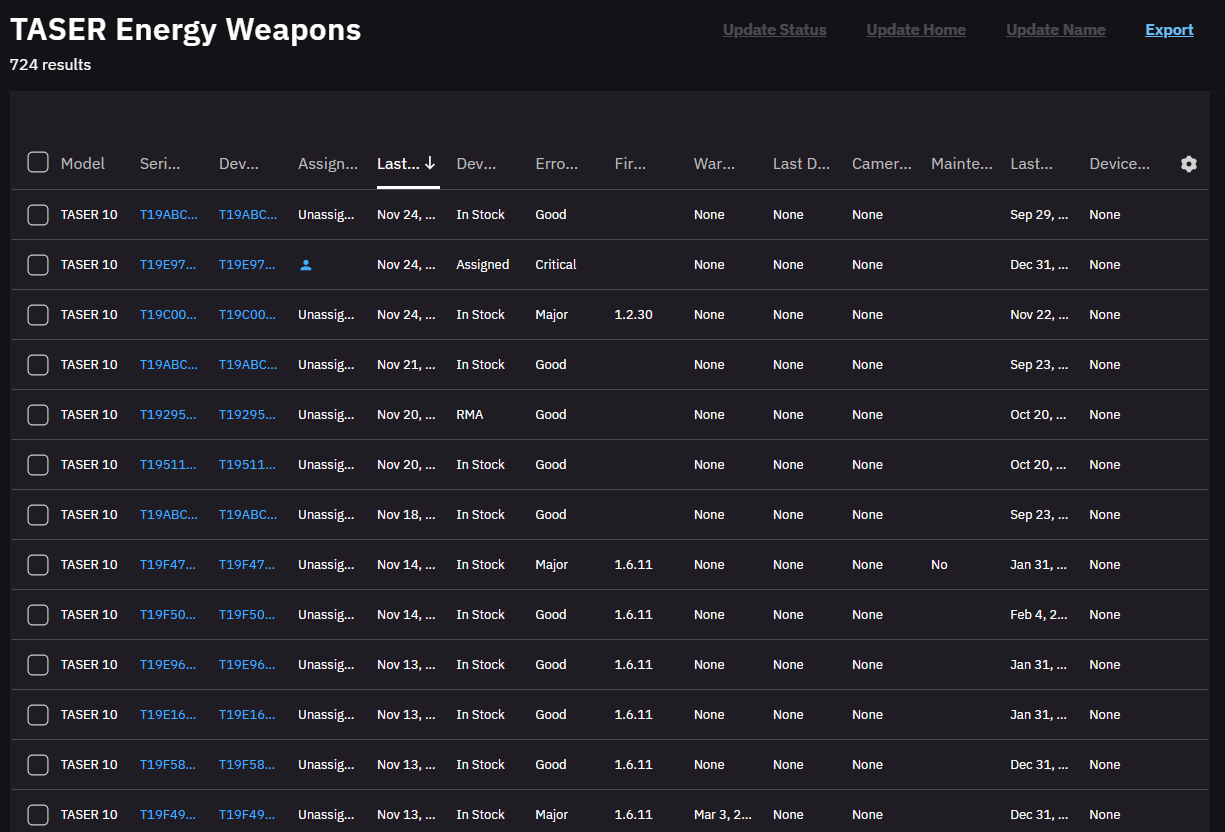
In Evidence, select the TASER tab, then Program Dashboard, then Inventory Summary. Click View All beside TASER 10 Devices to see all devices past due for maintenance.
Perform and record maintenance
When maintenance is required, your typical workflow will resemble this:
- Retrieve the device.
- Unassign the weapon from any user or change the inventory Status from Assigned to something else, like In Review. Inventory search and the device profile page continue to note the need for maintenance until maintenance is logged.
- Perform the required maintenance.
- On the device's profile page, select Log Maintenance and record the work performed. This cancels the warning for the device on the Dashboard and resets the relevant maintenance schedules:
- Fields in the State section show when maintenance is due.
- Some warnings, like cleaning of contacts, is always visible, while others only appear when past due.
- Reassign the device if necessary.
- Return the device to the assignee.
The maintenance event is also logged in the device audit trail and user audit trail of the person recording the maintenance to support troubleshooting and accountability.


