Deployment tracker
This feature is only available to TASER 10 energy weapon users in the TASER Research Evaluation & Data Program (TREND) program and is not currently available to those that use Standards for Use of Force reporting.
The TREND Deployment Tracker streamlines report creation by automatically detecting potential TASER energy weapon deployments using device log signals. It identifies possible incidents, notifies key stakeholders, attaches relevant logs, pre-fills form fields, tracks pending TREND form submissions, and allows users to view associated body-worn camera evidence for added context. Program administrators can also review and verify deployments for accuracy.
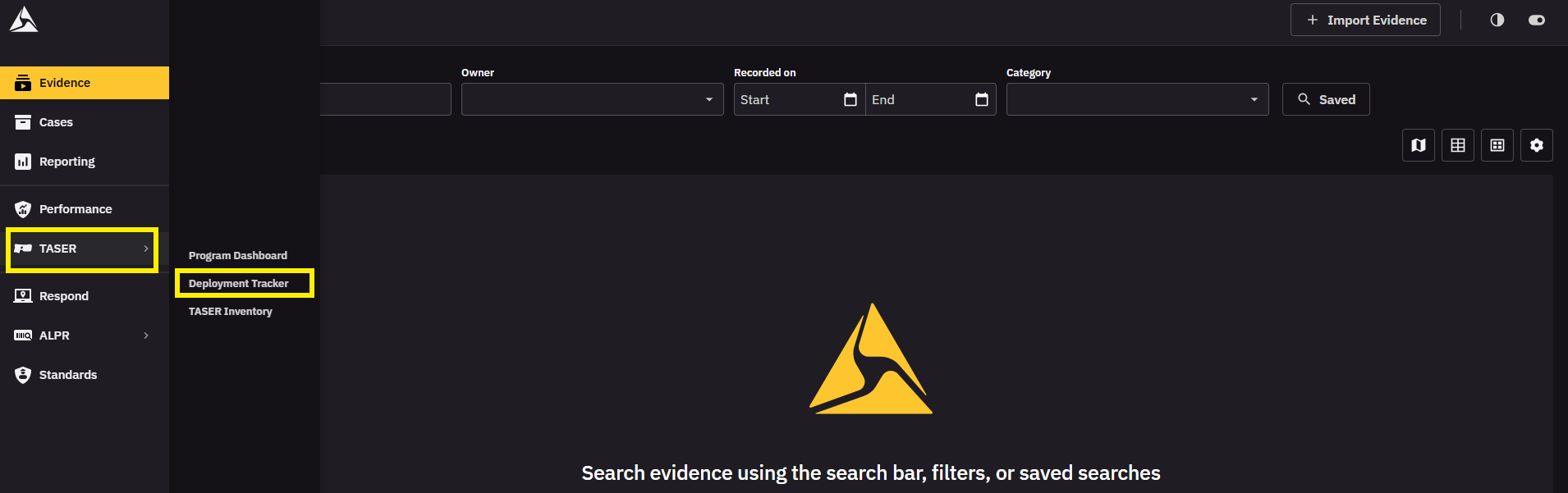
Alerts for possible deployments can be found in the Warnings section of the TASER Program Dashboard. On the menu bar, click TASER to get to the dashboard.
Open deployment tracker
- On the menu bar, select TASER.
-
Click Deployment Tracker.
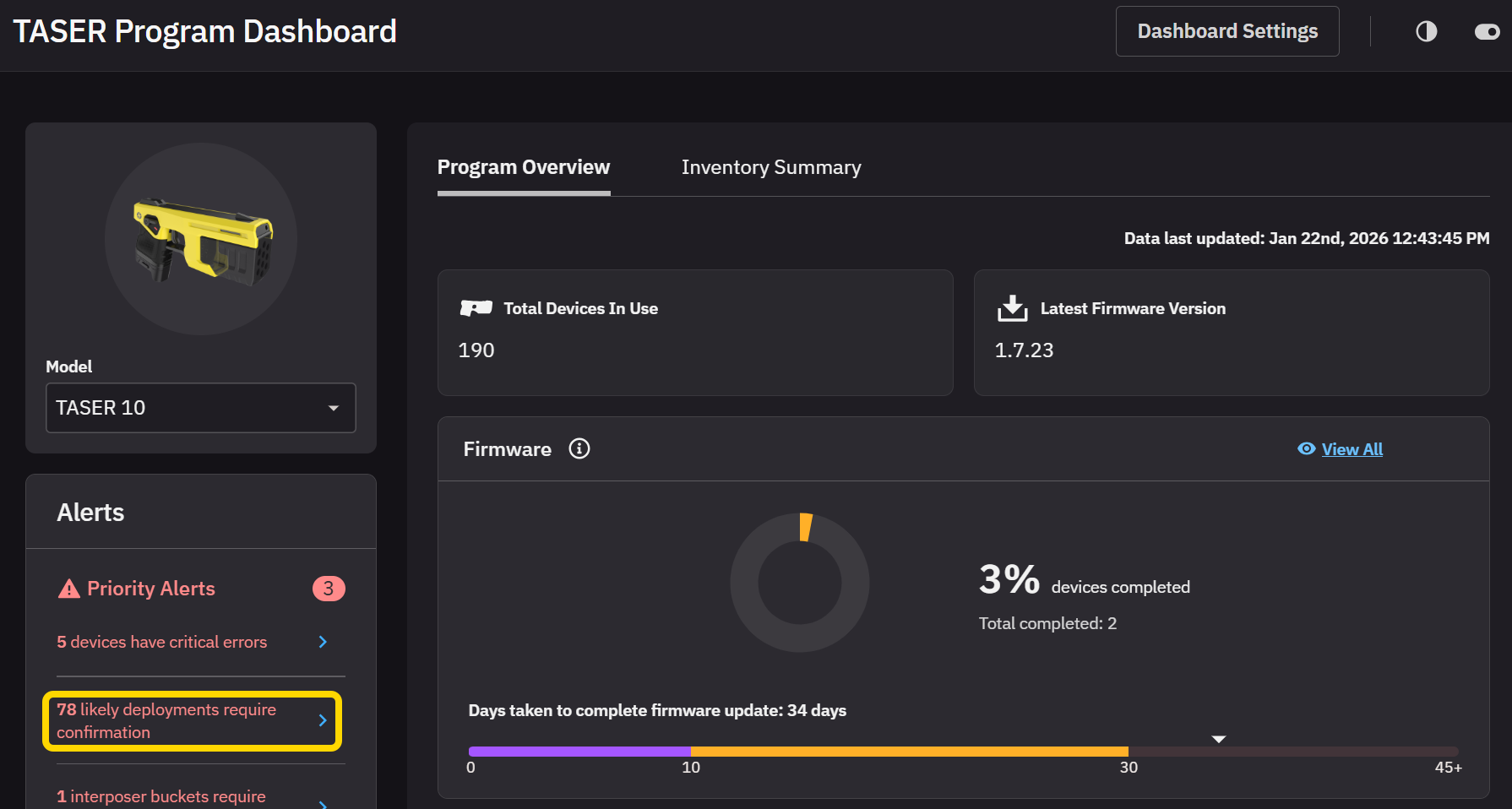
Alternatively, if you have any likely deployments awaiting approval, you can get to them by clicking the associated warning on the TASER Program Dashboard.
Confirm a deployment
- Open Deployment Tracker.
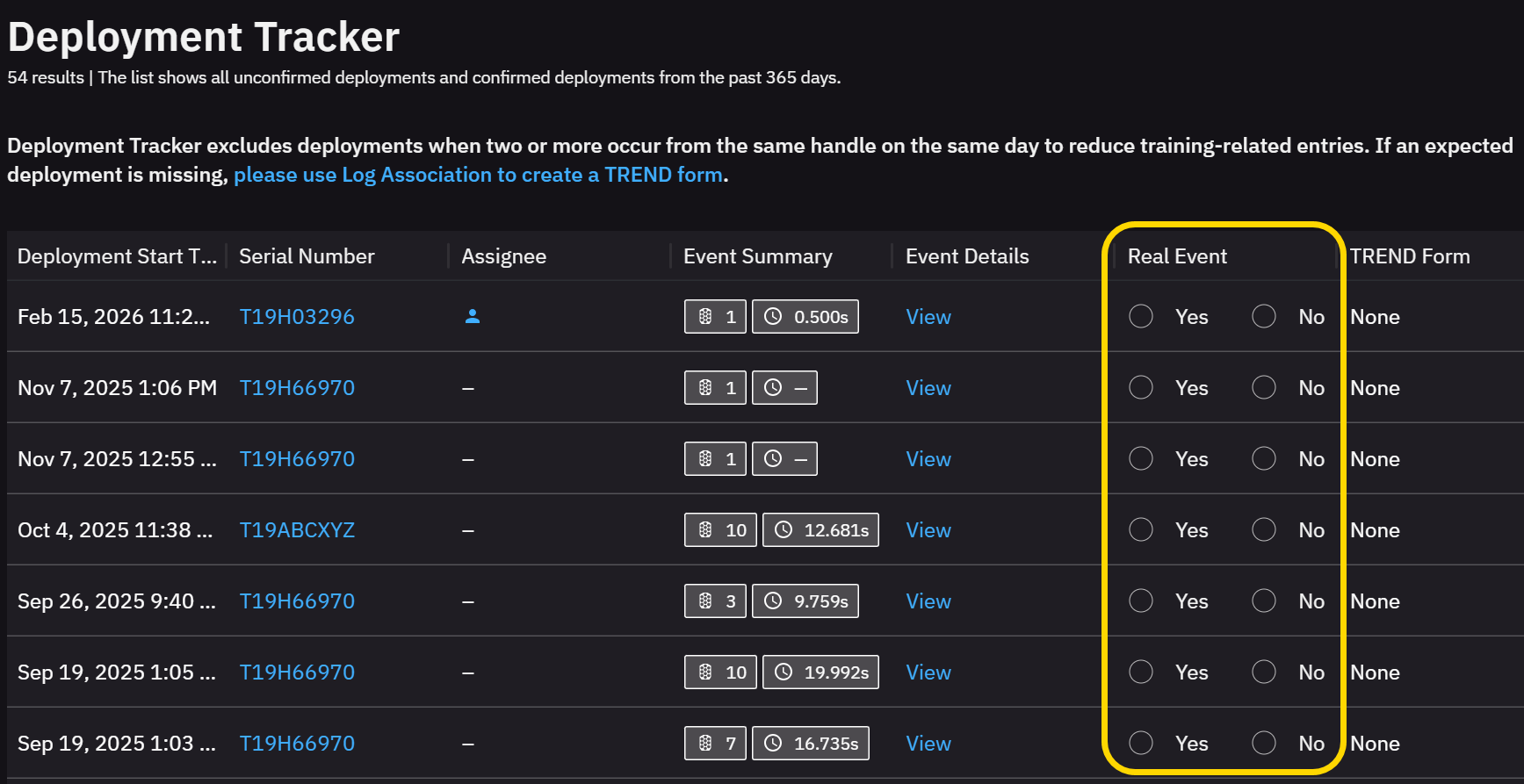
- Under the Real Event column, select Yes or No to verify whether an actual deployment happened.
 Note
NoteYou can view the log for each deployment in the Event Details column.
- Click Confirm at the bottom of the page. This will create a TREND report and fill parts of it based on TASER logs.
See body-worn camera (BWC) video evidence associated with a deployment
- Open Deployment Tracker.
- Click View under Event Details next to the deployment. If there is associated BWC evidence, it will appear here.


