Sending docking reminder emails
TASER energy weapon administrators, armorers, and trainers can send bulk email notifications to officers who haven’t docked their TASER energy weapon in over 30 days. This allows agencies to address non-compliance more efficiently without requiring direct outreach.
To send automated reminder emails:
-
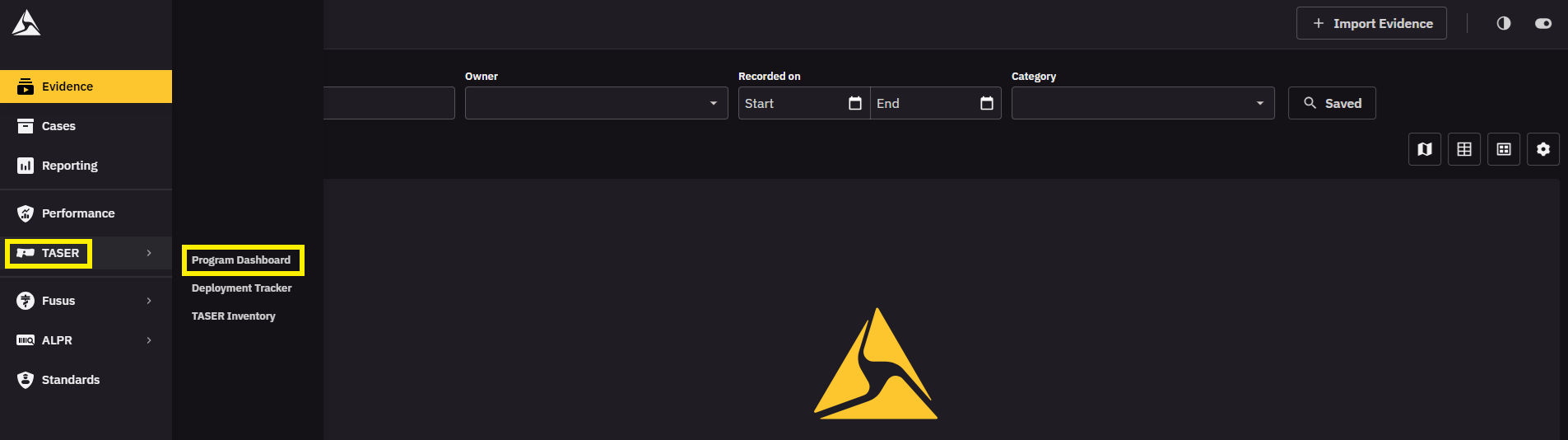
In Evidence, click TASER.
-
Select Program Dashboard.
-
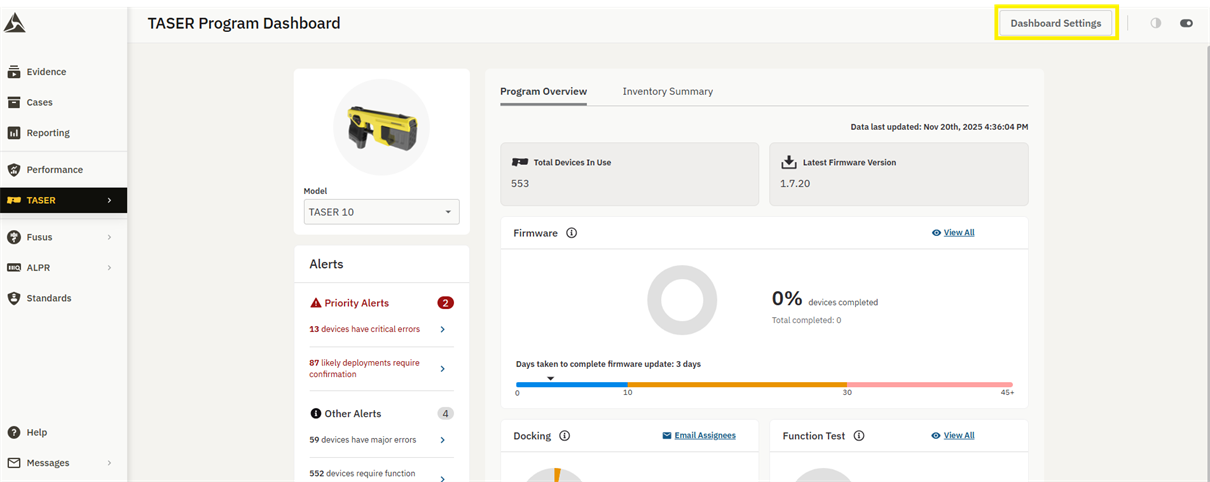
Click Dashboard Settings.
-
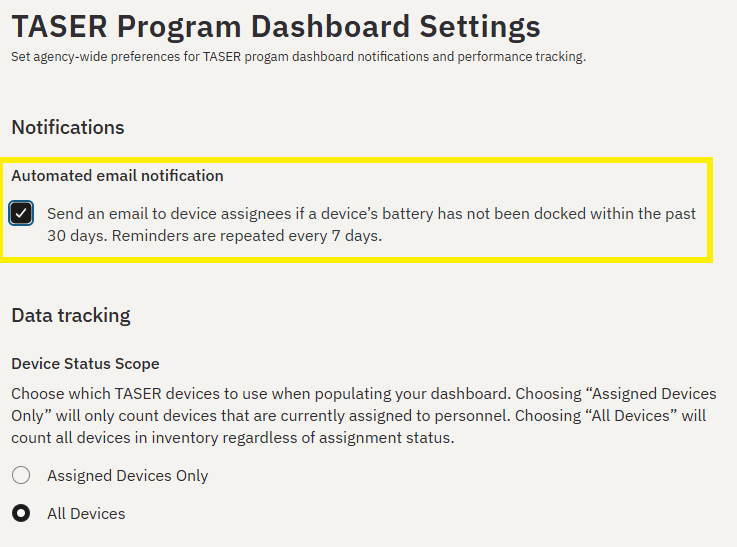
Check the Automated email notification setting.
To send manual reminder emails:
-
In Evidence, click TASER.
-
Select Program Dashboard.
-
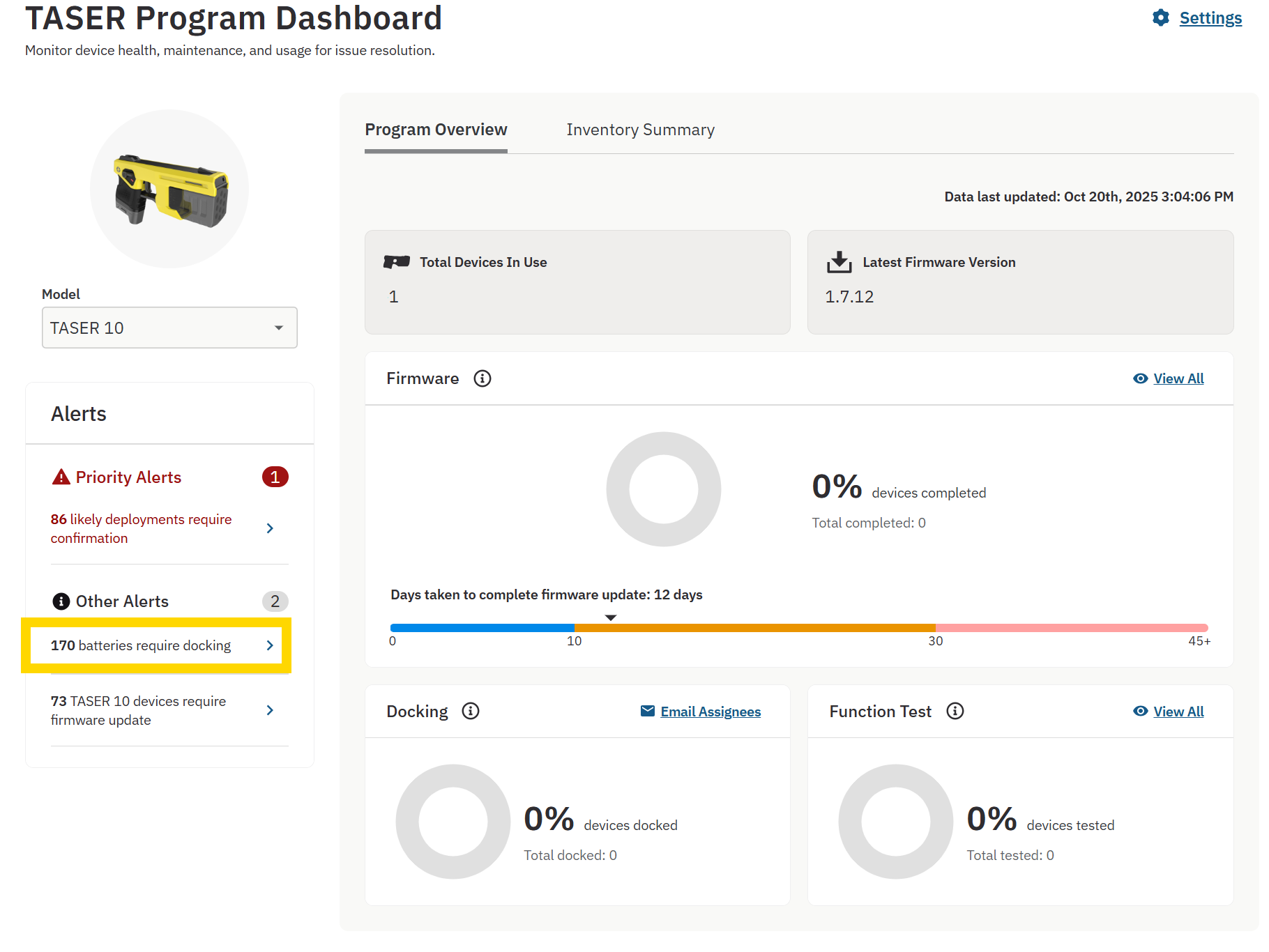
Under Other Alerts, find and click # Batteries require docking.
-
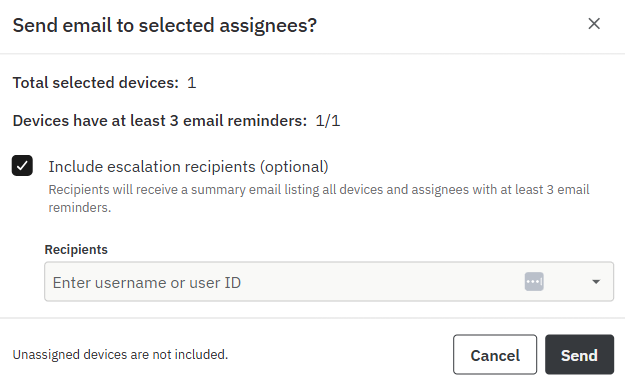
Select specific TASER assignees to email, or email all using the Email All Assignees button.
-
Click Send.
Emails that fail to send display warnings and can be resent.


