Device logs
A TASER 10 weapon captures various pieces of information and compiles the data into device logs. The data from the logs are uploaded securely to Axon Evidence, where it is encrypted, stored securely, and organized into features to help you monitor and investigate agency-wide weapon usage and system health. To access device logs, select Device Log on a device's profile page.
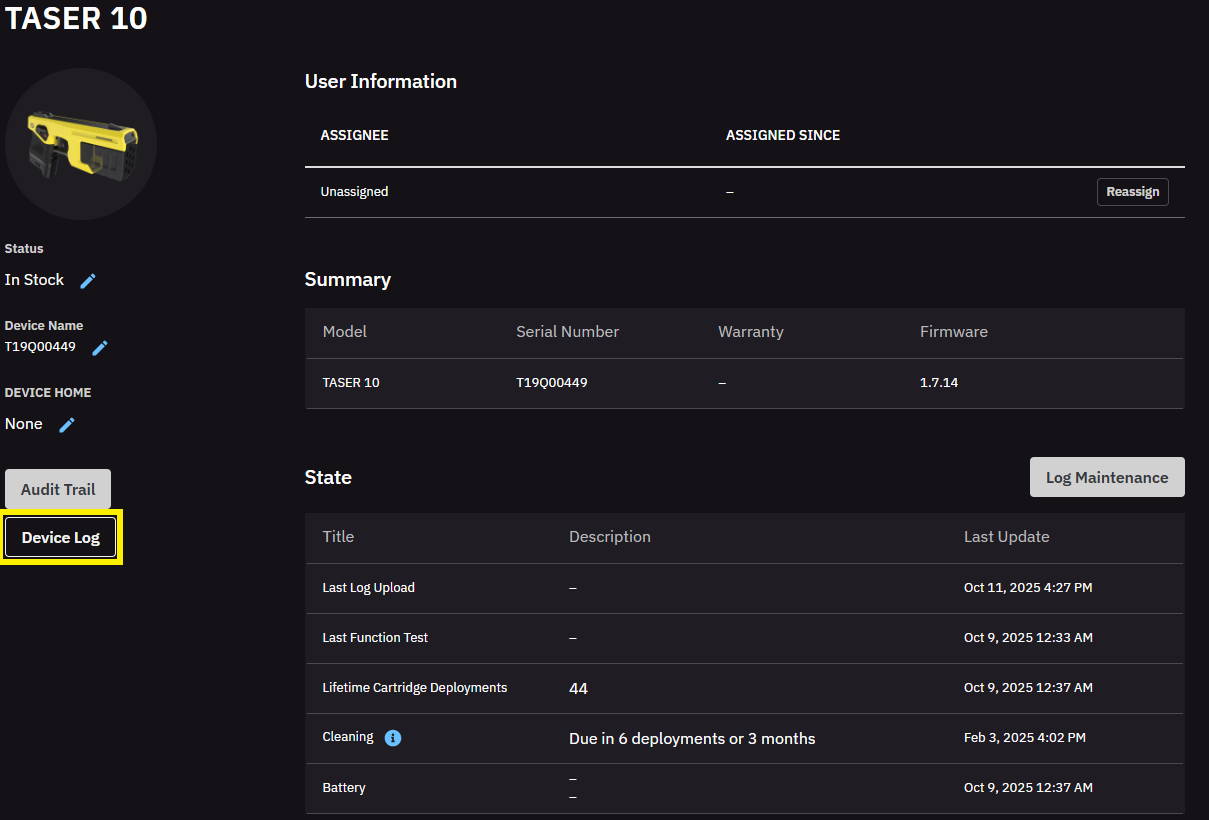
The logs provide agencies with a powerful management tool to track usage patterns and help prevent misuse. Activities are grouped by events. Each entry has a time-stamp in Coordinated Universal Time (UTC), which Axon Evidence converts to your local time.
Events
The TASER 10 weapon records five types of events:
- Unholster – The weapon is unholstered in an unarmed state.
- Holster – The weapon is holstered in an unarmed state.
- Battery insertion – A new battery is inserted into the weapon.
- Test – The weapon is placed into test mode.
- Arm – The weapon is placed in the ARMED state.
This log shows events for Arm, Test, Unholster, and Battery Insertion.
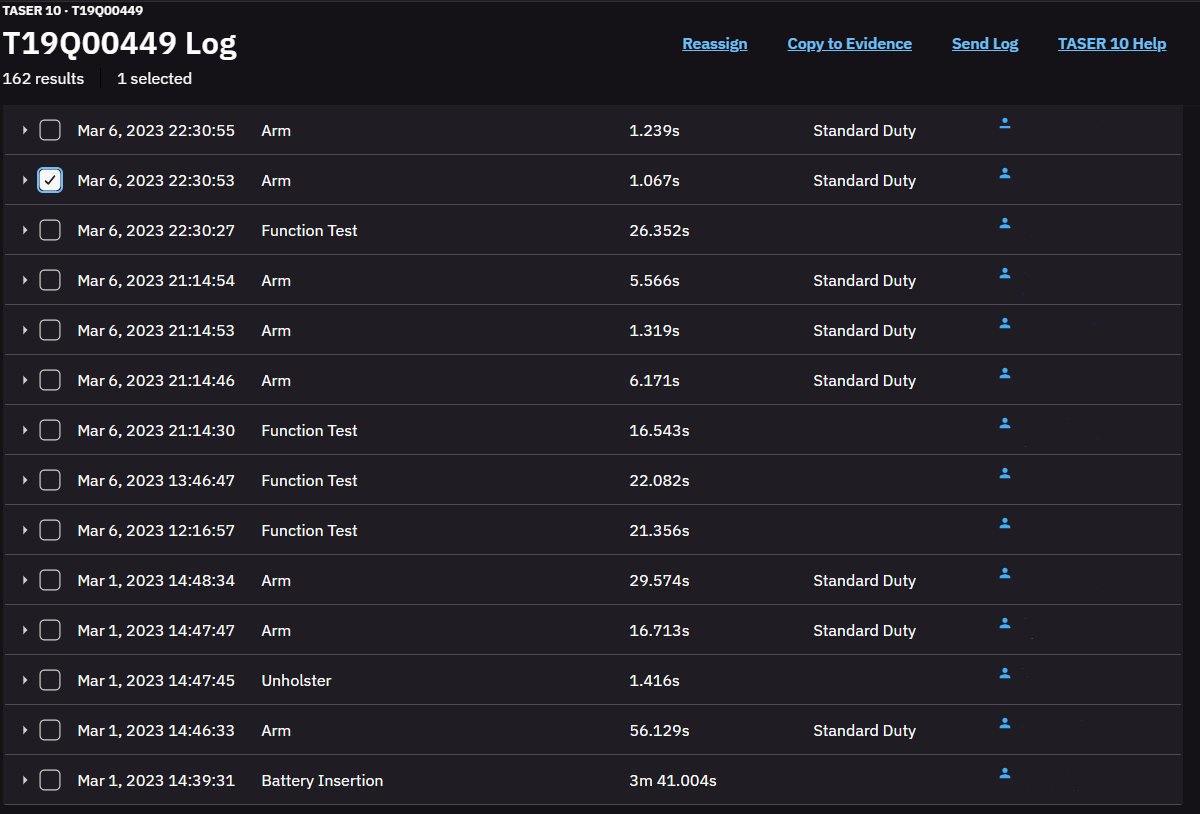
By selecting the checkbox to the left of an event, the data for the event can be expanded. To reassign evidence to a different user, copy to evidence, or sent to Axon for troubleshooting assistance, select the check box(s) and select the command at the top right of the event log.
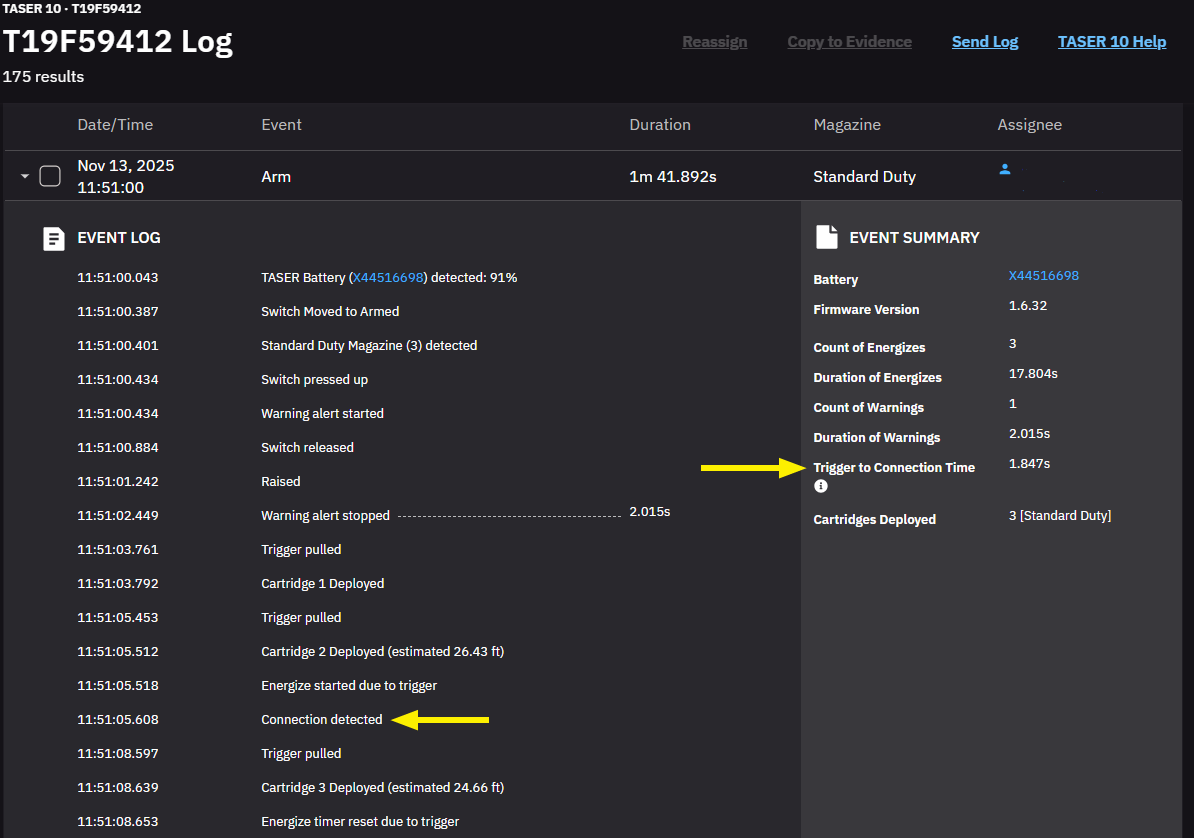
Expand any event to view more details by selecting Expand q. A summary of the most commonly needed information appears on the right side while the left breaks down the event in detail.
Trigger to connection time, which stems from a Connection detected event, is often of special interest for training. This is the time between first trigger pull and first usable connection.
If you have a critical event involving injury, death, or weapon malfunction and you need assistance from Axon, you can share TASER logs using the Send Log button on the page. After sending the logs, please contact your Axon Representative or submit a Critical Event Assistance request.


