TREND Analytics in Standards
If your organization uses TREND in Axon Evidence, see TREND Analytics in Axon Evidence.
TREND in Standards offers insights into TASER energy weapon program outcomes, including executive summaries, incident and probe analysis, de-escalation use, and benchmarking against national averages. You can export any combination of reports to CSV, PDF, or PPTX.
TREND in Standards supports TASER 7 and TASER 10 energy weapons.
Opening TREND analytics
-
Sign in to Axon Evidence.
-
In the side navigation, click Standards or Trend.
-
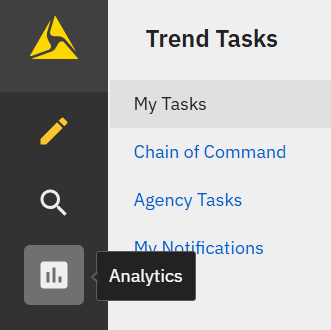
Click the Analytics icon.
Report types
-
Executive Summary: Shows outcome statistics for your TASER energy weapon program for the last 90 days, the last 12 months, and the same 90-day period a year earlier. If your organization uses both TASER 7 and TASER 10 energy weapons, you can filter the results by model.
-
Timeline: Visualizes the number of deployments and average effectiveness over time.
-
Incident Response: Provides data on TASER energy weapon effectiveness according to different fields from the TASER Data Science Report such as distance, location type, lighting, officer, or subject details.
-
Probe Performance: Gives information about how probes are performing across all deployments, including average probes deployed and average hit rates.
-
Incident Audit: Shows how factors such as multiple officers on scene, de-escalation techniques, or dark lighting affect incident effectiveness.
-
Probe Audit: Visualizes probe placement on a body diagram to indicate successful deployments.
-
De-escalation: Shows use of TASER energy weapon de-escalation features or other de-escalation tactics.
-
Benchmark: Shows how your TASER energy weapon program compares to the national average across several benchmark areas, such as average probes deployed and probe connection rate. The national average is based on data from organizations that use TREND and share their data with Axon. It doesn't include data from organizations that keep their TREND data confidential.
-
Activity Log: Available only to supervisors and Axon Evidence administrators. Lists all TREND activity, such as reports created, exported, or approved, whether the activity was generated by the system or by a user.
Exporting reports
-
On the Analytics page, select Actions > Export Dashboard.

-
Select the reports to export.
-
Select the export format.
-
Click Export Dashboard.


