Performing a function test
Axon Enterprise, Inc. recommends conducting a function test prior to the start of your shift. The function test is done to verify the energy weapon’s core electronics are working properly.
A TASER 7 energy weapon can be function tested with the cartridges loaded. In fact, it is recommended you perform the test with cartridges installed to reduce stress on the energy weapon’s components.
To perform a function test:
- Point the energy weapon in a safe direction.
- With the safety in the down (SAFE) position, press and release both Arc switches simultaneously.
Keep your fingers away from the front of the energy weapon.
The CID will display the firmware version and the battery percentage.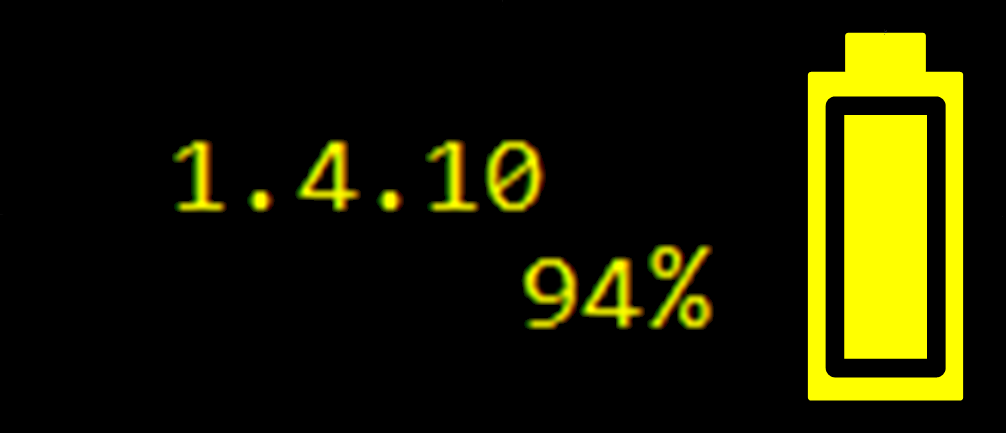
- Shift the safety switch to the up (ARMED) position.
The energy weapon is now in Function Test mode. The colors on the CID will be reversed as shown below—the battery and loaded cartridge icons are black, and the background is yellow.
- Press either Arc switch or both Arc switches. The energy weapon will arc for five seconds.
Use the Arc switch, not the trigger, to perform a spark test. Depending on your agency’s settings, if you press the trigger in Function Test mode, the energy weapon may return to weapons mode and deploy a cartridge. - View the arc from the top or side of the energy weapon.
Do not point the energy weapon at your face or have it near your face.- Verify electricity is arcing across the electrodes on both sides of the firing bay.
- After the 5-second cycle is over, look at the CID and verify:
- There are no fault icons.
- There are two cartridges present.
- There is adequate battery capacity.
- Shift the safety switch to the down (SAFE) position.
- If any of the above verifications fail, return the unit to your agency’s energy weapon administrator for service.


