Status lights
The core has a power LED to indicate the core is receiving power and a status LED to indicate that the core's software is running.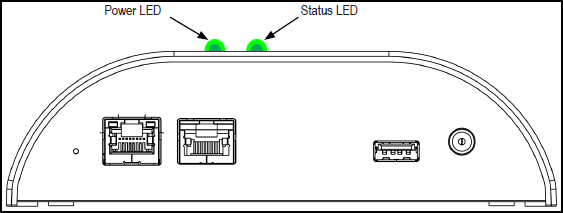
The power LED will be on when the bay is plugged into power. The power LED will be off when the bay is not plugged into power.
The status LED may be green or red, solid or blinking, depending on the dock's system status.
| System Status | Status LED Indication |
|---|---|
| System running | Solid green |
| System reset | Solid red |
| Bay(s) reset | Blinking green |
| Dock needs to be registered | Blinking red |


