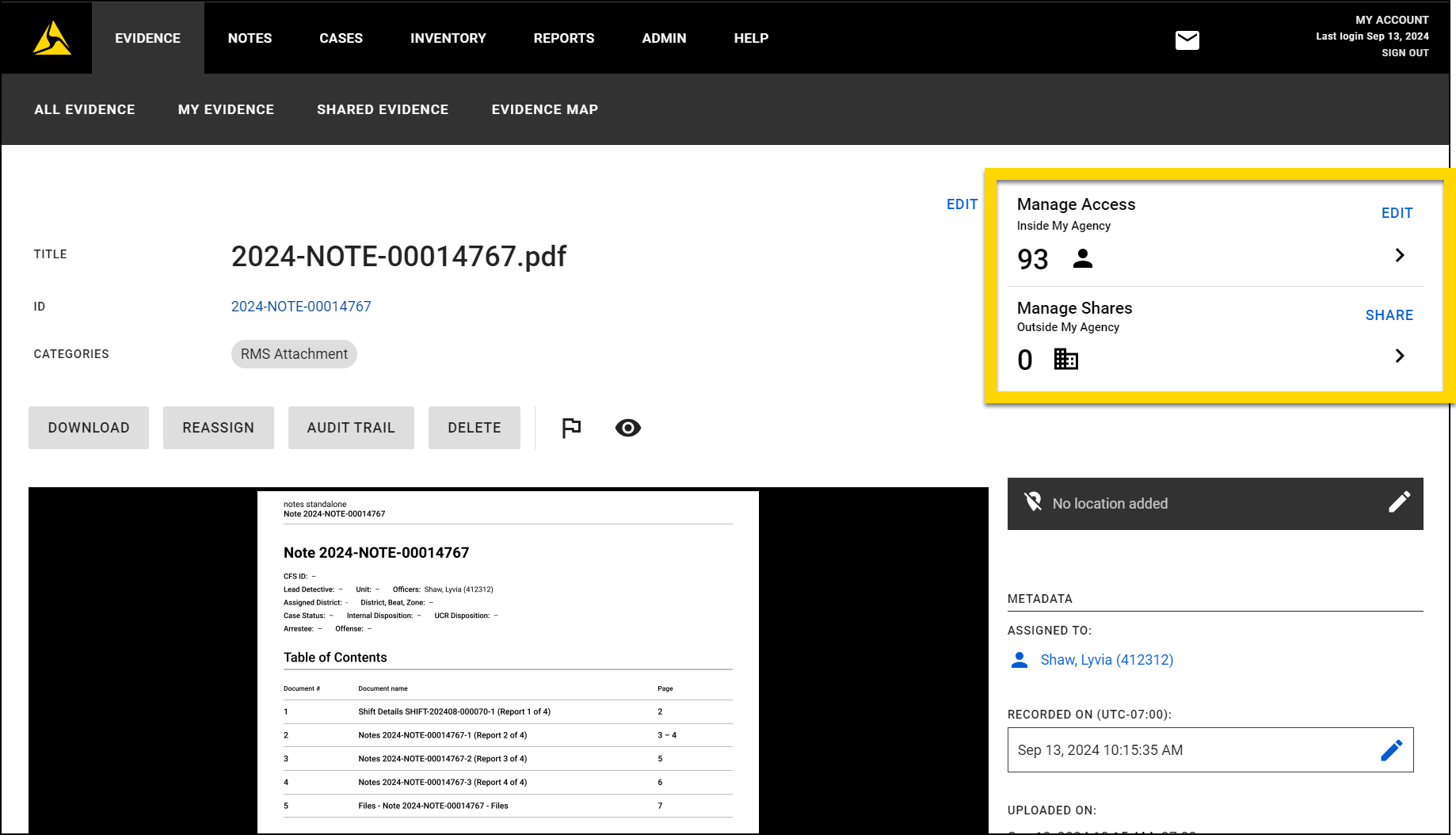
Notes actions
The Axon Notes Module contains a set of features that enable digital in-field note writing. Contact your Axon representative or Axon Support to discuss if this product is a good fit for your organization's use case.
When access the Axon Notes module on a computer, you can print notes and supplements or export them to Axon Evidence to share with external partners. During this workflow, you can choose which sections to include in the output, customize headers and footers, and track who the note is shared with and why.
Print notes
Notes can be printed from your computer, but not from a mobile device. You can either print an original note or any of its supplements individually, or an original note with all of its supplements.
This video explains how to print and share notes.
Print single notes
To print a single note or supplement:
- Open the note profile, either after searching for it or by selecting it from your notes list.
- In the Notes reports section, select the note or supplement you want to print.
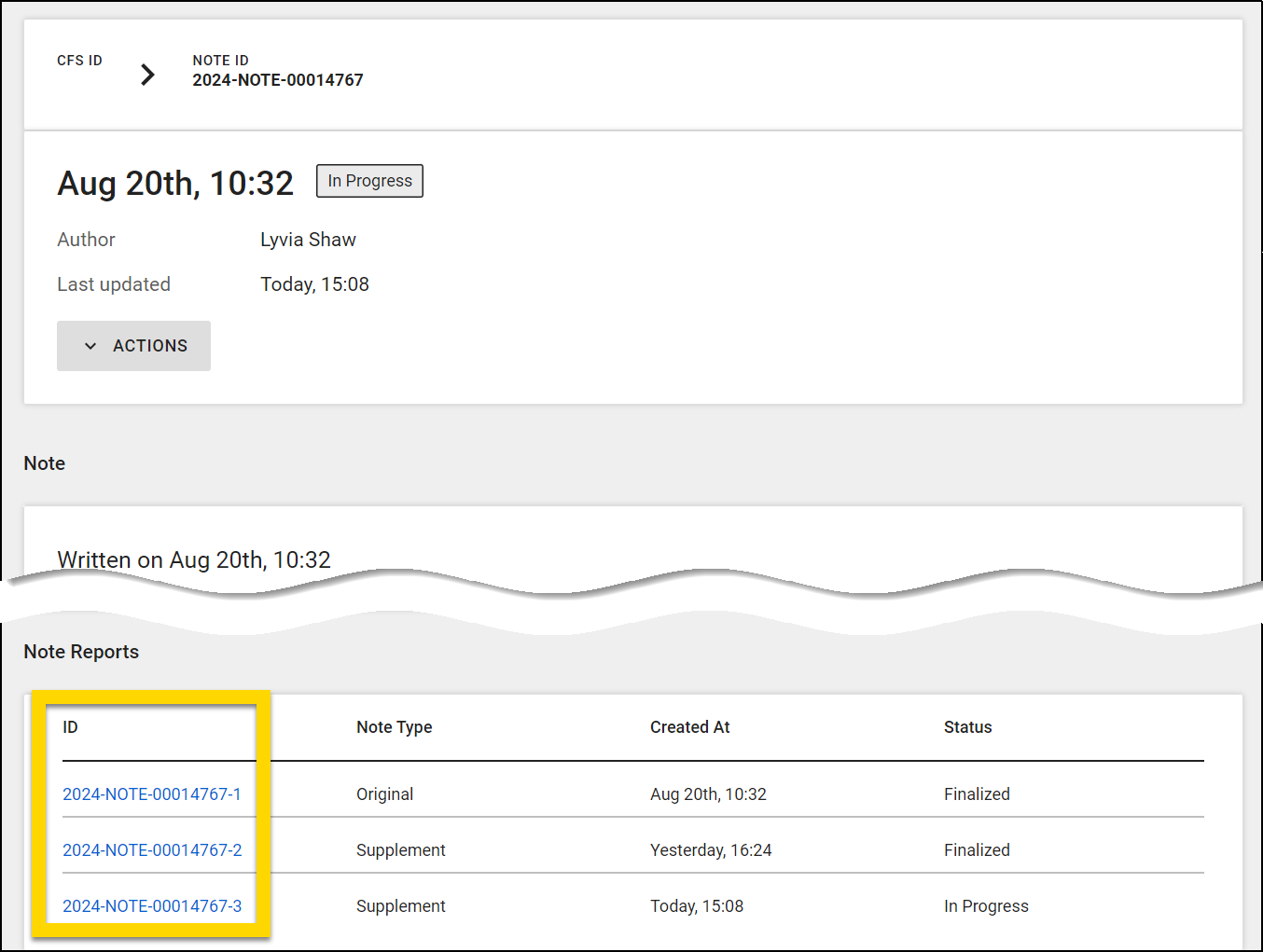
- Once the note opens, select More actions [...] > Print notes.
- Adjust which information should be included in the printout, including shift details and header/footer.
- Enter a recipient and purpose, and select Print.
- A PDF file will load in a new browser tab where you can download and print it.
Print original note and all supplements
To print an original note plus all of its supplements:
- Open the note profile, either after searching for it or by selecting it from your notes list.
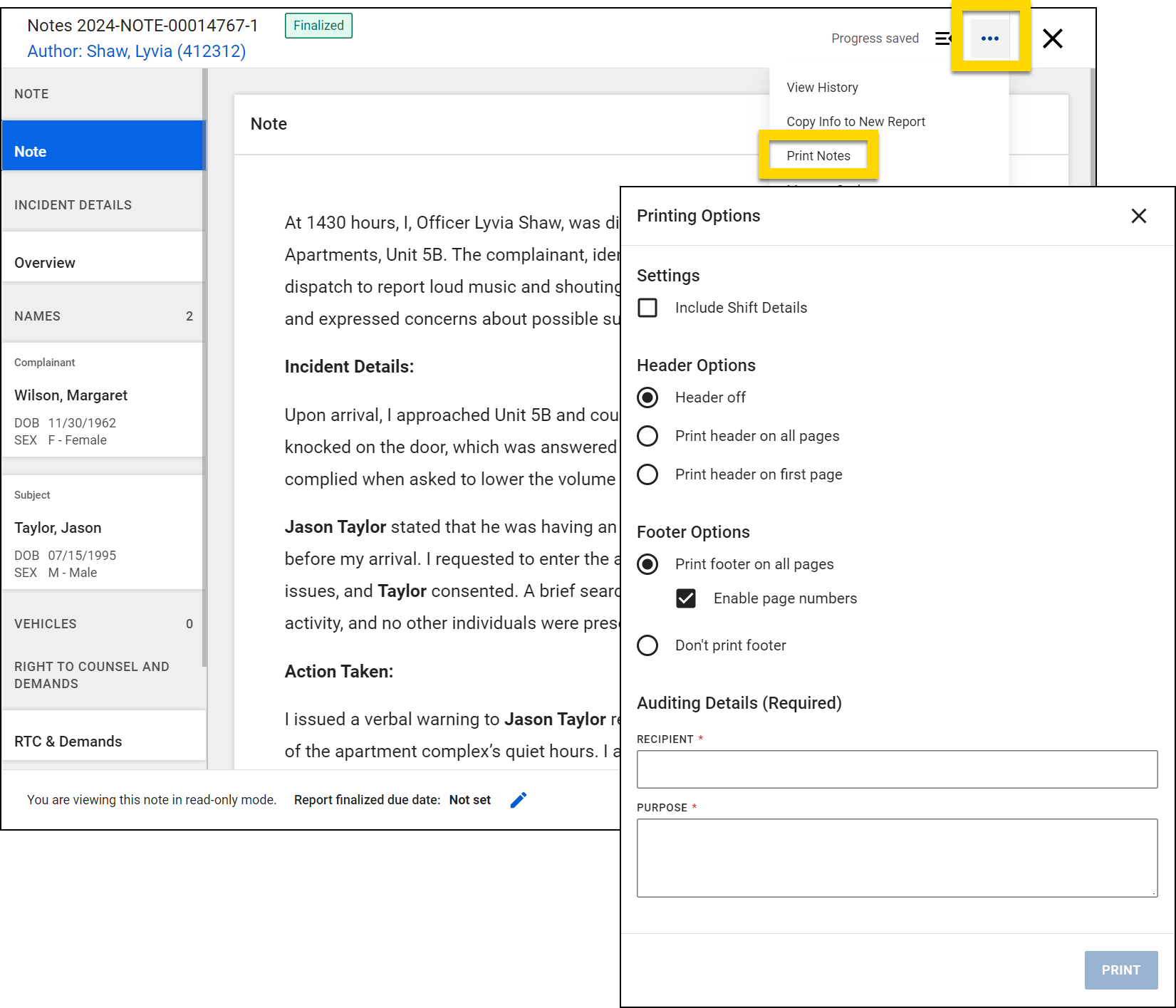
- Select Actions > Print note.
- Adjust which information should be included in the printout:
- Notes to include
- File List containing the names of all files added to the note
- Table of contents with a header section summarizing the notes
- Shift details
- Header/Footer
- Provide a recipient and purpose, and select Print.
- A PDF file will load in a new browser tab where you can download and print it.
Share notes
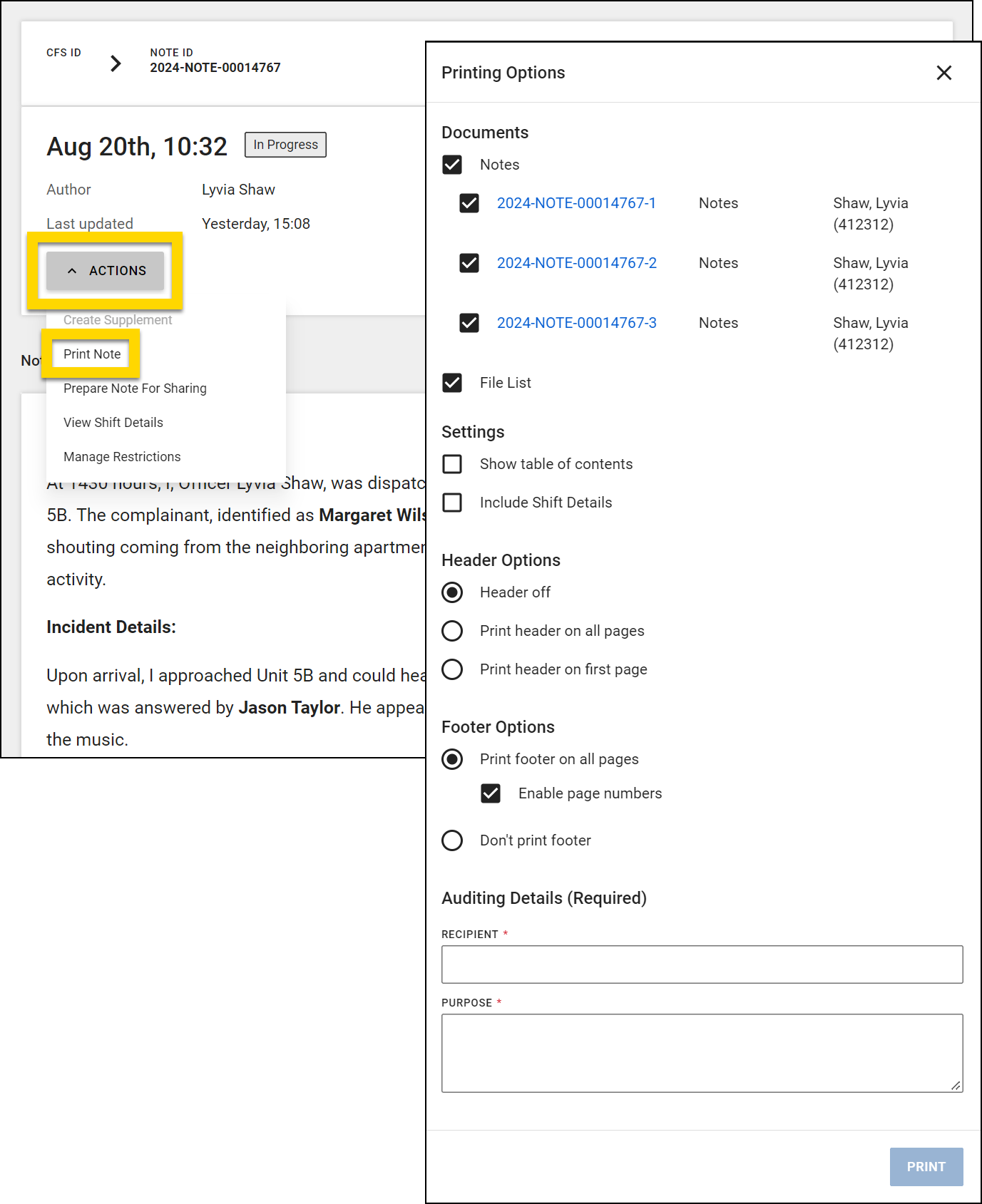
Notes can be uploaded to Axon Evidence where they can then be shared with other organizations or external partners. Notes can be shared from your computer, but not from a mobile device.
This video explains how to print and share notes.
To share a note:
- Open the note profile, either after searching for it or by selecting it from your notes list.
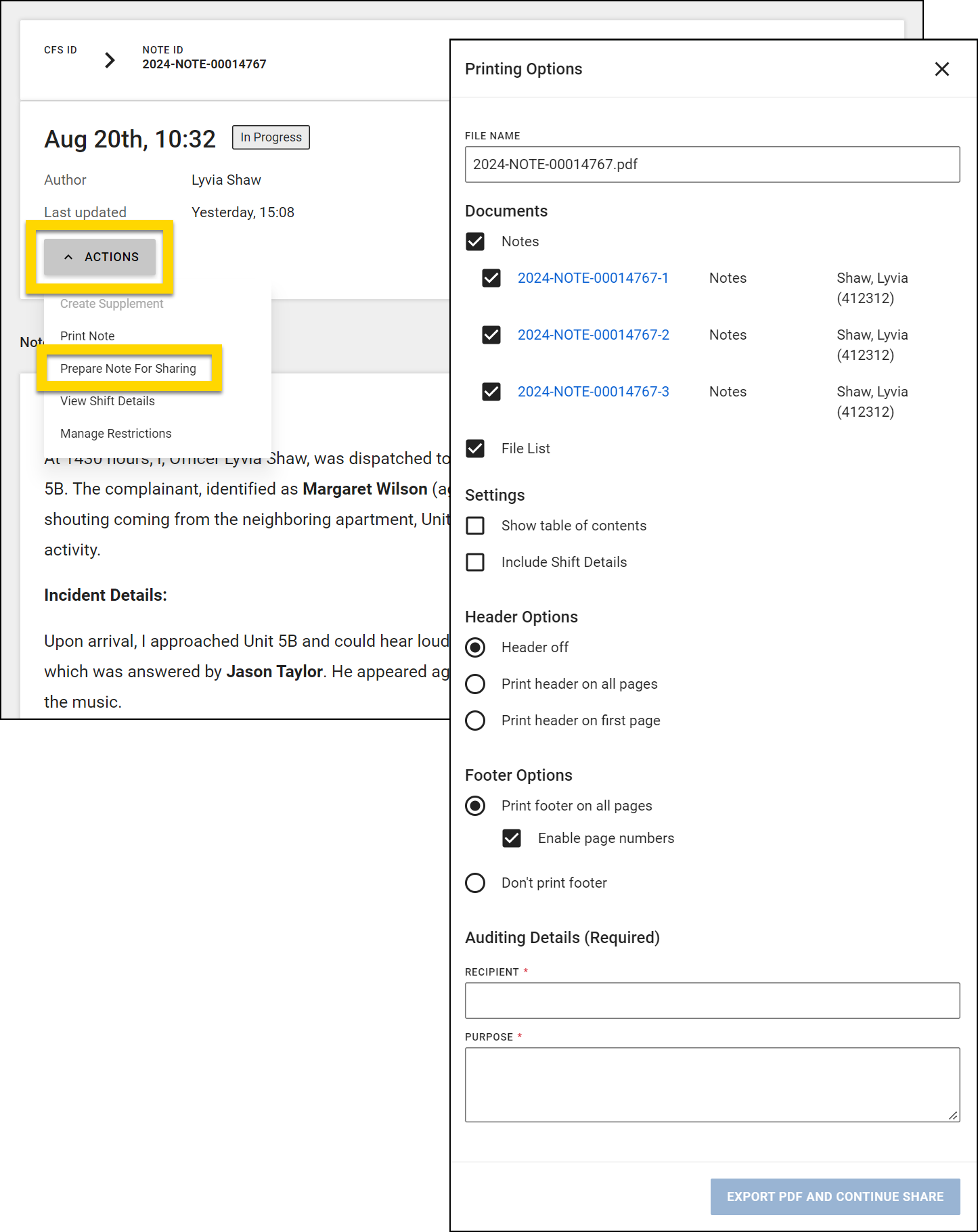
- Select Actions > Prepare note for sharing.
- Update the name of the file. This is the name that will appear in Axon Evidence.
- Adjust which information should be included in the share:
- Notes to include
- File List containing the names of all files added to the note
- Table of contents with a header section summarizing the notes
- Shift details
- Header/footer
- Provide a recipient and purpose, and select Export PDF and continue share.
- The PDF will export (taking longer depending on the amount of information included). When exporting is complete, the PDF will save to My Evidence in Axon Evidence. The Evidence Details page will open in a new tab in your browser. If it does not, select Continue share.
- To share the note use the Manage Access and Manage shares options. See User access to evidence and user permissions for more information.