Version 4.50 (September 2024)
Summary of key updates
- TASER 10 Integration
Seamlessly manage TASER 10 device logs, health, and pulse graphs within Axon Evidence Local for enhanced incident reporting and analysis.
New - Secure Device Registration for TASER 10
Administrators must import public keys to validate TASER 10 devices and ensure data integrity for uploaded logs.
Admin - Custom Metadata and Retention Categories
The former "Tags" feature is now rebranded as "Custom Metadata." Additionally, Retention Categories streamline policy creation and make filtering easier in Evidence Search.
Improvement | Admin - Enhanced Server Manager (Avalonia)
The Server Manager now includes a redesigned interface, improving usability and performance.
Improvement - Message Broker Integration (RabbitMQ)
RabbitMQ has been added as a message broker to support distributed architecture, managing ingestion across multiple Evidence Local servers.
New | Admin - Web-UI Migration for Storage and Destinations
Configuration for storage destinations has moved to the Web-UI, supporting secure evidence transfer while maintaining chain of custody.
Improvement | Admin
TASER 10
We are excited to announce that Axon Evidence Local now seamlessly integrates with the latest generation of TASER devices. This update allows you to efficiently and securely manage your TASER 10 evidence within the Axon Evidence Local platform.
Key features include:
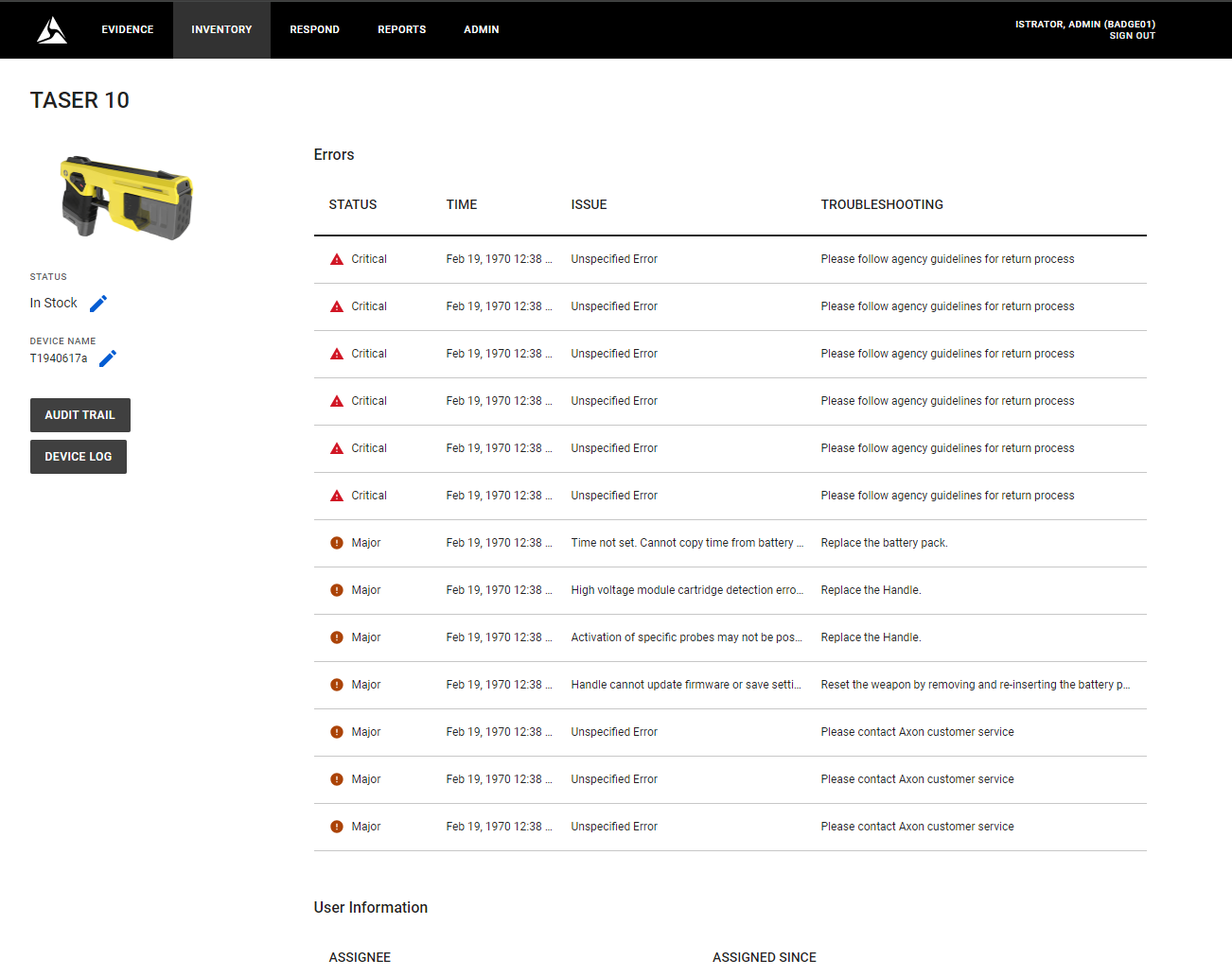
- Comprehensive TASER 10 device management, covering device health and error management.
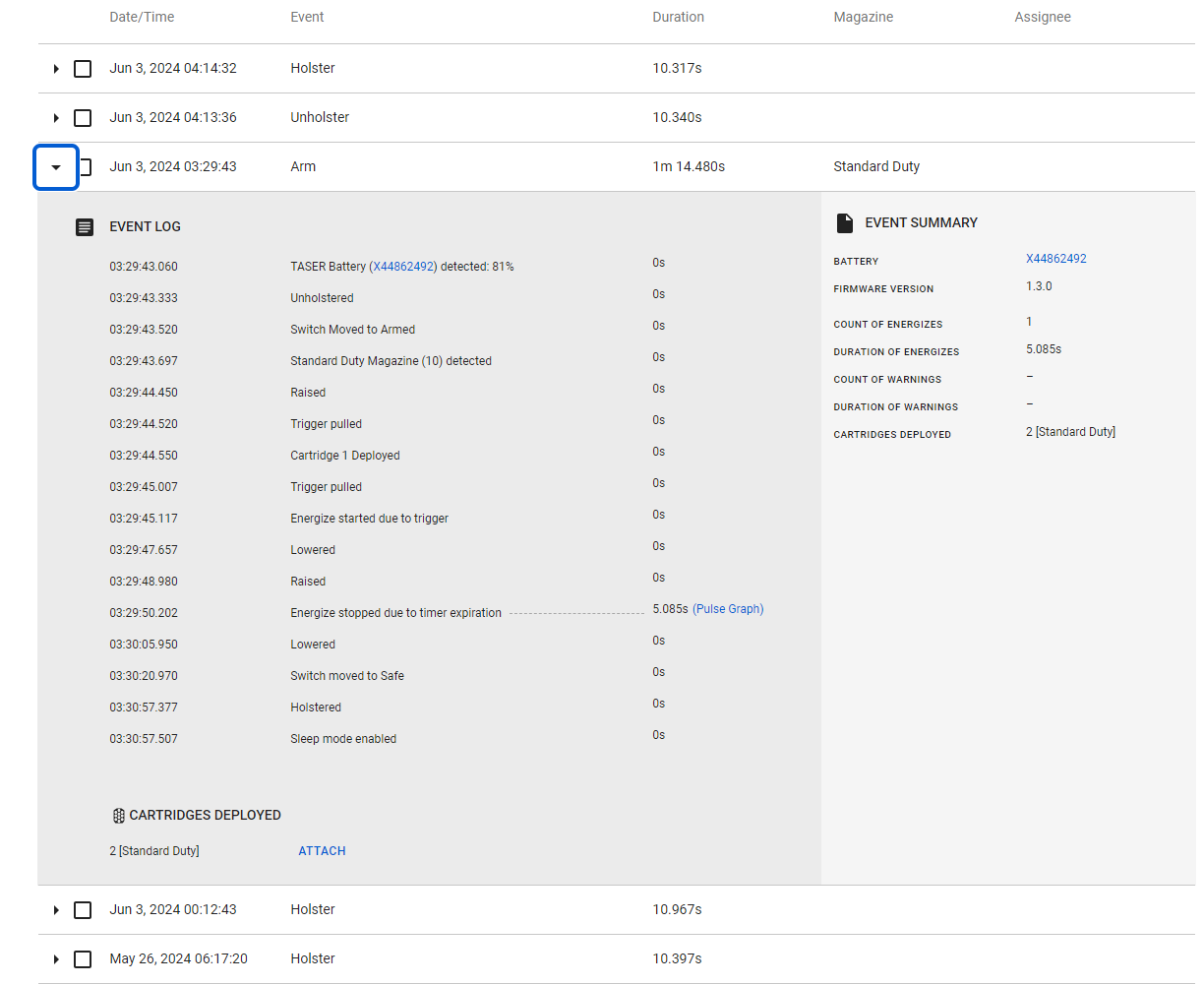
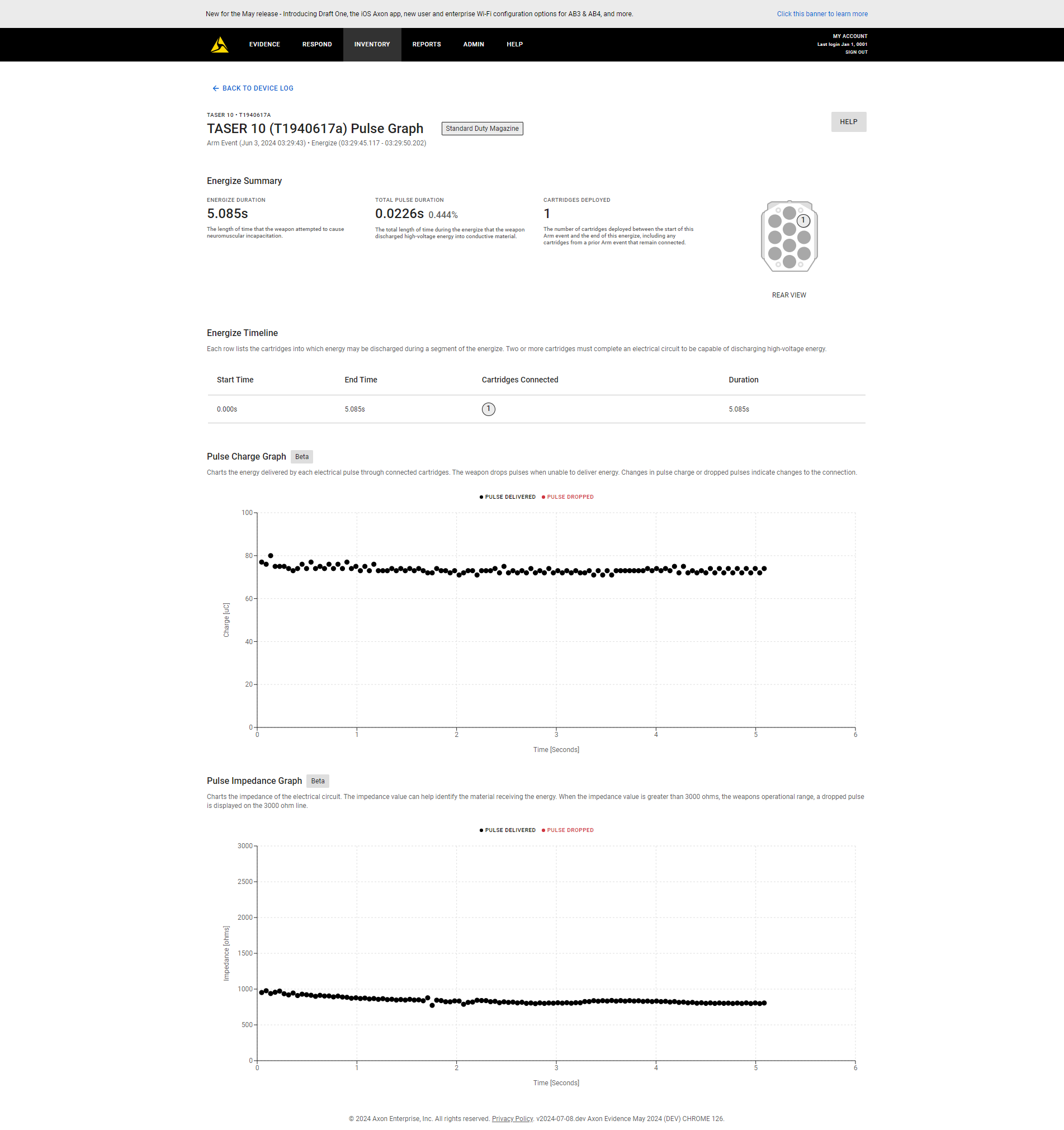
- The ability to upload and analyze device logs and pulse graphs particularly for critical events.
- Apply TASER settings and automatic firmware updates for all devices used in your agency.
For more information, see TASER 10.
Secure Device Registration: Importing Public Keys for TASER 10 Devices
Before registering TASER 10 devices it's essential to import the public keys using the server manager.
These public keys play a critical role in the following:
- Device Validation: The system verifies the device's authenticity using the imported public key, ensuring you're connecting to a legitimate TASER 10.
- Data Integrity: Public keys are being used to guarantee the integrity of uploaded logs.
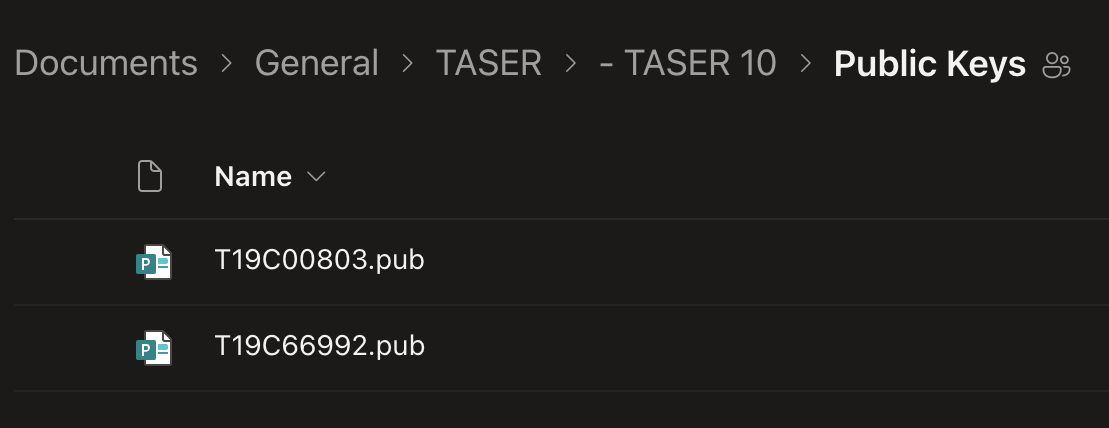
You receive public keys from Axon once the Taser 10 devices have been procured.
Axon Evidence Local Server Manager - TASER Public Key Management
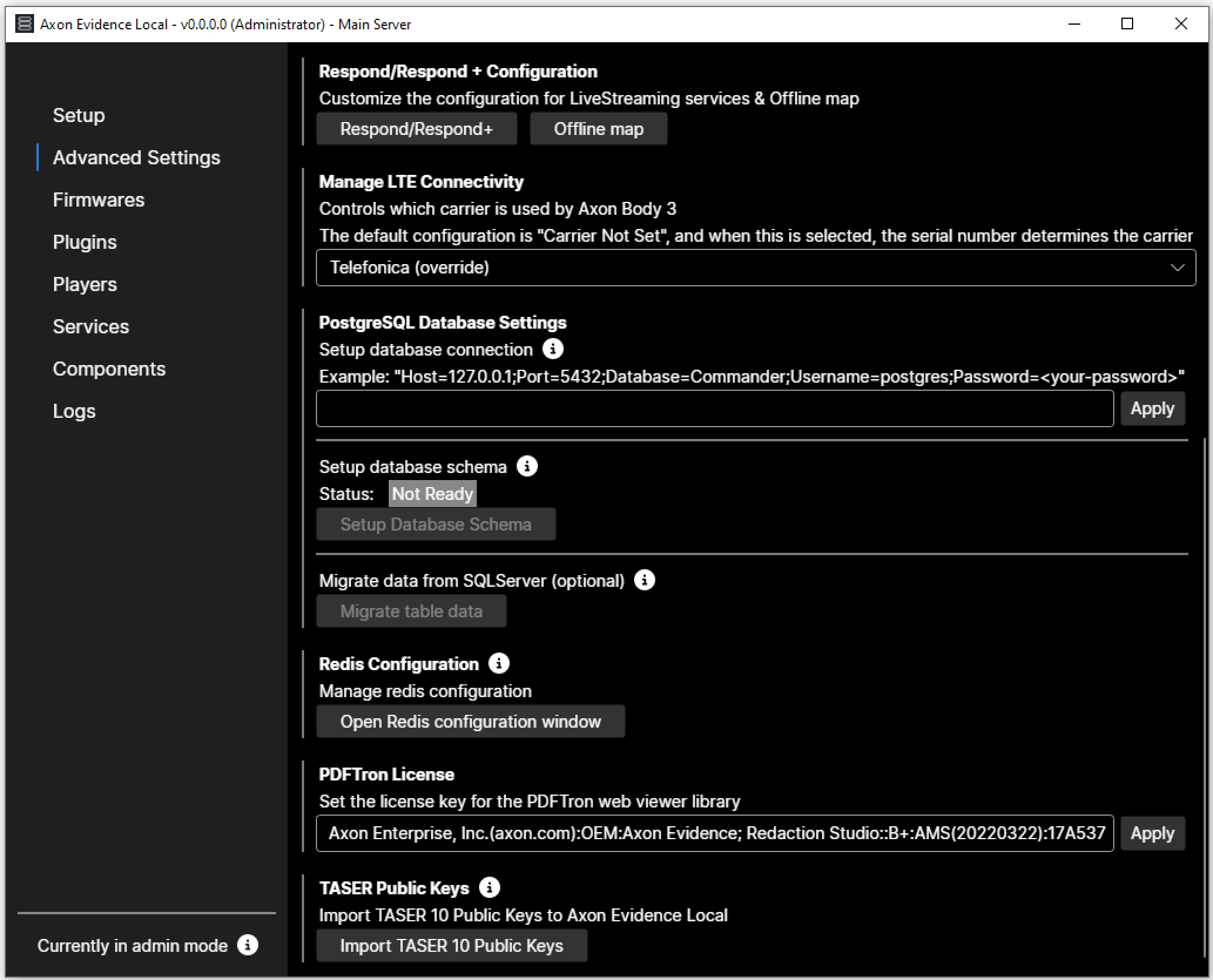
Select Public Key File (.pub format)
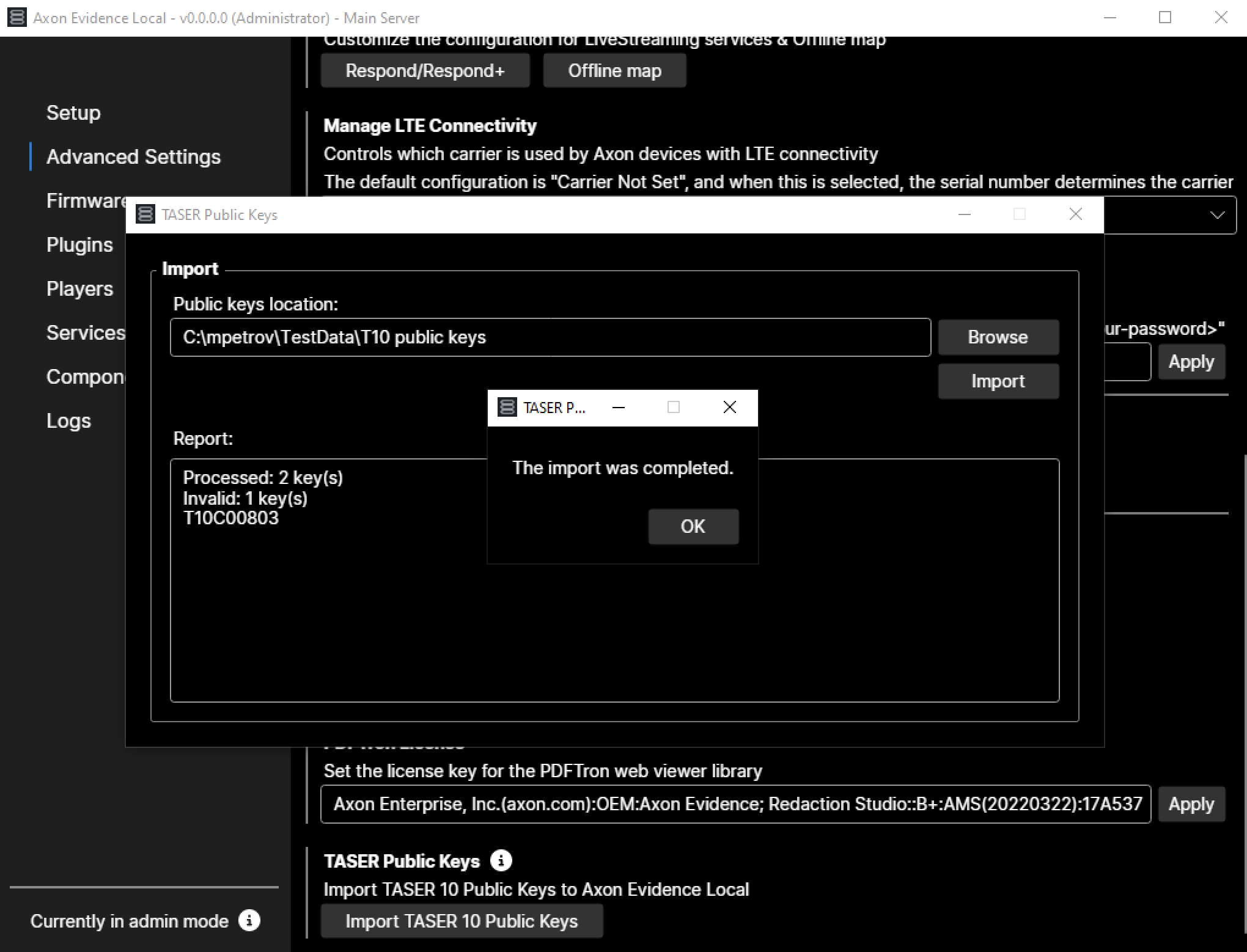
Import Success
The example demonstrates two processed keys, one key was successfully imported, while the other was flagged as invalid.
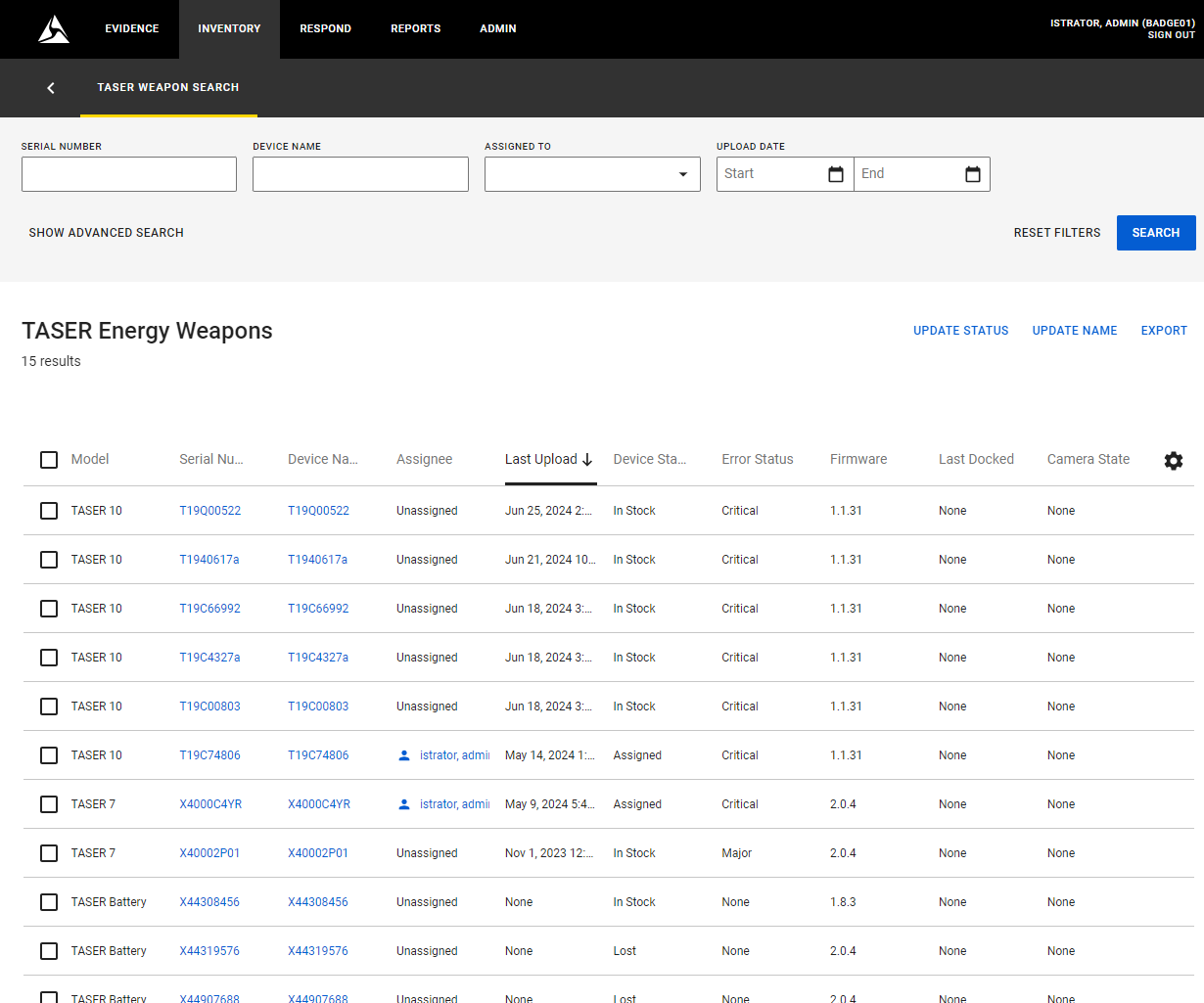
Device Inventory Page
Once devices have been successfully registered by docking batteries containing their logs, they appear in the TASER device inventory.
TASER 10 - Device Detail Page
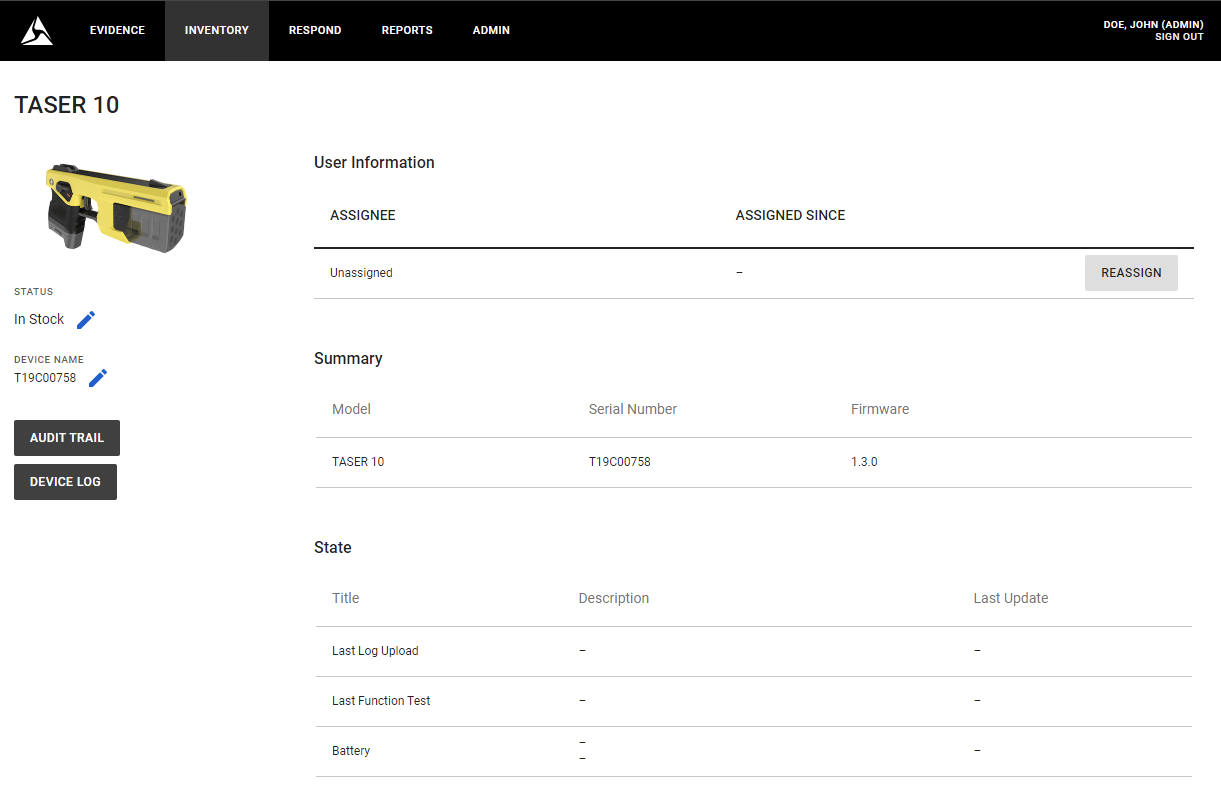
TASER 10 - Device Detail Page showing various Device Errors
TASER 10 - Device Log
TASER 10 - Pulse Graph
Custom Metadata and Retention Categories
This version of Axon Evidence Local introduces the following two key concepts:
- Custom Metadata: The previously existing "Tags" in Axon Evidence Local are now referred to as "Custom Metadata." Although the name has changed, the underlying logic remains the same, allowing you to continue defining workflows and retention periods using associations with cabinets or folders. When a Custom Metadata field is intended to manage workflows that involve moving assets to a different cabinet or folder to apply a specific retention period, we recommend marking it as "Retention Category". Once designated as a Retention Category, this field displays in the web interface, specifically in the Evidence Search, Evidence List, and Review Mode. This makes it easier to apply and identify during your daily workflows. The Desktop Client now displays "Custom Metadata" instead of "Tags," but remains unaffected by the new UI changes. This update eliminates the need for additional training, allowing your agency to continue using the desktop client seamlessly.
- Retention Categories: Designed to streamline the creation of retention policies, making it easier to assign them to digital evidence through the web interface of Axon Evidence Local or other Axon first-party apps. Additionally, they can be used as filters in the Evidence Search page.
Desktop Client
Admin Section - Custom Metadata
In the user interface, the tab in the Administration Menu is now labeled "Custom Metadata" instead of "Tags." For customers who previously used Tags, the workflow and logic remain unchanged. Tags now call Custom Metadata that previously triggered a retention workflow can now be promoted to a Retention Category, allowing them to be displayed accordingly.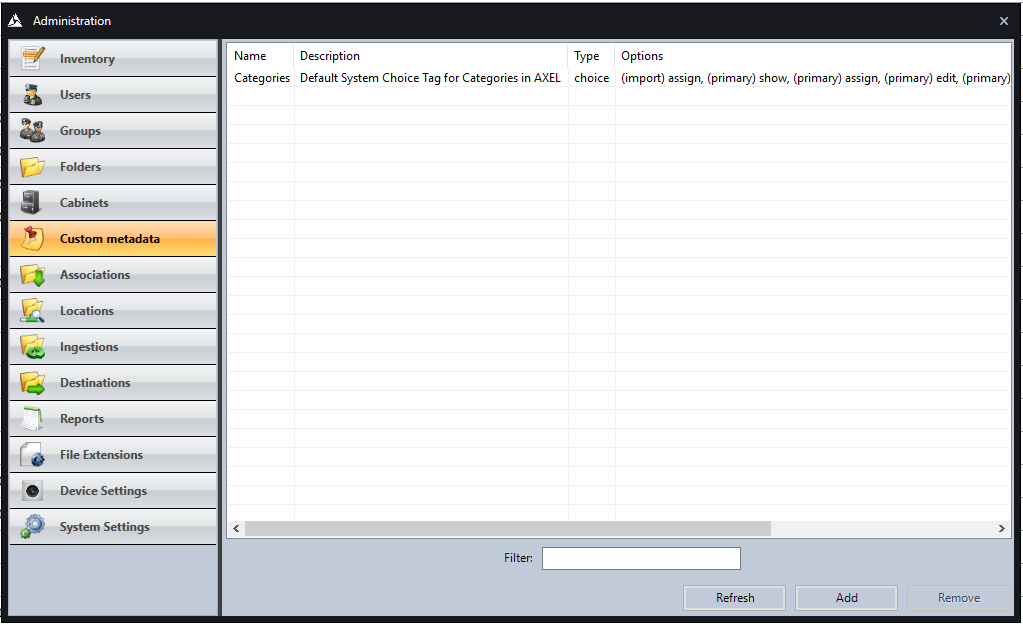
Axon Default Categories
The Axon default categories are included in the system after installation or upgrade as examples. These categories can be edited or deleted to match the specific terminology preferred by your agency.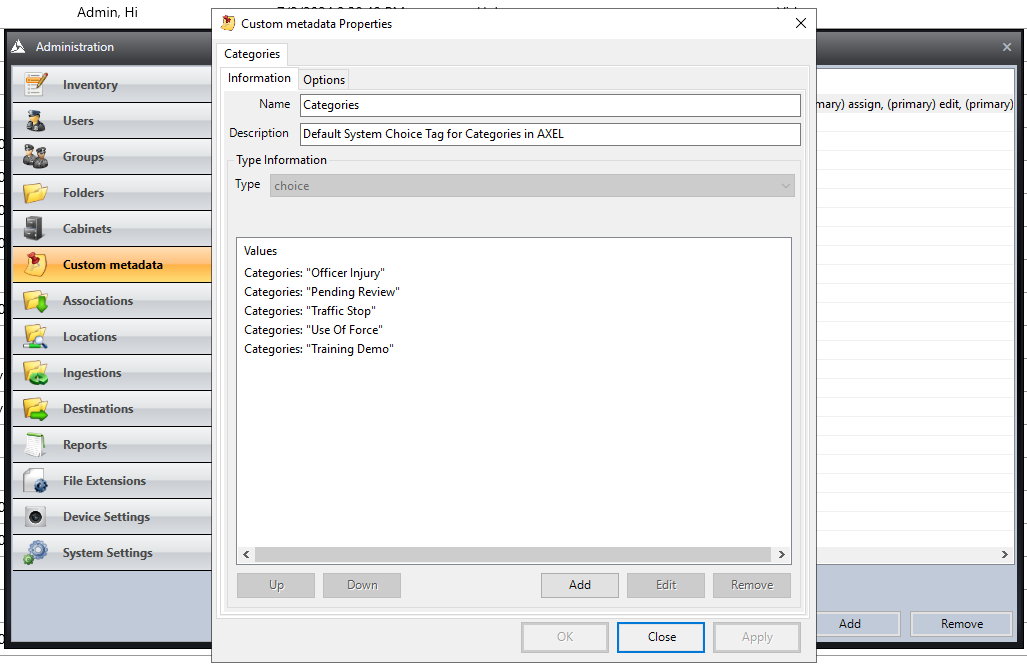
Evidence Search
The Evidence Search in the desktop client continues to display all Custom Metadata, which were formerly known as Tags.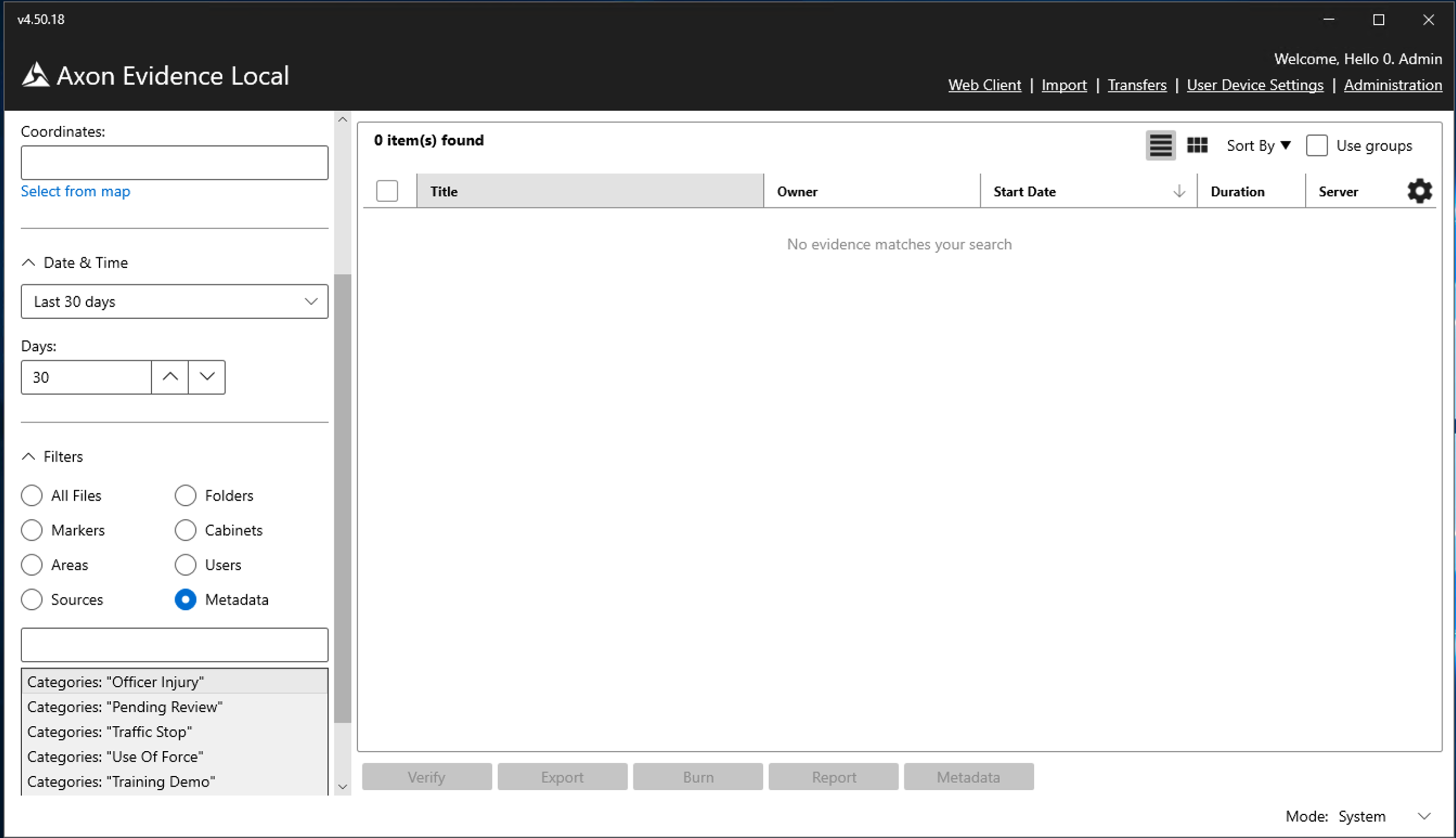
Web-Client
Admin Section - Custom Metadata
Custom Metadata fields can be created, edited, and configured, and can also be promoted to Retention Categories. This promotion enables them to benefit from the new user interface enhancements. These improvements make it easier to filter, select, and change categories for evidence, ensuring a clearer distinction between metadata that handles retention and metadata that serves only as informational.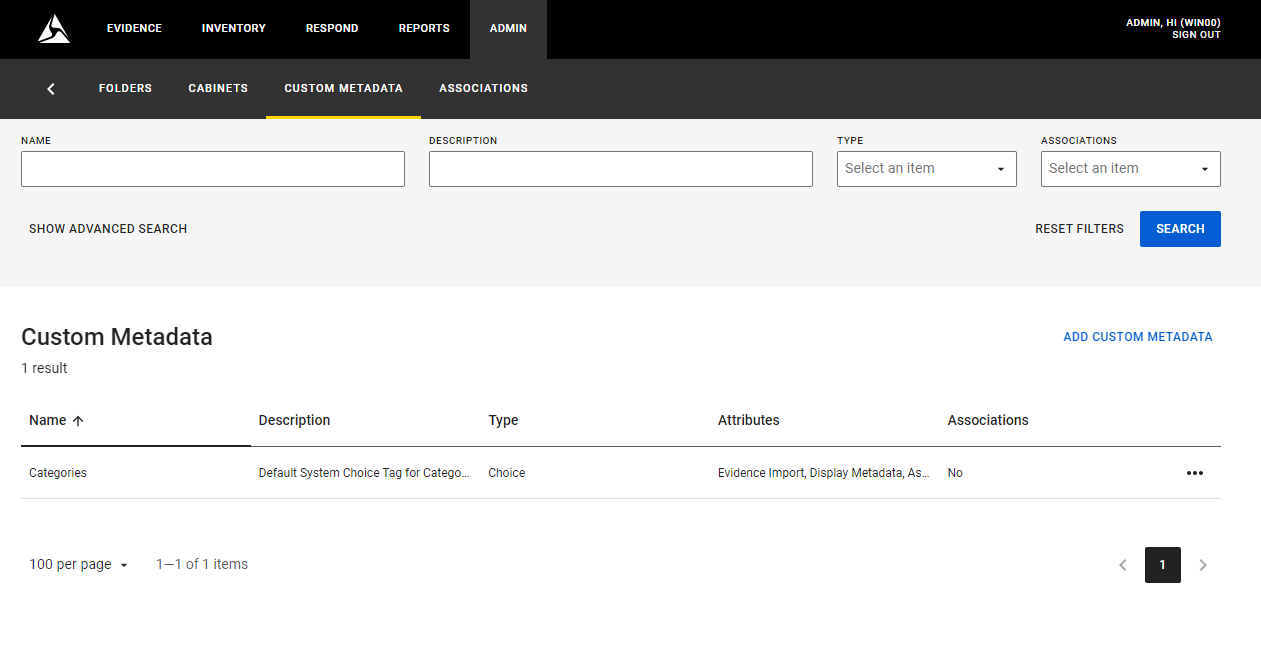
Custom Metadata Settings
Promote a Custom Metadata Field to a Retention Category by selecting the Retention Category checkbox.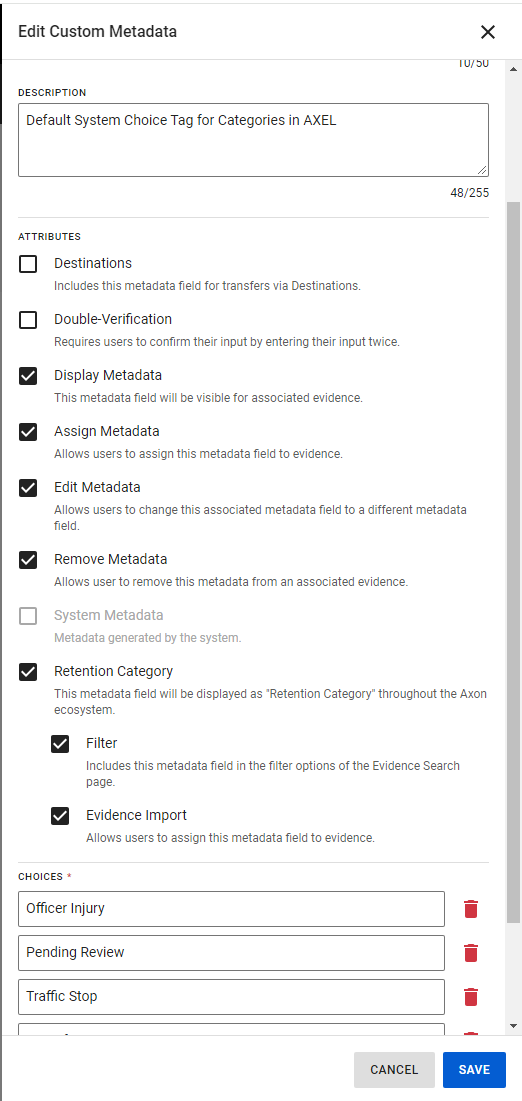
Evidence Search Filter
The Evidence Search Filter now features a dedicated field for filtering retention categories, making it easier for users to distinguish and filter by these categories. Additionally, it includes a separate filter for custom metadata only.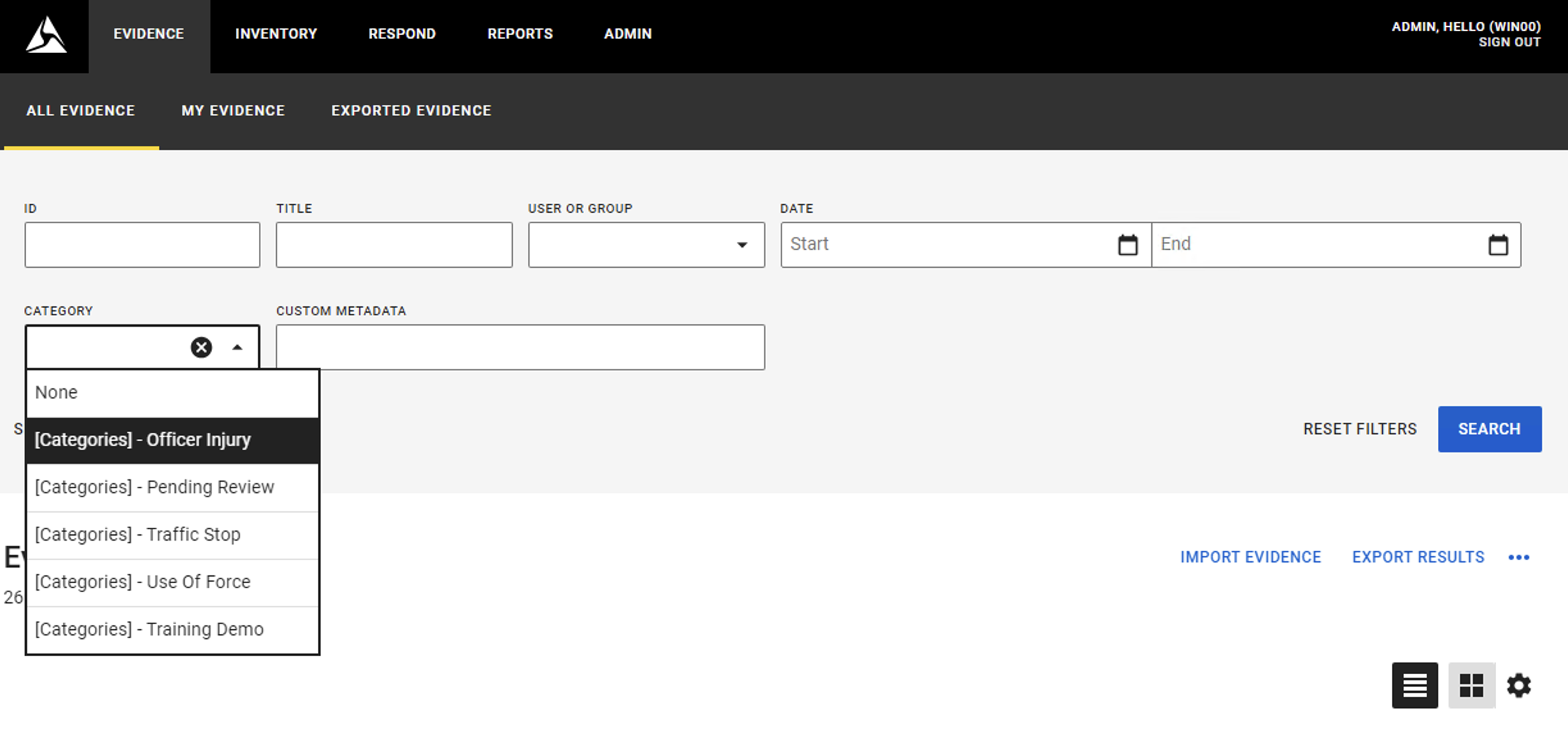
Evidence Search
Retention Categories are now displayed as a column in the Evidence Search, allowing users to easily identify categories at a glance.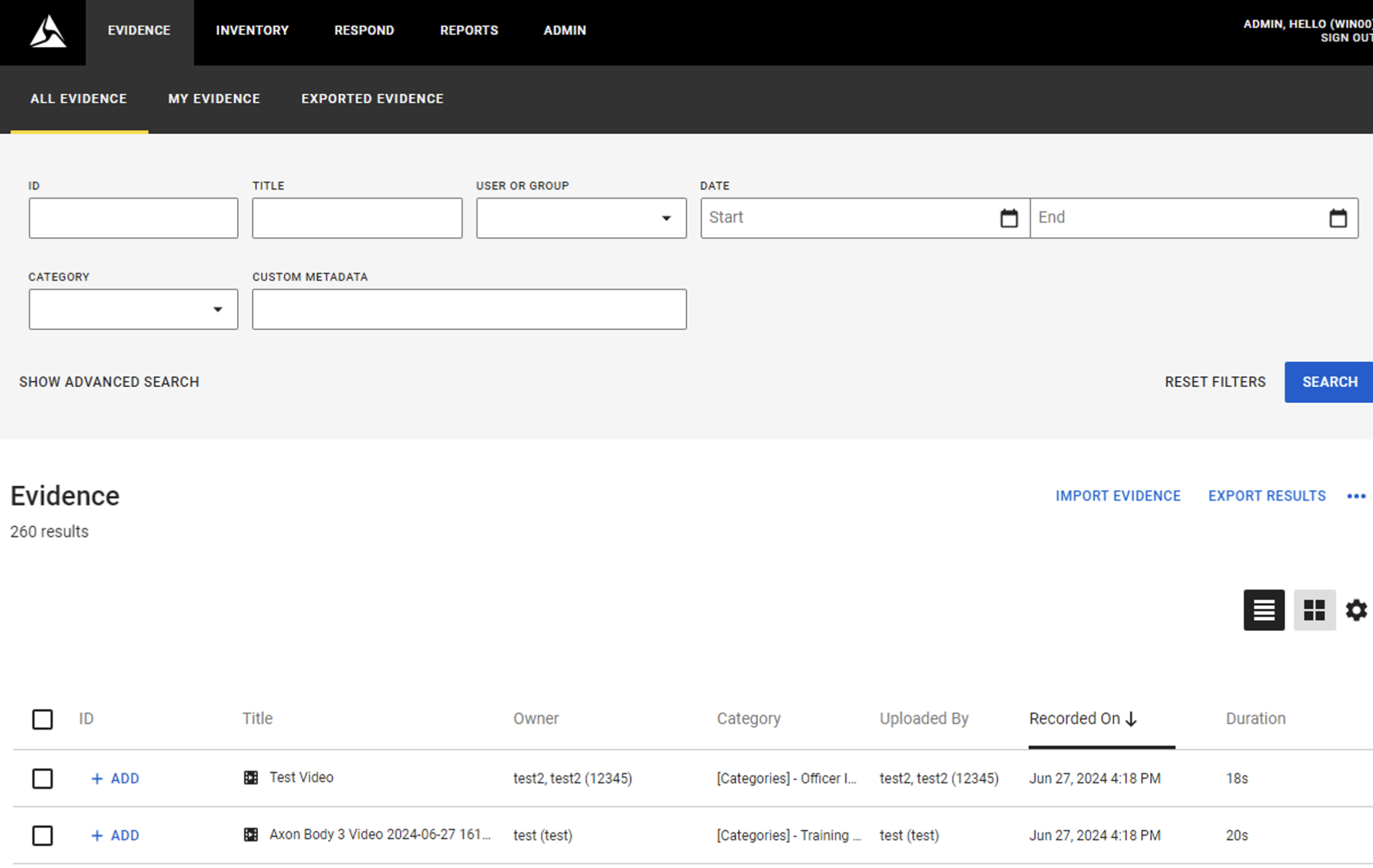
Evidence Review Mode
Retention Categories and Custom Metadata are displayed in Review mode, allowing for easy addition, modification, and removal as needed.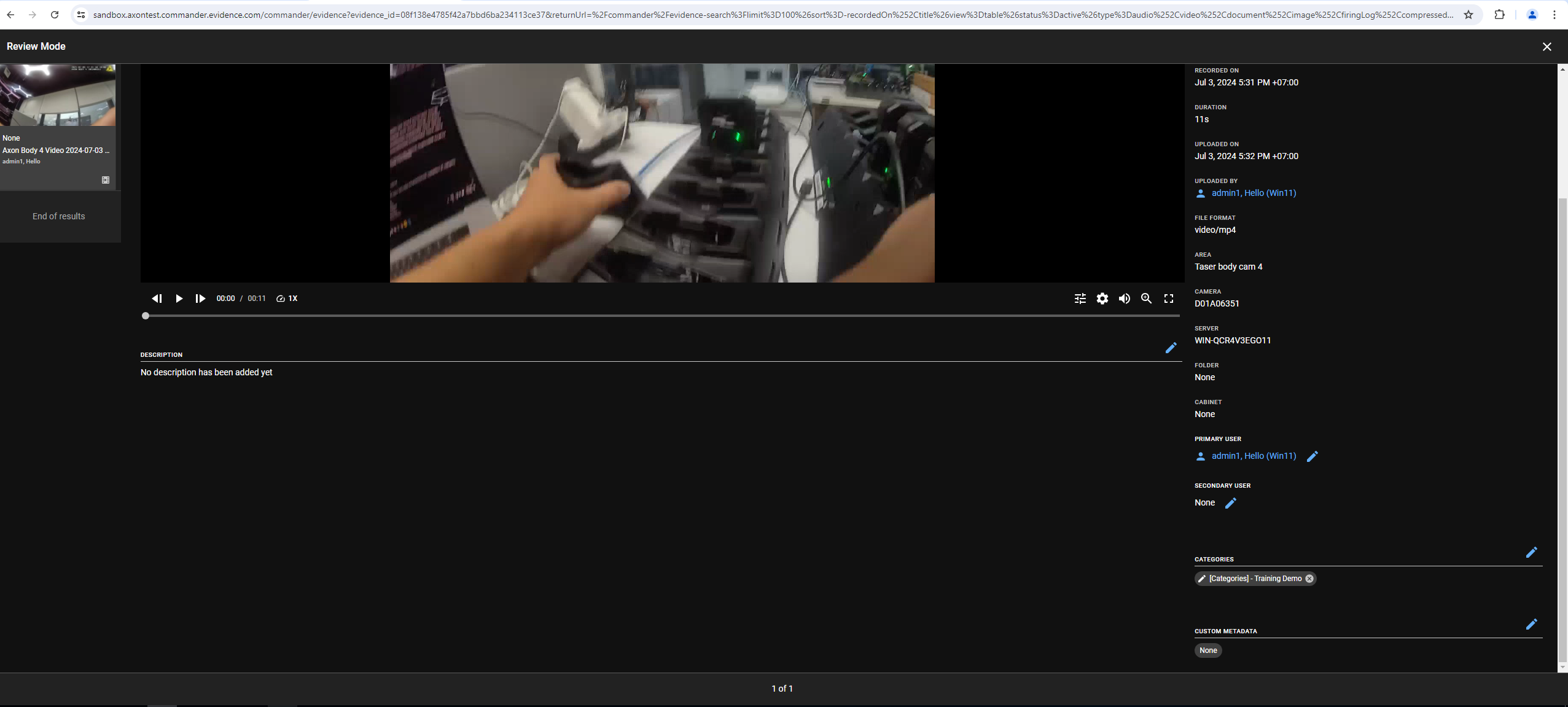
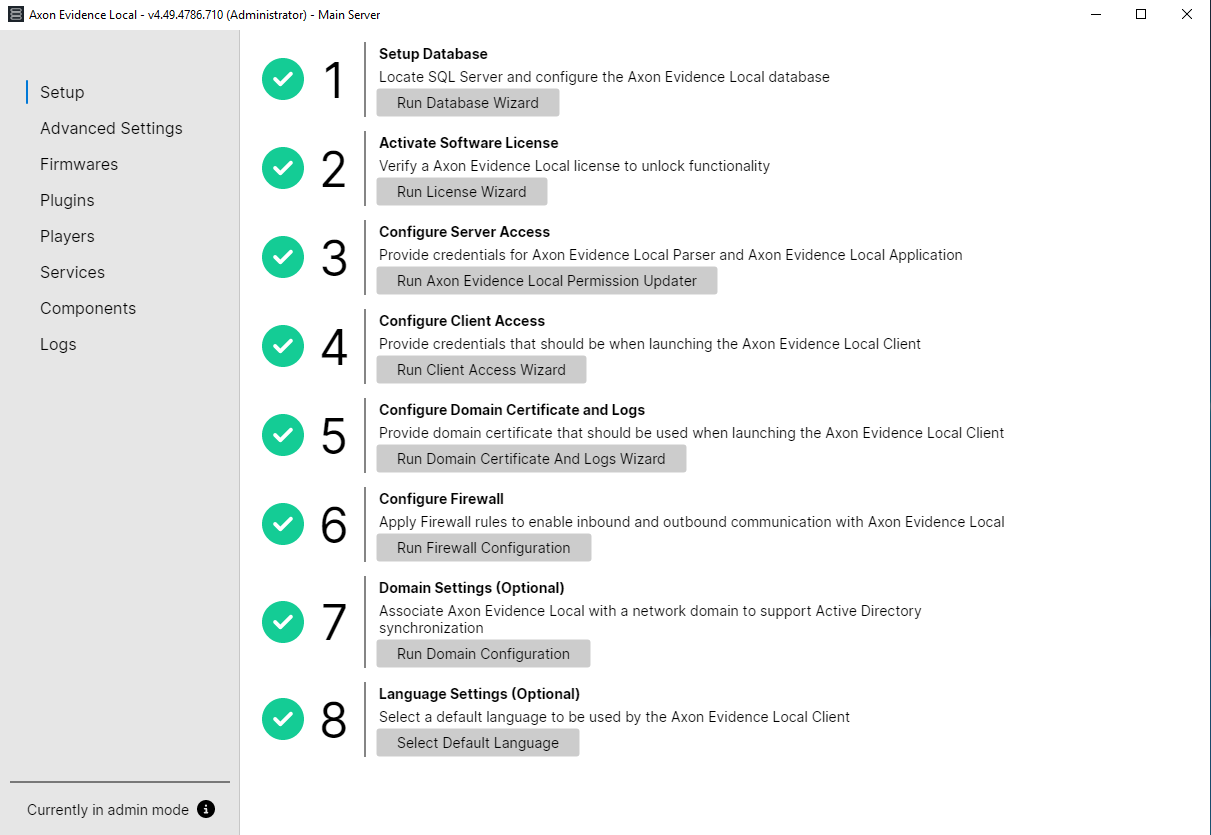
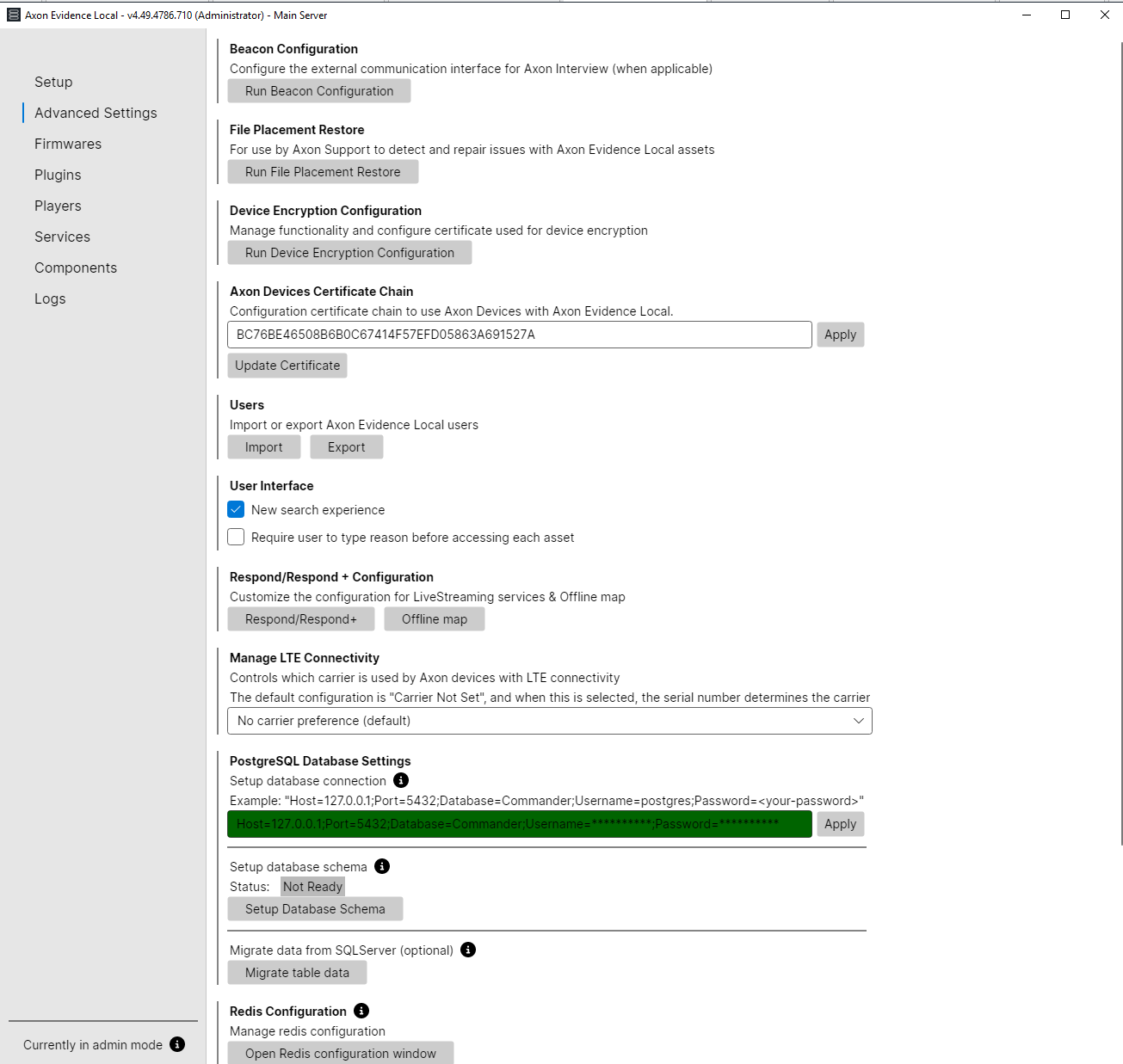
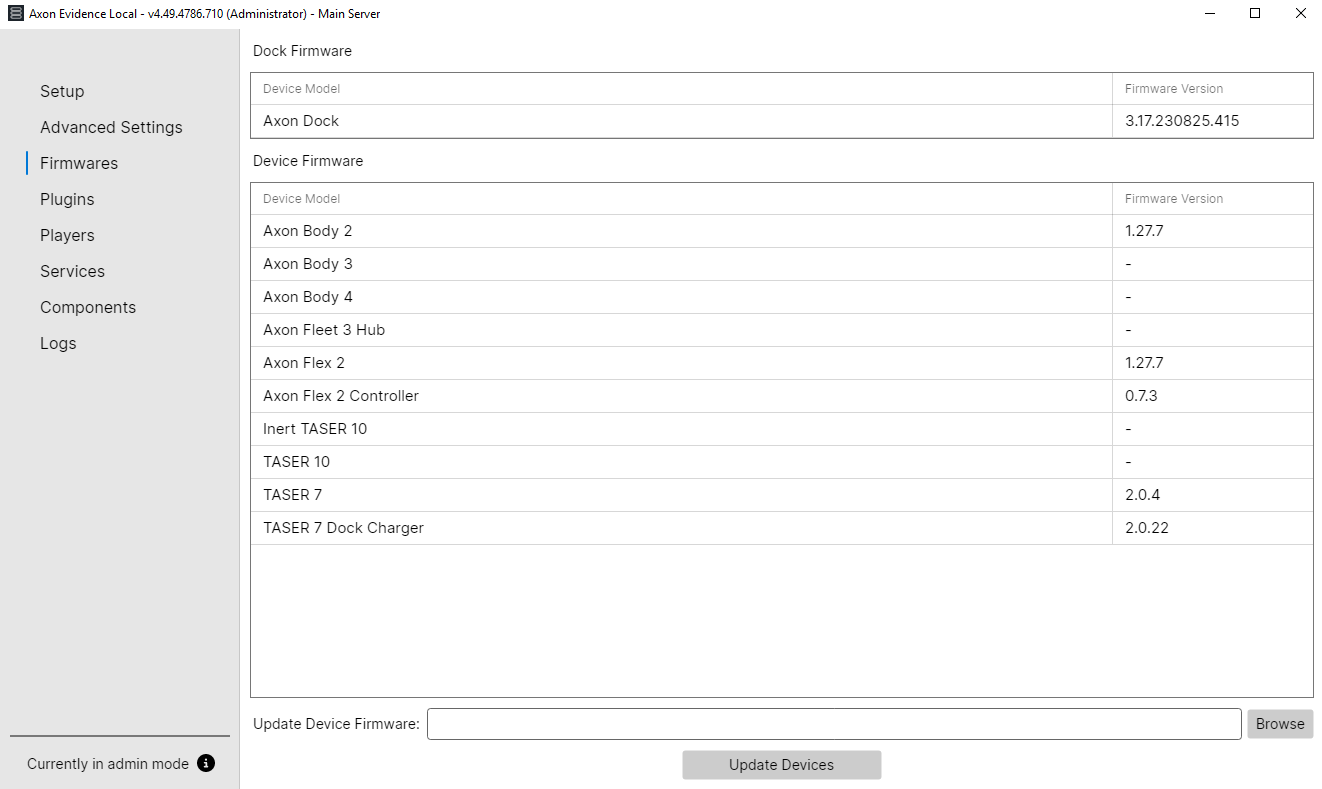
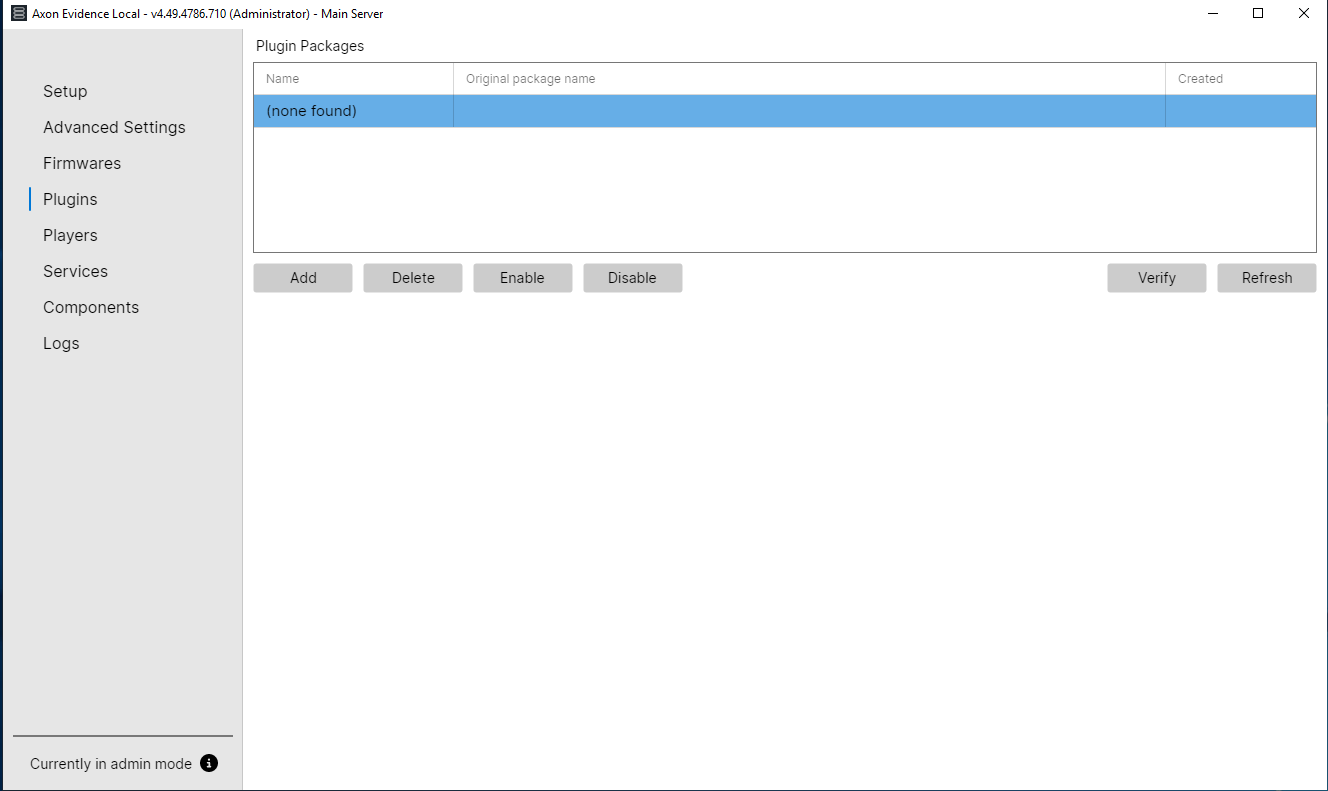
Upgrade of Server Manager (Avalonia)
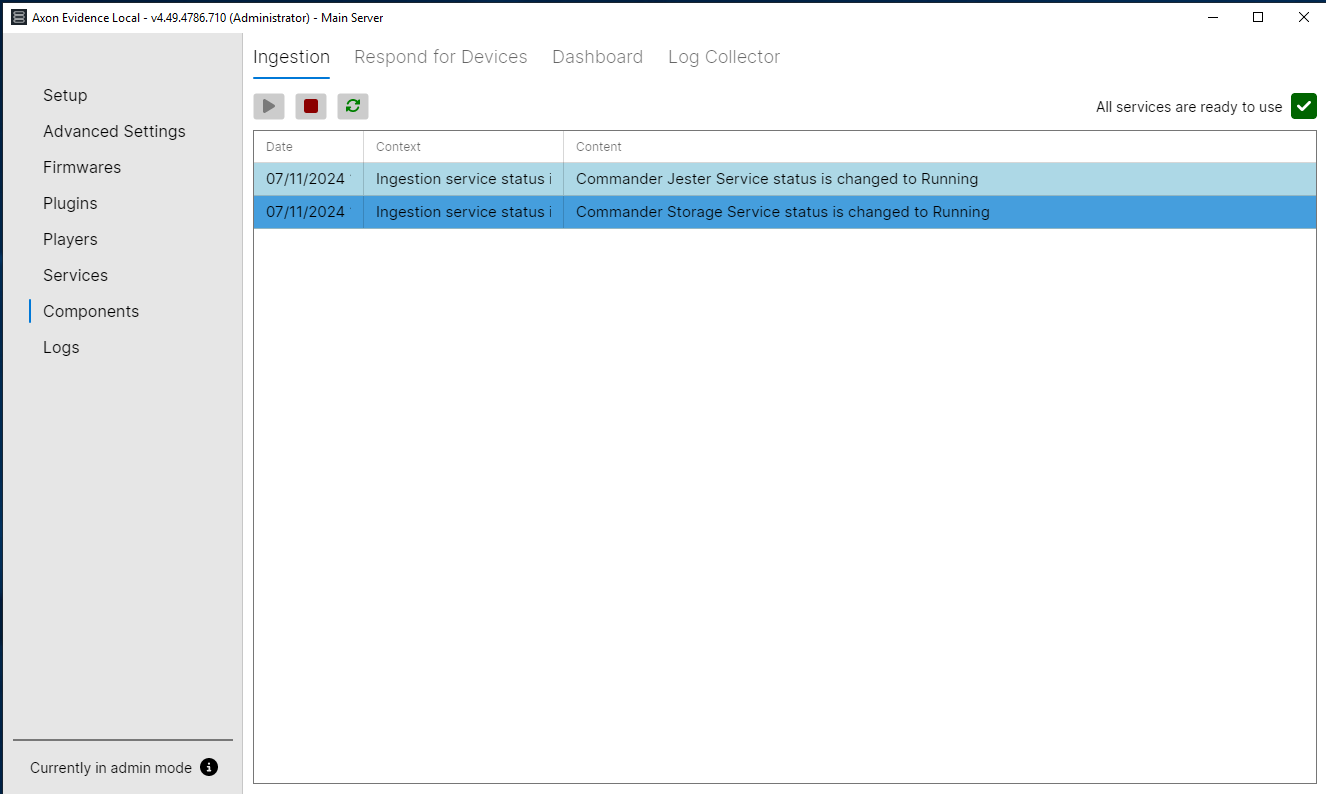
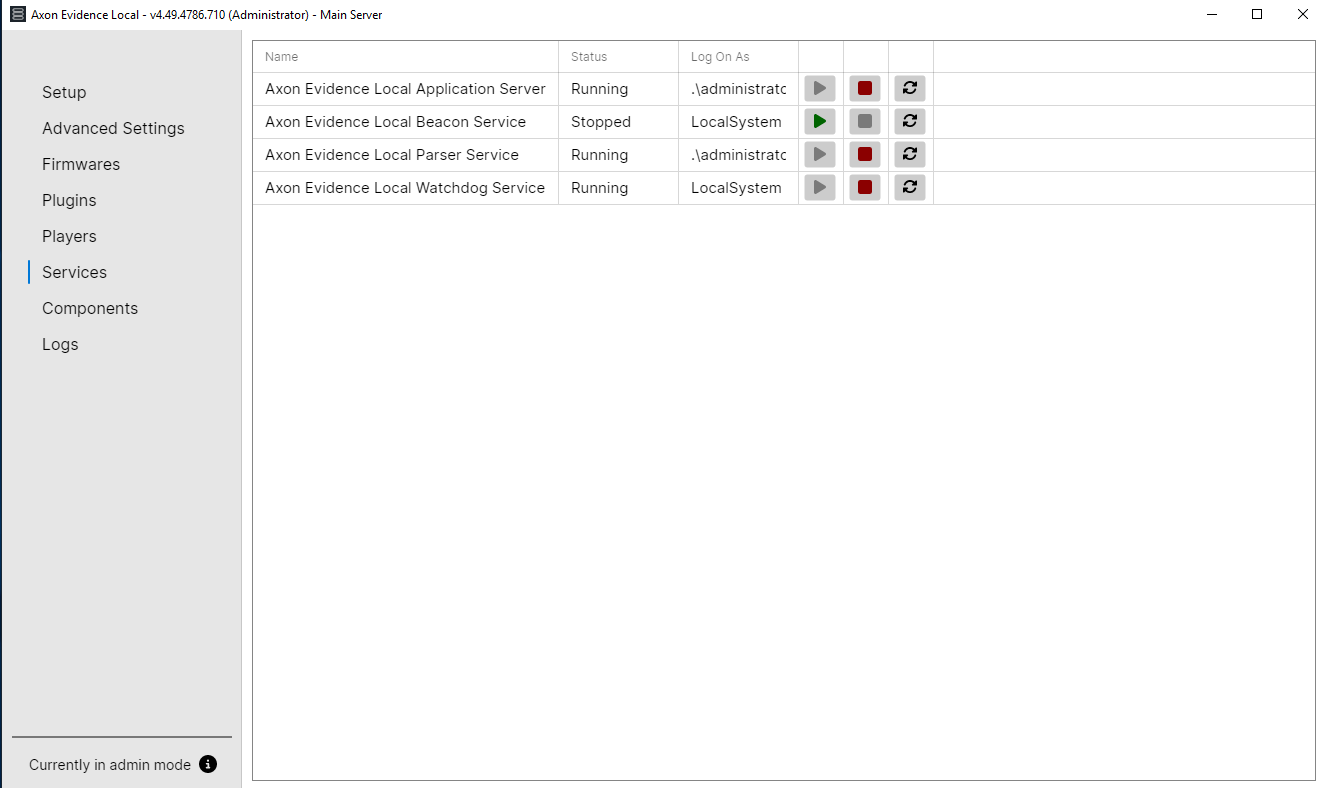
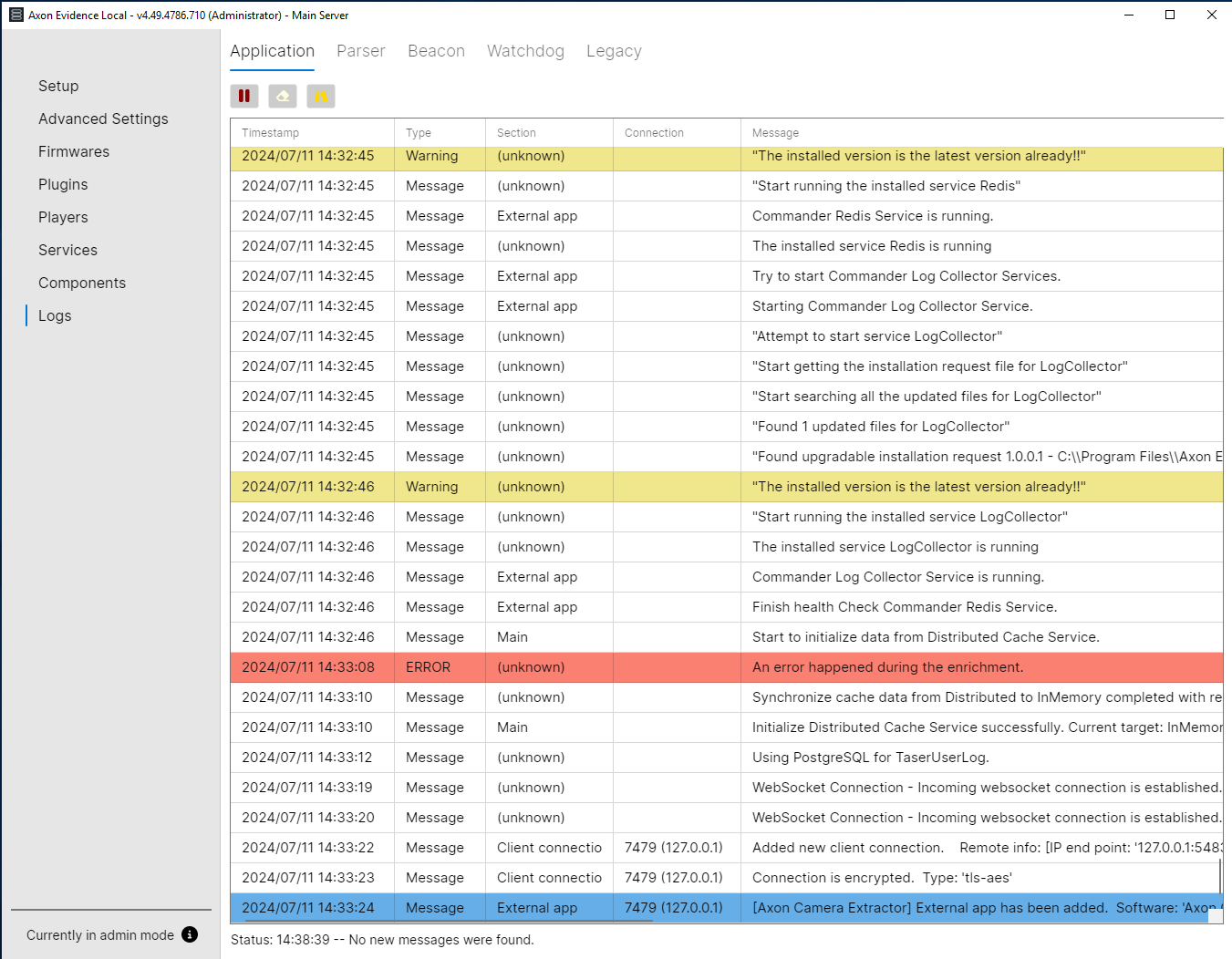
This release introduces an upgrade to Axon Evidence Local's Server Manager, featuring a new and improved user interface and updated technology for enhanced usability and performance.
Main Setup
Advanced Settings
Device Firmware
Plugins
Components
Services
Logs
Message Broker - RabbitMQ
Axon Evidence Local is evolving into a highly scalable solution, transitioning towards a more distributed system architecture. This includes running multiple Evidence Local servers in parallel. As part of this architectural shift, it's essential to introduce a service that can facilitate communication between these distributed servers and services by managing and coordinating the sending and receiving of messages.
To achieve the next level of scalability and establish a solid foundation for the new architecture, Axon Evidence Local is introducing a centralized message broker with an advanced message queue protocol to scale ingestion services. This message broker handles and processes all ingestion requests across the Axon Evidence Local server cluster moving forward.
We have selected the open-source message broker RabbitMQ as our message queue service. RabbitMQ is now bundled into the Axon Evidence Local installation process. When Axon Evidence Local is initially installed on a machine or upgraded from a previous version, the RabbitMQ message queue service is installed and running by default.
Web-UI Migration - Storage Configurations / Destinations
With this release, we've migrated the setup and configuration of destinations to the web-UI interface. You can now easily set up destinations for your agency, enabling Axon Evidence Local to securely send evidence to other Axon Evidence Local servers or Axon Evidence, all while maintaining the chain of custody.
System Administration
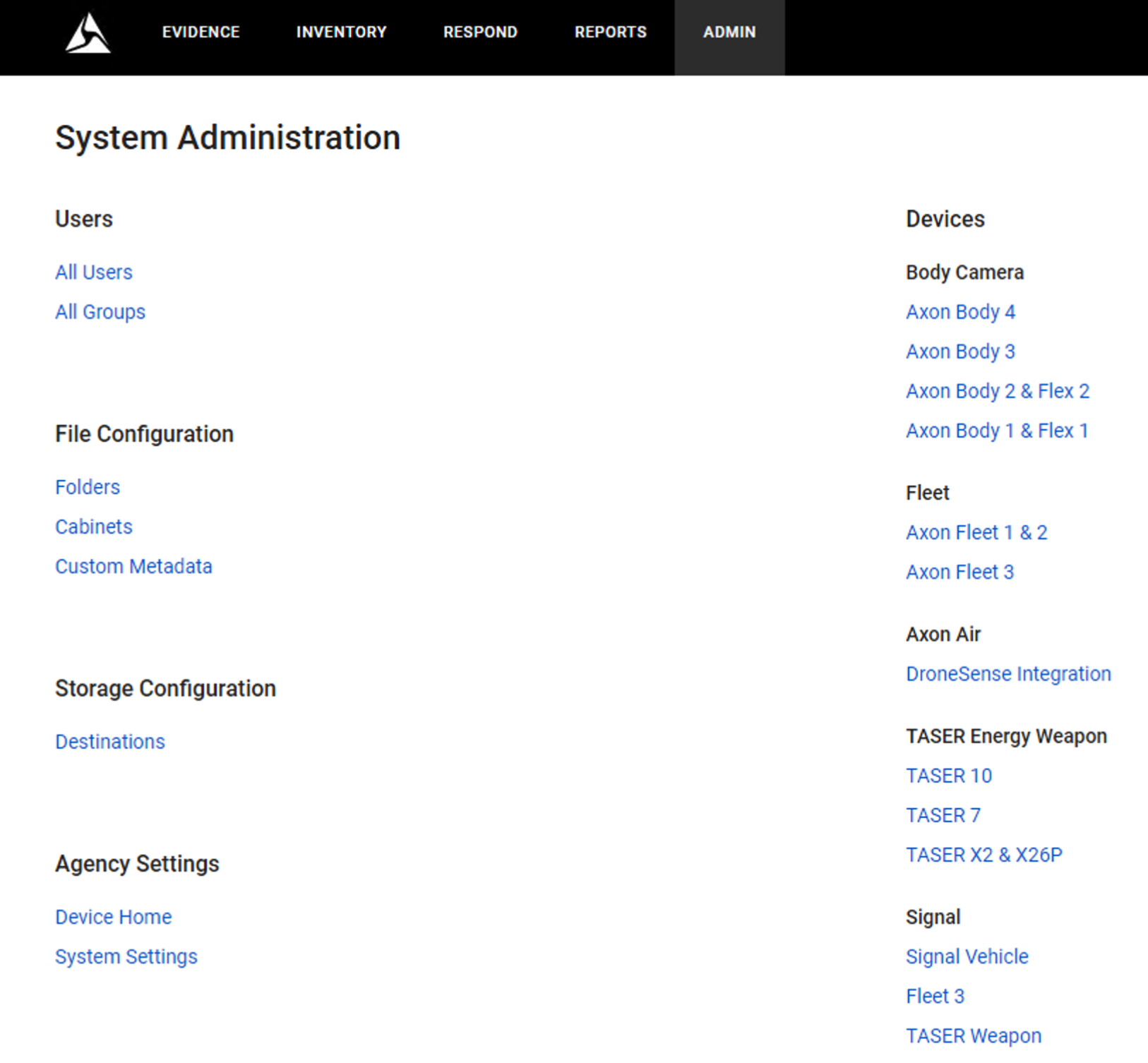
Destinations
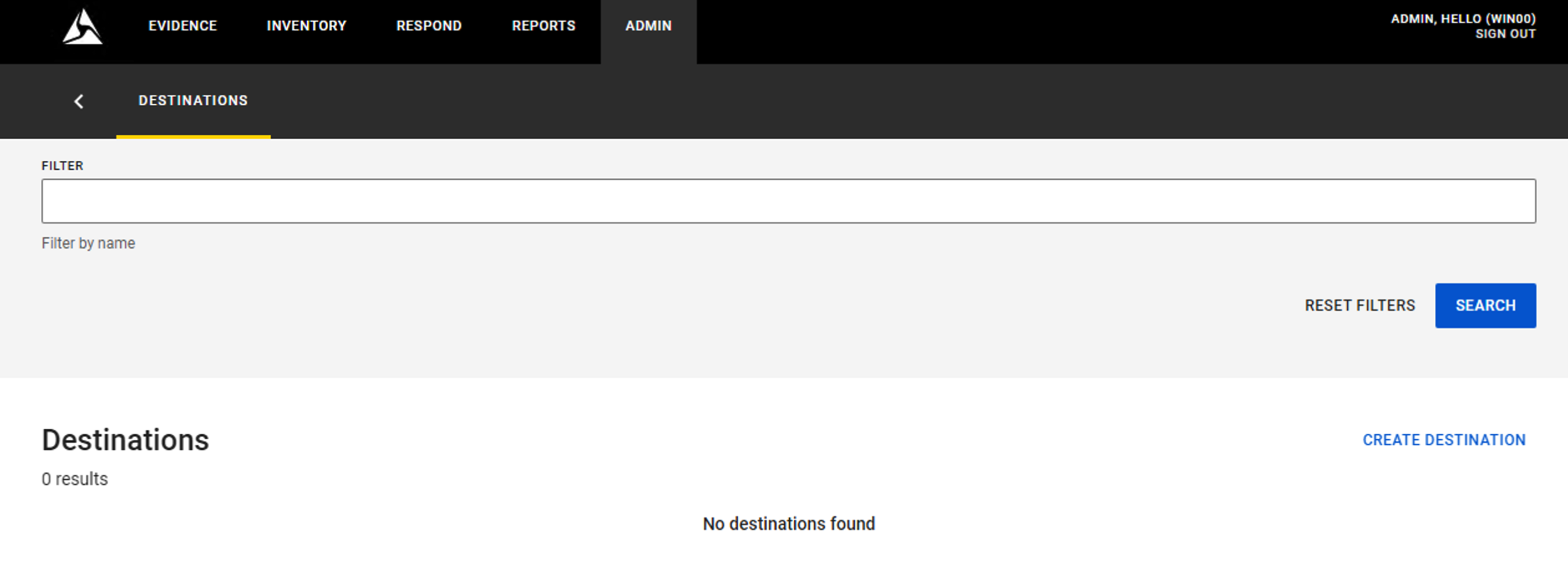
Adding a Destination
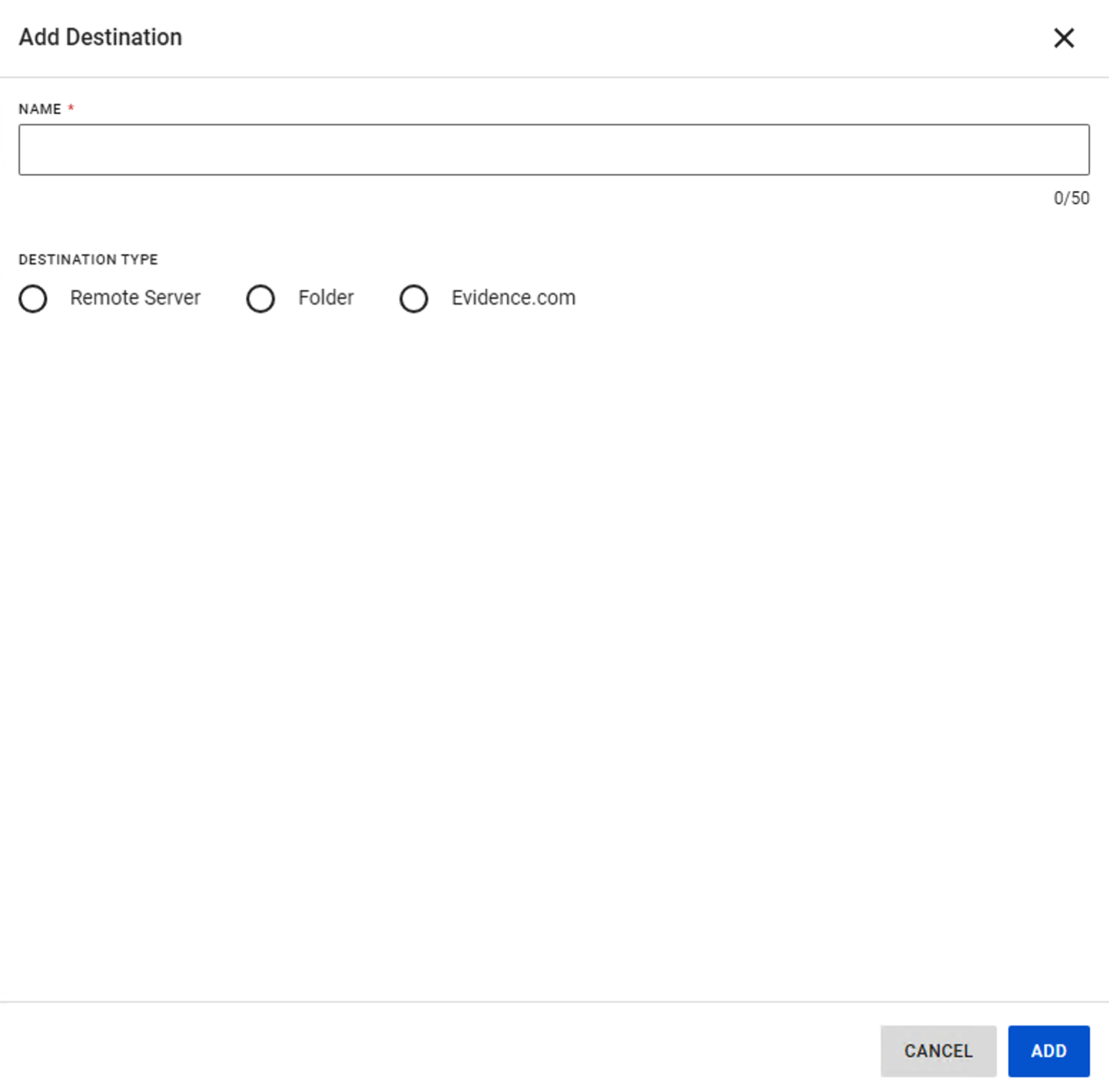
Entering Name and Server
Full View-XL Support
This release introduces official support for Axon View-XL Standalone, along with several key features and enhancements to the Axon Evidence Local platform, including the following:
- Main Screen: Full functionality for BWC registration, sync settings, and firmware updates.
- Control Tab: Seamless assign, reassign, and unassign capabilities.
- Review Tab: Metadata display, addition, and submission, along with evidence playback.
- Upload Tab: Prioritization of uploads, evidence creation, and metadata management.
- Device Settings: Comprehensive control over device volume, vibration, LED brightness, and STEALTH mode.
- Settings: Improved sign-out process and information display.
Dependency / Compatibility Overview
Firmware
| Devices | Supported FW version |
|---|---|
| TASER 7 Handle | 2.0.4 |
| TASER 10 Handle | 2.0.22 |
| TASER Dock Charger | 2.0.22 |
| AB2/Flex2/TASER Dock | 3.17 |
| AB2/Flex2 | 1.27.7 |
| AB3 | 1.28.124 1.29.45 1.27.99 1.30.79 1.31.35 |
| Axon Fleet 3 Bundle | v2.2423.3248 |
Applications
| Application | Supported app version |
|---|---|
| Axon Device Manager iOS | 3.2.4 |
| Axon Device Manager Android | 3.10.0 |
| Axon View iOS | 6.5.0 |
| Axon View Android | 6.3.0 |
| Axon Capture iOS | 5.14 |
| Axon Capture Android | 5.16 |
| Axon Device Checkout iOS | 2.0.2 |
| Axon Device Checkout Android | 0.4.5 |
| Axon ViewXL | 1.27.4 |
| Axon Interview | 4.15.1.16 |
Other dependencies
- Evidence Local Server: Windows Server 2019, 2022
- Evidence Local Desktop Client: Windows 10 64bit, 11 64bit
- Evidence Local Web Client: Firefox, Chrome, Edge
- Database: MS SQL Server 2016, 2019
- Upgradable from Evidence Local version: 4.44, 4.46, 4.48


