Loading and unloading the TASER 10 magazine
Loading the TASER 10 magazine
- Point the magazine in a safe direction at all times.
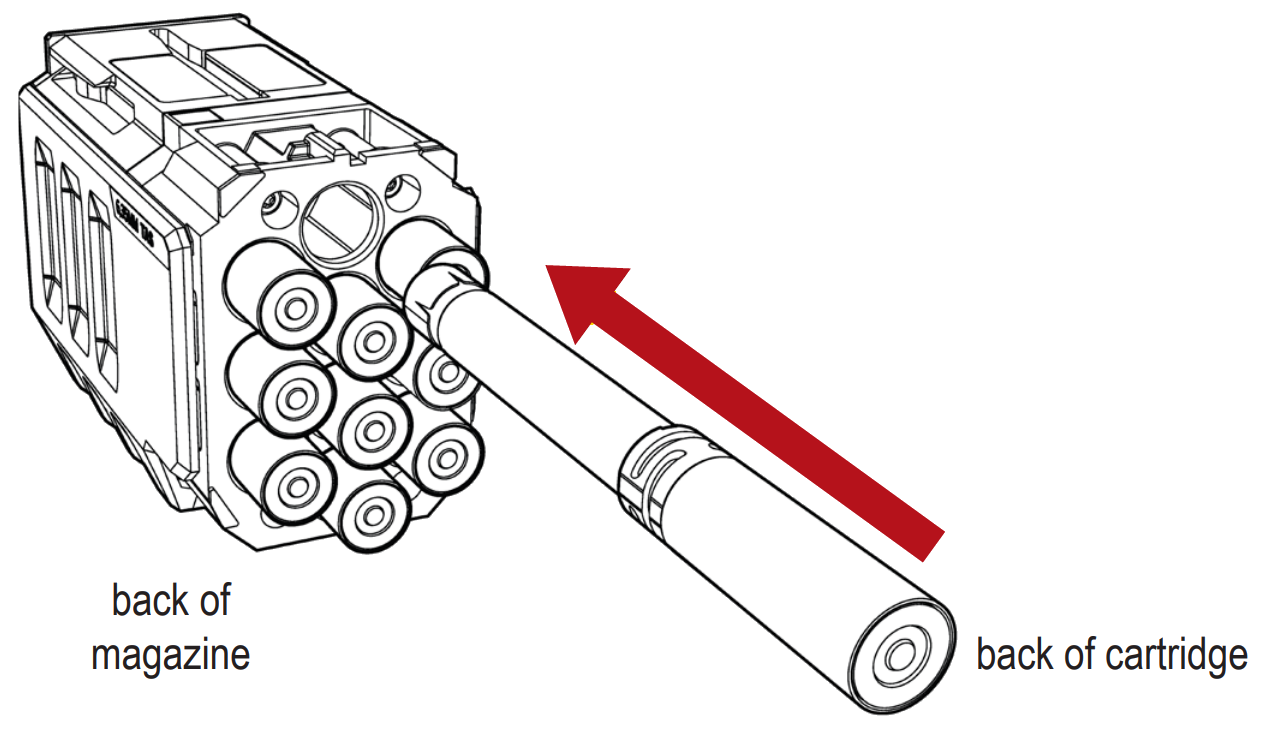
- Slide the cartridge with the front facing away from you, front-first into the back of the chamber until the cartridge is fully seated.
- Load one cartridge at a time.
- It is not necessary to force a cartridge into the chamber. If there is a problem with the magazine, notify your agency's TASER energy weapon technician.
- When fully chambered, part of the cartridge will protrude from the magazine as shown.
- Repeat until all cartridges are loaded.
Unloading the TASER 10 magazine
To remove an un-deployed cartridge, pull it out of the magazine.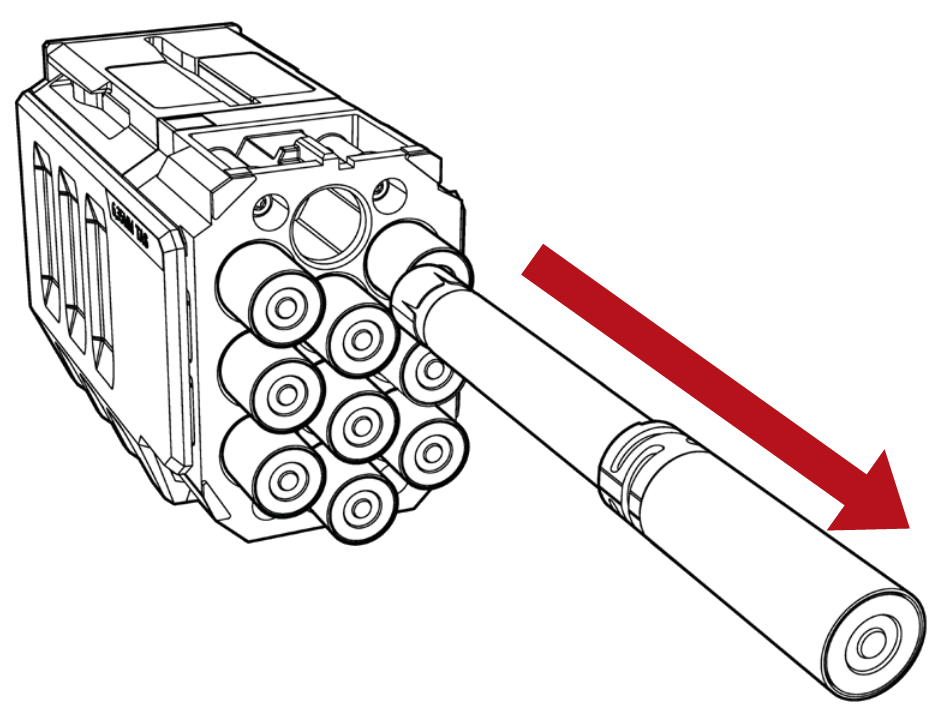
If one or more cartridges have been deployed, follow these steps to remove the expended cartridges from the magazine.
- Check your surroundings to ensure the situation is safe.
- Ensure the selector switch is in the down (SAFE) position.
- Remove the magazine. (See Loading and Unloading the TASER 10 Energy Weapon).
- Holster the weapon.
- Break the wires, and remove the cartridges as needed.
- Unholster the weapon.
- Re-insert the magazine (see Loading and Unloading the TASER 10 Energy Weapon).
- Move the selector switch to the up (ARMED) position to confirm the cartridges display properly on the CID.
- Move the safety switch to the down (SAFE) position.
- Holster the weapon.
Do not remove the battery pack immediately after a deployment. See Avoiding Log Sync Errors for more information.


