Attach the desk plate
If you use your Axon Dock on a desk or table, you should attach your dock to a desk plate. The desk plate holds the core and bay together and keeps the dock from sliding on flat surfaces.
There are two desk plates. One is designed for use with a core and a single bay; the other is for use with a core and a 6-bay dock, which is what the pictures in this procedure show.
Tools and materials
- Screwdriver
- Screws
- Desk plate
- Rubber feet
Preparation
Read all of the manufacturer’s installation instructions for the dock. Follow the instructions for putting the dock together in Installation.
- Place the plate on a table with the flat surface facing up.
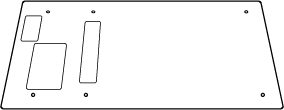
- Place the core on the desk plate so the rectangular openings on the dock line up with the holes in the plate.
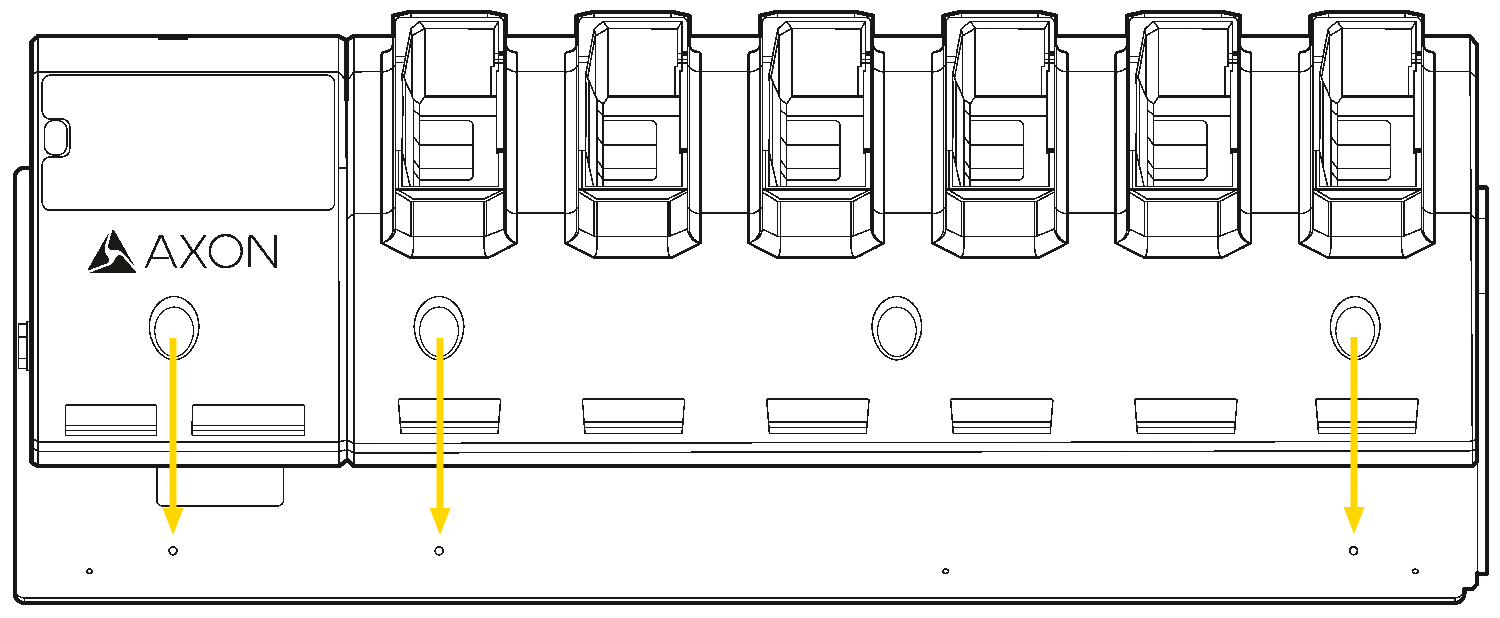
- Drive the six screws into the dock.
- Turn the dock and desk plate assembly over.
- Remove the adhesive backing from the rubber feet and attach them to the round scored markings on the desk plate.


