Find files with My Groups
The ability to find files with My Groups is coming soon and will appear on the search page. It is currently part of an alpha release. This means it is still being developed, and is available to select organizations for testing and feedback. As an alpha feature, functionality is not fully polished, and adjustments can occur based on input. If you would like to participate in this alpha release, contact your Axon representative. Learn more about Alpha and Beta features.
Use My Groups to narrow search results to files from your organization-hierarchy groups and subordinate groups. If My Groups is available in your organization, you can also set it as your default search view.
What My Groups shows
My Groups is a preset saved search on the Search page.
When you select My Groups, your organization-hierarchy group memberships and subordinate groups are used to narrow your search results.
Search using My Groups on the Search page
- Select Files.
- Next to the search bar, select Saved or your current default search, then select My Groups.
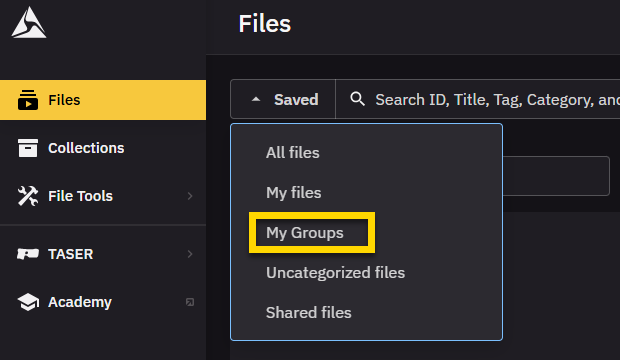
- Review the filtered results.
Set My Groups as your default view
If My Groups is available in your organization, you can set it as your default search view so it loads automatically each time you open Axon Evidence.
- Select Files.
- Next to the search bar, select Saved or your current default search.
- Hover over My Groups, then select Set as default.
Limitations and troubleshooting
- My Groups supports up to 20 resolved groups.
- My Groups works with command-hierarchy groups only.
- If your group memberships change later, delete and reapply My Groups to refresh the saved search.
- If My Groups is not available, your organization might not have this feature enabled yet.


