Update firmware
Note
This topic is intended for the armorer or administrator who sets up sensors. For user guidance, see Operation.
Axon Device Manager checks for, downloads, and installs firmware automatically prior to Setup and calibration. This topic describes how to manually check firmware on sensors that are already calibrated.
Axon Signal Sensor remains updated when near a body camera assigned to the same user. During a typical shift, the camera verifies firmware, downloads data, and checks battery life.
Update firmware manually
Turn on all sensors and keep them within one meter of your phone. Sensors do not need to be removed from holsters.
-
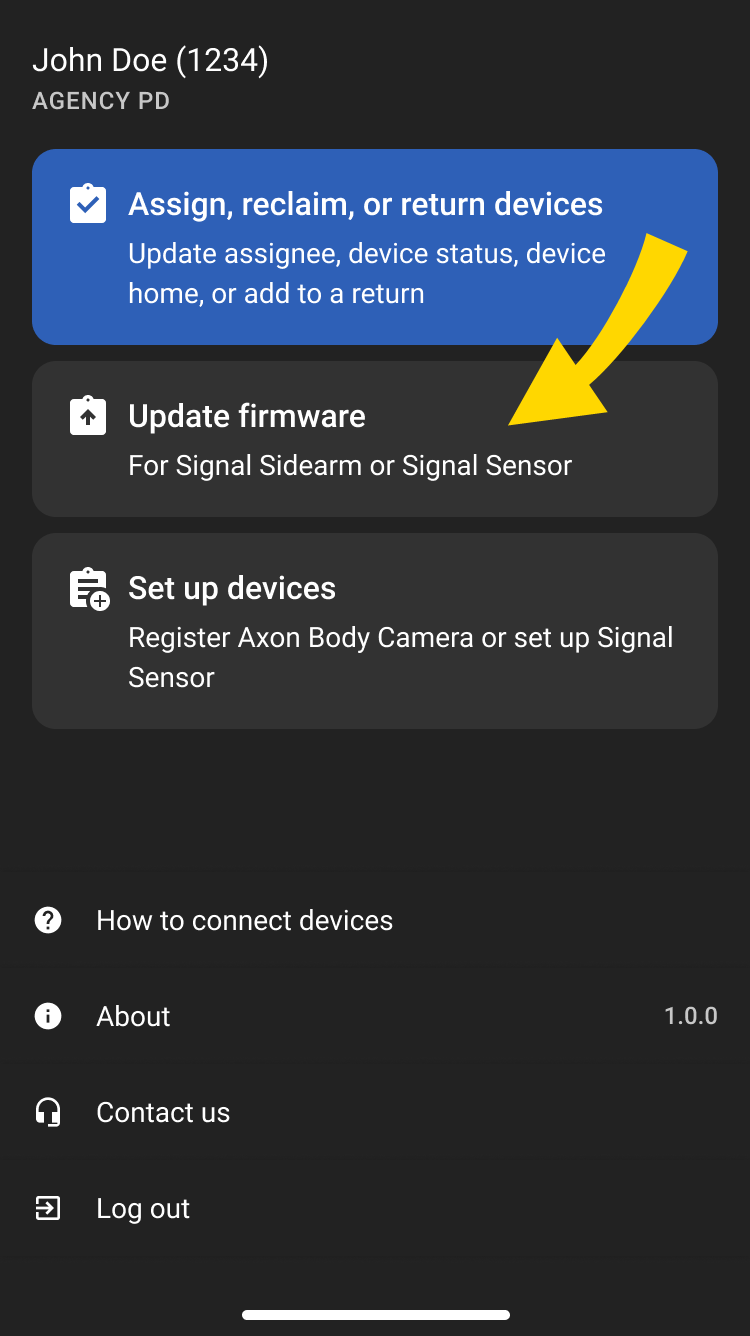
In Axon Device Manager, select Update firmware.
-
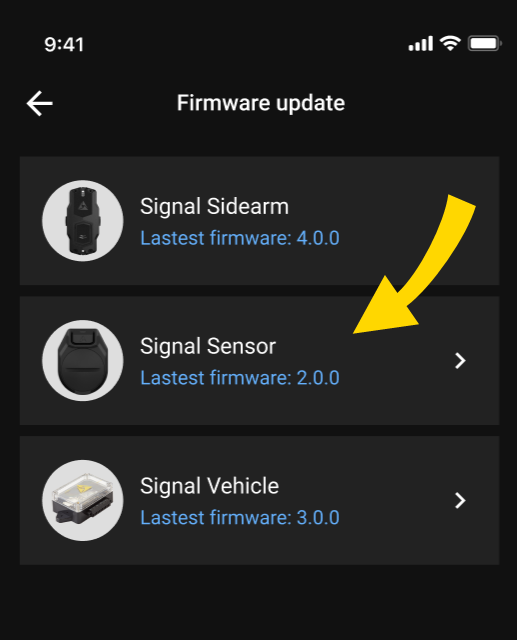
Select Signal Sensor.
-
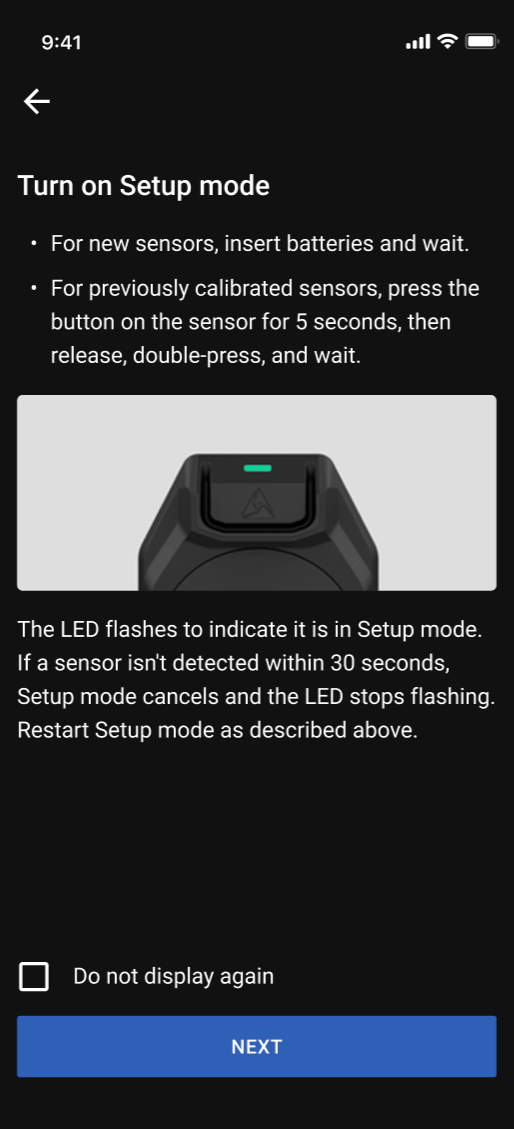
Press the button for five seconds, release, then press twice to enter Setup mode.
Tap Start.
ADM can update up to seven sensors simultaneously.
-
ADM detects devices and installs updates automatically.
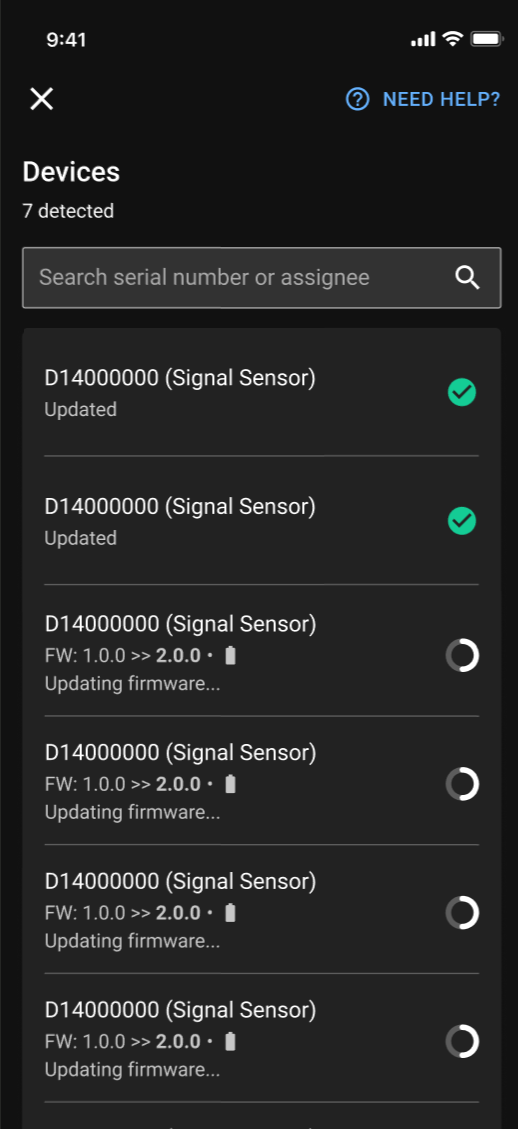
- When updates are complete, select Exit.


