Update firmware
| Tip | This topic is intended for the armorer or administrator who will set up new sensors. For user guidance, see Operation. |
This topic describes how to manually check for firmware updates on calibrated sensors.
Axon Signal Sidearm stays updated when near a body camera assigned to the same user. During a typical shift, the camera checks firmware, downloads data, and verifies battery life.
Firmware update
Axon periodically releases firmware updates. Keep firmware current for best performance and stability.
- Open Axon Device Manager (ADM).
- Sign in to your Axon Evidence account.
-
Tap Settings
 and under Firmware Updates, select Devices.
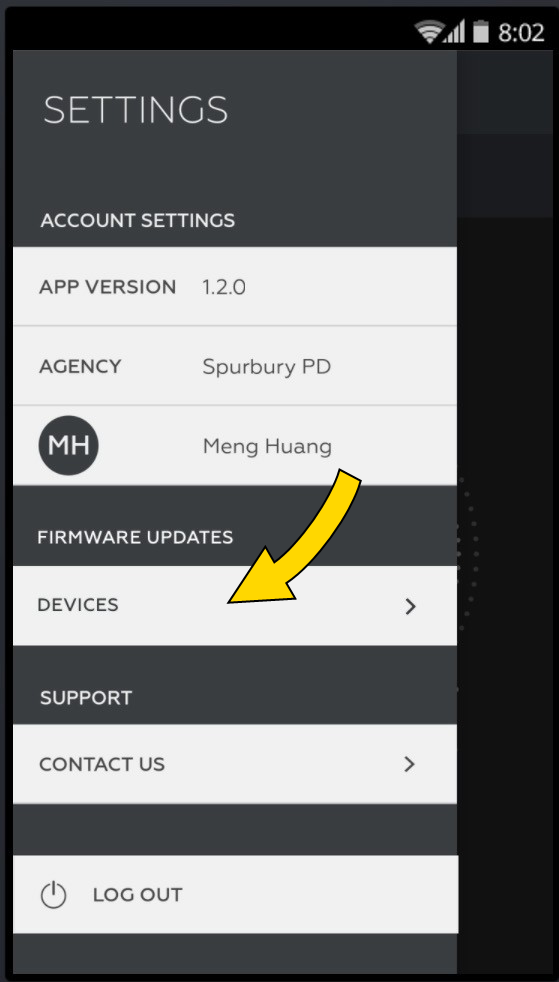
- Select Signal Sidearm from the list. If prompted, enable location services to allow Bluetooth connection.
- Hold the sensor button for three seconds to enter Mute mode. If it returns to Field mode, repeat.
- Place the sensor on the back of the phone with the button facing the phone to initiate Bluetooth pairing.
-
If firmware is out of date, the update begins automatically.
Monitor progress using the progress bar.
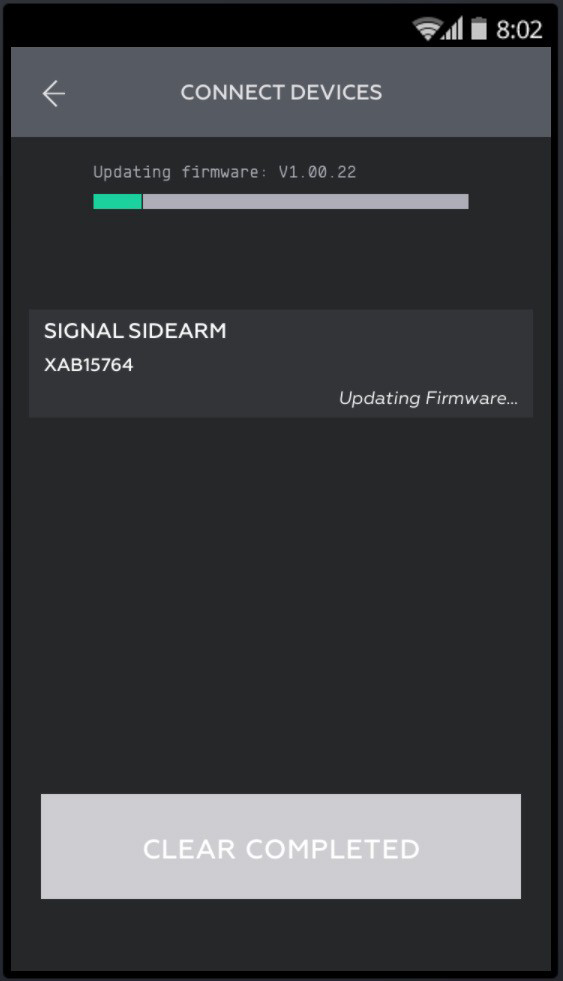
-
Repeat for additional sensors (up to five at once).
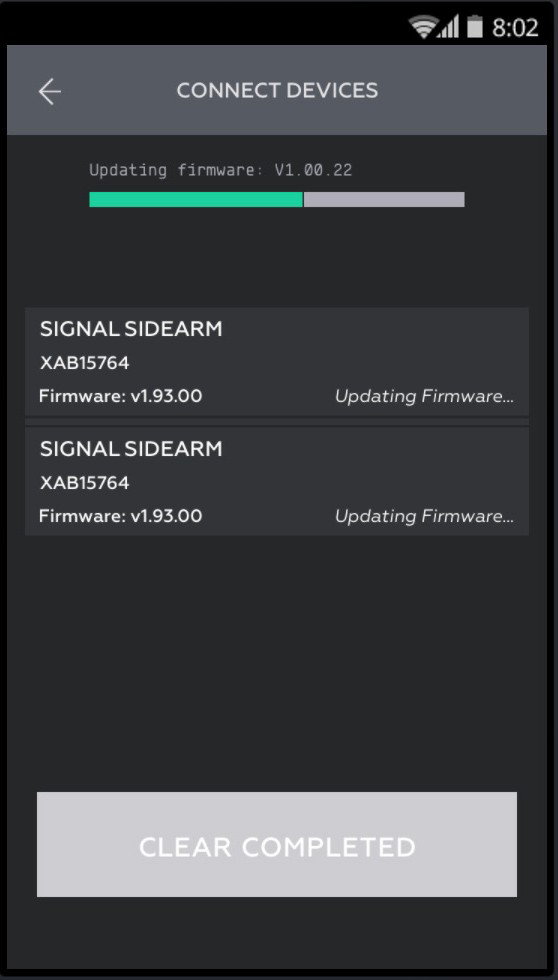
- When the update is complete, the sensor reboots and unpairs from the phone.


