Workflow Manager
The Workflow Manager tool lets you create workflows that Axon Standards reports move through (e.g., Draft, Review, Finalized, etc.)

|
To access Workflow Manager, open the Administrator Console by selecting the gear icon in the main navigation menu, then select Workflow Manager from the tool list. |
Users must have the Workflow Manager privilege to access this tool and manage workflows.
When you create a workflow for Axon Standards from the Workflow Manager tool, the workflow contains five states. When a report moves through this workflow, a task will appear in different inboxes depending on the state of the report.
For example, when a report is in progress, a Write task for the report appears in the My Tasks inbox of the person assigned to write the report. Once the report is submitted for review, a Review task for the report appears in the Chain of Command inbox.
All tasks also appear in the Agency Tasks inbox, regardless of the current state of the report.
|
State |
Inbox |
|---|---|
|
In Progress |
My Tasks |
|
Review |
Chain of Command |
|
IA Investigation |
IA Investigation |
|
IA Review |
IA Review |
|
Finalized |
Agency Tasks > Recently Finalized tab Reports appear in descending order from most recently finalized. This inbox contains 1,000 pages of reports. All other finalized reports can be found using Events search. |
Standards workflows are flexible; reports do not move in one direction through the workflow (i.e., In Progress → Review → IA Investigation → Finalized.). Instead, reports can move between any of the states. For example, a report can move through the workflow as follows: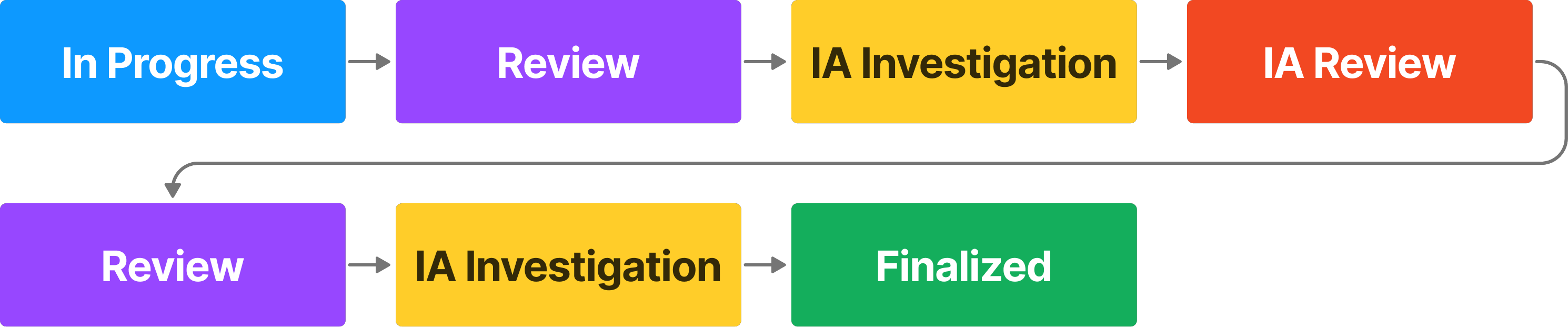
If a report is rejected at any point, it is returned to the original author who can revise and resubmit it for review.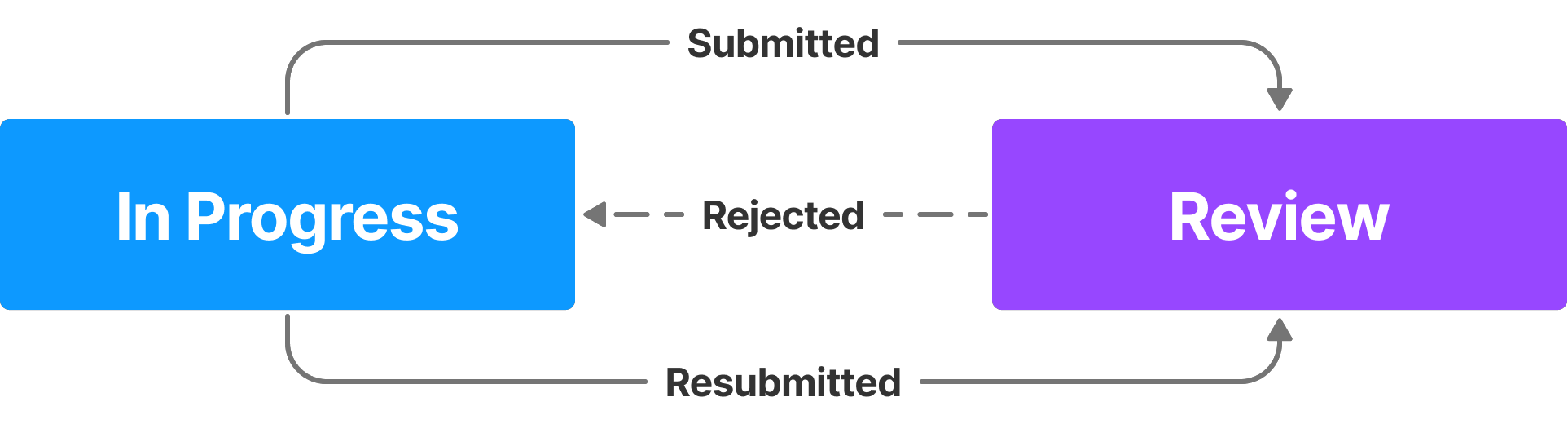
When you create a new Axon Standards workflow, a set of corresponding privileges appears in the Administrator Console, which you can configure to allow users to perform appropriate actions in the workflow.


