Axon Standards
Axon Standards is a Professional Standards and Internal Affairs tool that can be used on its own or in conjunction with the Axon Records Management System (RMS).
Axon Standards combines several software systems that aim to protect the lives of citizens, the careers of police officers, and the reputations of police agencies worldwide. These systems include:
- Report writing software lets agencies replace almost any paper-based documentation and contains tailorable templates for common reports, such as Use of Force, Vehicle Pursuits, and Citizen Complaints.
- An Early Intervention System (EIS) to help supervisors track officers’ involvement in critical events, such as pursuits, use-of-force incidents, missed court dates, etc. Supervisors can use this data to ensure officers receive the training, counseling, and discipline required to flourish in their careers and exceed the high standards that agencies and communities alike expect.
- Internal Affairs (IA) software supports investigation of potential officer misconduct. This IA software works in conjunction with Use of Force reporting to provide a comprehensive picture of an officer’s conduct in the field.
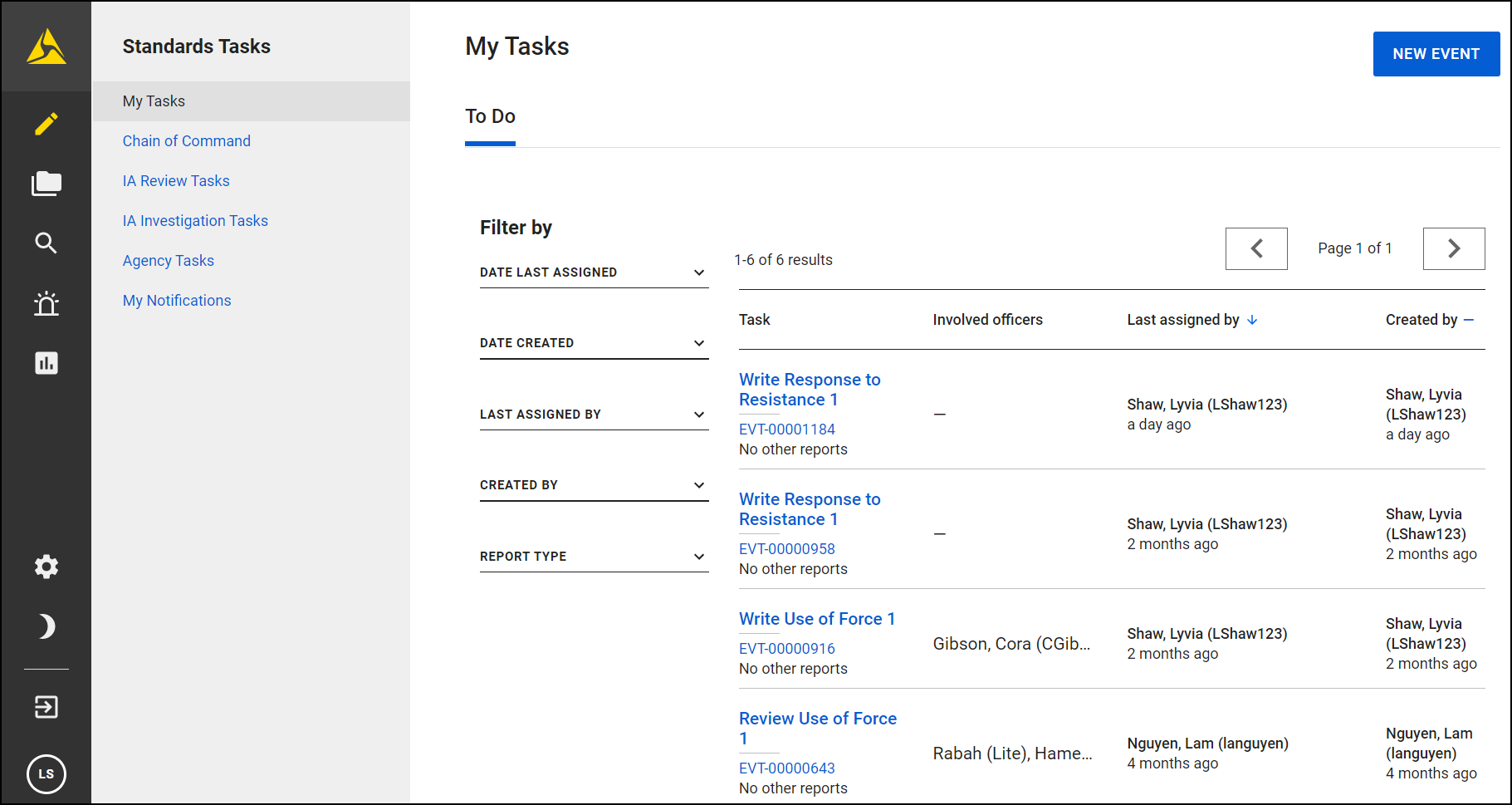
Watch this video for an introduction to Axon Standards.
Sign in
Follow these steps to sign in to Axon Records or Axon Standards:
- In a web browser, open Axon Evidence, and sign in using your account information. After signing in, your organization’s Evidence page will load in Axon Evidence.
- If you need help signing in to Axon Evidence, see Registration and sign-in.
- Depending on your organization’s setup, you'll see either Axon Records, Axon Standards, or both in the main navigation menu. Select the one you want to access.
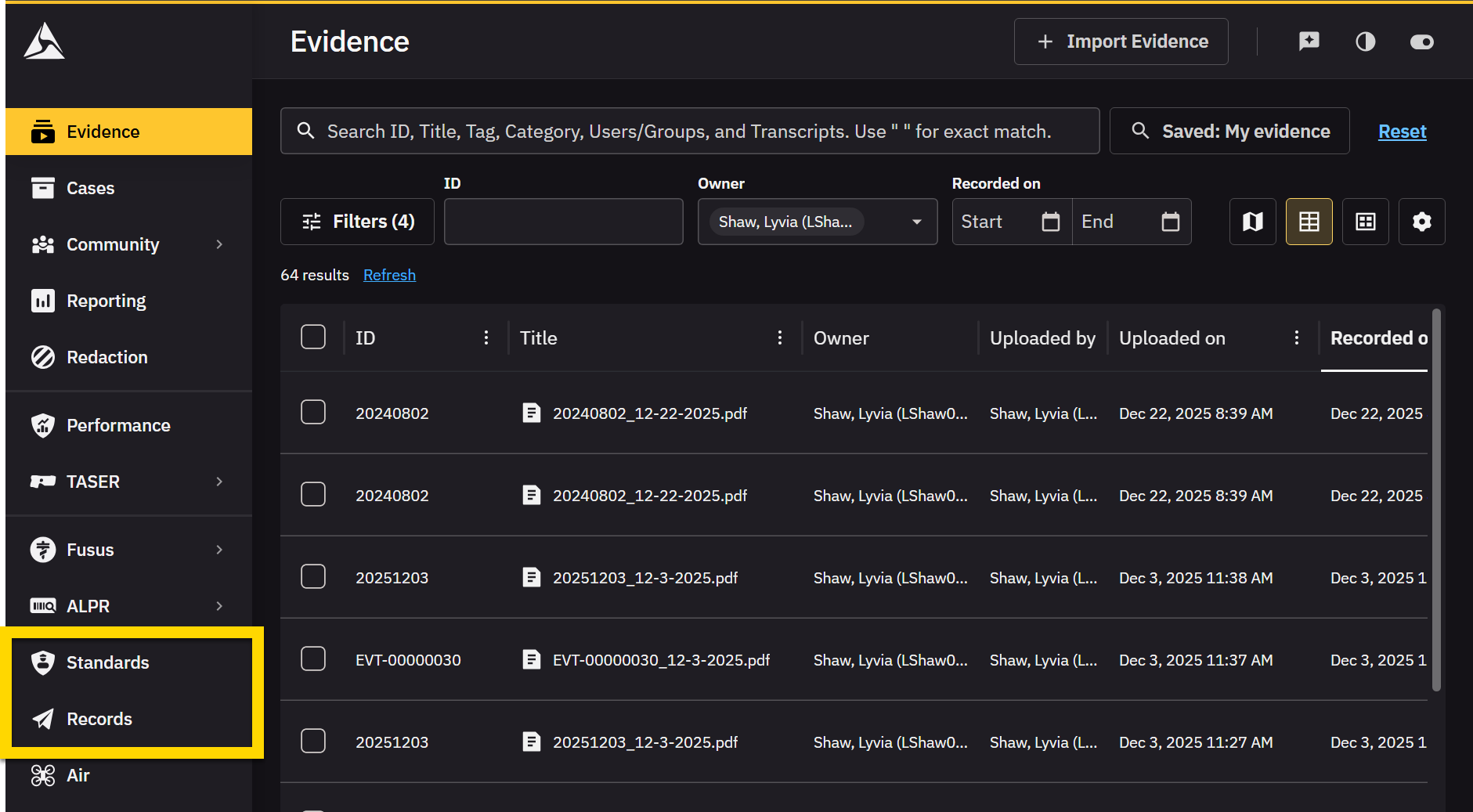
Switch between Axon Records and Axon Standards
If your agency uses both Axon Records and Axon Standards, you can easily switch between them without needing to re-login:
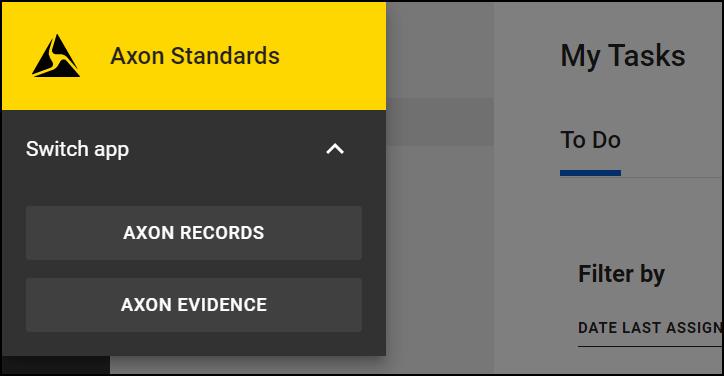
- Select the Axon logo in upper left corner to open the App Switcher.
- In the App Switcher you will see options for either Axon Records or Axon Standards, depending on which one you’re currently in.
- From the App Switcher, select which product you would like to open.
Automatic sign out
For security reasons, Axon Records and Axon Standards will automatically sign out after 15 minutes of inactivity. This complies with Criminal Justice Information Services (CJIS) standards for protecting sensitive data.
If your organization uses a single sign-on (SSO) system, simply interacting with the page will automatically log you back in without needing to re-enter your credentials.
Basic navigation
Select the icons below the App Switcher to open the various modules. Access to each module is determined by the privileges granted to that user's Command Hierarchy group and/or team.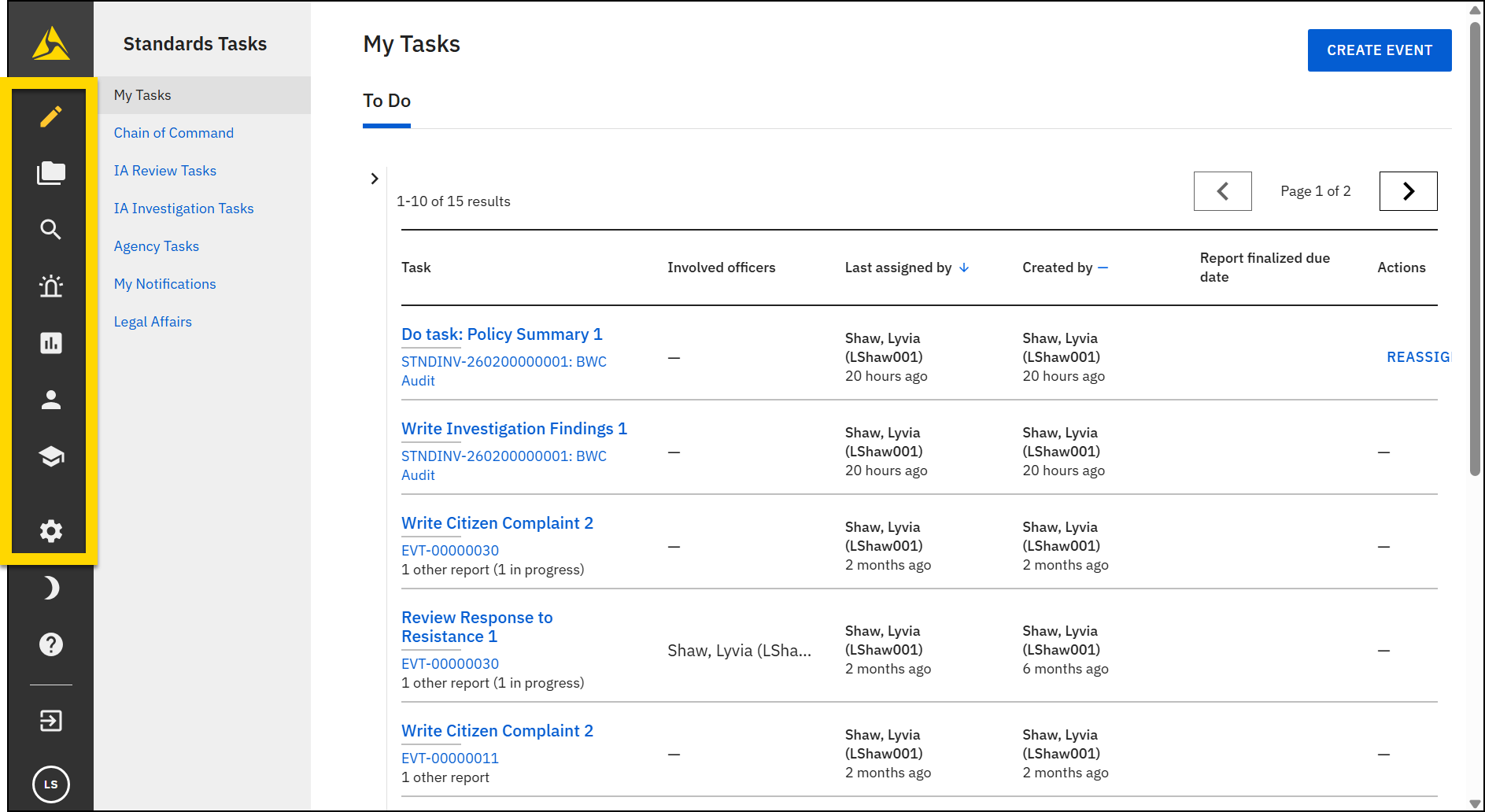
The following videos explain the various modules and features in Axon Standards.


