Activity log management
The Activity log tab on event, case, and investigation profiles provides a chronological record of all actions taken on a case or investigation (e.g., report created, finalized, files added, etc.). It supports:
- Accountability and auditing
- Transparency into investigative progress
- Reconstruction of events for review or legal purposes
Activities can be generated either by the system or created by users. Users with the appropriate privileges can view this tab, as well as add or remove activities from it.
The most recently completed activities appear at the top of the list. The information recorded for each activity includes:
- Activity Type
- Description
- User (who performed the activity)
- Date Completed
- Time Spent
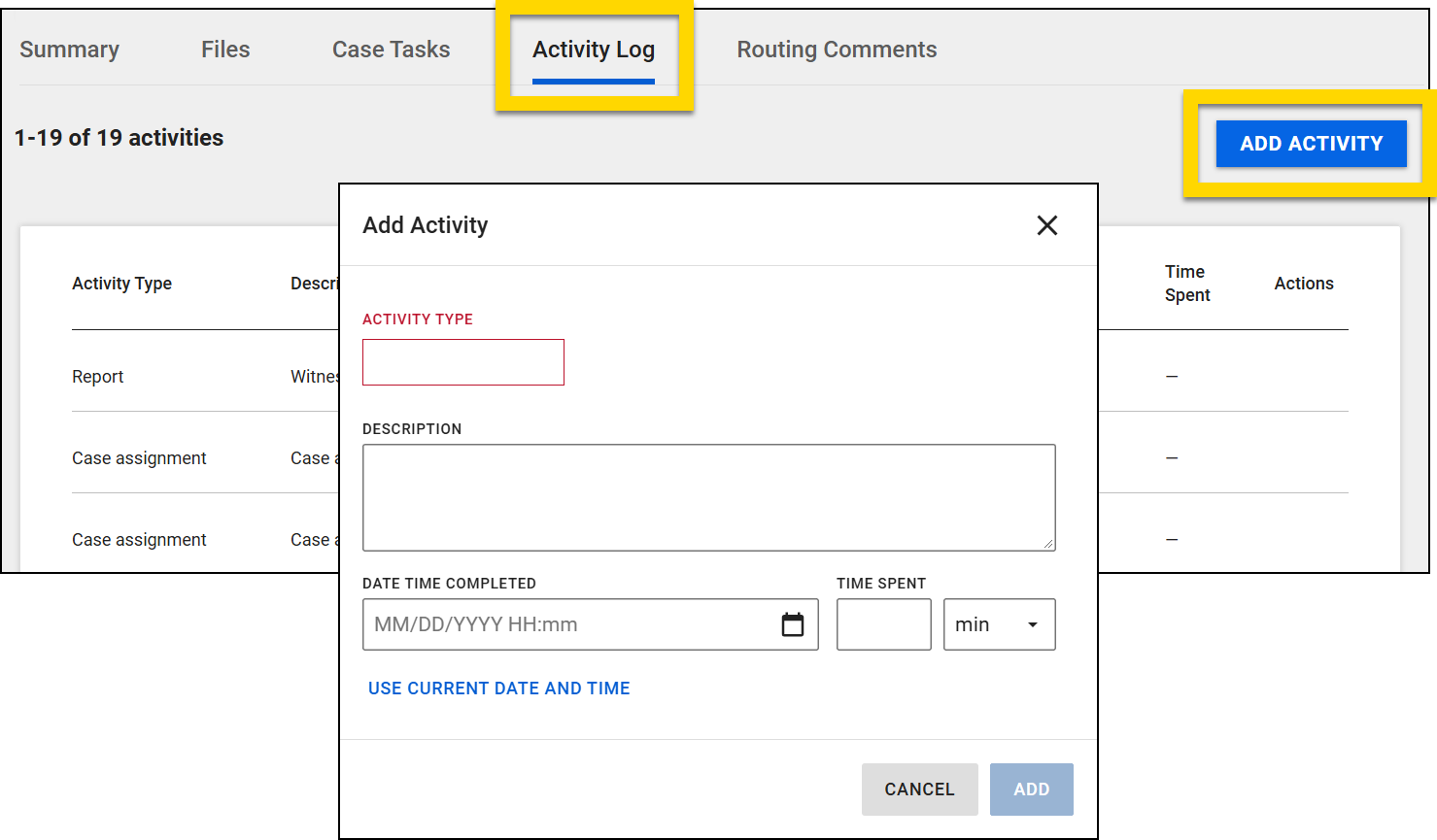
To manually add an activity to the log:
- Select Add activity.
- Select an Activity type. Options include: Comment, Contact, Note, and Task
- Organizations can configure additional activity types by contacting their Axon representative.
- Add a description.
- Enter the date and time the activity was completed.
- Enter the amount of time spent performing the activity.
- Select Add.
Manual activities can be deleted by selecting the trash can icon. System-generated activities cannot be deleted.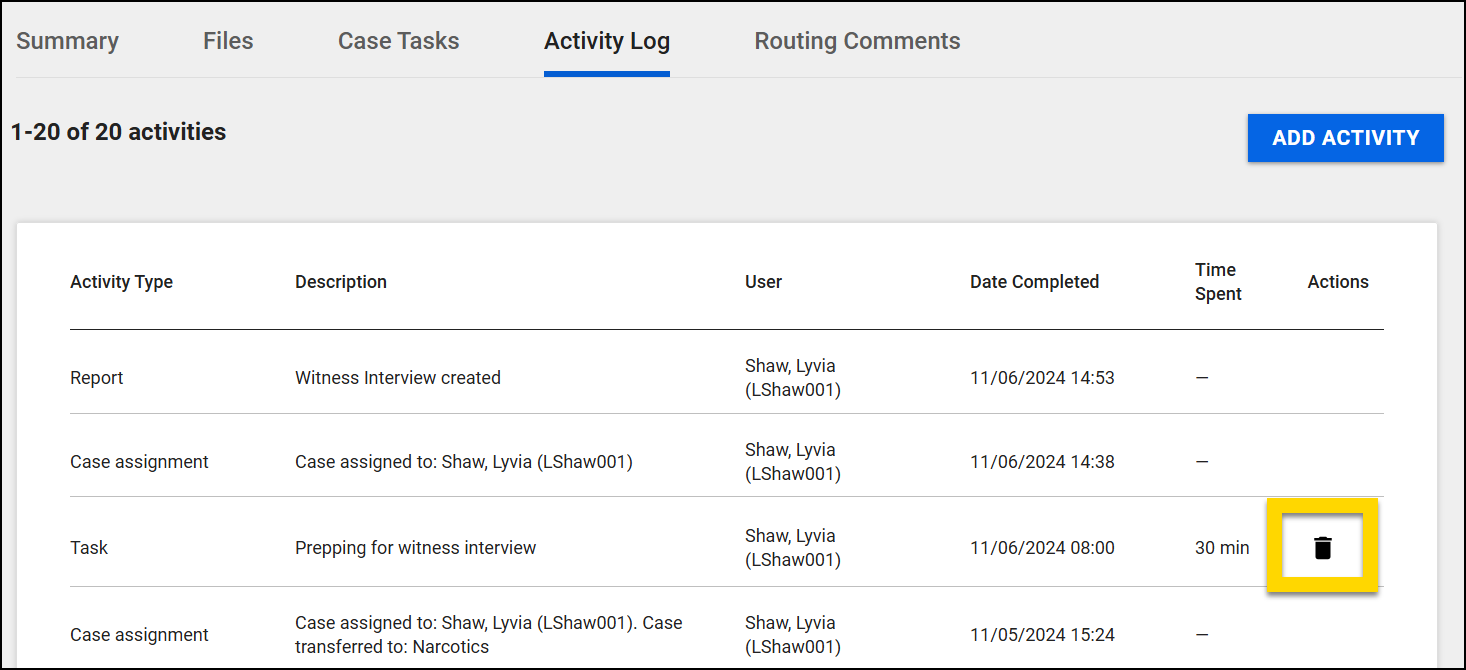
Note
Adding and deleting manual activities is only available for users with specific privileges.


