Profiles
When information about people, vehicles, etc. (also known as entities) are added to a report, a profile page is created to display the known information. A profile also shows all associations between that profile and other profiles, as well as all reports the profile has been added to.
In Axon Standards, profiles are created for citizens officers, and vehicles. Profiles are also created for events and cases but these profiles differ substantially from the regular profile pages and are documented separately.
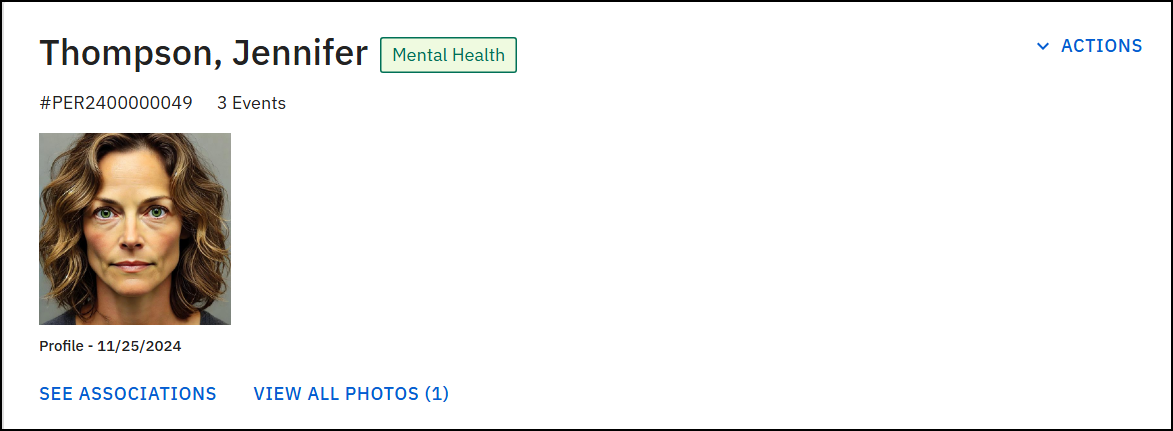
The top of every profile contains a header section that includes the profile name, ID, the number of event associations, and any flags that have been added to the profile. Select See associations to view the profile's associations.
The Actions menu in the profile header lets you take various actions on the profile. Some profiles contain additional actions, but every profile contains the following options:
- Add flag
- Copy link to clipboard (copy the profile URL to paste into another document/application)
- Print profile
- View and manage flags
An Associations section at the bottom of the profile displays how that profile is associated with other profiles and reports. This Associations section can contain some or all of the following associations:
- Events
- Case documentation (case summaries, case documents, and case tasks)
- Citizens
- Vehicles
Use the sorting dropdown to change the order in which the associations appear.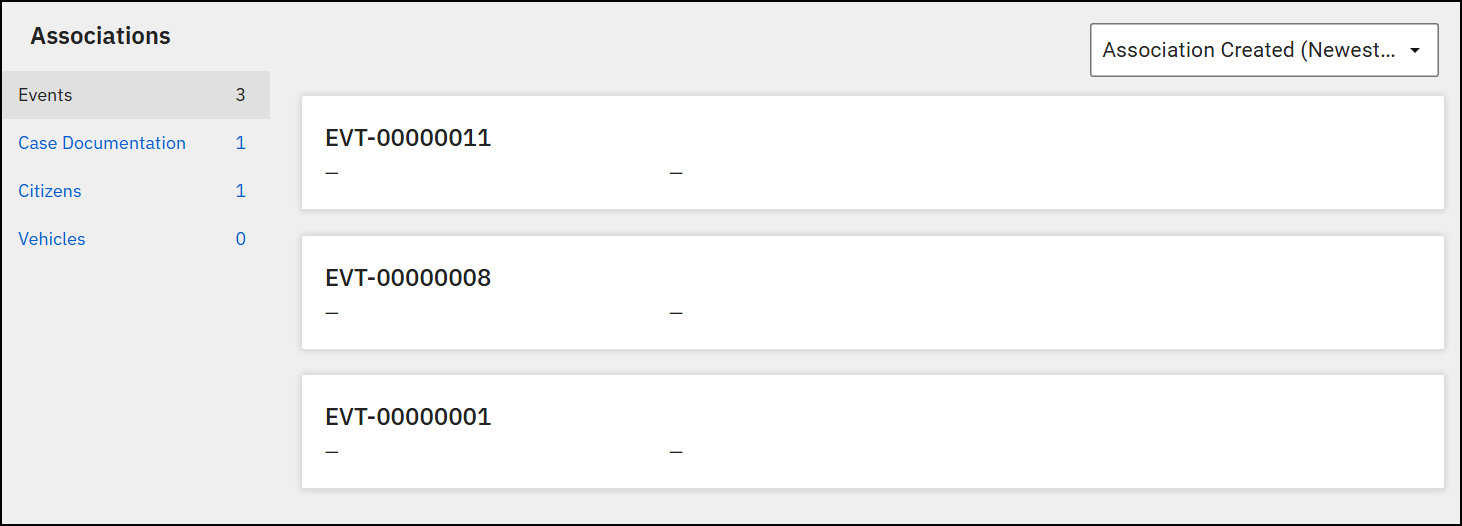
Officer profiles
An officer profile includes their name, Badge ID, rank, email, username, External ID, and department. Additional sections on the profile include Identity and Description. The Related reports section shows all reports that include the officer as an involved officer.
Selecting Actions lets you take the following actions:
- Edit Profile
- Changes made to officer profiles also reflect in the Personnel module.
- Copy link to clipboard (copy the URL to paste into another document/application)
The other standard options in the Actions menus of other profiles do NOT appear in Officer profiles.
Citizen profiles
In addition to the regular header information, person profiles include photos that have been added to the profile. Select View all photos to browse through all photos that have been added.
In addition to the regular options, the Actions menu includes:
Scroll down the page to view additional sections, including Victim Details, Identity, Identifying Documents, Description, Scars, Marks, Tattoos, Contact, and Custom Fields that have been configured for your organization.
Although person profiles in Axon Records and citizen profiles in Axon Standards look similar, the databases are separate. The same person may have a profile in Axon Records, and a different profile in Axon Standards. The Axon Records person profile only includes information that has been added to Axon Records reports, and the Axon Standards citizen profile only includes information that has been added to Axon Standards reports.
Vehicle profiles
In addition to the regular header information, vehicle profiles include the vehicle year, make, model, plate, and additional details (color, expiration, etc.).
Although vehicle profiles in Axon Records and Axon Standards look similar, the databases are separate. The same vehicle may have a profile in Axon Records, and a different profile in Axon Standards. The information in the Axon Records vehicle profile only includes information that has been added to Axon Records reports, and the Axon Standards vehicle profile only includes information that has been added to Axon Standards reports.


