Axon Academy FAQ
This article includes answers to common questions about using Axon Academy that apply to all users.
For role-specific guidance, see: Learner FAQ, Instructor FAQ, and Admin FAQ.
Is access to Axon Academy free?
Yes, access to Axon Evidence is free—and many courses are available at no cost. You can sign up for Axon Academy on Axon Evidence.
Some training events, such as TASER Instructor Certification events, require payment. For details, see How do I pay for an Axon Academy course?.
Is Axon Academy available internationally?
Yes. Axon Academy will be available to Axon Evidence users in Australia, Canada, Latin America, and the United States.
If you are outside these regions, contact your Axon representative to discuss available training options for your area.
How do I register for Axon Academy?
The registration process depends on whether you’re part of an agency or registering as an individual.
Register through your agency
If you’re part of an agency, an Admin will need to create an account for you.
- See Adding a user for instructions.
- Before you can access Axon Academy, you must have:
- A valid Axon Evidence domain, and
- Sign-in credentials for that domain
If your agency doesn’t use Axon Evidence, contact your Sales Representative or Customer Support Manager to create an Axon Evidence account for your agency. For all other inquiries, please contact [email protected].
Register as an individual
If you’re not affiliated with an agency, you can create your own account.
- Go to my.evidence.com.
- Select No Account.
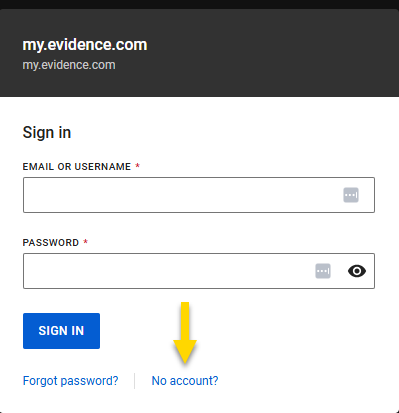
- Complete and submit the registration form.
- You'll receive a confirmation email with instructions to sign in to Axon Evidence, which will allow you to gain access to Axon Academy.
How do I import my MyAxon account?
You can connect your MyAxon account to your Axon Evidence profile to access your past certificates and transcripts.
To import your MyAxon account:
- Sign in to Axon Academy.
- Select Your Profile in the Academy panel.

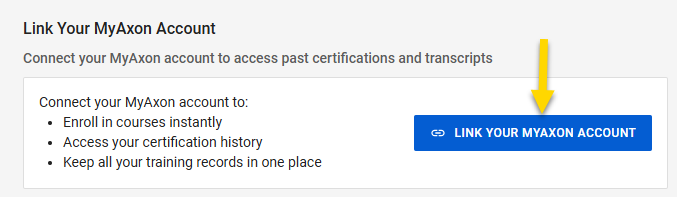
- Select Link Your MyAxon Account.
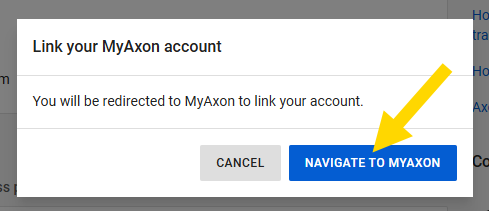
- In the dialog box, select Navigate to MyAxon.
- Sign in to MyAxon. Your account will link automatically to your Axon Evidence profile.
Account linking is permanent and cannot be undone. If you have multiple MyAxon accounts, make sure you link the correct one to ensure your course activity and certificates transfer correctly.
Can I use my Axon Evidence username and password to log in to Axon Academy?
Yes. Axon Academy requires you to sign in using your Axon Evidence credentials.
You will no longer be able to use MyAxon credentials to access Axon Academy. If you attempt to sign in with a MyAxon email and password, it will not work.
Don’t have Axon Evidence credentials?
- Contact your agency admin to request an Axon Evidence account.
- If your agency does not have an Axon Evidence domain, contact your Axon representative or training team for support.
Need help signing up for Axon Academy? See How do I register for Axon Academy?.
Need help signing in to Axon Evidence? See Accessing your Agency or Resetting your Password/Security Questions.
Where can I locate the Latest Training Version, updated Training Bulletins, notifications and other materials?
You can find the current training version and all other materials by selecting Training Materials in the Academy panel.
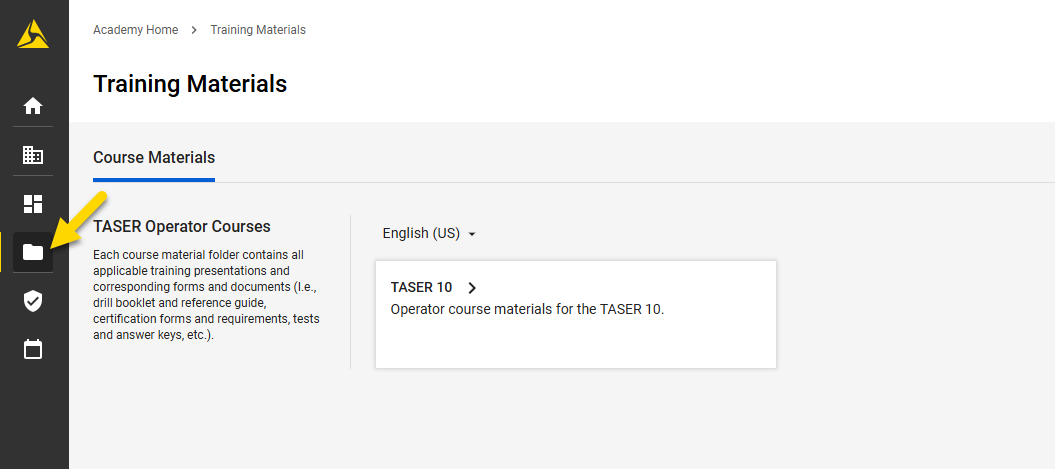
The list of training materials displays.
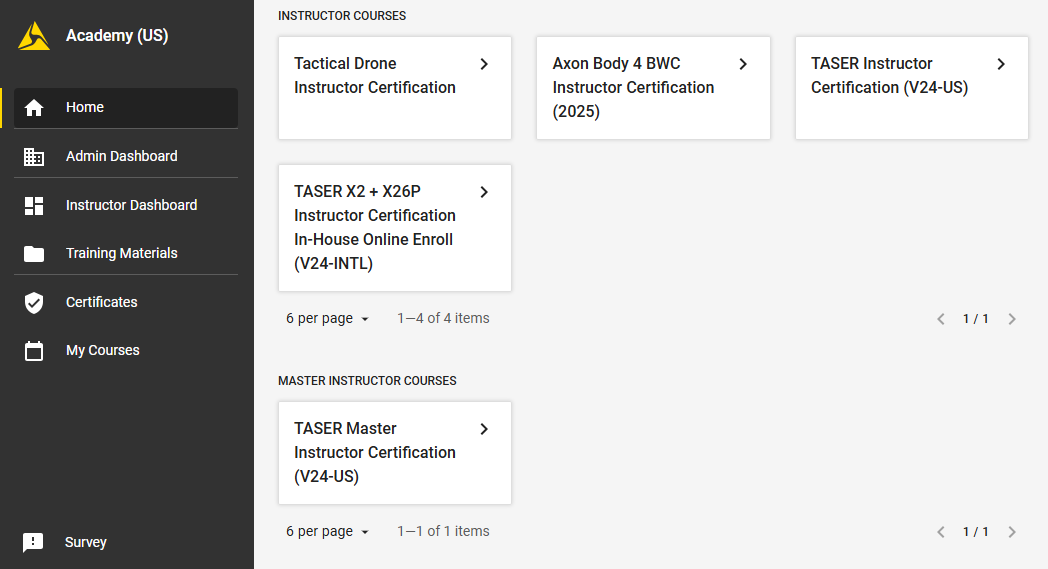
If you have any questions or need help accessing materials, contact [email protected].
What should I do if my domain isn't working?
- Select Change agency on the sign-in page.
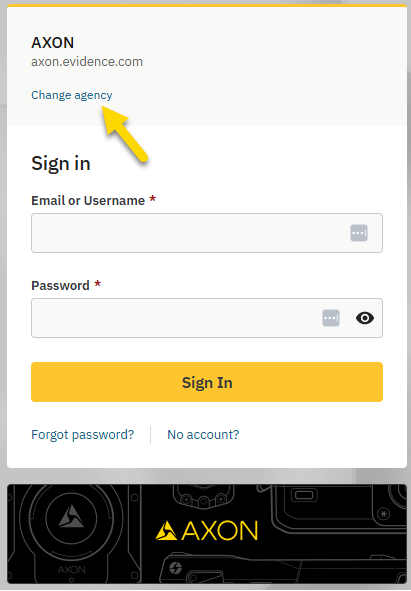
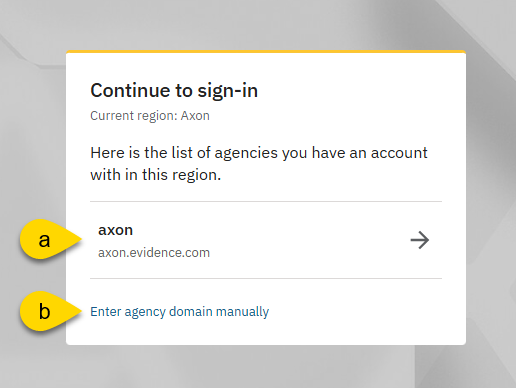
- Choose one of the following:
- Select one of those agencies that you have an account with.
- Select Enter agency domain manually > enter the domain in the field provided > select Continue.