TASER Research Evaluation & Data Program (TREND) Introduction
The TASER Research Evaluation & Data Program (TREND) helps your organization understand and improve the outcomes of its TASER energy weapon program. After each TASER energy weapon incident, including a show of force, your organization completes a TASER Data Science Report (TREND report). TREND analyzes the details from these reports so you can:
- Assess program effectiveness, such as deployment success rates, and monitor officer and subject injury rates.
- Track incidents where TASER energy weapon use prevented the need for lethal force, or where the incident was resolved through de-escalation.
- Identify the incident factors, such as distance and subject movement, that affect outcomes, so you can target training where it's needed most.
- Review TASER energy weapon logs and officer details alongside the analytics to support accountability and transparency in your community.
This guide explains how to complete and review the report, and how to use TREND analytics to make data-driven decisions about your TASER energy weapon program.
TREND in Axon Evidence and TREND in Standards
TREND is available in two experiences:
- TREND in Axon Evidence – complete, review, and analyze TASER Data Science Reports in Axon Evidence. For more information, see Creating a TASER Data Science Report in Axon Evidence.
- TREND in Standards – complete, review, and analyze TASER Data Science Reports in Axon Standards. For more information, see Creating a TASER Data Science Report in Standards.
TREND in Axon Evidence and TREND in Standards support only TASER 7 and TASER 10 energy weapons. Both models have the same features, except that in TREND in Axon Evidence, the quarterly report is available only for TASER 10. For more information, see TREND Analytics in Axon Evidence and TREND Analytics in Standards.
TREND in Standards is the earlier version of TREND. TREND in Axon Evidence covers the same analytics with more interactive charts and more detail, and all organizations will move to it over time.
To find out which experience your organization uses, check where TREND appears in Axon Evidence and what it looks like when you open it.
Recognizing TREND in Axon Evidence
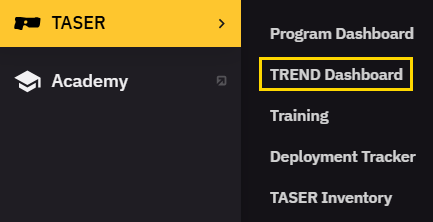
TREND Dashboard is under the TASER menu in the side navigation.
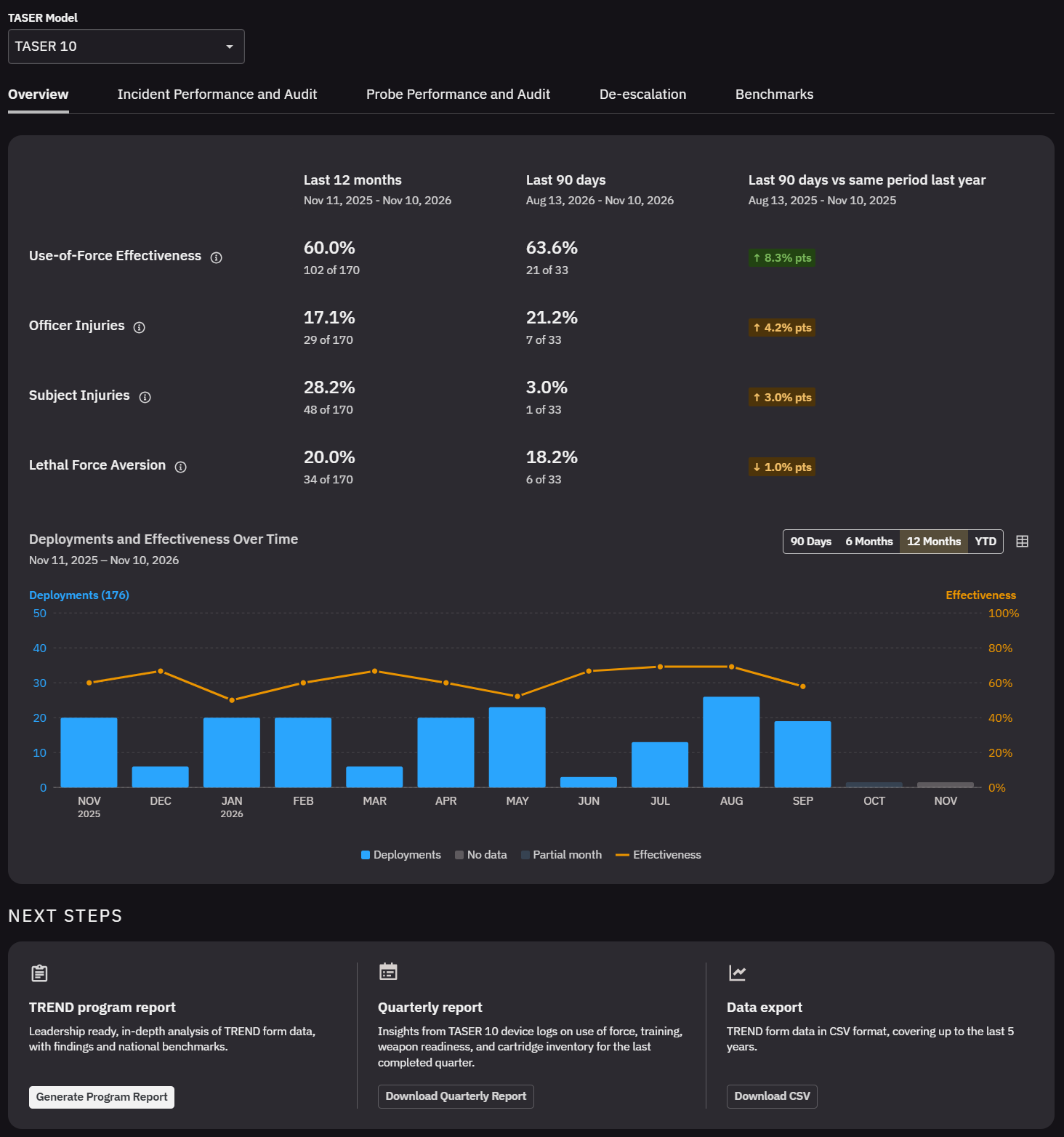
It opens as a single page with analytics tabs, starting with Overview, and a TASER Model list for filtering by TASER energy weapon model.
Report review tasks stay under the Standards or Trend menu. For more information, see Reviewing a TREND Report.
Recognizing TREND in Standards
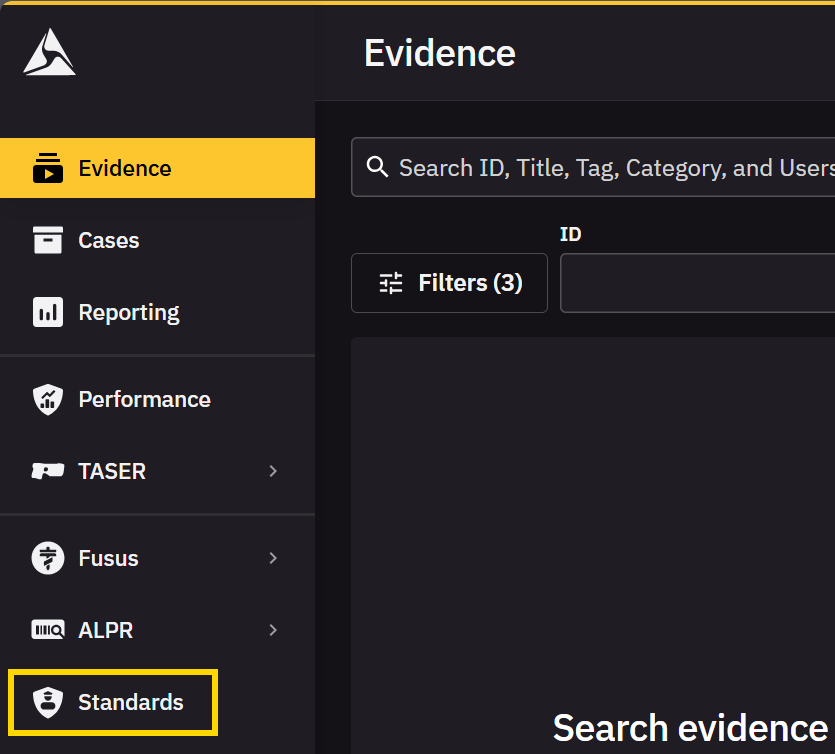
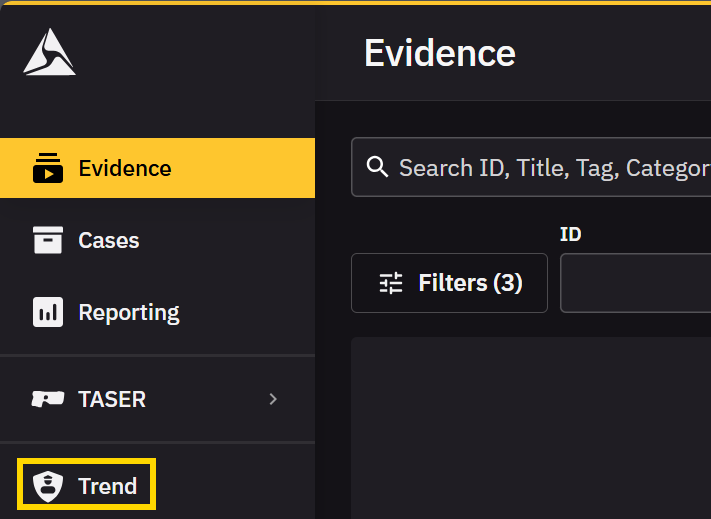
Standards or Trend appears as its own item in the side navigation, depending on how your administrator configured it.
|
|
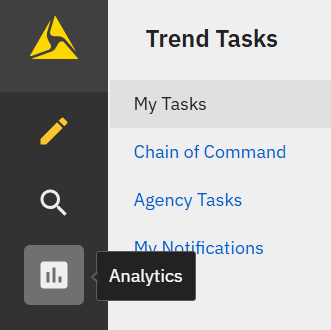
It opens in Axon Standards, with a Trend Tasks menu for your tasks and an Analytics icon for the analytics.
What the TASER Data Science Report covers
The report describes TASER energy weapon use, including surrounding conditions, how the energy weapon was used, and how well it worked.
TREND in Standards
In TREND in Standards, the report has these sections:
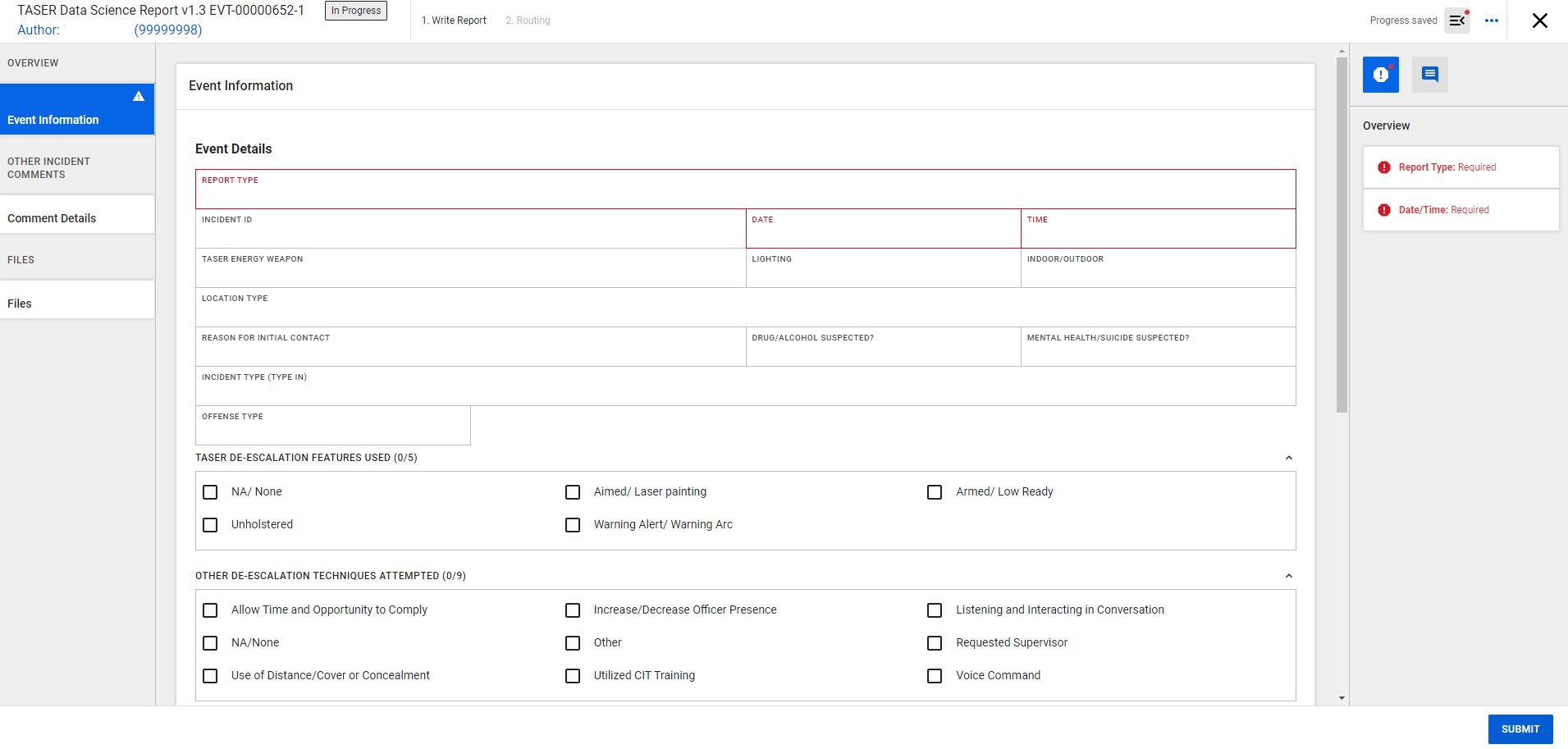
- Event Details – where the event occurred, what conditions were like, reason for the call, de-escalation techniques, and whether video is available.
- Subject Details – whether the subject is human or animal, the subject's sex and clothing, and any injuries and medical treatment.
- Officer Details – the officer's assignment, Axon VR training, sex, and any injuries and medical treatment.
- TASER Deployment Circumstances – the threat the subject presented, subject behavior, and the reasons for deploying the TASER energy weapon.
- TASER Deployment – the TASER energy weapon used in the incident, number of probes deployed, probe separation, number of cycles, total discharge time, distance between officer and subject, and subject position.
- TASER Effect – the overall effect on the subject, whether neuromuscular incapacitation (NMI) was observed, whether the deployment averted lethal force, and any issues that limited effectiveness. This section includes an interactive body outline where you mark where each probe struck the subject.
The following image shows the Event Details section. REPORT TYPE, DATE, and TIME are required fields.
For details about each section and field of the report, see Associating a TREND Report with Energy Weapon Logs.
TREND in Axon Evidence
In TREND in Axon Evidence, how you start the report depends on the TASER energy weapon model:
- TASER 10 – complete the report from Deployment Tracker. When you confirm a TASER energy weapon deployment, Deployment Tracker creates a TREND report, attaches the relevant energy weapon logs, and fills in parts of the report from those logs. You then fill in the remaining fields. For more information, see Creating a TASER Data Science Report in Axon Evidence.
You can also create a TASER 10 report manually and attach the energy weapon logs yourself, as you would for a TASER 7 energy weapon. For example, do this for a deployment that isn't listed in Deployment Tracker. For more information, see Associating a TREND Report with Energy Weapon Logs. - TASER 7 – create the report manually and attach the energy weapon logs yourself. For more information, see Associating a TREND Report with Energy Weapon Logs.
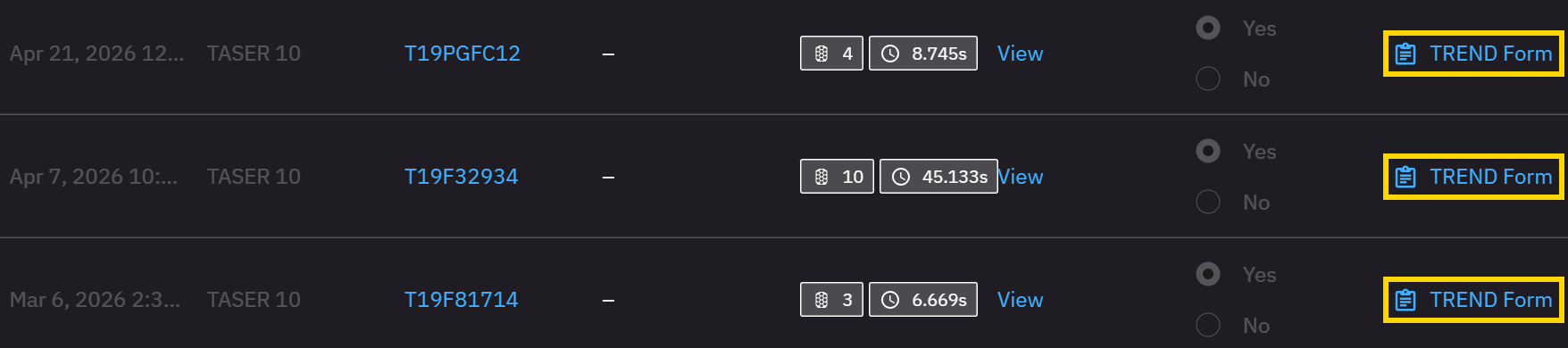
For TASER 10 energy weapons, open the report from the TREND Form link next to each confirmed deployment in Deployment Tracker.
The details you report are used in the TREND analytics, including:
- Incident details, such as distance to the subject, location type, lighting, officer assignment, and suspected mental health, drug, or alcohol involvement.
- Factors present during the incident, such as more than one officer on scene, multiple subjects, or an armed subject.
- Probe placement by body region, and issues such as loose clothing, thick clothing, or a probe that pulled out.
- TASER energy weapon features and officer tactics used to de-escalate.
- Officer and subject injuries.
TREND in Axon Evidence shows this information on five tabs:
- Overview – use-of-force effectiveness, officer and subject injuries, and lethal force aversion, with deployments and effectiveness over time.
- Incident Performance and Audit – the factors and incident details associated with higher or lower effectiveness, to help you plan training.
- Probe Performance and Audit – how probes progress from deployed to on target to connected, and connection rates and issues by body region.
- De-escalation – how often TASER energy weapon features and officer tactics are used to de-escalate.
- Benchmarks – how your organization's outcomes compare to the national median.
For more information, see TREND Analytics in Axon Evidence.


