Assign and reassign tasks and authors
Users belonging to Command Hierarchy groups and/or teams with certain privileges can assign and reassign authors and tasks.
Task assignment options vary depending on the type of task (Write, Review, etc.) as well as the inbox a task is accessed from.
To understand assignment and reassignment, it's helpful to understand these terms:
Task
A task indicates work that needs to be completed on a report. A task is created each time a report is submitted, approved, or rejected. Task types include:
- View: Reports or case tasks that can be viewed but not edited because they are currently in review or already finalized
- Do: Case tasks assigned to you
- Write: Reports assigned to be created and not yet submitted
- Revise: Reports previously submitted for approval but returned by the report reviewer for corrections (the report author receives an email when a report they submitted is returned)
- Review: Reports submitted for review
- Rereview: Reports rejected by the report reviewer, then updated and resubmitted by the author
See Reassign case tasks for additional information about reassigning Do tasks that have been created for a case.
Report
The "thing" that is created, reviewed, and finalized. A report is also referred to as a document or form. Reports are made up of various sections that contain fields and information(person, vehicle, narrative, etc.).
Author
The person who originally creates a report. An author is also sometimes called the primary contributor.
Reassign Write and Revise tasks
To reassign a Write or Revise task, take these steps:
- Find the task in a task inbox.
- Select More Actions [...] > Reassign author.
- Enter a name or Badge ID, set the urgency of the task, and provide notes.
- Unlike Review or Rereview tasks, which can be left unassigned, you must specify a new author for Write and Revise tasks.
The report must be in Write or Revise status for the author or contributor to be reassigned.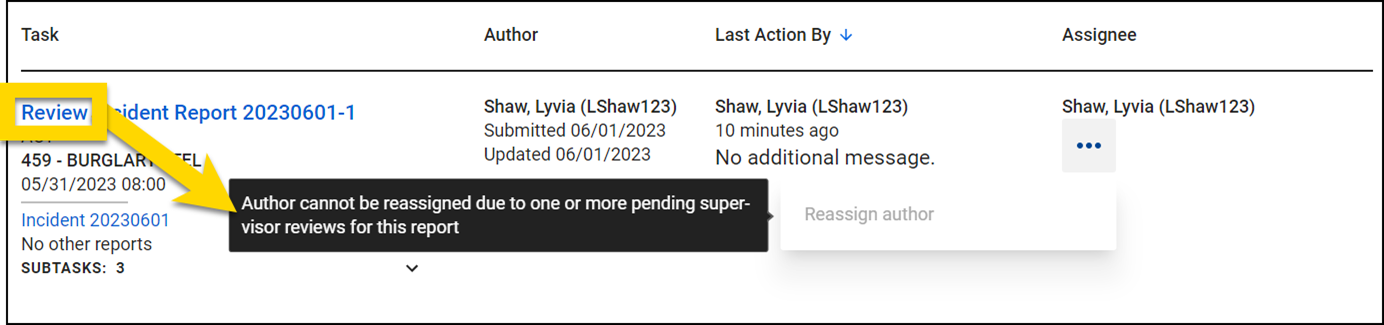
Assign and reassign Review and Rereview tasks
To assign or reassign a Review or Rereview task, take these steps:
- Find the task in a task inbox.
- Select Assign or Reassign.
- Enter a name or Badge ID of the new reviewer, set the urgency of the task, and provide notes.
- Unlike Write and Revise tasks, Review and Rereview tasks can be left unassigned.
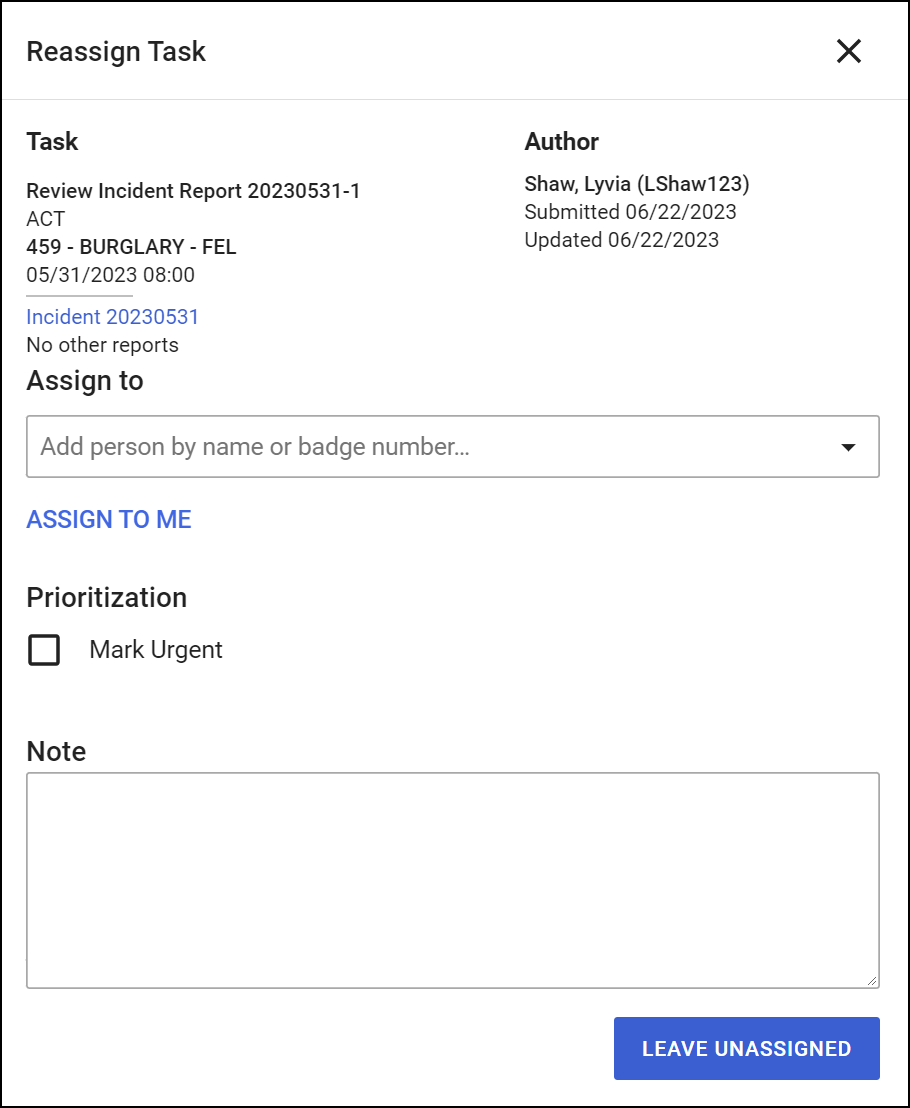
- Unlike Write and Revise tasks, Review and Rereview tasks can be left unassigned.
Reassigning a Review task does NOT reassign the author or contributor. Instead, it reassigns the person who is reviewing the report.
Review and Rereview tasks can also be assigned and reassigned from the assignment menu in the Report Writer footer.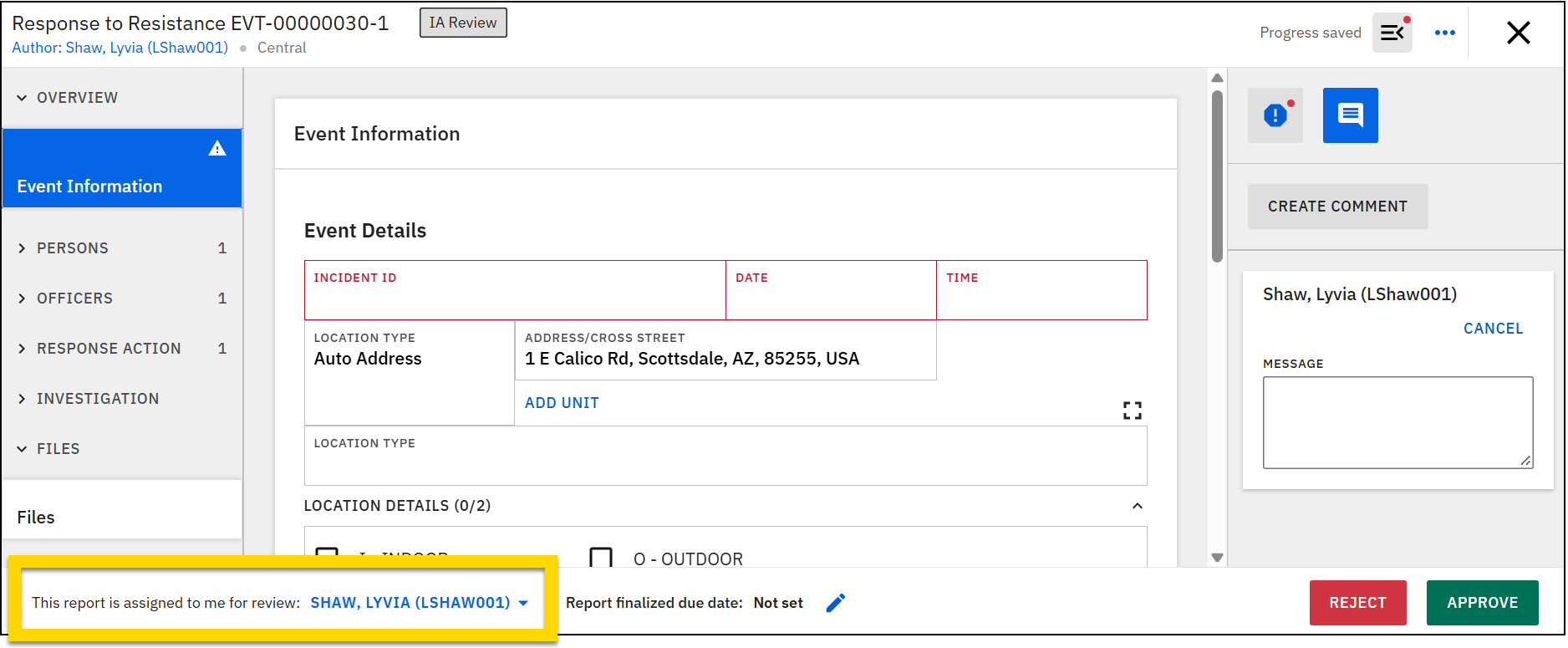
Assign and reassign from the Agency Tasks inbox
The Agency Tasks inbox shows all reports at the entire organization. Tasks can be assigned or reassigned from the In Progress tab in this inbox. Tasks can't be assigned or reassigned from the Recently Finalized tab.
You can reassign tasks from the Actions column. Different assignment and reassignment options appear depending on the task type:
- Write or Revise tasks: More Actions [ ...] > Reassign author
- Review or Rereview tasks: Assign or Reassign buttons
Assign and reassign from the review inboxes
In the Chain of Command, IA Review Tasks, and IA Investigation Tasks inboxes, the assignment and reassignment actions for Review and Rereview tasks appear in the Task column.


